∙
Cooper
∙
Reading time:
24 min

Federated search tools simplify how teams find information by pulling data from multiple platforms - like Slack, Salesforce, and Google Drive - into one unified interface. Instead of hopping between apps, employees can access everything they need in a single search, saving time and reducing frustration.
Key features to prioritize when choosing a federated search tool include:
Integration Capabilities: Connect seamlessly to all your knowledge sources (e.g., Notion, Confluence, Dropbox).
Security: Ensure enterprise-grade compliance (SOC 2, GDPR) and role-based access controls.
Personalization: Tailor search results to user roles and needs.
Analytics: Track metrics like search success rates and content gaps to improve knowledge management.
Ease of Use: Look for pre-built connectors and straightforward setup processes.
Tools like Question Base, Moveworks, and Coveo excel in these areas, offering robust integrations, strong security, and actionable insights. For Slack-centric teams, Question Base stands out with its AI-powered answers and advanced analytics, making it a smart choice for enterprises looking to streamline knowledge access.
Choosing the right tool can save hours of lost productivity and ensure your team has access to the right information, exactly when they need it.
Must-Have Features in Federated Search Tools
To make accessing distributed knowledge truly efficient, certain features are absolutely essential.
When assessing federated search platforms, prioritize security, integration capabilities, and customization options. Enterprises require tools that connect directly to their actual knowledge repositories - not just another search tool that indexes a limited, repetitive dataset.
A strong federated search solution hinges on its ability to integrate seamlessly with various systems. Integration capabilities are the foundation for helping your team find the information they need. For example, a platform that only searches Slack messages will overlook critical data stored in tools like Notion, Salesforce, or Confluence. The most effective solutions come with pre-built connectors, saving you from the hassle of lengthy custom API development [8]. To maximize impact, review your organization's knowledge sources and prioritize integrations based on how employees actually use them [2][3].
Role-based personalization is another key feature, ensuring that results are tailored to individual needs. For instance, an engineer and a salesperson should see different results for the same query, reflecting their specific roles and recent activities [2][3][9]. This is especially important when 43% of employees say they would consider leaving their job if their company didn't provide efficient access to necessary records [9]. Platforms like Question Base address this challenge by blending AI with human oversight, achieving an average answer accuracy score of 4.8 and auto-answering 35% of repetitive questions [1].
Security is non-negotiable for enterprises, especially those handling sensitive or regulated data. Enterprise-grade security includes SOC 2 Type II compliance, encryption both at rest and in transit, and, if needed, the option for on-premise deployment. Look for platforms that allow you to control content access, manage how AI operates, and determine when to escalate issues to human support.
Lastly, it’s crucial to track meaningful metrics to evaluate the tool's effectiveness. Metrics like search success rates, click-through rates, and query rephrasing frequency can reveal knowledge gaps [2][3]. Additionally, platforms that offer analytics on automation rates and resolution metrics empower leaders to refine and enhance their knowledge infrastructure continuously.
1. Question Base
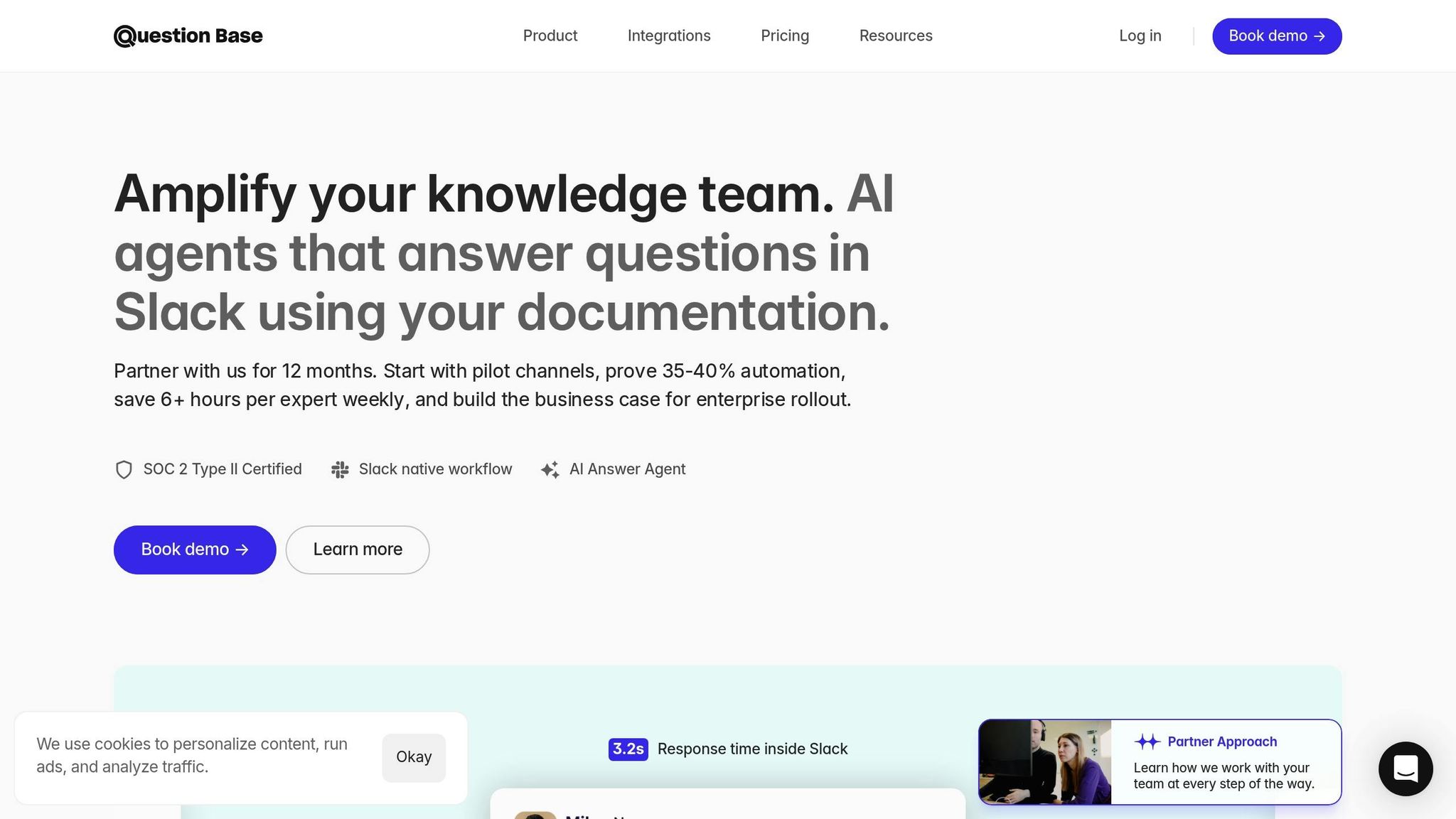
Question Base is an AI-powered answer agent built specifically for Slack, designed to meet the needs of enterprises that demand reliable and precise knowledge sharing at scale. Unlike tools that depend on chat history, Question Base pulls information from trusted sources like Notion, Confluence, Salesforce, and Google Drive to provide accurate answers directly within Slack. Here’s what makes Question Base stand out for enterprise use:
Security and Compliance
Question Base prioritizes security, meeting SOC 2 Type II standards with encryption for both data at rest and in transit. For organizations with strict regulatory or data residency requirements, it offers optional on-premise deployment, giving IT teams complete control over where data is stored. Administrators can also implement granular access controls to manage user permissions and safeguard sensitive information.
Integration Capabilities
With 12+ enterprise tool integrations, Question Base seamlessly connects with platforms like Notion, Confluence, Google Drive, Zendesk, Intercom, Salesforce, and Dropbox. Installation is straightforward - simply add the app from the Slack App Marketplace, invite the bot using /invite @questionbase, and link your documentation sources. No custom API development is needed, making it easy to centralize your team’s knowledge directly in Slack.
Customization and Personalization
Tailor Question Base to fit your organization’s needs by adjusting the AI’s tone, setting channel-specific access rules, and defining escalation paths to human support when needed. This flexibility ensures responses align with your company’s standards while adapting to changing workflows.
Analytics and Insights
Question Base provides detailed tracking of resolution and automation rates, helping you measure how effectively inquiries are handled. It also highlights unanswered questions, pinpointing gaps in your documentation and offering actionable insights for updates that align with your sprint cycles or quarterly goals.
2. Slack AI Search

Slack AI Search is a tool designed to boost productivity by helping users locate information across Slack conversations, files, and connected apps. Available to Enterprise+ users, it employs federated search to pull data from multiple systems in real-time, tailoring results based on the user's role and recent activity. While its strength lies in summarizing past discussions and speeding up individual workflows, it's more suited for general productivity rather than structured knowledge management. Let’s dive into its approach to security, integrations, and customization.
Security and Compliance
When it comes to security, Slack AI Search operates within strict boundaries. All customer data remains within Slack’s secure infrastructure and is not used to train large language models for other users [5]. The tool respects existing permissions, ensuring search results are limited to channels and files the user is authorized to access, with access controls enforced in real time [2][5]. For organizations with specific compliance requirements, Slack provides regional data residency options, including locations in Switzerland, the UAE, and Brazil [2][3].
"Slack searches employ strict guardrails, and customer data never leaves Slack's trust boundary." - Slack [5]
Integration Capabilities
The effectiveness of federated search often hinges on its integrations, and Slack AI Search delivers with connections to over 2,600 apps available in the Slack Marketplace. These include popular tools like Salesforce, Google Drive, Jira, ServiceNow, and GitHub [2][4]. However, administrators must activate specific third-party connectors to enable Enterprise+ users to search across these external platforms [5]. Slack AI Search also uses Retrieval-Augmented Generation (RAG) to create conversational summaries by pulling data from both Slack and its connected apps [5]. For older systems, custom enterprise search API integrations are necessary to bridge the gap.
Customization and Personalization
Slack AI Search tailors results by considering factors like your role, ongoing projects, recent work history, and even prior searches [2][5]. Its natural language processing (NLP) capabilities allow users to ask conversational queries, such as, "What’s the status of the quarterly budget?", without needing precise keywords [5]. However, its customization options are limited compared to tools specifically designed for enterprise knowledge management, making it better suited for individual productivity rather than large-scale knowledge curation.
Analytics and Insights
While Slack AI Search provides basic usage statistics, it lacks the detailed analytics needed for managing enterprise knowledge effectively. Metrics like resolution rates, automation performance, or content gap identification are absent. Although organizations report a 30–50% reduction in time spent searching after adopting unified search tools [5], the absence of deeper analytics makes it harder to measure precise improvements or identify areas where documentation needs updates. In contrast, Question Base focuses on delivering advanced analytics tailored for knowledge management teams, while Slack AI Search remains centered on offering streamlined, user-focused statistics.
3. Moveworks
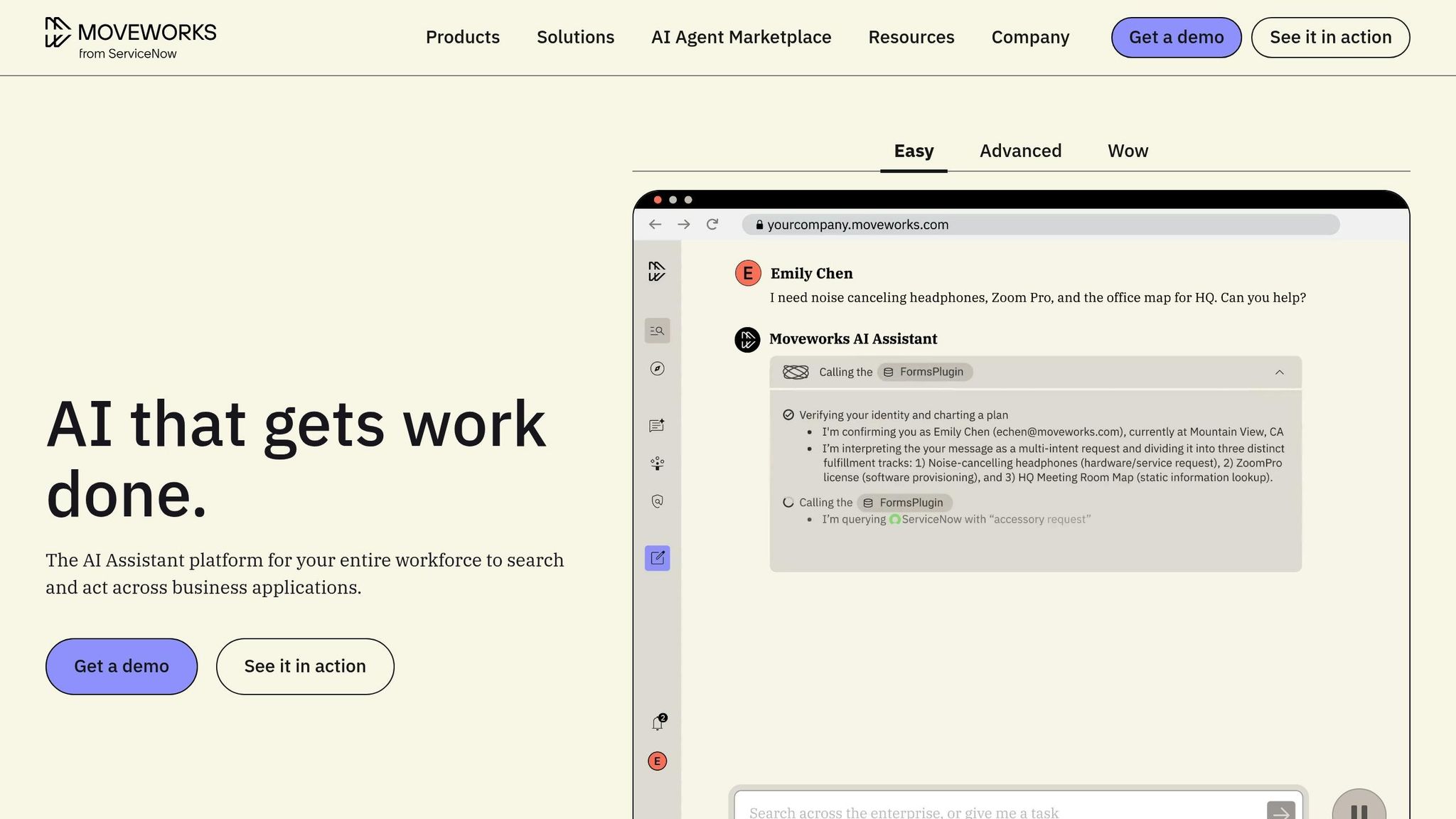
Moveworks stands out among federated search tools by focusing on seamless access to information and maintaining strict security standards for enterprise environments.
Moveworks is a powerful AI platform designed to unify data from multiple sources, making it an ideal solution for companies with complex permission structures and diverse data repositories. It integrates with systems such as SharePoint, Salesforce, Google Drive, and Slack. With more than 50 pre-built connectors and a hybrid approach to retrieving data, Moveworks is tailored for organizations managing large-scale knowledge bases.
Security and Compliance
Moveworks employs a zero-trust security model, ensuring that users only see results they are authorized to access. For real-time environments like Slack, it performs live searches directly in the source system at the moment of the query, ensuring permissions are always up-to-date. The platform also uses AI-driven redaction to automatically mask sensitive information, such as personally identifiable information (PII) or protected health information (PHI). Additional security features include anomaly detection, which flags unusual behavior - like unexpected searches for restricted legal documents. To safeguard data, Moveworks uses encryption for both stored and transmitted information and provides audit trails to help organizations meet compliance standards such as GDPR, HIPAA, and CCPA [7].
Integration Capabilities
Moveworks connects to over 50 enterprise data sources using three distinct retrieval methods, each optimized for specific types of systems. It uses indexing for fast access in platforms like Confluence, live search to enforce real-time permissions in tools like Slack, and a hybrid approach for environments such as SharePoint. A key differentiator is its use of Agentic RAG, an advanced method that not only interprets user intent but also ranks search results while including citations and source links. This capability gives Moveworks an edge over platforms that rely solely on basic keyword indexing [7].
Analytics and Insights
Moveworks provides detailed logs of search activity and user behavior, helping administrators identify usage patterns. Its AI-powered anomaly detection establishes benchmarks for typical activity and flags deviations that might signal potential security risks or unauthorized access. For example, it can alert administrators to high-value queries that fall outside a user's normal responsibilities. These proactive insights, combined with audit trails, not only enhance compliance efforts but also highlight gaps in organizational knowledge [7]. These features make Moveworks a strong contender in the federated search space.
4. Coveo
Coveo is designed to handle intricate knowledge environments, integrating seamlessly with over 100 enterprise systems like Microsoft 365, Salesforce, Google Workspace, Confluence, and Slack. It creates a unified search layer that adapts to user behavior, ensuring secure and tailored search experiences. Its strength lies in combining robust security measures with flexible integrations.
Security and Compliance
Coveo prioritizes data protection with AES-256 encryption for information at rest and industry-standard protocols for data in transit, safeguarding sensitive data at every stage.
Integration Capabilities
With an open API architecture supported by RESTful APIs and SDKs, Coveo makes it easy to build custom connectors for proprietary systems, avoiding vendor lock-in. Additionally, its extensive connector library supports key platforms commonly used by enterprises.
Customization and Personalization
Using machine learning, Coveo tracks user interactions to deliver search results tailored to specific roles, ensuring a personalized experience for every user.
Analytics and Insights
Coveo offers a comprehensive analytics dashboard that provides insights into how employees search for and use information. By identifying popular resources and highlighting underutilized ones, it helps content teams spot documentation gaps and better understand search behavior across the organization.
5. Lucidworks Fusion
Lucidworks Fusion takes a tailored enterprise approach to federated search, emphasizing security through detailed role-based access control (RBAC). This system ensures that search results are only visible to users with the appropriate permissions, creating a secure and controlled environment for federated search operations.
6. Algolia
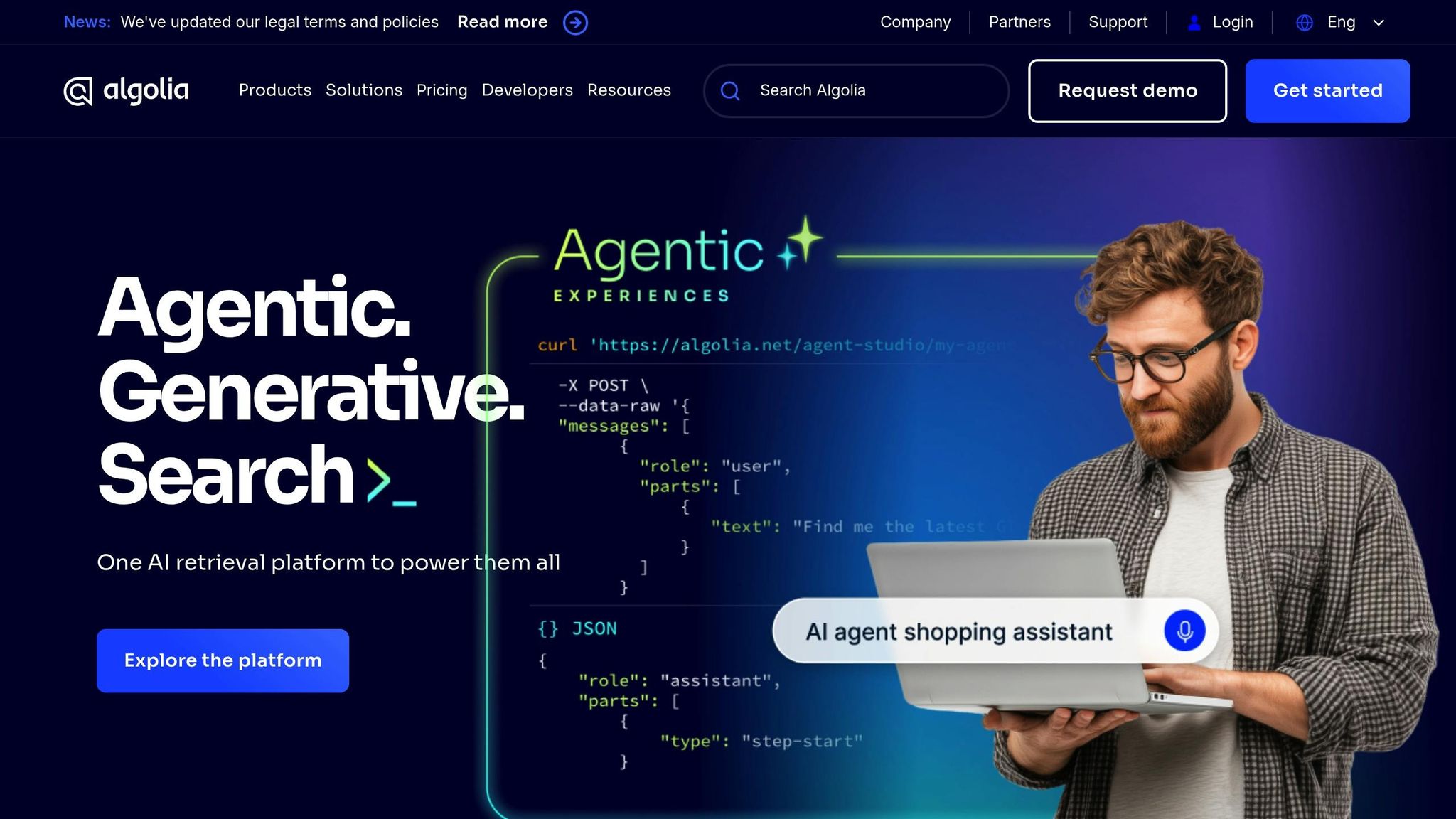
Algolia provides a developer-focused federated search solution, designed to offer high levels of customization and real-time performance, following search UX best practices, making it a strong choice for internal knowledge management. It stands out by addressing enterprise needs with flexible integration options and precise configuration capabilities.
Customization and Personalization
With Algolia, administrators have the ability to fine-tune search relevance by adjusting ranking rules, refining indexing pipelines, and prioritizing metadata. This ensures that the most important documents appear front and center, aligned with specific workflow requirements.
The platform also leverages machine learning to adapt search results based on user behavior. For instance, when an HR team searches for "onboarding", the results might prioritize policy documents, while IT teams searching the same term would see system-related guides. This tailored approach helps ensure users find the most relevant information quickly.
Integration Capabilities
Built on an API-first architecture, Algolia seamlessly connects with enterprise platforms such as Salesforce, SharePoint, and a variety of content management systems. This setup is particularly appealing for organizations with custom technology stacks, as it allows teams to control exactly how data flows into the search index. However, implementing and maintaining these integrations requires technical expertise, distinguishing Algolia from more straightforward plug-and-play tools.
This developer-centric model positions Algolia as a solution for companies that value precision and control over ease of setup, making it a preferred choice in complex, highly customized environments.
7. Elastic Enterprise Search
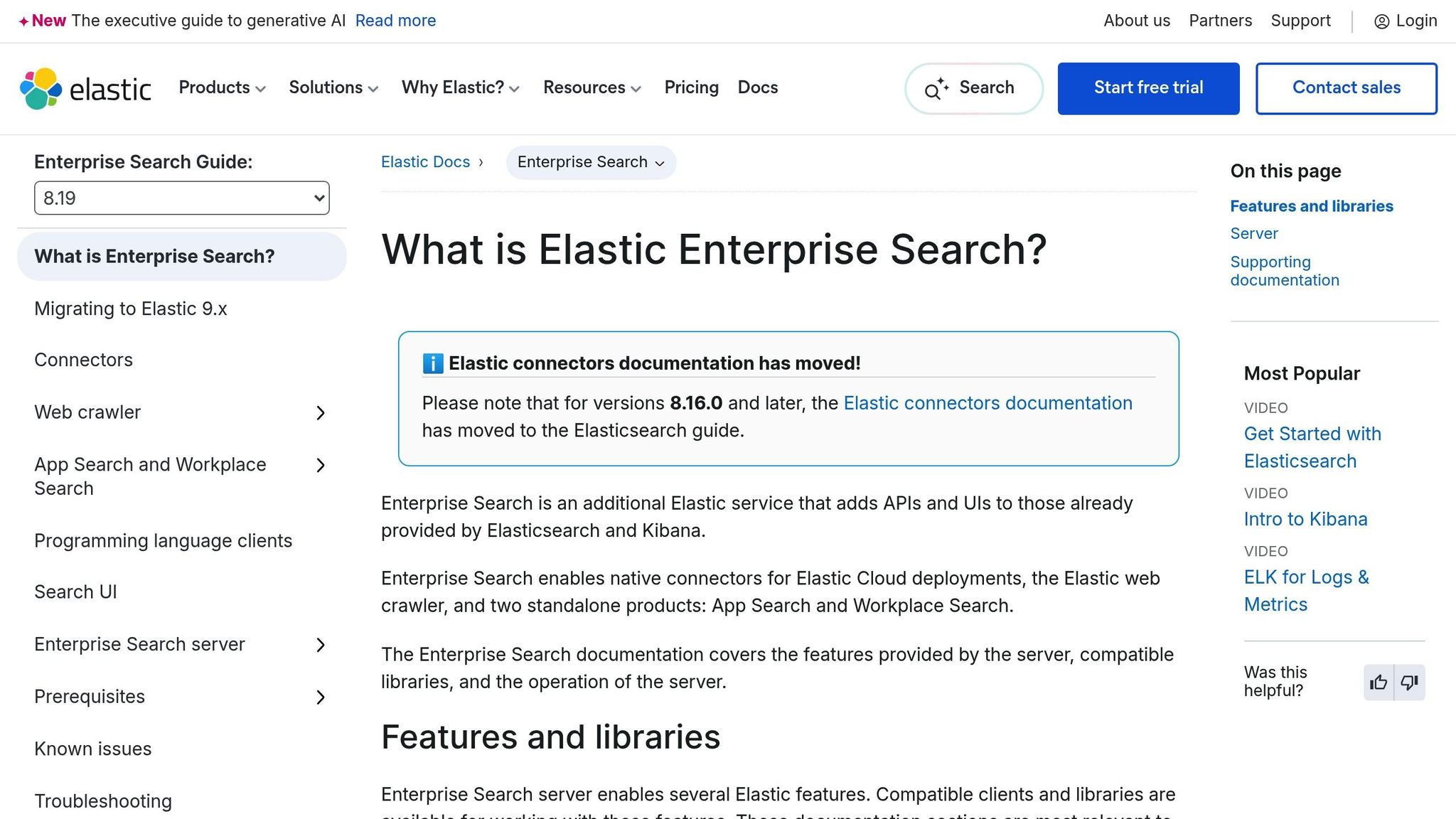
Elastic Enterprise Search gives organizations the tools to create highly customized search experiences with deep technical control. Designed for teams with engineering expertise, it supports over 55 data sources and features a robust API framework, enabling custom search solutions built from the ground up. This builds on the role-specific capabilities seen in earlier platforms.
Security and Compliance
Security is a key focus of Elastic Enterprise Search, offering role-based access control (RBAC) to allow administrators to set detailed permissions for accessing documents and data. Data is encrypted both at rest and in transit, ensuring sensitive information remains secure throughout its lifecycle.
For businesses with strict data residency needs, Elastic provides flexible deployment options, including cloud, on-premises, and hybrid setups. The platform also features audit logging, giving security teams the ability to track search activity and monitor access for compliance purposes. Elastic meets SOC 2 standards and integrates seamlessly with enterprise identity providers like SAML, OpenID Connect, LDAP, and Active Directory.
Integration Capabilities
Elastic Enterprise Search connects to data sources using pre-built connectors, RESTful APIs, and developer-friendly SDKs for JavaScript and Python. This flexibility empowers technical teams to build integrations with proprietary systems that standard connectors may not support. Additionally, the platform includes a native web crawler with customizable content extraction rules, ideal for indexing internal wikis or documentation sites lacking direct API access. This capability complements the unified search approach discussed earlier.
Customization and Personalization
The platform excels in semantic search and natural language processing, which help it interpret user intent more effectively. It also integrates with large language models (LLMs) to enable conversational search. Developers can experiment with the "Playground" feature to test and refine how LLMs interact with indexed data before implementing changes in production.
Elastic Enterprise Search allows organizations to fine-tune relevance scoring, adjust ranking rules, and configure custom indexing pipelines. This level of control ensures that search results align with specific business objectives, though it does require technical expertise to fully leverage these capabilities.
Analytics and Insights
Elastic provides real-time dashboards to track search performance, user behavior, and content gaps. These insights enable knowledge managers to identify queries that yield poor results and pinpoint areas where documentation needs improvement. Over time, this data-driven approach helps refine and enhance the overall search experience.
8. Microsoft Search
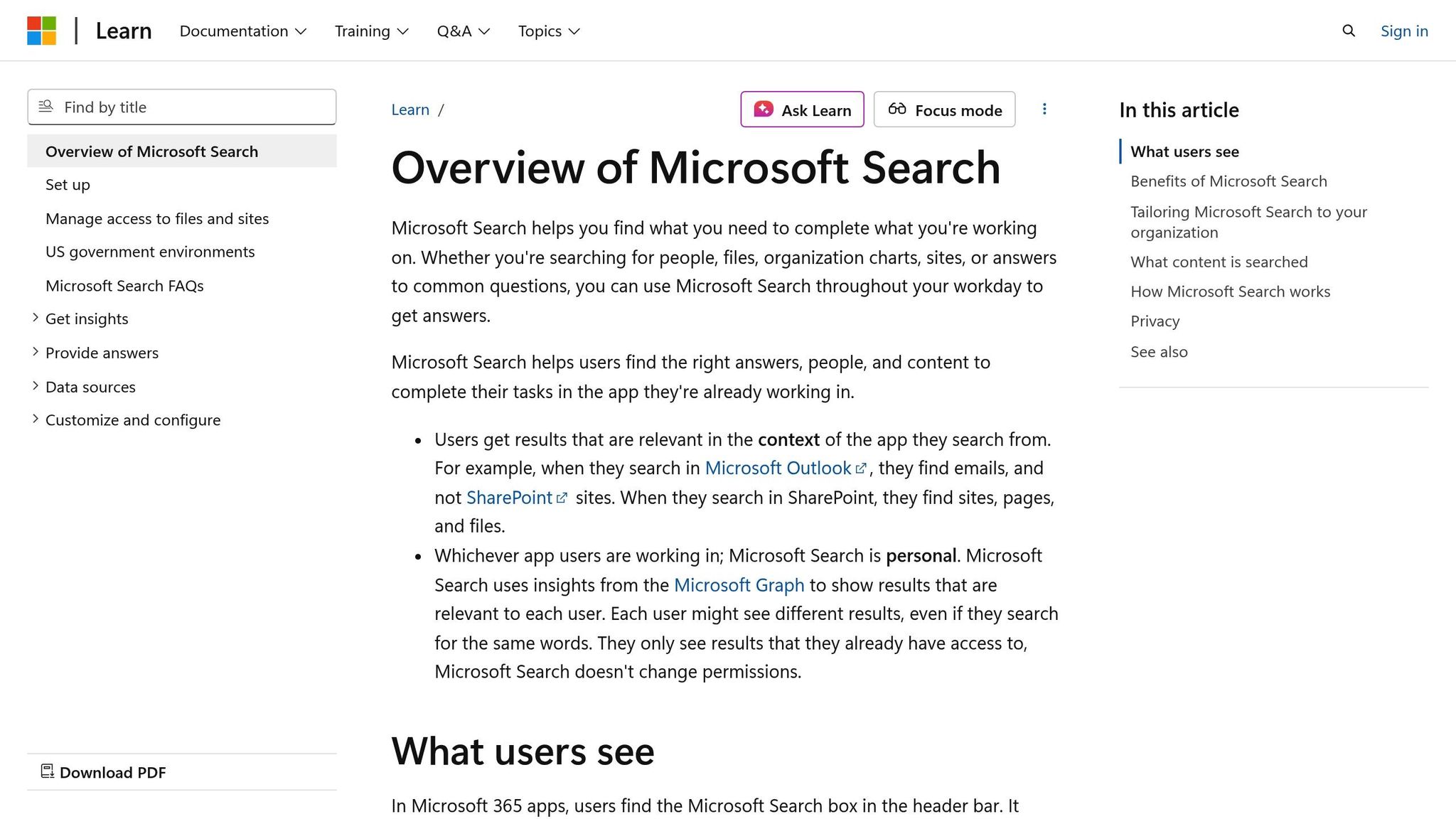
Microsoft Search is a built-in feature of Microsoft 365, seamlessly integrating with tools like Teams, SharePoint, Outlook, and OneDrive. When users search in these applications, they tap into a unified index that pulls information from emails, documents, conversations, and files across the Microsoft ecosystem. This integration ensures a secure, connected, and user-focused search experience.
Security and Compliance
Microsoft Search operates within the robust security framework of Microsoft 365, dynamically filtering search results based on user permissions. This means employees only see content they’re authorized to access, with real-time enforcement of Access Control Lists. The platform also employs sensitivity labels, Data Loss Prevention (DLP) policies, and retention rules to safeguard data at every step of the search process. Importantly, all search operations remain within the Microsoft 365 trust boundary, ensuring customer data stays secure.
For organizations handling sensitive or regulated data, Microsoft Search meets compliance standards such as GDPR, HIPAA, ISO, and SOC 2. It also provides detailed audit logs to monitor search activity and access patterns, reducing the need for additional security measures.
Integration Capabilities
Microsoft Search delivers on the promise of breaking down data silos with its federated search capabilities. Beyond the Microsoft 365 suite, it connects to over 100 third-party systems using custom connectors and a flexible API framework. This allows organizations to index content from platforms like Salesforce, ServiceNow, or proprietary databases, consolidating knowledge into a single, unified search interface. Built on Bing’s infrastructure, the platform can handle millions of documents without compromising performance.
The Microsoft Search admin center acts as a central hub for IT teams to manage connectors, configure synonyms, and set business rules. This makes it easier to unify data across Microsoft tools and external platforms, creating a seamless search experience for users.
Customization and Personalization
Administrators have extensive control over search results, from modifying layouts and prioritizing specific content types to defining custom ranking rules. Using AI-driven semantic understanding, the platform interprets user intent, going beyond simple keyword matching. Search results are tailored to each user based on their role, recent activity, and context. With the recent addition of OpenAI integrations and Microsoft Copilot, the platform is evolving toward conversational and context-aware interactions.
Administrators can also manage synonyms - such as linking "PTO" to "paid time off" - to ensure the platform recognizes internal terminology and delivers relevant results. This level of customization ensures key documentation is always easy to find.
Analytics and Insights
Microsoft Search includes dashboards that track metrics like search volume, query success rates, user engagement, and content gaps. These insights help knowledge managers identify frequently searched terms that return no results, highlighting areas where documentation needs improvement. Regularly reviewing these analytics helps refine the search experience and ensures users can quickly access the information they need.
9. Yext Answers
Yext Answers brings together data from CRMs, help desks, cloud storage, and document platforms into a centralized Knowledge Graph, breaking down information silos. This setup ensures users get consistent answers across various channels without the hassle of searching through multiple systems individually.
Integration Capabilities
Yext Answers simplifies integration with enterprise tools like Salesforce, Zendesk, ServiceNow, SharePoint, and Google Drive through its pre-built connectors. These connectors eliminate the need for custom API development, saving time and effort. For those needing more customization, the platform’s API-first architecture offers a range of APIs and SDKs, such as the Search UI React Library. This allows developers to embed search functionality seamlessly into internal portals, websites, or custom applications. Beyond just connecting systems, Yext Answers also emphasizes understanding how users interact with search results to refine and enhance the experience.
Security and Compliance
The platform ensures permission-aware results, meaning users only see content they are authorized to access based on existing permissions and access controls [2][3]. If a user’s access to a specific data source changes, the search results are updated instantly to reflect those new permissions. This dynamic approach safeguards sensitive information without requiring administrators to manually adjust access settings within the search tool.
Analytics and Insights
Yext Answers offers detailed metrics, including search success rates, click-through rates, and query refinement trends. These analytics enable knowledge managers to pinpoint content gaps, improve the relevance of search results, and identify the most frequent queries across the organization. This data-driven approach helps teams optimize their knowledge resources effectively.
10. Sinequa
Sinequa caters to large enterprises that need secure, comprehensive search capabilities across both structured and unstructured content. It connects seamlessly to a variety of data sources, from older legacy systems to modern cloud-based applications, while ensuring data remains at its original location. Let’s explore how Sinequa handles security, integrates with diverse systems, and customizes search experiences.
Security and Compliance
Sinequa ensures permission-aware search results, meaning users only see what they’re authorized to access, based on their current permissions [2][5]. If an employee’s access rights change - say, due to a department transfer - those updates are immediately reflected in their search results. This real-time adjustment ensures sensitive data remains protected while maintaining compliance with security protocols.
Integration Capabilities
Sinequa uses API integrations to deliver unified search functionality across various data sources, without the need to physically move or copy data [6]. This approach is ideal for enterprises with intricate IT infrastructures, where keeping data in place is essential for compliance and operational efficiency.
Customization and Personalization
Sinequa offers flexible filtering options, allowing users to refine search results by factors like department, author, file type, or date. Filters can be set up as either static or dynamic facets, giving teams the ability to customize search results to suit their specific needs. This means employees across different departments can access content that’s most relevant to their roles, enhancing productivity and focus.
Feature Comparison Table
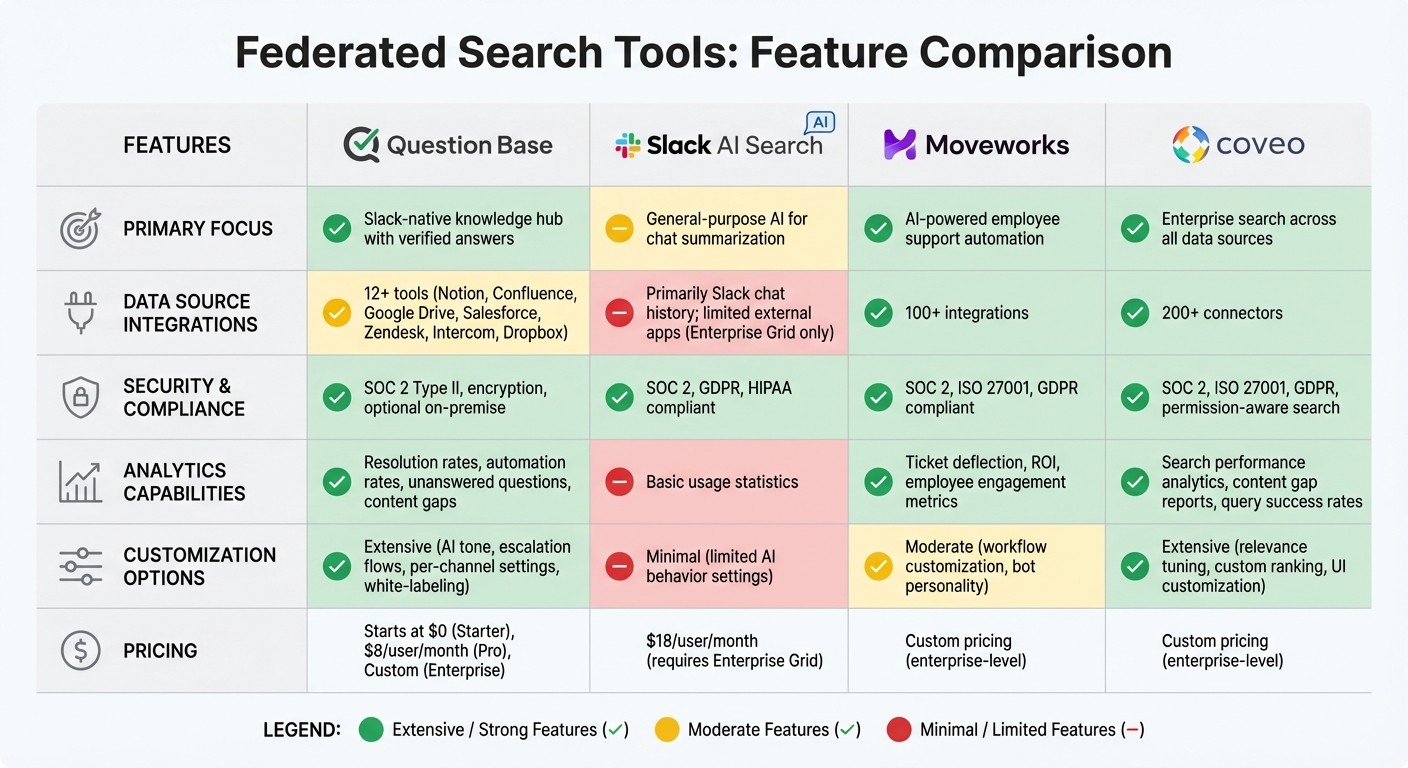
Federated Search Tools Feature Comparison: Question Base vs Slack AI vs Moveworks vs Coveo
Below is a side-by-side look at some of the top federated search tools, showcasing how they measure up across key enterprise features.
Feature | Question Base | Slack AI Search | Moveworks | Coveo |
|---|---|---|---|---|
Primary Focus | Slack-native knowledge hub with verified answers | General-purpose AI for chat summarization | AI-powered employee support automation | Enterprise search across all data sources |
Data Source Integrations | 12+ tools (e.g., Notion, Confluence, Google Drive, Salesforce, Zendesk, Intercom, Dropbox) | Primarily Slack chat history; limited external apps (Enterprise Grid only) | 100+ integrations, including HR systems, ITSM, and business apps | 200+ connectors for various platforms |
Security & Compliance | SOC 2 Type II, encryption at rest and in transit, optional on-premise deployment | SOC 2, GDPR, HIPAA compliant | SOC 2, ISO 27001, GDPR compliant | SOC 2, ISO 27001, GDPR, permission-aware search |
Analytics Capabilities | Tracks resolution rates, automation rates, unanswered questions, and content gaps | Basic usage statistics | Metrics for ticket deflection, ROI, and employee engagement | Search performance analytics, content gap reports, query success rates |
Customization Options | Extensive - control AI tone, escalation flows, per-channel settings, and white-labeling | Minimal - limited to general AI behavior settings | Moderate - workflow customization and bot personality adjustments | Extensive - relevance tuning, custom ranking models, and UI customization |
Knowledge Management | Includes case tracking, AI learning from gaps, and thread summarization | None - focuses on search and summarization | Automated ticket resolution and knowledge article suggestions | Offers content recommendations, automatic tagging, and relevance optimization |
Pricing | Starts at $0 (Starter), $8/user/month (Pro), Custom (Enterprise) | $18/user/month (requires Slack Enterprise Grid) | Custom pricing (primarily for enterprise-level) | Custom pricing (primarily for enterprise-level) |
This breakdown highlights how each platform supports enterprise needs, helping teams identify the best fit for their workflows.
Question Base stands out for its Slack-native approach, delivering verified, expert-backed answers directly within Slack. Its robust analytics also help teams identify knowledge gaps and improve resolution rates. Slack AI Search is a solid choice for summarizing past Slack conversations but is limited when it comes to connecting with external documentation or tools. Moveworks shines in automating employee support tickets across various systems, while Coveo offers unmatched integration capabilities for organizations managing complex, multi-platform search needs.
Choosing the right federated search tool can transform how your team accesses information. By unifying knowledge sources - whether in Slack, an intranet, or a dedicated portal - you eliminate silos and ensure everyone has access to reliable, up-to-date information when they need it.
Conclusion
After reviewing the features and comparisons above, it’s clear that addressing the inefficiencies in accessing information and automating internal questions is a priority. Employees spend a significant amount of time searching for documents, with 74% of tech leaders noting that workers lose valuable hours navigating multiple platforms to find what they need [9][2]. The right tool can help reclaim this lost time and redirect focus toward more meaningful work.
Start by evaluating where your team’s knowledge is stored. Whether it’s in Slack, Salesforce, Google Drive, Confluence, or Jira, map out these sources and prioritize integrations based on how often they’re used [2][3]. Measure success by tracking metrics like search success rates, click-through rates, and the frequency of rephrased queries [2][3]. Additionally, ensure the tool you choose respects permissions, so employees only access content they’re authorized to see [5]. This targeted strategy will help align your tool selection with your team’s needs.
The shift from simple link retrieval to tools that provide intelligent, context-aware answers is transforming how teams operate [2][3]. Instead of just presenting a list of links, advanced tools now synthesize responses and offer context-rich summaries, setting a new standard for workplace efficiency. For Slack-centric environments, Question Base stands out as a purpose-built solution. It connects directly to trusted documents, tracks resolution rates, identifies content gaps, and ensures accuracy and control - key factors for enterprise teams that value knowledge ownership and auditability.
Whether you’re managing internal support automation, HR processes, or IT workflows, a federated search tool should break down silos, maintain permissions, and deliver answers seamlessly within your team’s existing tools. Choose a solution that grows with your organization, integrates smoothly with your current systems, and turns scattered knowledge into a powerful resource for unified, efficient operations.
FAQs
What are the key benefits of using federated search tools in the workplace?
Federated search tools simplify the way employees access information by offering a single search interface that connects seamlessly to various systems, including Slack, Salesforce, Google Workspace, Confluence, and internal databases. This eliminates the hassle of toggling between multiple apps or conducting separate searches, saving valuable time and reducing frustration.
These tools boost efficiency by providing fast, relevant results from reliable sources, all while adhering to stringent security and compliance requirements like SOC 2 standards and encryption. Features such as AI-driven semantic search and personalized result ranking ensure employees can quickly find the most useful answers. Additionally, built-in analytics help organizations pinpoint and address content gaps in their knowledge base.
By breaking down barriers between systems, federated search fosters stronger collaboration among teams, speeds up decision-making, and establishes a consistent, dependable source of information for HR, IT, support, and operations teams.
How do federated search tools keep data secure and ensure compliance?
Federated search tools place a strong emphasis on security, using encryption to safeguard data both during transmission and while it's stored. This protects sensitive information from unauthorized access. Additionally, they incorporate role-based access controls, limiting data access strictly to users with the appropriate permissions. For added accountability, they maintain detailed audit logs, providing a clear record of activity.
These tools are designed to meet rigorous compliance standards such as SOC 2, GDPR, and HIPAA, making them an excellent fit for industries with stringent regulatory demands. By combining encryption, access controls, and adherence to compliance standards, federated search tools ensure enterprise data stays secure and accessible only to those who are authorized.
What should you consider when integrating federated search tools with your existing systems?
When bringing federated search tools into your workflow, it’s essential to evaluate how effectively the solution integrates with your existing systems, protects sensitive data, and adapts to growth. Prioritize tools that offer strong integrations or open APIs, enabling seamless connection to platforms like Notion, Confluence, Salesforce, or Google Workspace - without the hassle of custom coding.
Security should be a top priority. Opt for tools that provide enterprise-level protection, including encryption, detailed access controls, and certifications such as SOC 2 Type II to ensure compliance with industry standards.
Scalability matters too. A good tool should handle increasing data volumes and user activity with ease, all while keeping your content indexed in real time to deliver up-to-date search results. Look for customization features such as relevance tuning, source prioritization, and personalized responses to ensure search results meet your team’s unique requirements. Additionally, tools equipped with analytics capabilities allow you to monitor performance, uncover content gaps, and refine your knowledge base over time.
Take Question Base as an example. It offers expert-verified answers, integrates directly with over 100 platforms, ensures top-tier security, and provides actionable analytics - making it a powerful choice for enterprise-wide search and knowledge management.