∙
Cooper
∙
Reading time:
24 min

Repetitive questions in Slack waste time and disrupt focus. IT, HR, and operations teams often handle the same queries - like "How do I reset my password?" - over and over, costing companies millions annually in lost productivity. The solution? Build a dynamic FAQ system within Slack to automate answers, reduce interruptions, and ensure employees quickly find accurate information.
Key Takeaways:
40% of internal questions are repeats, consuming up to 8 hours of expert time weekly.
Slack's chat-first design buries answers, making them hard to find later.
AI-powered tools like Question Base turn Slack threads into searchable FAQs, cutting repetitive queries by 30–60%.
This approach saves time, reduces costs, and improves consistency in responses.
How Slack Overwhelms Support Teams
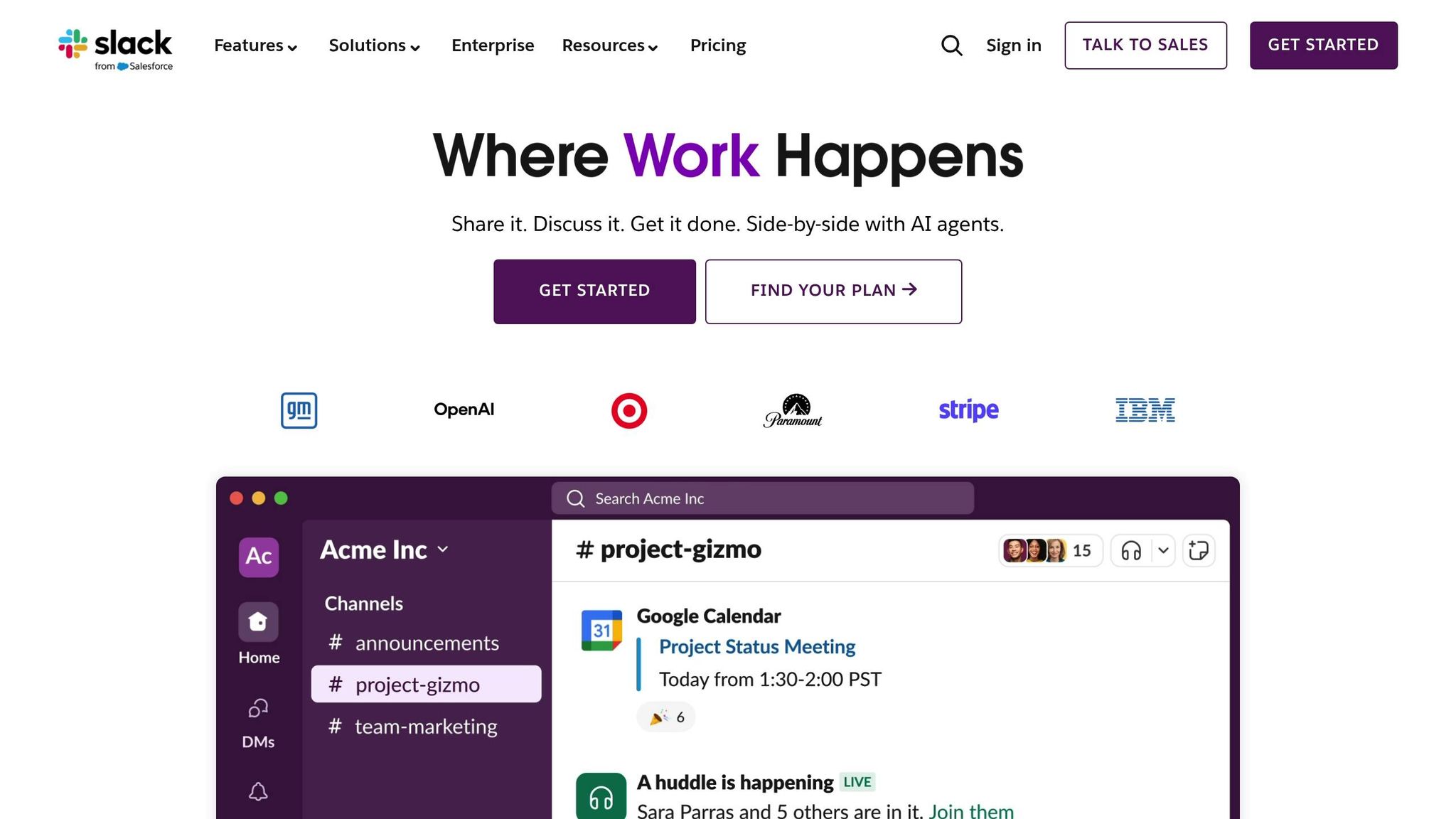
Slack is an exceptional tool for real-time collaboration, but when it doubles as an internal help desk, it can overwhelm support teams. IT, HR, and operations teams often find themselves drowning in a flood of unstructured queries, mentions, and direct messages. What starts as a quick way for employees to get answers can spiral into an always-on help desk that scatters knowledge, burns out experts, and makes it harder to maintain high-quality support. This overload often shows up as repetitive questions and constant interruptions, as outlined below.
The problem isn’t Slack itself - it’s the lack of structure when teams rely on it as their main support channel. Without proper intake workflows, triage systems, or centralized knowledge management, chaos ensues. Messages pour into public channels, private groups, and one-on-one DMs at all hours, making it tough to separate urgent issues from routine inquiries. Many requests lack key details, forcing support agents to spend extra time gathering the basics before they can even start troubleshooting. Fast-moving threads often bury important questions under follow-up chatter, especially when there’s no integrated ticketing or workflow system to keep everything organized.
Repeated Questions and Scattered Knowledge
Large organizations often face the same recurring questions. One person might ask in #it-help, another in a regional channel, while someone else DMs an expert directly. Because Slack prioritizes conversations over organization, answers get lost in lengthy threads full of emojis, side discussions, and follow-up questions. This makes it nearly impossible to find those answers later.
Over time, this creates fragmented, scattered knowledge instead of a single, trusted source. When policies or product details change, outdated answers remain searchable and are often reused, leading to more confusion. Slack’s search function doesn’t help much - it surfaces old conversations, jokes, or partial responses instead of up-to-date, reliable answers. Faced with vague or irrelevant search results, many employees simply re-ask their questions, creating a cycle of inefficiency.
"Slack is where documentation goes to die, brought up once in passing, and never to be found again." - Brigitte Lyons[1]
This cycle drains productivity as experts repeatedly answer the same questions, slowing down the entire organization.
Constant Interruptions and Lost Time
Slack’s real-time nature also creates a high-interruption environment that chips away at focus and efficiency. Subject-matter experts - whether they’re senior engineers, security specialists, or HR leads - often become “human FAQs” because everyone knows they have the answers. They’re bombarded with DMs and @mentions, often without prioritization, pulling them away from their core responsibilities.
Each interruption can cost 10–20 minutes of lost focus, and when answers are shared privately in DMs, that knowledge stays isolated. This forces others to ask the same questions later. Even when answers appear in public channels, they can quickly get buried, creating a bottleneck where a handful of experts end up gatekeeping critical knowledge.
Studies show that IT and HR teams often spend 20–40% of their day addressing repetitive questions when self-service options aren’t in place. This leads to longer backlogs for high-priority issues, fewer tickets resolved, and more after-hours work to catch up. Without a structured system to log, tag, and track requests, managers lose visibility into trends, pain points, and SLA performance, making it harder to plan resources or justify investments.
Solutions to Slack Overload
Thankfully, these challenges can be addressed with a few straightforward changes. For starters, setting up dedicated, well-labeled channels (like #it-help, #hr-questions, or #product-support) with clear intake templates and pinned instructions can bring much-needed structure. Discouraging one-off DMs for general questions and establishing office hours for real-time support can also help reduce interruptions and preserve focus time. Encouraging employees to use existing documentation - via pinned links, Slack shortcuts, or updated channel topics - nudges them toward self-service.
Once these foundational practices are in place, AI-powered tools like Question Base can take things to the next level. Question Base integrates directly with Slack and external documentation platforms like Notion, Confluence, Google Drive, Zendesk, Intercom, Salesforce, and Dropbox. It creates a unified knowledge layer by indexing both formal documentation and previous Slack answers. When someone asks a question in Slack, the tool can suggest accurate, context-aware responses drawn from this knowledge base. This turns many “new” requests into instant self-service solutions, cutting down on repetitive DMs and freeing up experts to focus on higher-value tasks.
Building Slack FAQs for Enterprise Teams
Enterprise teams can break the cycle of repetitive questions in Slack by creating well-structured FAQs. These FAQs capture proven answers, offering immediate and consistent access to information. The result? Time saved, a scalable knowledge base, and uniform responses across teams, regardless of location or time zone.
The shift from reactive, one-off replies to a proactive system is transformative. By identifying common questions, promoting high-quality answers, and enabling self-service, employees can find what they need without waiting for human intervention. For U.S.-based enterprises managing remote teams, multiple offices, and 24/7 operations, this approach is a game-changer for maintaining productivity without overloading support staff. Let’s dive into how to build and structure these FAQs effectively.
How to Capture and Organize FAQs in Slack
The first step in building Slack FAQs is identifying high-frequency, high-priority questions that disrupt experts. Not every question needs to be turned into an FAQ - the focus should be on those that consistently divert attention from core tasks.
Monitor key Slack channels like #it-help, #hr-help, or #product-support for recurring patterns. Set a threshold, such as questions asked by three or more people or repeated three times a month, to flag potential FAQs. This ensures the FAQs address real, recurring issues rather than hypothetical ones.
A simple tagging system can make this process easier. Support agents can mark useful answers with a :faq: emoji or use a shortcut to track FAQ candidates automatically. Once recurring questions are flagged, assign specific domain owners - IT for technical issues, HR for benefits and policies, product teams for feature-related inquiries, and so on. These owners review flagged questions weekly or monthly, decide which to promote, and ensure the information remains accurate as policies or products evolve.
To convert a strong answer into an FAQ, start by selecting the clearest, most complete response from the original Slack thread. Edit it for clarity and brevity, and use a standard template to maintain consistency. This template should include:
The question
A concise answer
Step-by-step instructions if necessary
Relevant links
The owner's name
A "last-reviewed" date
FAQs can be stored in dedicated Slack channels like #it-faq or #hr-faq, where they’re pinned for easy access. Some teams also use Slack’s saved replies feature, allowing agents to quickly insert FAQ snippets into conversations. When an FAQ covers a question, agents can respond with a link and encourage the person to check the FAQ first in the future, gradually training employees to rely on the system.
Adopt clear, descriptive titles for FAQs (e.g., “[Access] Request VPN credentials”) to make them searchable. When employees type keywords like "VPN" or "PTO" into Slack, these titles will surface immediately, reducing the need for repetitive queries.
For enterprises using multiple documentation tools - like Notion for product specs, Confluence for engineering guides, or Google Drive for HR policies - syncing FAQs across platforms can be challenging. This is where Question Base comes in. By integrating with tools like Notion, Confluence, Google Drive, Zendesk, and more, Question Base creates a unified knowledge layer within Slack. It can surface relevant answers from any connected platform, whether it’s a Notion page, a Confluence article, or an earlier Slack thread. Employees simply @mention the bot or use a slash command to get the information they need without leaving Slack or guessing which tool to search.
Question Base also automates FAQ detection by monitoring support channels and flagging recurring questions as potential FAQ entries. It can even draft FAQ answers for review, speeding up the process of building a comprehensive knowledge base.
How Slack FAQs Improve Scalability and Consistency
With FAQs in place, support teams can scale efficiently while maintaining consistent and accurate responses. Without FAQs, every new question requires a human response, causing support demand to grow alongside team size. With FAQs, many questions can be answered through self-service, breaking the link between support volume and headcount. As the company grows - adding employees, offices, and new product lines - the FAQ system absorbs much of the increased demand without requiring proportional hiring.
This scalability is especially beneficial for U.S. enterprises with coast-to-coast or global teams. For example, an employee in the Pacific time zone with a question at 6:00 AM doesn’t need to wait for an East Coast colleague to log in. They can search the FAQ or use an AI agent for an immediate answer, avoiding delays and keeping productivity on track.
Slack-native FAQs also create a unified source of truth, eliminating conflicting answers. Before adopting FAQs, the same question might yield different responses depending on who answered, when, and where. One person might share outdated information from a direct message, while another references a more recent update from a team meeting. This inconsistency can confuse employees and undermine trust in internal support.
Centralized FAQ entries solve this problem by promoting vetted, standardized answers. Whether accessed through channel pins, saved replies, or AI agents, these answers ensure everyone follows the same steps and policies. When updates are needed - like changes to expense reimbursement rules or IT ticket SLAs - domain owners can revise the FAQ once, and the updated answer will appear wherever it’s referenced in Slack. This prevents outdated information from lingering in old threads.
Consistency is especially critical for compliance, security, and customer-facing topics. For example, inconsistent answers about data retention policies or refund timelines can lead to regulatory risks or customer dissatisfaction. A well-maintained FAQ system ensures sensitive topics are addressed uniformly, with language reviewed by the appropriate stakeholders.
The impact on response times is significant. Slack reports that teams using its features and integrated knowledge systems see a 9.3% reduction in resolution time and a 17.4% drop in escalations [2]. For customer-facing support, the benefits are even more striking - Intuit achieved 36% faster case resolution and a 12% boost in customer satisfaction after centralizing support and knowledge in Slack [3]. These principles apply equally to internal teams: when answers are easy to find and consistently accurate, both employees and support agents save time.
Question Base enhances consistency further by maintaining a dynamic FAQ that evolves with new questions. By integrating with platforms like Notion, Confluence, and Google Drive, it combines structured documents with Slack conversation history to deliver context-aware answers. The AI recognizes variations in how questions are phrased, ensuring the correct FAQ surfaces even if the wording differs. Over time, this reduces the number of "new" questions requiring human attention, allowing experts to focus on more complex issues.
To maintain accuracy and security at scale, teams should adopt strong governance practices. Assign domain owners to review FAQs regularly - quarterly reviews aligned with planning cycles work well. Sensitive topics, such as compensation or security protocols, should be tagged with access controls to ensure only authorized audiences can view them. Tools like Question Base, which offer enterprise-grade security (SOC 2 Type II compliance, encryption, and optional on-premise deployment), are ideal for organizations with strict compliance needs.
Finally, an approval workflow for new or updated FAQs ensures that sensitive answers - such as those related to compliance or pricing - are reviewed by the appropriate stakeholders before going live. This extra layer of oversight builds trust in the FAQ system as the definitive source of truth, preventing well-meaning but incorrect responses from spreading.
Using Question Base for AI-Powered Slack FAQs

For enterprise teams managing a high volume of internal questions, maintaining Slack FAQs manually can quickly become a daunting task. As businesses expand, repetitive inquiries multiply across IT, HR, product, and operations channels. Question Base steps in to simplify this process - a Slack-native AI agent that automates FAQ creation and streamlines knowledge management.
Unlike standalone knowledge portals that require employees to leave Slack and search elsewhere, Question Base operates directly within Slack. It provides verified answers instantly, right where work happens. For U.S. enterprises, this means lower implementation costs, quicker results, and higher adoption rates since employees can simply ask questions in Slack and get immediate, accurate responses.
Setting up Question Base is straightforward. Install it from the Slack App Directory, connect your existing documentation tools - like Notion, Confluence, Google Drive, Zendesk, or Intercom - and invite the bot to your support channels using /invite @questionbase. From there, the AI takes over, pulling answers from your curated knowledge sources and eliminating the need for support teams to repeatedly address the same questions. This seamless integration lays the groundwork for automated, reliable FAQs.
How Question Base Automates Knowledge Management
Question Base redefines how enterprises handle internal knowledge by connecting directly to trusted documentation sources and delivering verified, up-to-date answers inside Slack. Instead of relying on Slack message history - which can often be cluttered or outdated - Question Base anchors responses in approved documentation from tools like Notion, Confluence, Google Drive, Zendesk, Intercom, Salesforce, and Dropbox.
Once connected via OAuth, Question Base indexes designated spaces and pages while respecting existing permissions. Admins control which folders, databases, or categories the AI can access, ensuring only approved and current sources are used for answers. This level of oversight is especially crucial for U.S. enterprises in regulated industries such as finance, healthcare, or government, where compliance and auditability are non-negotiable.
When employees ask a question in Slack, Question Base retrieves the most relevant content from these trusted sources and delivers a concise answer directly in the thread, often including links or excerpts from the original documentation.
Over time, the system identifies recurring questions - like "How do I reset my VPN password?" or "What’s our PTO rollover policy?" - and extracts canonical answers from the documentation or confirmed agent replies. These are then added to a dynamic FAQ that evolves as new questions arise, eliminating the need for manual updates by support teams.
Additionally, Question Base flags unanswered or low-confidence questions for human review. If the AI can’t find a suitable answer, it escalates the inquiry to domain experts - whether IT leads, HR managers, or product ops - who can provide the correct response. Once validated, the new answer becomes part of the knowledge base, ensuring future inquiries are resolved instantly. This feedback loop fills documentation gaps and reduces the workload for support teams.
For U.S. enterprises, this automation ensures employees get immediate answers, regardless of time zones, keeping productivity on track while reducing the strain on support staff.
Question Base vs. Slack AI: A Comparison
Unstructured Slack conversations often lead to repetitive questions, but dedicated tools like Question Base are designed to address this problem more effectively than general-purpose solutions like Slack AI.
Slack AI is a versatile tool that helps users summarize conversations, search messages, and draft replies. It’s great for boosting individual productivity by surfacing insights from Slack’s message history. However, when it comes to managing internal FAQs and delivering verified answers at scale, Question Base is built specifically for that purpose.
The key difference lies in data sources and accuracy. Slack AI primarily searches through Slack messages and files, with integrations to external tools available only on higher-tier plans. This means its responses are drawn from chat history, which may be outdated or incomplete. In contrast, Question Base connects directly to curated external knowledge bases like Notion, Confluence, and Zendesk, ensuring every answer is grounded in official, up-to-date documentation. This approach is particularly valuable for sensitive topics like compliance policies or security protocols.
Governance and customization are also areas where Question Base shines. While Slack AI offers workspace-level controls, Question Base provides more granular options. Admins can define content access, set the AI’s tone, configure escalation workflows, and tailor responses for specific channels - features that are essential for large enterprises with diverse teams and varying needs.
Another standout feature is FAQ lifecycle management. Slack AI helps users search for past answers but doesn’t track recurring questions or maintain a dynamic FAQ. Question Base, on the other hand, systematically monitors repeated inquiries, promotes canonical responses, and keeps FAQs updated as workflows evolve. This reduces the cognitive load on support teams and ensures employees always receive accurate, consistent information.
From an analytics perspective, Slack AI focuses on general chat metrics, while Question Base provides detailed insights into questions asked, resolution rates, automation success, and content gaps. These analytics help teams identify areas for improvement, prioritize updates, and measure the impact of their knowledge management strategies. For example, if Question Base flags a spike in unanswered questions about a new feature, the product team can quickly update the relevant documentation.
Finally, Question Base is designed with enterprise needs in mind. It’s SOC 2 Type II certified, offers encryption for data at rest and in transit, and provides optional on-premise deployment for organizations with strict data residency requirements. Features like multi-workspace support and white-labeling make it ideal for large enterprises managing complex Slack environments.
Feature | Question Base | Slack AI |
|---|---|---|
Primary Purpose | Internal knowledge answers and dynamic FAQs inside Slack | General productivity: search, summarization, drafting |
Data Sources | Notion, Confluence, Google Drive, Zendesk, Intercom, Salesforce, etc. | Slack messages and files; limited external tools on higher plans |
Knowledge Management | Dynamic FAQs, question tracking, AI learning from gaps | Search and bookmarks; not optimized as a dedicated FAQ system |
Customization | Granular control over content access, AI tone, and workflows | Limited to workspace-level settings |
Analytics | Detailed dashboards for questions, resolution rates, and content gaps | General chat usage metrics |
Enterprise Security | SOC 2 Type II certified, encryption, optional on-premise deployment | Slack’s platform-level security |
Pricing | $8 per user per month | $18 per user per month |
While Slack AI is a helpful tool for general productivity, Question Base is purpose-built for enterprises that need verified, consistent answers at scale. Its focus on governance, accuracy, and dynamic FAQs makes it a powerful addition to any Slack environment.
Enterprise Features of Question Base
Designed for large organizations with extensive Slack usage, Question Base offers enterprise-grade features that ensure security, scalability, and continuous improvement of internal knowledge.
Security and compliance are at the core of Question Base. With SOC 2 Type II certification and encryption for data at rest and in transit, it protects sensitive company information. For U.S. enterprises in regulated industries - like finance, healthcare, or government - these features are critical. Optional on-premise deployment is also available for organizations with strict data residency requirements. Granular permissions ensure that employees only see answers they’re authorized to access, maintaining trust and compliance.
Admins can fine-tune the AI’s tone, response style, and escalation workflows for each channel, ensuring that responses align with team-specific needs and organizational guidelines. By combining strong security measures with extensive customization, Question Base helps enterprise teams reduce repetitive inquiries and maintain an up-to-date, reliable knowledge base.
Measuring the Impact of Slack FAQs on Productivity
Once you’ve set up automated FAQs with Question Base, the next step is figuring out how much they’re actually helping. It’s not enough to just implement the system - you need to measure the productivity gains to see the full picture. For U.S. enterprises using Question Base, this means tracking specific metrics to turn Slack from a casual chat tool into a measurable support solution.
Key Metrics for Measuring Success
To understand how Slack FAQs are improving productivity, focus on these essential metrics:
Volume of Repetitive Questions:
Take a closer look at your support channels over 30–90 days to track how often the same questions pop up. A well-maintained FAQ system should aim to reduce repetitive questions by 30–60% within the first few months.
Self-Service Rate:
This measures how many questions the AI answers on its own. Divide the number of AI-handled questions by the total questions asked. In a 30-day pilot, Question Base demonstrated the ability to auto-answer 35% of repetitive questions, with mature systems typically achieving self-service rates between 40% and 70%
[1].
Deflection Rate:
This tracks how many potential tickets or direct expert messages are avoided because the AI provides the answer directly in Slack. If an employee doesn’t follow up within 24 hours after receiving an answer, that counts as a successful deflection.
Response and Resolution Times:
These metrics show how quickly remaining human-handled requests are resolved. Teams using Slack features report a 9.3% reduction in resolution times and a 17.4% drop in escalations
[2].
Agent Time Spent per Request:
Consider how much time agents spend on repetitive queries. A typical question might take 5 minutes to resolve manually. With Question Base automating responses, that time drops to nearly zero for covered topics, freeing up agents to handle more complex issues.
Employee Satisfaction:
Quick surveys in Slack can gauge user satisfaction on a 1-to-5 scale. Fast, accurate answers not only save time but also boost employees’ overall experience with internal support.
To set a baseline, document how much time your team currently spends on support. For example, if three IT specialists spend 15 hours a week on Slack queries, and FAQs reduce that to 9 hours, you’ve reclaimed 6 hours per week - or roughly 312 hours annually.
Calculating ROI with Question Base Analytics
To translate time savings into financial terms, use a straightforward ROI model. Question Base’s built-in analytics make this process easy by providing the data you need to measure both automation and efficiency gains.
For instance, if a question that used to take 5 minutes is now automated, and Question Base handles 3,000 questions per month, that’s a savings of 250 hours monthly. With a fully loaded support cost of $41 per hour (based on a $65,000 annual salary plus 30% for benefits and overhead), this equates to over $120,000 saved annually. These savings highlight the value of integrating a dynamic FAQ system within Slack.
You can also factor in avoided hiring costs. For example, if your company grows from 800 to 1,000 employees (a 25% increase), the volume of support questions will grow too. Effective FAQs can help delay or eliminate the need for one or two additional support roles, saving approximately $84,500 per position.
Question Base offers several analytics tools to make ROI measurement simple and ongoing:
Automation Rate Dashboard:
See the percentage of Slack questions answered by the AI without human help, broken down by team or channel. This can reveal areas where better documentation could further boost automation.
Resolution Efficiency Metrics:
Track how long it takes from when a question is asked to when an answer is accepted. For FAQ-covered topics, Question Base has shown an average response time of just 3.2 seconds
[1], compared to the minutes or hours typical of manual responses.
Content Gap Reports:
Identify questions the AI can’t handle or that receive low ratings, signaling a need for updated or new FAQ entries.
Channel and Topic Heatmaps:
Highlight which teams generate the most questions and where automation is most effective. For example, if the #sales-ops channel has a 30% automation rate compared to 70% in #engineering-help, improving documentation for sales operations could save significant time.
Feedback and Quality Scores:
Regularly review user ratings to maintain high-quality answers as automation expands.
A 90-Day Measurement Plan
A structured 90-day plan can help you establish a solid measurement framework. In the first 30 days, gather baseline data and pilot Question Base in high-volume channels. During the next 30–60 days, refine your FAQ content and workflows using insights from analytics. By days 60–90, you can expand the rollout and review results to identify areas for further improvement. This approach ensures that your Slack FAQs deliver lasting gains in support efficiency.
Conclusion: Why Slack FAQs Matter for Enterprise Teams
Slack FAQs aren't just a helpful tool - they're a game-changer for enterprise support teams. By centralizing and organizing answers to commonly asked questions directly within Slack, businesses can cut down on repetitive inquiries, ensure consistent responses across departments, and allow specialists to focus on more complex, impactful tasks.
The numbers speak for themselves. Support teams leveraging Slack experience 36% faster case resolution and an 11% boost in customer satisfaction, thanks to improved collaboration and quicker access to information[2][3]. Internal teams like IT, HR, RevOps, and engineering also reap the rewards. Employees typically spend 20–30% of their week searching for information, with up to 40% of internal questions being repeats. A well-implemented Slack FAQ system transforms this lost time into productivity, saving organizations over $2 million annually for every 1,000 employees.
Achieving these results requires the right solution. Question Base makes it seamless to implement a scalable, AI-driven FAQ system within Slack. This tool integrates directly with your existing documentation platforms - such as Notion, Confluence, Google Drive, Zendesk, Intercom, and Salesforce - delivering instant, precise answers without leaving Slack. Unlike Slack's built-in AI, which focuses on summarizing past conversations, Question Base is designed specifically for support teams. It connects to trusted knowledge sources, identifies unanswered questions to pinpoint content gaps, and provides analytics on automation rates and resolution times. With SOC 2 Type II compliance, encryption at rest and in transit, and optional on-premise deployment, it meets the stringent security and governance needs of large enterprises.
The benefits extend far beyond time savings. Question Base creates a dynamic FAQ system that evolves alongside your business. As new questions arise and processes shift, the platform continuously updates your knowledge base. Support teams report saving over 6 hours per week per specialist, with 35% of repetitive questions handled automatically and average response times dropping to just 3.2 seconds. For growing organizations, this adaptability is crucial - it enables teams to manage higher volumes of inquiries without adding headcount, accelerates onboarding for new hires, and ensures internal support stays aligned with product updates and policy changes.
Slack FAQs do more than improve response times - they turn Slack’s history into an organized, flexible knowledge resource. For enterprise support leaders looking to reduce disruptions, enhance consistency, and reclaim valuable time, building a robust FAQ system with Question Base is the logical next step.
FAQs
How does creating a dynamic FAQ system in Slack boost support team productivity?
Creating an FAQ system within Slack can revolutionize how your team handles support queries. By automating responses to repetitive questions, it eliminates the need for manual intervention, delivering quick and accurate answers from reliable sources. This setup turns everyday Slack conversations into a well-organized, searchable knowledge base that adapts as your team grows, saving time while boosting efficiency.
Centralizing information in this way ensures that verified answers are always within reach. As a result, support teams can dedicate their energy to tackling more complex challenges, leading to quicker resolutions and greater overall productivity.
How does Question Base differ from Slack AI in managing internal knowledge?
While Slack AI shines in boosting general productivity and summarizing conversations, Question Base is specifically designed to handle internal knowledge at scale. It integrates seamlessly with trusted platforms like Notion, Confluence, and Salesforce, delivering expert-approved answers instead of relying heavily on Slack's chat history.
On top of that, Question Base offers powerful tools such as case tracking, duplicate question detection, and AI that learns from knowledge gaps - features Slack AI doesn’t provide. These capabilities help teams stay on the same page, minimize repetitive inquiries, and maintain accuracy across key departments like HR, IT, and operations.
How does Question Base deliver accurate and consistent answers in Slack?
Question Base delivers accurate and consistent responses by directly sourcing verified information from trusted platforms such as Salesforce, Confluence, and OneDrive. Unlike systems that depend only on chat history, it taps into your existing documentation to ensure responses are both reliable and precise.
The platform doesn't stop there - it gets smarter over time by analyzing frequently asked questions in Slack and refining your knowledge base accordingly. With tools like duplicate detection, case tracking, and adjustable AI settings, Question Base ensures your team receives consistent, high-quality answers tailored to your specific workflows.