
These repetitive tasks can be overwhelming, leading to:
Getting 20+ questions every day
And it takes at least 1h from your time (and that of other experts on your team) to respond every day.
Documenting things no-one reads
You filled your Notion, Confluence or Guru to the brink with useful articles, yet, people don’t seem to be checking them.
Answering the same things over and over
Even though there’s documentation and even though you have answered it before in #support, #ask-product and DMs, you are still getting the same question.
Works inside Slack
Resolve internal questions faster
AI-knowledge base
Question Base is designed to capture and organize the team's knowledge into an internal FAQ. It uses AI to extract knowledge as employees chat in Slack, building the most accurate up-to-date database of information in the company.
AI-assistant in Slack
Question Base's Slack AI bot enhances team productivity by providing automated responses to common questions and tracking new inquiries to resolution. Experts on the team receive a daily digest of all open questions. It's what Slack's "Catch Up" + "Slack AI" should have been.
Enterprise search across tools
Question Base integrates nicely with the wiki's and documentation tools of your team. So when the bot detects a new question in Slack, it will either respond with a previously saved answer or provide direct link to the search results in Notion, Intercom etc.
Get started in three easy steps
Setting up Question Base is simple and quick, allowing you to start seeing results immediately
1
Add to Slack
Connect Question Base to your Slack workspace in minutes.
2
Save knowledge
The AI extracts the insights, decisions, and answers from the chat. You can save them with a click.
3
Automate answers
Let our AI bot handle repetitive questions, provide instant answers, and build a rich internal FAQ out of the already answered questions in Slack.
Break Down Silos with AI-Driven Communication
✓
Faster time-to-resolution
✓
Continuously improving automations
✓
Humans + AI collaboration - case tracking, reminders, follow-ups and answer drafts
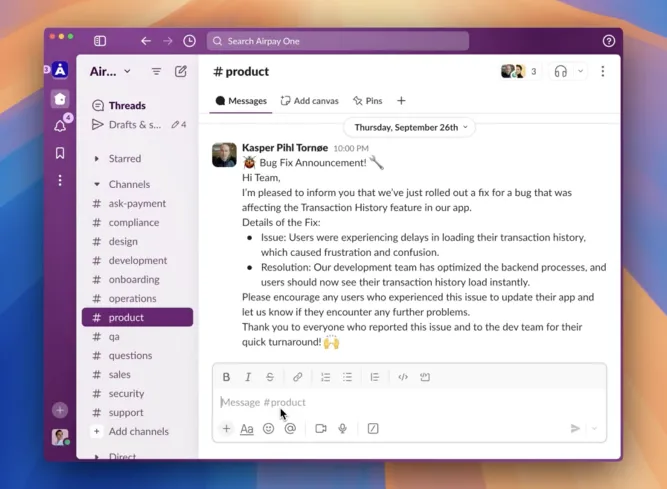
AI proactively chimes in convos with answers
Ready to scale your Slack support?
Connect your tools and get instant verified answers inside Slack.
FAQ
1. How does the AI agent work in Slack Connect?
2. Do I need to buy extra seats for my support team?
3. What kind of tasks can the AI automate?
4. Can our engineers and product managers also participate in customer support?
5. How does this improve our customer support experience?
6. Is my data secure?
7. How is this different from using tools like Intercom or Zendesk?
8. What happens if the AI can't handle a customer request?
9. Can I try it before committing?
10. Who is this best for?