∙
Cooper
∙
Reading time:
19 min

Slack is more than a chat tool - it can be your team’s knowledge hub. But without the right integrations, critical information gets lost in endless threads, slowing down decisions and overloading experts. This guide shows how connecting Slack with tools like Notion, Confluence, and Question Base transforms scattered conversations into organized, actionable knowledge.
Key Takeaways:
Slack’s built-in tools (channels, search, workflows) help manage knowledge but struggle with scaling for large teams or connecting external tools.
Specialized integrations like Question Base provide verified answers by linking Slack to trusted sources like Google Drive, Salesforce, and Zendesk.
Enterprises using integrations report up to 73% less expert workload and faster resolutions, while improving security and compliance with features like SOC 2 Type II.
The result? Employees get instant, reliable answers without leaving Slack, freeing up experts to focus on complex tasks.
Read on to learn how tools like Question Base solve Slack’s knowledge gaps and why they’re essential for enterprise teams.
Build a No-Code AI Knowledge Base in Slack 🚀
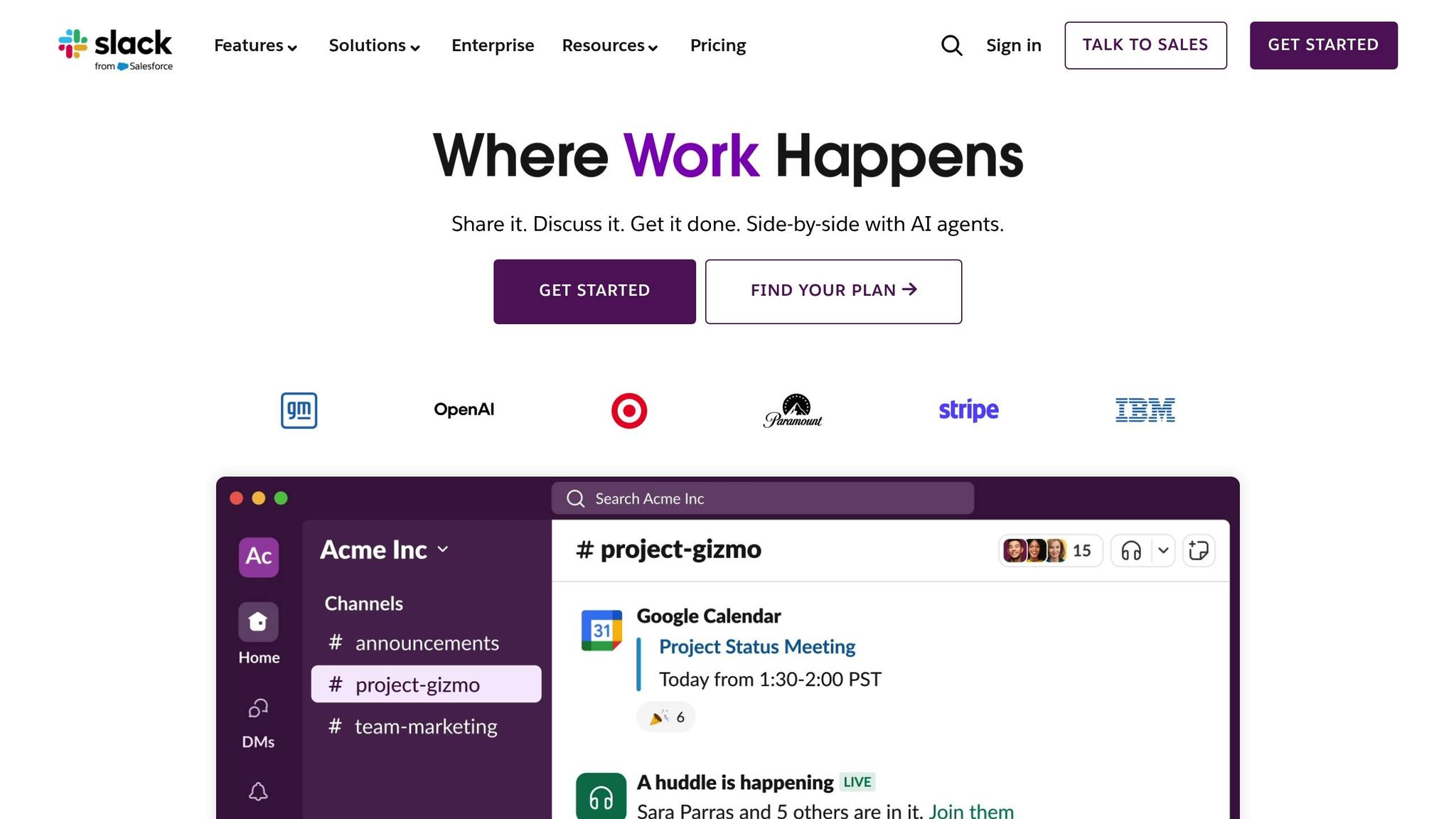
Slack's Built-In Knowledge Management Features
Slack includes a set of basic tools for managing knowledge that capture everyday interactions. These features can provide teams with a starting point for organizing and accessing company knowledge, but understanding their strengths and weaknesses is key - especially for larger enterprises where more advanced solutions might be necessary.
Core Features: Channels, Search, and Workflows
At the heart of Slack's functionality are channels, which act as dedicated spaces for specific projects, teams, or topics. They serve as a repository for conversations, decisions, and context that might otherwise get lost in email chains or informal chats. Public channels make information accessible across the organization, while private channels ensure sensitive discussions remain secure but still searchable for authorized users.
Threads play a critical role in keeping discussions organized. By grouping related messages together, threads maintain context and make it easier for team members to follow ongoing conversations or revisit decisions later.
Slack's search functionality enables users to locate messages, files, and links across the workspace using keywords, filters, and date ranges. You can refine searches by channel, individual users, or file types, making it easier to pinpoint specific information.
File sharing integrates documents directly into conversations, but it can lead to challenges with version control and scattered documentation across multiple channels.
Workflows and automation allow teams to collect and route information through forms and automated actions. For instance, you can create intake forms for common requests, direct questions to specific channels, or trigger alerts based on keywords.
For organizations on Slack's Business+ and Enterprise Grid plans, Slack AI adds advanced features like AI-powered search and summarization for $18 per user per month. These tools include enhanced search across Slack history and connected apps, thread and Huddle summaries, and a "Channel Expert" AI agent powered by Agentforce to answer questions based on channel content [1]. While these additions improve productivity, they are limited to Slack's ecosystem and don’t address the broader needs of enterprise knowledge management.
Despite these useful tools, Slack's built-in capabilities face challenges when scaled to meet the demands of larger organizations.
Limitations of Slack's Native Capabilities
While Slack provides a solid foundation, its native tools fall short of delivering enterprise-level knowledge management. The most pressing issue is that Slack search only works within its own ecosystem, leaving external platforms like Salesforce, Zendesk, Google Drive, Notion, GitHub, Confluence, and OneDrive disconnected. This creates silos, requiring employees to jump between systems to find complete answers [1].
In large organizations, channel sprawl and high message volume make it harder to retrieve information. As workspaces grow to include thousands of employees and hundreds of channels, key decisions and knowledge often get buried under an avalanche of new messages. Employees may waste time scrolling through threads or asking questions that have already been answered elsewhere.
Slack also lacks content validation and governance tools. There’s no built-in way to mark information as "verified" or "official", making it difficult to distinguish between casual opinions and approved policies. This can leave employees unsure of which details to trust or act upon.
Version control is another weak point. When processes or policies change, Slack doesn’t provide a systematic way to retire outdated information or ensure everyone accesses the latest version. Files can be updated, but earlier versions aren’t tracked in a meaningful way, and related discussions are often scattered across threads.
For businesses in regulated industries like healthcare, finance, or government, Slack’s native features don’t meet the stringent compliance requirements these sectors demand. While Slack provides enterprise-grade security and tools like retention settings and e-discovery, it doesn’t support specialized workflows such as audit trails for policy updates or mandatory review cycles. Retention and deletion rules are typically applied at the workspace or channel level, which may not align with legal requirements for specific document types. As a result, regulated organizations often need to move critical content to dedicated systems or integrate specialized tools [2][7].
Finally, analytics are limited. While admins can view basic usage stats, Slack doesn’t provide detailed insights like unanswered questions or response times - metrics that are essential for identifying knowledge gaps and improving support efficiency.
Slack works best as a starting point for managing knowledge, offering a space where employees can ask questions and collaborate. However, to turn Slack into a true knowledge hub, organizations need integrations that connect it to external systems where verified, structured information resides. These integrations bridge the gap between casual conversations and authoritative documentation, making Slack a more powerful tool for enterprise knowledge management.
Specialized Knowledge Management Integrations for Slack
Slack is great for quick communication, but when it comes to organizing and managing knowledge, its limits become clear. That’s where specialized tools like Question Base step in, turning scattered conversations into verified, centralized answers. These integrations address Slack's gaps by connecting it to external documentation systems, applying structured workflows, and tackling issues like siloed information, outdated answers, and the challenge of finding reliable, actionable knowledge.
With over 70% of enterprise apps operating in isolation [2], there’s a clear need for tools that unify access to trusted information. Slack becomes much more powerful when integrated with platforms like Google Drive, Confluence, Salesforce, and Notion. These connections transform Slack from a chat tool into a centralized, searchable knowledge hub.
What Sets Question Base Apart?

Question Base is tailor-made for enterprise teams that need reliable, accurate answers directly in Slack - not just a recap of past conversations. While Slack AI can summarize chat history, Question Base takes it further by pulling answers directly from your organization’s trusted documentation.
The difference lies in its approach to sourcing information. Question Base integrates seamlessly with platforms like Google Drive, Confluence, Notion, Salesforce, OneDrive, Zendesk, and Intercom. When someone asks a question in Slack, the system pulls from these verified repositories, ensuring responses reflect the most current policies, procedures, and documentation - not outdated chat threads.
At the heart of Question Base is its focus on verified answers. Admins and subject matter experts can review AI-generated responses, mark them as trusted, and ensure employees receive consistent, approved guidance [5][6]. This reduces the spread of outdated or incorrect information and builds employee confidence in the answers they receive.
Beyond answering questions, Question Base identifies gaps in existing knowledge. When the AI encounters an unresolved query, it logs the question and escalates it to the appropriate team. Over time, this data highlights recurring topics that lack proper documentation, enabling HR, IT, and operations teams to address these gaps systematically [5][6].
Security and compliance are also top priorities. Question Base is built with enterprise-grade protections, including SOC 2 Type II compliance, encryption for data at rest and in transit, and options for on-premise deployment. It respects Slack’s workspace permissions and supports role-based access controls, ensuring sensitive information is only accessible to authorized users. Audit logs and reporting tools further help organizations meet regulatory standards, making it ideal for industries like finance and healthcare [2][3][4].
Setup is designed to be simple. Teams can install the app from the Slack App Marketplace, connect their documentation tools, and invite the bot into relevant channels. There’s no need for custom engineering or complex workflows - Question Base works right out of the box while offering customization options for AI behavior, escalation rules, and access controls.
These features make Question Base a valuable tool for a wide range of enterprise teams.
Enterprise Use Cases for Question Base
HR Teams:
HR teams often deal with repetitive questions, especially during onboarding, benefits enrollment, or policy updates. Instead of answering the same questions about PTO, 401(k) contributions, or parental leave, HR can connect Question Base to their employee handbook, benefits documentation, and internal wikis. When an employee asks a question in Slack, they get an immediate, verified answer - saving time and ensuring accurate, consistent information.
IT and Internal Support Teams:
By integrating with IT documentation and ticketing systems, Question Base automates routine queries like password resets, software access requests, VPN troubleshooting, and hardware provisioning. This reduces the workload for IT experts by up to 73% [5]. For unresolved issues, the system logs and escalates queries to the correct support channel, ensuring nothing gets overlooked.
Operations and Cross-Functional Teams:
Teams across sales, customer support, and product development benefit from having quick access to accurate information. Sales teams can instantly retrieve pricing details, product specs, and competitive insights without digging through shared drives or waiting for a response. Customer support teams can reference internal runbooks and troubleshooting guides to resolve issues faster, while operations teams can access process documentation, compliance checklists, and standard procedures directly in Slack.
The real advantage here is that employees can stay focused on their work without needing to switch between tools or tabs to find answers. They get immediate responses grounded in official documentation and can escalate to a human expert if needed. Additionally, Question Base offers dashboards that track metrics like resolution rates, automation rates, and unanswered questions, giving leaders the insights they need to continuously improve internal support efficiency.
Comparing Slack AI and Question Base for Knowledge Access
For teams that rely on verified answers rooted in official documentation - not just AI-generated summaries of chat history - Question Base provides responses directly tied to trusted sources. The key difference lies in where these tools pull their information: Slack AI focuses on Slack’s ecosystem, making it useful for revisiting project history or recalling past decisions. In contrast, Question Base connects to external repositories like Confluence, Notion, Google Drive, Salesforce, OneDrive, Zendesk, and Intercom. This ensures responses reflect the latest, approved documentation.
This distinction becomes critical in scenarios where accuracy and auditability are non-negotiable. For regulated industries or cases involving HR policies, legal guidance, or security standards, verified and documented answers are essential. While Slack AI helps individuals by summarizing past conversations, Question Base ensures entire teams stay aligned by delivering authoritative answers. This sets the foundation for a detailed comparison of their features and capabilities.
Feature and Capability Comparison
The table below outlines how Slack AI and Question Base stack up across critical areas for enterprise knowledge management:
Feature | Question Base | Slack AI |
|---|---|---|
Accuracy | AI-generated content verified by human experts | AI-generated content based on Slack messages |
Data Sources | Pulls from Slack channels, help centers, and repositories like Salesforce, Confluence, OneDrive, Google Drive, Notion, Zendesk, and Intercom | Searches Slack history and integrates with other tools (available on Business+ and Enterprise plans) |
Knowledge Management | Offers per-channel settings, customizable AI behavior, case tracking, duplicate detection, and knowledge capture from threads | Includes Channel Expert, a pre-built AI agent powered by Agentforce (available on Business+ and Enterprise plans) |
Analytics | Provides metrics on questions asked, resolution rates, automation rates, and insights into unhelpful answers | Offers basic usage stats from chat interactions |
AI Summaries | Analyzes common answers in threads to update official documentation | Summarizes channel threads and Huddles using AI |
Enterprise Readiness | SOC 2 Type II compliance, encryption at rest and in transit, on-premise deployment options, white-labeling, and multi-workspace support | Includes SSO, RBAC, and audit logs (available on Enterprise Grid) |
Pricing | $8 per user per month | $18 per user per month |
Question Base is tailored for internal support teams - HR, IT, and operations - who need structured workflows, content lifecycle management, and tools to identify knowledge gaps systematically. In comparison, Slack AI is designed as a general-purpose productivity enhancer, focusing on individual interactions within Slack. These fundamental differences clarify the best use cases for each tool.
When to Choose Slack AI vs. Question Base
For teams working in regulated or high-stakes environments, accurate and auditable responses are non-negotiable. Slack AI shines when quick access to conversational context is the priority. It’s particularly helpful for teams whose knowledge lives primarily within Slack threads, offering speed and convenience for retrieving recent discussions.
On the other hand, Question Base is ideal for organizations that maintain structured documentation and need employees to access that verified information seamlessly within Slack. Teams like HR answering policy questions, IT troubleshooting issues, or sales retrieving product details benefit greatly from its ability to pull precise, authoritative answers from official sources. This is especially crucial in situations where outdated or incorrect information could lead to financial, legal, or reputational risks.
Implementing Knowledge Management Integrations in Slack
Setting up a knowledge management integration in Slack involves more than just installing an app. Enterprises need a well-thought-out plan that addresses technical, security, and organizational factors. The aim is to make accessing knowledge through Slack so natural that employees instinctively use it instead of sifting through folders or messaging colleagues for answers. This approach lays the groundwork for choosing the right tool and implementing effective practices.
Criteria for Selecting the Right Integration
Before diving into tool options, pinpoint where your organization's critical knowledge resides. Most enterprises store information across platforms like Google Drive, Confluence, Notion, wikis, ticketing systems (e.g., Jira, ServiceNow), and CRMs like Salesforce. Knowing where key resources like policies, SOPs, engineering guides, and customer FAQs live helps you eliminate tools that lack native compatibility with these systems. Avoid integrations that rely on manual exports or custom scripts, as these approaches often lead to outdated data.
Assess your current and future user volume. A tool that works well for 50 users may falter when scaled to 5,000 employees accessing it simultaneously during peak times. Be sure to test indexing speeds and performance under heavy loads to ensure the system can handle your needs.
Security and compliance are non-negotiable. Verify that the integration supports SSO and SCIM provisioning, adheres to certifications like SOC 2 Type II or ISO 27001, and provides U.S.-based data residency if required by your policies. The tool should also respect Slack and source-system permissions automatically. This means private channels, sensitive documents, and role-based access controls should be mirrored without requiring extra manual setup, reducing governance risks and admin headaches.
Evaluate how the integration fits into workflows like ticket resolution or sales enablement. Can it interact bidirectionally with systems like Jira, Salesforce, or ServiceNow? Advanced integrations offer features like context-aware search across multiple tools, syncing of answers or comments, and automation triggers that update records. These capabilities ensure that knowledge captured in Slack stays aligned with your official systems of record.
Ease of use is critical. Test the tool with representative teams to see how easily non-technical employees can ask natural-language questions, interpret responses, and access source citations or links - all without leaving Slack. A complicated interface can stall adoption, no matter how powerful the backend.
For larger organizations, ensure the tool supports multiple Slack workspaces or Enterprise Grid setups. It should allow granular scoping of content for different business units and offer monitoring tools or SLAs to maintain consistent response times as your data grows. Solutions like Question Base, for instance, provide multi-workspace support and white-labeling options, helping transform Slack from a simple communication tool into a centralized knowledge hub.
Once you’ve established your criteria, follow these best practices to ensure a smooth implementation.
Best Practices for Implementation
Start with a pilot program involving 1–3 high-impact teams before rolling out the integration company-wide. Choose teams that deal with high volumes of repetitive questions, such as IT support, HR, or customer success. During the trial, connect only the most relevant knowledge sources. A 4–8 week pilot period provides enough time to gather meaningful data.
Track specific metrics during the pilot, such as time saved answering common questions, reductions in duplicate queries, search-to-click ratios, and user satisfaction scores. These insights help fine-tune the setup and build a case for broader deployment.
Onboarding and change management are key to adoption. Offer brief training sessions through videos or live demos, and provide in-Slack guidance like pinned instructions, message shortcuts, and pre-written example questions tailored to each team. Leaders and subject-matter experts can encourage adoption by actively using the integration, curating frequently asked questions, and embedding the tool into regular team activities like standups or onboarding processes.
Standardize channel naming conventions (e.g., #ask-it, #ask-hr) to make it easy for employees to know where to go. Configure the integration to automatically capture resolved Q&A into a structured, searchable knowledge base. Use tagging or topic conventions to keep content organized. Custom answer templates that include details like impact, steps, responsible parties, and links to official documents make responses actionable and reusable.
Ongoing maintenance is essential. Assign knowledge owners to review key content quarterly, ensuring outdated information is archived or updated. Analyze gaps where users search but find no helpful results. Tools like Question Base offer analytics dashboards that track metrics such as questions asked, resolution rates, and unhelpful answers, providing actionable data for continuous improvement.
Establish governance policies to manage content lifecycles, from creation to review and expiration. Include protocols for addressing incorrect or sensitive answers. Periodic access audits ensure the integration aligns with your security and compliance standards. Features like case tracking, duplicate detection, and new knowledge capture help maintain a high-quality knowledge base.
Finally, measure ROI to demonstrate the integration’s value. Estimate time savings by comparing the baseline effort to find answers - like manual searches or expert pings - with the time spent using the integration. Multiply the time saved by the average hourly cost of employees to calculate productivity gains. For instance, if employees save 15 minutes daily and your organization has 1,000 employees with an average hourly cost of $50, that translates to $3.1 million in annual productivity improvements. Additionally, qualitative benefits like shorter onboarding times, fewer tool-switching distractions, and better cross-team collaboration can be highlighted through surveys and case studies to show how the integration enhances productivity and employee experience.
Conclusion
Slack has become the backbone of communication for many enterprises, but its knowledge often ends up scattered and disorganized. As companies grow, this fragmentation results in repeated questions, conflicting answers, and a handful of experts overwhelmed by constant support requests. The answer isn’t to move away from Slack - it’s to enhance it with integrations that turn conversations into searchable, reusable knowledge.
While Slack’s native tools like channels, search, and workflows provide a solid starting point - and Slack AI offers useful thread summaries - these features alone can’t deliver verified, authoritative answers. That’s where specialized integrations come in, bridging the gap by pulling trusted information directly from your organization’s knowledge sources.
This is exactly what Question Base does. By connecting Slack to platforms like Notion, Confluence, Google Drive, Salesforce, and others, it provides expert-verified responses while respecting existing permissions and governance rules. Whether it’s HR policies, IT protocols, or operational guidelines, employees can access accurate, compliant information without leaving Slack or relying on the same overburdened experts.
Consider this: over 70% of enterprise applications remain siloed, yet 94% of paid Slack teams already use integrations to extend Slack’s capabilities [2][6]. These integrations not only reduce repetitive work but also speed up problem resolution.
For U.S.-based enterprises, the advantages go beyond efficiency. With features like strong access controls, role-based permissions, and audit trails, sensitive information stays secure while general knowledge remains accessible. Question Base also supports SOC 2 Type II compliance, offers on-premise deployment options, and provides analytics dashboards to track key metrics like resolution times, automation rates, and knowledge gaps - giving leaders the insights they need to improve internal support continuously [2][3][4].
The next step is simple: start with a pilot program in high-impact teams like IT, HR, or customer success. Test the integration, measure the time saved, and adjust based on real-world usage. As your organization grows, a well-executed knowledge management strategy can turn Slack into more than just a messaging app - it becomes a centralized knowledge hub that keeps employees productive, frees up your experts, and ensures institutional knowledge is always within reach.
FAQs
How can Question Base improve knowledge management for enterprise teams using Slack?
Question Base transforms Slack into a powerful tool for delivering expert-approved answers sourced directly from trusted platforms like Notion, Confluence, and Salesforce. This ensures your team gets accurate, dependable information every time. Unlike Slack AI, which focuses on analyzing past chat messages, Question Base integrates seamlessly with your document repositories. This makes it a perfect fit for enterprise teams that value precision, traceability, and control over their knowledge assets.
Designed with HR, IT, and operations teams in mind, Question Base simplifies internal support by turning Slack conversations into a centralized, easily searchable knowledge hub. With this setup, your team can quickly find the information they need, maintain alignment, and boost overall productivity.
How do Slack AI and Question Base differ in terms of data sources and accuracy?
Slack AI works by tapping into chat history to provide answers, making it useful for summarizing conversations or pulling up past discussions. However, Question Base takes a different approach. It integrates directly with trusted platforms like Notion, Confluence, and Salesforce, ensuring that responses are expert-approved and sourced from current, reliable documentation.
For teams focused on precision, traceability, and maintaining control over their knowledge base, Question Base offers a tailored solution that surpasses relying solely on AI-driven insights from chat logs.
How does Question Base support compliance and security needs in regulated industries?
Question Base is built to address the rigorous compliance and security demands of regulated industries. It delivers expert-verified answers by pulling information from trusted platforms such as Notion, Confluence, and Salesforce. While Slack AI primarily depends on Slack messages, Question Base focuses on ensuring that knowledge remains accurate, securely managed, and easy to audit.
Key features like case tracking, customizable access controls, and SOC 2 compliance allow teams to retain full ownership of their knowledge while adhering to industry regulations and safeguarding sensitive data.