∙
Cooper
∙
Reading time:
21 min

Repetitive questions in Slack waste time and hurt productivity. Enterprises face a choice: Slack FAQ bots for quick answers within Slack or knowledge base tools for structured documentation and governance. Each has strengths and limitations depending on team size and needs.
Slack FAQ Bots: Best for small teams. They provide instant answers in Slack but struggle with accuracy, scaling, and governance as organizations grow.
Knowledge Base Tools: Ideal for larger teams. They centralize detailed content with features like version control, permissions, and robust search but require users to leave Slack, causing interruptions.
Hybrid Solutions (e.g., Question Base): Combine Slack's speed with knowledge base-level accuracy and governance, pulling verified answers from trusted sources directly into Slack.
Quick Overview:
Slack FAQ bots are fast but lack depth and governance.
Knowledge bases excel in structure but disrupt workflows.
Hybrid tools like Question Base balance speed, accuracy, and scalability.
For enterprises, the right choice depends on team size, query complexity, and the need for compliance. A hybrid approach often delivers the best results.
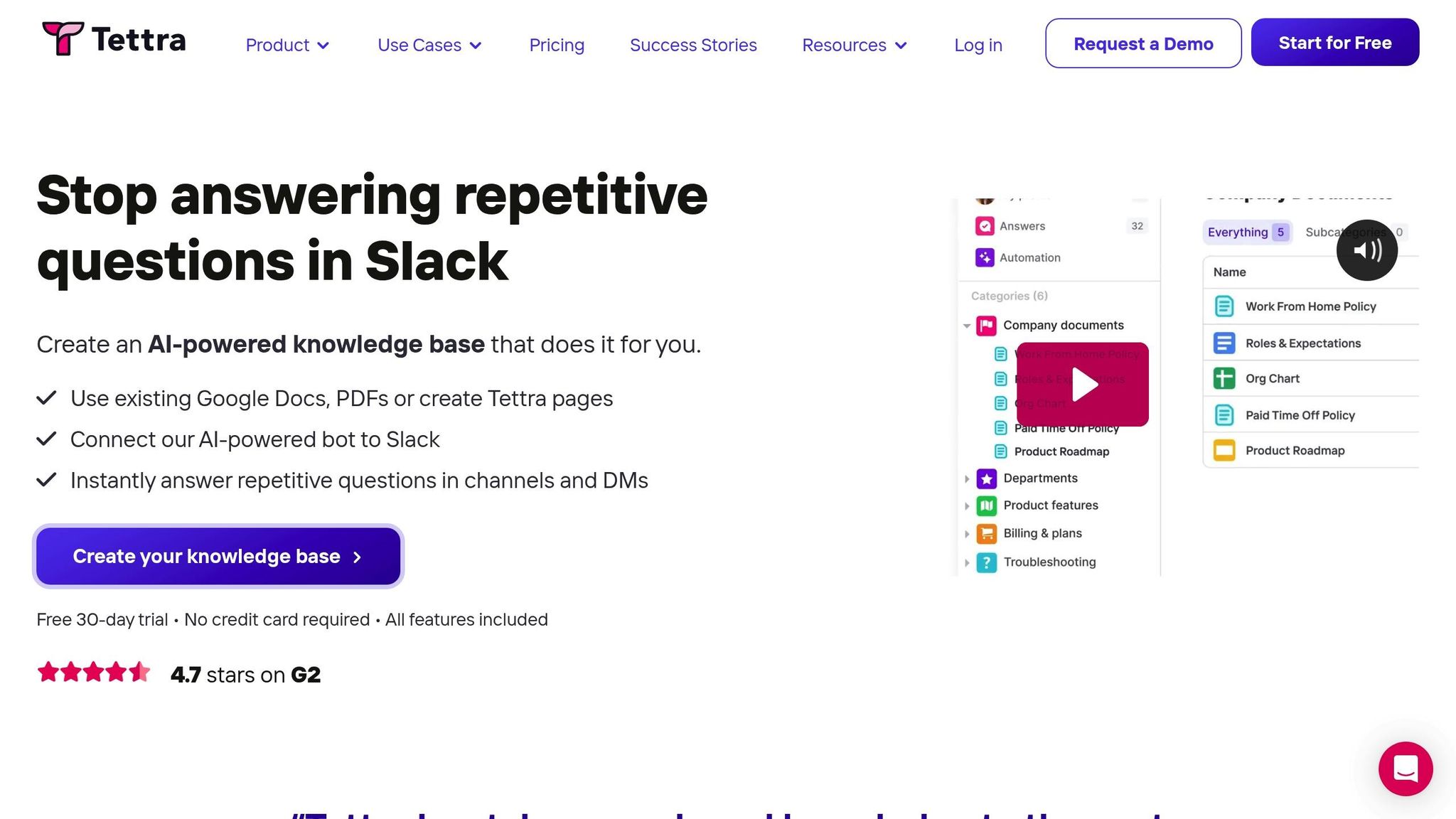
Tettra Slack Integration: AI Knowledge Base
How Slack FAQ Bots Work
Slack FAQ bots are designed to quickly tackle common questions directly within Slack, offering answers without requiring users to leave the platform. By responding to predefined rules, keyword triggers, or natural language queries, these bots keep workflows uninterrupted and reduce the need for employees to switch contexts. Below, we’ll explore their core features, how they benefit small teams, and the challenges they face in larger enterprise settings.
Core Features and Capabilities
Most Slack FAQ bots function through a mix of triggers, commands, and AI-powered suggestions. Trigger-based responses monitor for specific keywords or phrases; for instance, if someone types "wifi password" or "expense policy", the bot can instantly provide a pre-written response. Similarly, users can manually query the bot using slash commands like /help or /faq. This straightforward setup works well for addressing a limited number of frequently asked questions.
More advanced bots incorporate AI to handle variations in phrasing. For example, if someone asks, “What’s the process for submitting receipts?” and the bot has a stored answer for “How do I file an expense report?”, it can recognize the similarity and suggest the relevant response.
FAQ content is typically stored as simple question-and-answer pairs within the bot’s configuration or a basic internal database. Admins, team leads, or support managers regularly review recurring questions, convert them into FAQ entries, and update or retire answers as processes and policies evolve.
Benefits for Small Teams
For smaller teams, especially startups with 20 to 50 employees, Slack FAQ bots can be a game-changer. They’re quick to deploy, require minimal setup, and don’t demand a separate knowledge management process or a dedicated administrator. When a company has a manageable number of recurring questions, these bots can significantly reduce interruptions for subject-matter experts.
For example, a Slack FAQ bot can handle common HR or IT queries directly in channels like #help or #it-support, saving time for HR and IT teams by reducing repetitive tickets. Customer-facing teams can also use these bots to quickly surface internal macros or canned responses, enabling agents to copy vetted answers into emails or chat tools without digging through an entire knowledge base.
Another major advantage is the speed of deployment. Many Slack FAQ bots can be set up in less than an hour using tools like Slack’s Workflow Builder or third-party apps. For small teams that need a fast solution without the resources for a full-scale knowledge management system, the low setup effort is especially appealing.
Limitations at Enterprise Scale
As companies grow, the simplicity that makes Slack FAQ bots appealing for small teams often becomes a limitation. When organizations scale to hundreds or thousands of employees, rule-based bots struggle to handle a wider range of topics, diverse phrasing, and edge cases. This can lead to outdated answers and increased administrative effort to maintain the bot.
Accuracy and context also become significant challenges. Basic Slack bots often lack deep integrations with external tools like Confluence, Notion, or Google Drive, forcing users to click through to documents instead of receiving detailed, context-aware answers. Without robust search capabilities or the ability to pull linked policies, diagrams, or step-by-step guides, these bots fall short in addressing the complexity of enterprise workflows.
Additionally, basic bots typically offer limited analytics, such as the number of questions answered or most-used triggers. They don’t provide insights into resolution rates, content gaps, or trends across departments - making it harder for enterprises to refine their documentation or enforce ownership over knowledge management. For regulated industries, the lack of oversight on the accuracy or compliance of answers poses a notable risk.
These limitations highlight the need for more advanced solutions. Tools like Question Base address these challenges by combining Slack-native simplicity with enterprise-grade capabilities. By pulling verified answers from trusted documentation sources like Notion, Confluence, Google Drive, Zendesk, Intercom, and Salesforce, Question Base ensures both convenience and precision. It also offers features like SOC 2 Type II compliance, human-in-the-loop verification, case tracking for unanswered questions, duplicate detection, and detailed analytics on resolution rates and knowledge gaps - capabilities that basic Slack FAQ bots simply don’t provide. For enterprises, this blend of speed and governance is essential to scale effectively within Slack.
How Knowledge Base Tools Work
Knowledge base tools act as centralized hubs for storing and managing documentation, policies, and institutional knowledge. Unlike simple FAQ bots that rely on straightforward question-and-answer formats, these tools are designed to handle more complex, detailed content. They support rich formatting, embedded media, and cross-linked pages, making them the go-to resource for everything from onboarding manuals and engineering runbooks to HR policies and compliance documentation.
At their foundation, knowledge bases are built around a structured framework. Content is typically organized into spaces or categories, with tags, assigned owners, and update histories. This structure allows teams to classify information into clear categories - like IT runbooks, HR policies, or onboarding checklists - while ensuring that each piece of content has a designated owner to keep it accurate and up to date.
Core Features and Use Cases
Knowledge bases go beyond the capabilities of basic Slack FAQ bots by offering the governance and security features enterprise teams require. They include tools like version control, role-based permissions, and advanced tagging systems to keep content accurate, secure, and easy to find.
Version control ensures every change to a document is logged, making it possible to audit edits or revert to previous versions as needed.
Role-based permissions restrict sensitive materials - such as payroll details or security protocols - to specific users or departments.
Structured tagging makes it simple to filter and search through vast libraries of content, categorizing articles by topics like "Finance", "Security", or "Onboarding."
Modern knowledge bases often incorporate AI-powered search capabilities that interpret natural language queries. Instead of requiring exact keywords, employees can ask conversational questions like “How do I submit an expense report?” and receive ranked results based on factors like relevance, recency, and verification status.
These tools serve more than just IT or customer support teams. Enterprises rely on them for a wide variety of operational needs:
Onboarding guides to help new employees understand company workflows and culture.
Engineering runbooks for handling incident response, deployments, and troubleshooting.
HR documentation covering benefits, labor guidelines, and holiday schedules.
Compliance manuals for SOC 2 controls, ISO 27001 procedures, and data management practices.
Sales enablement resources such as product playbooks and competitor analysis.
This diversity of use cases makes knowledge bases indispensable for teams that deal with large volumes of documentation and require traceability and structure.
Integration with Slack
Modern knowledge bases seamlessly integrate with Slack, allowing teams to access documentation directly within their workspaces. Many platforms offer Slack apps or connectors that enable users to search or create articles without leaving Slack. For example, typing /search expense policy in a channel can instantly pull up related articles. Similarly, users can highlight a question in a thread, trigger a "search in KB" action, and receive suggested articles as a response.
A popular workflow involves setting up dedicated Slack channels like #ask-it or #ask-hr linked to the knowledge base. When someone posts a question, the integration suggests relevant articles before a human steps in. Once an expert provides the best answer, the system can prompt them to update or create a knowledge base article, ensuring the solution is documented for future use. This approach captures valuable insights from Slack conversations and minimizes repetitive questions.
These integrations highlight the balance between structured, long-form content and the need for quick, on-demand access - a theme explored further in the benefits and challenges of knowledge bases.
Benefits and Drawbacks
Knowledge bases offer clear advantages for teams that rely on detailed, structured documentation. They excel at managing long-form content with features like rich formatting, embedded visuals, and cross-referenced guides - elements that are difficult to replicate in simple Slack FAQs. Additionally, review and approval workflows help teams maintain compliance with industry standards like SOC 2 and ISO 27001, ensuring policies and procedures are consistently reviewed and traceable.
Another key strength is the granular control over content governance. Teams can assign roles - such as content authors, reviewers, and owners - and set up automated reminders for article reviews. Dashboards track metrics like "last reviewed" or "next review due", helping organizations maintain up-to-date and compliant documentation.
However, these strengths come with challenges. The biggest hurdle is the manual upkeep required. Without regular updates, articles can quickly become outdated or redundant, leading to conflicting information that frustrates employees. Enforcing clear ownership across large teams is tough, especially when subject matter experts prioritize other responsibilities over maintaining documentation.
Outdated content also slows down search experiences. Employees looking for quick answers may encounter obsolete or conflicting articles, forcing them to escalate their questions in Slack, which defeats the purpose of self-service tools.
Another limitation is the inability to proactively identify knowledge gaps. While traditional platforms track metrics like search volume and article views, they don’t flag unanswered questions or recurring Slack inquiries that indicate missing documentation. This lack of visibility makes it harder for teams to prioritize updates or create new content based on actual needs.
How Question Base Stands Out

While traditional knowledge bases focus on structure and governance, they often lack the agility employees expect. This is where Question Base shines. By combining the reliability of a knowledge base with the conversational ease of a Slack bot, Question Base delivers answers directly within Slack threads. It pulls information from trusted sources like Notion, Confluence, Google Drive, Zendesk, and Salesforce, eliminating the need to switch between tools.
Question Base also tackles common challenges by tracking unanswered questions and identifying knowledge gaps. Its analytics provide insights into resolution rates and automation opportunities, helping teams continuously refine their documentation strategies. With features like SOC 2 Type II compliance, human-in-the-loop verification, and enterprise-grade security, it’s tailored for internal support, HR, IT, and operations teams - offering the governance enterprises need alongside the speed employees demand.
Slack FAQ Bots vs. Knowledge Base Tools: Side-by-Side Comparison
When deciding between Slack FAQ bots and traditional knowledge base tools, it's essential to weigh factors like accuracy, data sources, governance, analytics, and security. These considerations directly address the challenges of inefficient information retrieval and its impact on productivity [1].
Accuracy and Answer Quality
The primary distinction between these tools lies in how they generate answers. Slack FAQ bots, such as Slack AI, rely on Slack message history to produce responses. This approach is suitable for summarizing threads or referencing recent discussions. However, because these answers are based on historical conversations rather than verified sources, there’s a higher risk of outdated or inaccurate information being shared. This can pose particular challenges in industries with strict regulations or departments managing sensitive areas like HR, IT, or compliance.
On the other hand, traditional knowledge base tools source their answers from vetted documentation platforms like Notion, Confluence, Google Drive, or Salesforce. These tools often incorporate review and approval processes to ensure the information is reliable and up to date. Additionally, they typically include citations, allowing users to trace answers back to their original sources. For example, Question Base excels in providing verified answers with clear source attribution by directly connecting to trusted documentation repositories.
Feature | Slack FAQ Bots | Knowledge Base Tools |
|---|---|---|
Primary Data Source | Slack message history | Verified documentation (Notion, Confluence, Salesforce, etc.) |
Answer Generation | AI-generated insights from previous chats | Retrieval from trusted, reviewed sources |
Human Verification | Minimal | Built-in review workflows and approval processes |
Source Attribution | Rarely provided | Citations included with answers |
Risk of Outdated Info | High – reflects historical chat | Low – pulls from maintained, updated documentation |
Data Sources and Integrations
Slack FAQ bots are predominantly tied to the Slack ecosystem. Although Slack AI can sometimes extend its search capabilities to external tools under specific pricing plans, its main strength lies in processing Slack conversations. This setup works well for teams whose knowledge primarily resides in Slack but can be limiting for organizations with documentation spread across multiple platforms.
In contrast, traditional knowledge base tools offer extensive integration options, connecting seamlessly with wikis, file storage systems, customer support platforms, and more. For instance, Question Base integrates with tools like Notion, Google Drive, Confluence, Zendesk, Intercom, Salesforce, and Dropbox. This flexibility allows employees to ask questions directly in Slack and receive verified answers, regardless of where the information is stored.
These integration capabilities highlight the broader knowledge management strategies each tool supports.
Knowledge Management and Governance
Governance is another area where Slack FAQ bots fall short. Without robust lifecycle management or mechanisms to deduplicate information, answers can get buried in lengthy Slack threads. Furthermore, there’s no straightforward way to ensure that the information remains accurate or compliant over time.
Traditional knowledge base tools address these issues with features like version control, role-based permissions, and structured review workflows. Question Base combines the conversational ease of a Slack bot with the governance features of a knowledge base. It offers tools for AI response control, channel-specific customization, case tracking for unresolved questions, duplicate detection, and the ability to turn Slack conversations into a continuously updated knowledge repository.
With governance in place, analytics become a powerful tool for improving documentation and support processes.
Analytics and Reporting
Slack FAQ bots typically provide basic analytics, such as the number of questions answered or active channels. While helpful for a high-level overview, these metrics don’t offer the depth needed for optimizing knowledge management.
In comparison, traditional knowledge base tools deliver detailed insights, including self-service success rates, automation metrics, and patterns in unanswered queries. Question Base takes this further by tracking questions asked, resolution rates, and the impact of automation. It also identifies documentation gaps and provides actionable recommendations, helping teams refine their processes and save valuable expert time [1].
Analytics Feature | Slack FAQ Bots | Question Base |
|---|---|---|
Usage Metrics | Questions answered, active channels | Questions asked, resolution rates, automation rates |
Knowledge Gaps | Not tracked | Unanswered questions logged and analyzed |
Content Performance | Lacking detailed reporting | Tracks which sources provide the most helpful answers |
Time Savings | Not quantified | Measures expert time saved and the impact of automation |
Continuous Improvement | Manual review of threads | Automated gap detection with content recommendations |
Enterprise Security and Control
Slack FAQ bots rely on Slack’s default security measures, which may not meet the stringent requirements of regulated industries or large enterprises. In contrast, traditional knowledge base tools are built with enterprise-grade security in mind. Features like SOC 2 Type II compliance, encryption, role-based access controls, and audit logs are standard. Some even offer on-premise deployment to address strict data residency needs.
Question Base prioritizes security as a core feature. It supports SOC 2 Type II compliance, encrypts data both at rest and in transit, and allows on-premise deployment when necessary. Additionally, organizations maintain full control over content access, AI interactions, and escalation processes. This ensures only authorized users can access sensitive information, aligning with the strictest security and compliance standards.
Choosing the Right Tool for Your Enterprise
To select the right tool for your team, start by identifying the recurring questions your employees face and examining how your documentation is currently structured. Enterprises should categorize their typical internal queries - such as HR policies, IT troubleshooting, or operational procedures - into either short, repetitive FAQs or more complex, process-heavy questions requiring detailed documentation references [6]. This evaluation helps determine whether a lightweight bot or a more structured knowledge system will provide the greatest productivity boost [1]. By understanding these needs, you can better align your choice of tools with your organization's specific requirements.
Another critical factor is addressing pain points. How much time do employees spend searching for answers? How often do experts repeat the same information? For example, the time lost searching for internal information can cost enterprises millions annually [1].
When to Use Slack FAQ Bots
Slack FAQ bots are an excellent choice for smaller teams or early-stage organizations that rely heavily on Slack, handle a high volume of repetitive questions, and lack a mature documentation system [4][6]. These bots are particularly effective for teams of around 100–150 people dealing with frequent, straightforward queries and evolving documentation needs [4][6].
These tools prioritize speed and ease of use. They require minimal setup, work directly within Slack, and are easy for teams to adopt. However, as organizations grow, these bots may struggle without features like lifecycle management or tools to prevent duplicate information. Without such capabilities, answers can get buried in long Slack threads, making it harder to ensure accuracy and compliance over time. For teams primarily seeking quick answers within Slack and not heavily reliant on extensive documentation, starting with a simple Slack FAQ bot or AI bot can be a practical first step. Over time, you can layer in more structured documentation and governance as your organization scales [3][6].
When to Use Knowledge Base Tools
Standalone knowledge bases are essential for teams managing extensive, structured content, such as implementation guides, compliance protocols, product documentation, or detailed how-to instructions [2]. Industries like healthcare, financial services, and complex enterprise software deployments often rely on these systems to maintain version control, manage review workflows, and provide a single source of truth for audits or training [5].
These tools are ideal when your organization requires documented processes, role-based approvals, structured navigation, and alignment with regulatory or internal policies [2][5]. Traditional knowledge bases are optimized for long-form content, offering centralized repositories with explicit ownership, review processes, and multi-channel self-service options via web portals or internal help centers.
However, relying solely on a traditional knowledge base has its downsides. Employees often have to leave Slack, log into another system, and manually search for answers, leading to frequent context-switching. This contributes to the 20–30% of work time that knowledge workers lose each week searching for information [1]. Additionally, valuable insights shared in Slack threads may never make it into the knowledge base, creating a gap between official documentation and the informal knowledge exchanged in real-time [7].
When to Use Question Base
For enterprises needing both structured governance and conversational speed, a hybrid solution like Question Base can be a game-changer.
Question Base is designed for organizations that require verified, document-backed answers directly within Slack, while also benefiting from robust governance and analytics. It’s an ideal solution for teams that have outgrown basic Slack FAQ bots but still want to keep employees working inside Slack when seeking answers.
This tool is particularly effective for teams that have invested in documentation platforms like Notion, Confluence, Google Drive, Zendesk, Intercom, or Salesforce, yet still find employees asking repetitive questions in Slack because searching those systems is too time-consuming. Question Base integrates with these repositories, delivering verified answers with source attribution while keeping employees in their workflow. It can automate up to 35% of repetitive queries, saving experts several hours each week and providing near-instant responses [1].
Enterprises choose Question Base for its enterprise-grade security and compliance features, including SOC 2 Type II readiness, encryption at rest and in transit, and optional on-premise deployment. It offers full control over content access, AI behavior, and escalation flows to human support. Unlike basic Slack FAQ bots, Question Base includes features like case tracking for unresolved questions, duplicate detection, channel-specific customization, and the ability to turn Slack conversations into a continuously updated knowledge repository.
What sets Question Base apart is its analytics and reporting capabilities, which track question trends, resolution rates, automation success, and documentation gaps. These insights help teams refine processes, measure the impact of automation, and align content audits with planning cycles. For internal support teams in HR, IT, and operations, this means fewer repeated questions, faster onboarding, and measurable time savings for subject-matter experts. This reinforces the importance of aligning support tools with departmental needs to boost overall efficiency.
Many enterprises combine traditional knowledge bases with Slack-native solutions to balance speed and governance. Question Base is built to support this approach, transforming Slack into a dynamic internal knowledge assistant without requiring extra engineering effort or disrupting employee workflows [2][7].
Conclusion
When it comes to internal knowledge management, enterprises don’t have to settle for just one solution. Different tools address different needs: Slack FAQ bots deliver quick, conversational answers directly in the workspace, while knowledge base platforms provide the structure, version control, and audit trails necessary for regulated industries. The key lies in finding a balance between speed and governance.
Slack FAQ bots are great for rapid deployment and immediate answers, but they often fall short when it comes to governance and advanced analytics. On the other hand, traditional knowledge bases excel at organization and compliance but can disrupt workflow continuity.
Question Base bridges this gap by combining the instant response capability of a Slack bot with the verified accuracy and governance of an enterprise-grade knowledge base. It integrates seamlessly with trusted tools like Notion, Confluence, Google Drive, Zendesk, Intercom, Salesforce, and more, ensuring that employees receive accurate, verified answers directly in Slack. Unlike simple FAQ bots that rely on chat history or generic AI summaries, Question Base connects to reliable sources of truth and includes clear source attribution with every response.
What sets Question Base apart is its focus on both integration and security. With SOC 2 Type II compliance, encryption, optional on-premise deployment, and features like case tracking, duplicate detection, and detailed analytics, it ensures enterprise-grade security and control. These features allow teams to automate repetitive questions while retaining full oversight of content, AI behavior, and escalation processes. Designed specifically for internal support teams in HR, IT, and operations, Question Base delivers a hybrid solution that enhances efficiency without compromising governance.
FAQs
How can Slack FAQ bots and knowledge base tools work together to support a growing organization?
Slack FAQ bots, such as Slack AI, are great for boosting productivity by summarizing discussions and addressing questions using chat history. But when your team needs reliable, verified answers drawn from trusted sources, tools like Question Base step in as a better option. Question Base connects seamlessly with platforms like Notion, Confluence, and Salesforce, ensuring the information it provides is both accurate and current.
By using Slack AI for quick, general insights alongside Question Base for precise, enterprise-level knowledge, organizations can simplify internal support, cut down on repetitive questions, and keep teams on the same page with minimal hassle.
What challenges do enterprises face when using Slack FAQ bots for internal knowledge management?
Enterprises frequently face hurdles with Slack FAQ bots because these bots often depend on AI-generated answers drawn mainly from Slack chat history. This reliance can result in inaccurate or incomplete responses, as the bots aren’t connected to reliable external knowledge bases like Notion, Confluence, or Salesforce, where critical information is typically stored.
On top of that, most Slack FAQ bots fall short when it comes to advanced knowledge management capabilities. They usually lack tools to track unanswered questions, flag duplicate inquiries, or analyze how well responses are performing. These gaps can make it challenging for organizations to build and sustain internal knowledge systems that are precise, scalable, and easy to audit.
How does Question Base deliver accurate and compliant answers compared to traditional knowledge tools?
Question Base delivers accuracy by sourcing expert-verified answers from trusted platforms such as Notion, Confluence, and Salesforce, rather than depending solely on Slack chat history. This method reduces the risk of errors and ensures the information provided is both reliable and current.
When it comes to compliance, Question Base is designed with enterprise-level security in mind. It includes SOC 2 Type II compliance, robust data encryption (both at rest and in transit), and the option for on-premise deployment. These measures make it a secure and trustworthy choice for enterprises.