∙
Cooper
∙
Reading time:
26 min

Slack notifications are overwhelming teams, leading to lost productivity and burnout. Employees spend up to 30% of their workweek searching for information in Slack, costing enterprises millions annually. With repetitive questions, scattered knowledge, and unfiltered alerts, staying focused becomes nearly impossible.
AI tools like Slack AI and Question Base aim to fix this - but they work differently. Slack AI helps summarize conversations and search Slack history, while Question Base reduces notifications by providing instant answers from connected tools like Notion or Confluence.
Key points to know:
Notification fatigue: 78% of employees feel overwhelmed by Slack alerts.
Lost time: It takes 23 minutes to refocus after a distraction, adding up across teams.
AI solutions: Slack AI organizes conversations, while Question Base stops repetitive notifications by automating answers.
Enterprise needs: Question Base offers security, customization, and multi-tool integration for large organizations.
If Slack feels like a constant interruption, AI can help your team focus on what matters by cutting through the noise.
How Can Admins Use Slack to Manage AI Agents More Easily?
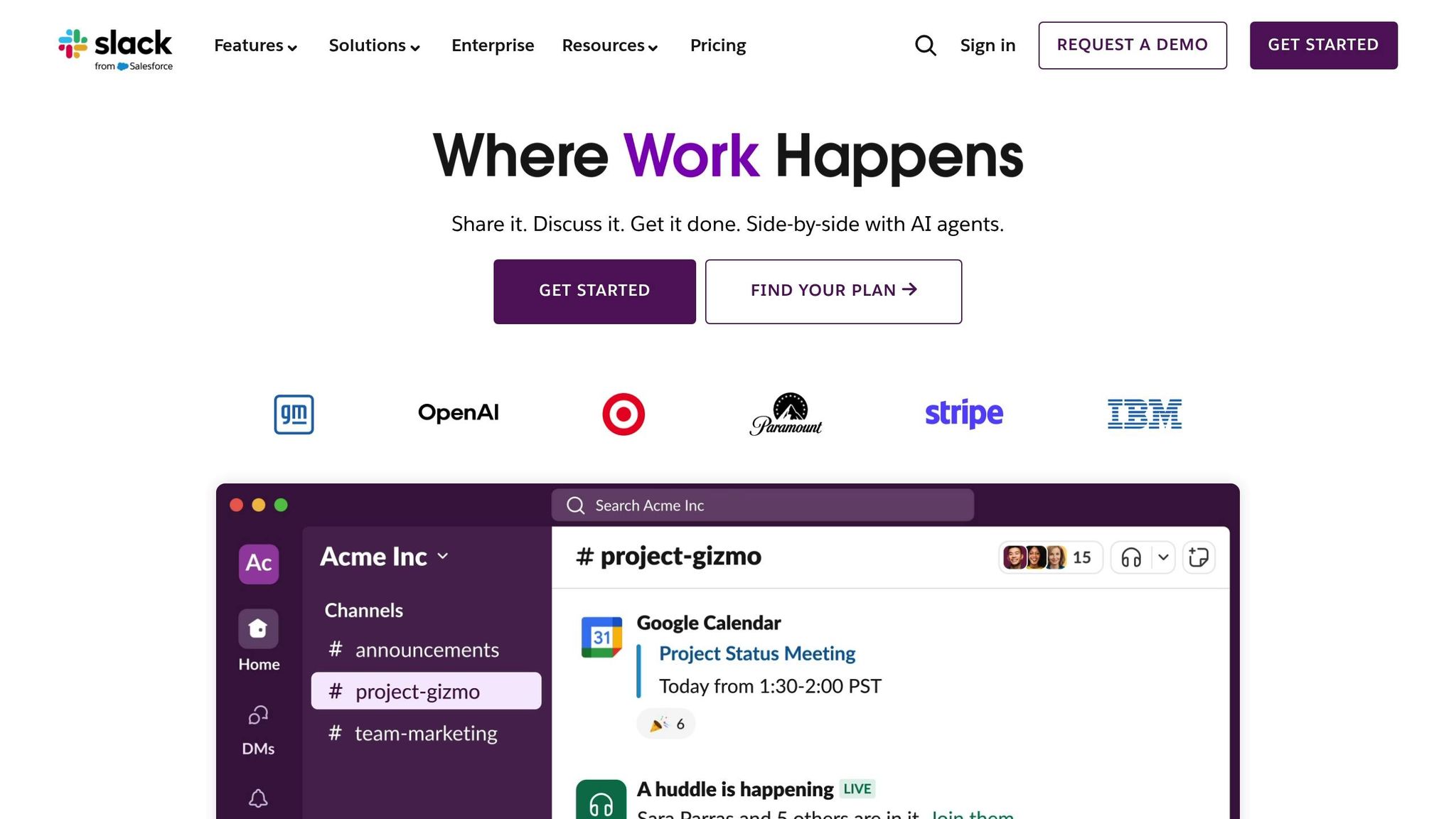
Understanding Slack Notification Overload
Slack notification overload stems from the platform’s dual role as a communication tool and a knowledge hub. While Slack excels at fast, real-time conversations, this functionality clashes with its expanded use for storing and sharing information, creating a perfect storm of excessive notifications that drain productivity[1].
One major culprit is repetitive questions. In large organizations, as much as 40% of internal queries are repeated[1]. Employees often ask the same questions because answers are buried in old threads or scattered across various channels. Each repeated inquiry triggers a wave of notifications, and experts spend an average of six hours per week addressing these redundant questions[1], amplifying the overload.
As companies grow, the problem only intensifies. With channels multiplying to cover products, markets, and departments, Slack can quickly become overwhelming - a constant stream of chatter, emoji reactions, and bot messages. Important updates get lost in the noise. Adding to this, 80% of employees prefer asking questions in chat over searching through a wiki[1], leaving critical documentation untouched while redundant questions continue to clog channels.
Integrations can make matters worse. Automated workflows often inflate notification volume, sending alerts for every minor event without intelligent filtering. IT teams routing tickets, marketing teams tracking campaigns, and sales teams monitoring deals all contribute to this flood of notifications, making it harder for users to focus.
How Notification Overload Affects Enterprise Teams
This constant barrage of alerts chips away at productivity and undermines the ability to focus on complex tasks. When employees are interrupted by notifications hour after hour, the cumulative effect is a significant drop in deep work.
The impact varies by role. Sales reps, for example, face an onslaught of @mentions, bot alerts, and channel updates, often burying critical deal information[4]. IT and support teams are inundated with ticket alerts, with tools like HubSpot-Slack triggering notifications for every ticket comment, leading to exponential alert growth[7]. HR teams juggle onboarding updates and policy alerts, while marketing teams deal with campaign notifications, approval requests, and analytics updates.
The toll on well-being is equally troubling. A staggering 78% of employees report feeling overwhelmed by notifications[2], and 60% say they experience burnout as a result[5]. The endless stream of alerts forces workers into decision fatigue, where they constantly assess which notifications require immediate attention and which can wait. Over time, this mental load increases stress and lowers job satisfaction. To cope, 45% of Slack users rely on Do Not Disturb mode during focused work periods[3]. While helpful, this solution risks missing critical updates.
These challenges highlight the shortcomings of Slack’s default notification settings.
Why Default Notification Settings Don't Work
Slack’s standard notification preferences are built for general use, not for the complexities of enterprise environments. By treating every message equally, default settings fail to prioritize critical updates[2]. This means a casual team comment and a major system outage are given the same level of importance.
These settings also lack role-specific customization. A sales representative and an HR specialist have vastly different priorities, yet Slack’s default configuration treats all notifications the same. For enterprises managing thousands of messages across hundreds of channels, manually adjusting notification settings for each channel is neither practical nor sustainable[6][8].
Another issue is the static nature of these settings. They don’t adapt to changes in user behavior or organizational growth. For instance, a support team member who joins multiple channels to stay informed will receive notifications from all of them equally, even though only a few might be relevant at any given time.
"There's documentation, but people keep asking in chat."
This quote captures the disconnect between available resources and user behavior. While documentation exists, it often remains separate from the flow of everyday conversations. As a result, notifications pile up as the same questions are asked repeatedly, and Slack’s default settings offer no tools to surface existing answers or reduce these redundant inquiries.
How AI Filters and Prioritizes Notifications
AI has stepped in to tackle the notification overload we discussed earlier, transforming Slack into a more efficient communication tool. By learning which alerts truly matter, AI filters out noise and ensures that only relevant messages reach your team, based on response patterns and contextual understanding.
Unlike traditional notification settings, which remain fixed and require constant manual tweaking, AI adapts to shifting priorities. For example, if a sales deal enters a crucial phase or a system issue escalates, AI detects the heightened urgency without requiring manual adjustments. This dynamic filtering approach can cut notification volume by 30–50% in most enterprise environments, all while making sure critical updates still reach the right people. It’s a smarter way to manage alerts, paving the way for even more tailored AI-driven solutions.
AI Filtering: Separating Critical Alerts from Noise
By leveraging machine learning (ML) and natural language processing (NLP), AI evaluates message content, sender details, context, and historical response patterns to distinguish high-priority alerts from less urgent ones.
Real-time notifications for key events - like sales milestones, system outages, payment issues, customer escalations, and campaign updates - are flagged as high priority. This ensures that important information gets noticed, whether it’s a system failure for IT teams or a deal update for sales reps[10].
AI starts by sending only the most essential alerts and gradually expands its criteria based on user behavior[11]. It also consolidates duplicate notifications from integrated tools like Salesforce, Zendesk, and Jira into a single, streamlined message, eliminating the flood of redundant alerts[10].
What sets AI apart from basic keyword-based systems is its contextual awareness. For instance, it understands that a system alert late on a Friday might be more urgent than the same alert on a Monday morning. It also tailors notifications to align with current project priorities, ensuring the right people receive the right information without constant manual adjustments.
Personalized Notification Management
AI takes things a step further by personalizing notifications based on individual roles and work habits. By analyzing work patterns, role-specific responsibilities, and user preferences, AI creates tailored alert profiles for each team member. It learns when employees are most productive, which Slack channels they actively monitor, and which types of notifications they tend to ignore. For non-urgent updates, AI respects Do Not Disturb settings by queuing alerts for later.
This role-based customization means, for example, that a marketing manager might receive campaign updates and approval requests, while a sales rep gets notifications about new leads and deal progress[10]. As communication preferences evolve - whether someone prefers immediate alerts or a daily summary - AI adjusts notification timing and content automatically, even as roles or projects change.
Keyword-based filtering offers another layer of control, allowing users to opt in to alerts for specific projects or topics while deprioritizing unrelated threads[8][9]. This ensures a balanced flow of information, keeping teams focused without missing what’s important.
The outcome? A notification system that adapts to the unique dynamics of your team, removing the need for constant manual fine-tuning and helping everyone stay on track with less distraction.
Slack AI: Built-In Notification Management Features
Slack AI comes equipped with several tools aimed at helping users manage the constant stream of messages and updates. These features are designed to make catching up on important conversations easier, so you’re not stuck reading every single message.
One standout feature is Slack AI’s ability to summarize channel threads and Huddles. This means you can quickly grasp the main points of a discussion without wading through dozens - or even hundreds - of messages. It’s a great way to stay informed without feeling the pressure to check every notification as it comes in.
Another useful tool is AI-powered search, which scans Slack history and connected tools. However, this feature is reserved for users on the Business Plan and Enterprise tiers. By making it easier to locate specific information, this search function can help cut down on repetitive questions and reduce the need to sift through old threads.
For those on Business+ and Enterprise plans, Slack AI also offers a Channel Expert - a pre-built AI agent powered by Agentforce. The Channel Expert is designed to handle repetitive inquiries and reduce unnecessary notifications in specific channels. Combined with Slack’s built-in notification controls, this feature can help minimize interruptions.
Slack AI is priced at $18 per user per month, with the most advanced tools - like integrated AI search and the Channel Expert - available only on higher-tier plans. The platform handles an immense volume of communication: the average user sends 92 messages daily and checks Slack 13 times a day[3]. With over 42 million daily active users across 215,000 organizations globally[3], managing notifications effectively is a critical challenge.
While these features streamline communication, they don’t offer the in-depth filtering capabilities that some enterprise-specific solutions provide. Next, we’ll take a closer look at how Slack’s tools compare to specialized systems designed for complex notification management.
Slack AI's Notification Summarization Features
Slack AI’s summarization capabilities are particularly helpful for general team communications, where the goal is to catch up on conversations without being glued to Slack all day. Features like daily or weekly automated recaps compile key updates, allowing teams to stay informed without constant interruptions[10].
In 2025, Slack introduced AI-driven recommendations in Workflow Builder, enabling users to set up notification workflows more easily with smart suggestions[10]. This shift toward intuitive automation simplifies the process of creating notification patterns, helping teams avoid default settings that often flood users with unnecessary updates.
However, the effectiveness of these tools depends heavily on how well they are configured. Teams can maximize value by setting up channel preferences, keyword alerts, and user settings thoughtfully. For instance, enabling alerts for specific project names while muting less important channels strikes a balance between staying informed and avoiding distractions[8].
These summarization tools shine in general productivity scenarios, such as reviewing discussions from a meeting or catching up on a channel’s activity without participating in real time. Since direct messages account for about 38% of Slack usage, with channels making up the rest[3], these summaries help consolidate notifications from various sources.
That said, Slack AI’s summarization features fall short in time-sensitive operational scenarios where prioritization is key. For example, sales teams monitoring deal updates, IT departments managing critical alerts, or customer support teams handling urgent tickets need more than summaries - they require AI that can identify what demands immediate attention and what doesn’t.
While Slack AI can summarize conversations and provide recaps, it doesn’t deeply integrate with external platforms like Zendesk, Jira, or Freshservice to filter and prioritize notifications before they reach Slack users[10]. Some advanced notification capabilities are available through Salesforce’s Customer 360 integration, but this is exclusive to enterprise accounts[3].
Ultimately, Slack AI’s notification tools are designed to help users process information more efficiently, not necessarily reduce the sheer volume of notifications. With users checking Slack an average of 13 times per day and sending nearly 100 messages daily[3], these tools make it easier to stay on top of updates - but they don’t address the root cause of notification overload.
For enterprises grappling with high volumes of communication, Slack AI offers a useful way to streamline workflows within the platform. Its broad integration capabilities - with over 750,000 custom apps and integrations active globally[3] - enhance its summarization and search tools. However, teams needing advanced filtering, business-specific prioritization, or reduced alert volume may find greater value in solutions built specifically for those challenges.
Question Base: AI Designed for Enterprise Notification Management

While Slack AI focuses on summarizing past conversations, Question Base takes a proactive approach by stopping unnecessary notifications before they happen. It’s a plug-and-play AI solution that integrates directly into Slack, offering immediate answers to common questions. Organizations can easily install it from the Slack App Marketplace, connect their documentation tools - such as Notion, Confluence, Google Drive, Zendesk, or Intercom - and start seeing results right away.
By addressing repetitive questions that often clog up Slack channels, Question Base ensures team members get verified answers instantly, reducing the need for back-and-forth messages. This helps everyone stay focused, minimizing interruptions across the board.
This system effectively transforms Slack from a simple messaging tool into a powerful internal knowledge assistant. Instead of HR, IT, or other teams repeatedly answering the same queries about policies or processes, Question Base delivers accurate responses directly from trusted sources.
How Question Base Lowers Notification Overload
Question Base tackles the root causes of notification fatigue by automating responses to repetitive questions, capturing useful knowledge from Slack conversations, and identifying gaps in existing documentation through analytics.
When employees ask questions in Slack, Question Base pulls verified answers from connected documentation systems. This eliminates the endless notification chains caused by incomplete answers or follow-up clarifications.
It also helps organize valuable insights shared in Slack, turning fleeting discussions into structured, searchable knowledge. For example, if someone shares a useful answer in a thread, it can be added to the knowledge base with a single click, ensuring it’s available for future use. This prevents the same questions from being asked repeatedly, saving time and reducing interruptions.
The platform maintains a dynamic FAQ that evolves alongside the organization. As employees ask new questions, Question Base learns which topics are most common and ensures the answers are easy to find. This reduces the need for employees to tag subject matter experts for basic information, cutting down on unnecessary pings and notifications.
Additionally, Question Base provides analytics to identify knowledge gaps. It tracks unresolved questions and generates reports showing which topics employees frequently ask about but struggle to find answers for. These insights help organizations prioritize content creation, ensuring the most-needed information is documented and accessible.
This proactive approach aligns perfectly with organizational planning cycles, such as sprints or quarterly reviews. Instead of passively responding to questions, Question Base helps enterprises refine their information structure, ensuring critical knowledge is well-organized and reducing the notification burden.
Enterprise-Ready Features of Question Base
Built for the demands of large organizations, Question Base meets rigorous security and customization needs, making it ideal for Fortune 500 companies and others with strict compliance requirements. The platform supports SOC 2 Type II compliance, providing encryption for data both at rest and in transit, ensuring sensitive information remains secure.
For organizations with stricter security policies, Question Base offers on-premise deployment options, giving enterprises complete control over their data infrastructure while meeting internal compliance standards.
The platform also provides extensive customization capabilities, allowing companies to tailor the AI agent’s behavior and tone to fit their communication style. Administrators can control which documentation sources the AI references and restrict access to sensitive information. Additionally, enterprises can define escalation workflows, ensuring that conversations seamlessly transfer from the AI to human support when needed.
For larger organizations, Question Base offers white-labeling options, enabling businesses to present the tool as their own internal solution rather than a third-party product.
Its integration capabilities further enhance its effectiveness in reducing notifications. Question Base works with tools like Notion, Google Drive, Confluence, Zendesk, Intercom, Salesforce, and Dropbox, creating a unified knowledge system within Slack. This allows employees to access authoritative information without switching between apps or posting follow-up questions.
These enterprise-focused features highlight how Question Base stands apart from Slack AI in managing notifications, offering a tailored solution for streamlining communication and preserving team focus.
Question Base vs. Slack AI for Notification Management
Both Question Base and Slack AI aim to improve how information is managed in Slack, but they approach notification management in distinct ways. Understanding these differences can help enterprises select the solution that best fits their needs.
Slack AI focuses on summarizing past conversations and organizing channel threads. This makes it easier for individuals to catch up on discussions and stay productive. However, this reactive approach contrasts with Question Base's proactive strategy.
Question Base reduces notification overload by delivering verified answers directly from connected documentation. Instead of endless @mentions and follow-up questions, it provides instant responses. For example, if someone asks about PTO policies or software setup, Question Base retrieves the answer from tools like Notion or Confluence, cutting down on unnecessary notifications and repetitive queries.
In fast-moving environments like sales, critical updates can easily get buried in Slack chatter. Question Base solves this by automating answers to common questions and ensuring key updates are routed through verified channels. While Slack AI helps manage notifications by summarizing them, it doesn't address the root issue of excessive notification volume. These differences also extend to integration capabilities and customization, which are explored further below.
Beyond managing notifications, Question Base integrates with a wide range of external tools to centralize knowledge. It connects with platforms like Notion, Confluence, Google Drive, Zendesk, Intercom, Salesforce, and Dropbox. This allows it to pull answers from reliable, authoritative sources rather than relying solely on Slack conversations. For enterprises with complex knowledge ecosystems spread across multiple platforms, this integration flexibility helps reduce notification clutter by directing users to trusted information.
Question Base also offers extensive customization options tailored for enterprise needs. These include control over content access, AI behavior adjustments, escalation workflows to human support, white-labeling, multi-workspace support, and optional on-premise deployment for organizations with strict data residency requirements. In contrast, Slack AI, as a native feature, operates within Slack's standard framework and focuses more on summarization and organization than on customization.
For organizations using multiple Slack workspaces, Question Base provides built-in support for multi-workspace deployments as part of its enterprise tier. This ensures consistent AI-driven support across large, decentralized teams or complex organizational structures. Slack AI, on the other hand, is limited to individual workspaces and requires separate setup for each one.
Security and compliance are other key differentiators. Question Base is designed with enterprise-grade security, including SOC 2 Type II compliance, encryption for data at rest and in transit, and optional on-premise deployment. These features make it particularly suitable for industries with strict data governance requirements. Slack AI operates within Salesforce's security framework, which is robust but primarily cloud-based.
One of Question Base's standout features is its ability to refine and grow the knowledge base over time. With tools like case tracking for unanswered questions, duplicate detection, and AI-driven gap analysis, it continuously improves the availability of information. This reduces future notification volume by ensuring that commonly asked questions are addressed more effectively. Slack AI, in contrast, focuses on navigating existing conversations and doesn't offer these advanced knowledge management capabilities.
Comparison Table: Question Base vs. Slack AI
Feature | Question Base | Slack AI |
|---|---|---|
Primary Approach | Reduces notifications by providing verified answers from documentation | Summarizes existing Slack conversations and threads |
Data Sources | Connects with Notion, Confluence, Google Drive, Zendesk, Intercom, Salesforce, Dropbox, and more | Primarily Slack messages; limited external integrations on enterprise plans |
Knowledge Management | Includes case tracking, duplicate detection, AI-driven gap analysis, and per-channel settings | Not available |
Customization | Offers control over content access, AI behavior, workflows, and white-labeling | Limited to Slack's standard framework |
Analytics | Tracks resolution rates, monitors unhelpful answers, and identifies content gaps | Basic usage stats |
Multi-Workspace Support | Native support for multiple workspaces | Requires separate configuration for each workspace |
Security Options | SOC 2 Type II, encryption at rest/in transit, optional on-premise deployment | Salesforce security framework, cloud-based |
Enterprise Focus | Designed for HR, IT, operations, and support teams | General-purpose productivity tool |
Implementation | Easy installation via the Slack App Marketplace | Built-in Slack feature, activated through settings |
Ultimately, the right choice depends on an enterprise's priorities. Slack AI is ideal for individuals who need to quickly navigate their Slack activity, while Question Base empowers teams by tackling the root causes of notification overload - like repetitive questions, scattered information, and over-reliance on human experts.
Best Practices for Implementing AI Notification Solutions
Managing AI notifications effectively requires a thoughtful, phased strategy that minimizes fatigue and encourages adoption. To tackle the challenge of excessive Slack alerts, these practices offer focused ways to streamline notifications using AI.
Start with critical alerts and expand gradually. Avoid overwhelming your team by enabling only essential notifications at first. This prevents overload, which impacts 78% of employees[2]. Once teams identify which alerts demand immediate attention, you can add more categories. For example, sales teams might prioritize deal updates, lead notifications, and discount approvals, while IT and support teams can focus on critical issues from tools like Zendesk and Jira, bundling less urgent tickets into daily summaries[10].
Tailor notification settings by department, not across the organization. Different teams have unique needs. Marketing may focus on campaign updates, approval workflows, and analytics reports, while HR will need alerts around onboarding, policy changes, leave approvals, and training updates. Finance teams might rely on payment failure alerts and budget approvals[10]. Conduct interviews with each department during setup to understand their specific requirements, then configure the AI accordingly. Question Base’s per-channel settings allow you to adjust the AI’s tone and behavior to fit each team’s communication style.
Create feedback loops to improve notification relevance. Set up channels where employees can rate the usefulness of alerts. Regular reviews help ensure notifications are prioritized correctly, and tracking false positives and negatives allows for fine-tuning alert thresholds. Question Base’s case tracking feature can identify unanswered questions, highlighting areas where the AI may need adjustments.
In 2025, Maria Jensen, UX Lead & Scrum Master at Ticketbutler, shared how her team could "easily add a new answer that will be used the next time" when Question Base couldn’t find a relevant response. This reduced search times from 5–10 minutes to just a few seconds[1]. Such in-the-moment feedback ensures the system evolves with the organization.
Monitor performance metrics to measure success. Keep an eye on metrics like automation rates, resolution times, and average response times to assess the value of your AI notification system. For instance, Question Base achieves a 3.2-second average response time in Slack, automates 35% of repetitive questions during a 30-day pilot, and saves internal experts over 6 hours per week[1]. Analyzing the volume of questions and identifying unhelpful responses can reveal areas for further optimization.
Respect focus time with Do Not Disturb (DND) settings. Queue non-critical alerts during focus periods, allowing only system-critical failures or urgent business issues to bypass DND. Custom schedules can also accommodate teams working in different time zones or with external contractors[9].
Use keyword-specific alerts instead of broad notifications. Rather than receiving every message from busy channels, configure your AI to focus on specific keywords, project names, or priority topics. This approach reduces noise while ensuring important updates aren’t missed[8][9]. However, be selective with keywords to avoid recreating notification fatigue.
Ensure clear escalation workflows to human support. No AI system can resolve every query. Set up processes to escalate complex or unresolved issues to human experts, ensuring employees always have a path to resolution. Question Base allows organizations to customize escalation flows, routing specific queries to the right team members and combining AI efficiency with human oversight.
Review and update settings quarterly. As roles and projects evolve, so do notification needs. Regularly compare which alerts prompt action versus those that are ignored, and adjust thresholds accordingly. Question Base’s analytics dashboard provides insights into automation rates, resolution metrics, and knowledge gaps, helping leaders identify where changes are needed.
Secure executive sponsorship and offer change management support. Successful implementation goes beyond technical setup. Executive backing highlights the importance of effective notification management for both productivity and employee well-being. Provide department-specific training to demonstrate how the AI works, what notifications to expect, and how to customize settings, including DND and feedback options.
For Question Base, installation is straightforward: download it from the Slack App Marketplace, invite the bot using "/invite @questionbase", and connect your documentation tools like Notion or Confluence. Customizing the AI’s tone, behavior, and accessible content to match your organization’s policies and security needs typically takes just a few hours.
Mute non-essential channels strategically. To reduce notification noise, mute or leave channels that don’t require active participation. Keep them accessible in the sidebar for occasional reference[6][8]. Use threads effectively and unsubscribe from irrelevant ones to further manage notification volume[6].
Turn daily Q&A into a living knowledge base. One of the long-term benefits of AI notification management is capturing institutional knowledge that might otherwise be lost in Slack conversations. Question Base enables teams to continuously refine and optimize answers directly within Slack[1].
In 2025, Tony Han noted that Question Base allows users to "update the answer to a question by simply replying in Slack", calling it "a pretty cool way of solving the tough problem of knowledge base being hard to maintain"[1]. This method ensures your knowledge base grows naturally alongside your organization, without requiring dedicated maintenance efforts.
Conclusion
Slack's notification overload can undermine team productivity, disrupting communication, collaboration, and access to essential information. The way forward lies in rethinking how information is delivered.
AI-powered tools can turn Slack from a source of constant interruptions into a streamlined knowledge hub. By filtering out unnecessary noise and tailoring critical alerts to the right people, these solutions allow teams to focus on meaningful work. The key is selecting tools designed specifically for enterprise workflows, rather than relying on generic productivity features.
While Slack’s AI features, like summarization and search, help individuals catch up on conversations and revisit past discussions, Question Base takes it further. It connects directly to trusted systems like Notion, Confluence, Salesforce, and Google Drive, delivering verified answers with enterprise-level security. This ensures teams get accurate information faster, without disrupting their workflow.
The results speak for themselves. Businesses adopting these solutions often see faster response times and reduced repetitive queries. This shift from reactive problem-solving to proactive automation drives measurable improvements in efficiency.
To make the most of these tools, start with a focused notification strategy. Prioritize critical alerts for key departments, customize notification settings based on team roles, and establish feedback loops to improve relevance over time. Use Do Not Disturb settings to protect focus time, set up clear escalation paths to human experts, and regularly evaluate performance as your organization’s needs evolve. Most importantly, transform routine Q&A into a dynamic, growing knowledge base that evolves with your team.
For organizations ready to address notification fatigue with enterprise-grade AI, Question Base offers a simple setup through the Slack App Marketplace. Just install the app, invite the bot using /invite @questionbase, and link your documentation tools. With SOC 2 Type II compliance, encryption at rest and in transit, and optional on-premise deployment, Question Base scales seamlessly from small teams to enterprises with thousands of employees.
The goal isn’t to eliminate notifications entirely - it’s to ensure every alert truly matters. By letting AI handle routine questions, filter distractions, and surface reliable knowledge, Slack can become what it was meant to be: a platform that connects teams and accelerates their work without interruptions.
FAQs
How does Question Base compare to Slack AI in reducing Slack notification overload?
Slack AI does a great job of summarizing conversations and improving individual productivity, but Question Base zeroes in on cutting down notification overload. While Slack AI primarily pulls insights from Slack message history, Question Base goes a step further by connecting directly to trusted tools like Notion, Confluence, and Salesforce. This enables it to deliver expert-approved answers, ensuring your team receives accurate, dependable information without unnecessary interruptions.
For teams juggling a high volume of Slack activity, Question Base introduces an answer layer that streamlines and customizes notifications. It ensures experts are looped in only when their input is essential. Designed with enterprise needs in mind, it’s a game-changer for HR, IT, and operations teams looking to stay coordinated and avoid roadblocks.
What makes Question Base a better fit for enterprise teams compared to Slack AI?
Question Base is designed specifically for enterprise teams that demand reliable, accurate answers sourced directly from trusted platforms like Notion, Confluence, and Salesforce. Unlike Slack AI, which depends heavily on Slack chat history, Question Base integrates seamlessly with your documentation tools to deliver responses verified by experts.
It goes beyond simple Q&A by offering advanced knowledge management tools such as case tracking, duplicate question detection, and AI that identifies and learns from content gaps. On top of that, it provides in-depth analytics, including resolution rates and automation performance metrics, empowering teams to refine their processes over time - capabilities that Slack AI doesn’t include. For organizations focused on security, tailored solutions, and operational effectiveness, Question Base clearly sets itself apart.
How can organizations use AI to manage Slack notifications and boost productivity?
Organizations can tackle the challenge of notification overload and boost productivity by using AI tools like Question Base. Unlike other AI solutions that primarily depend on Slack chat history, Question Base integrates directly with reliable documentation platforms like Notion, Confluence, and Salesforce. This approach ensures that teams access accurate, verified information without the hassle of digging through old conversations.
By streamlining notifications and prioritizing what matters most, Question Base minimizes workplace distractions, allowing employees to stay focused on their essential tasks. Its ability to turn knowledge into actionable insights makes it a perfect fit for enterprise teams aiming for precision, efficiency, and seamless coordination across HR, IT, and operations.