Multi-Channel Reporting: Track Agent Performance Across Multiple Your Channels

Yana Tornoe
Updated: Jan 22, 2026
Interactive guide
Managing agent performance across multiple Slack channels can feel overwhelming when you're responsible for various products, areas of the business, partners etc. That's why we've built a streamlined way to generate reports that give you the overview of how your agents are performing across all the channels you oversee.
Getting Started with Multi-Channel Reporting in Your Dashboard
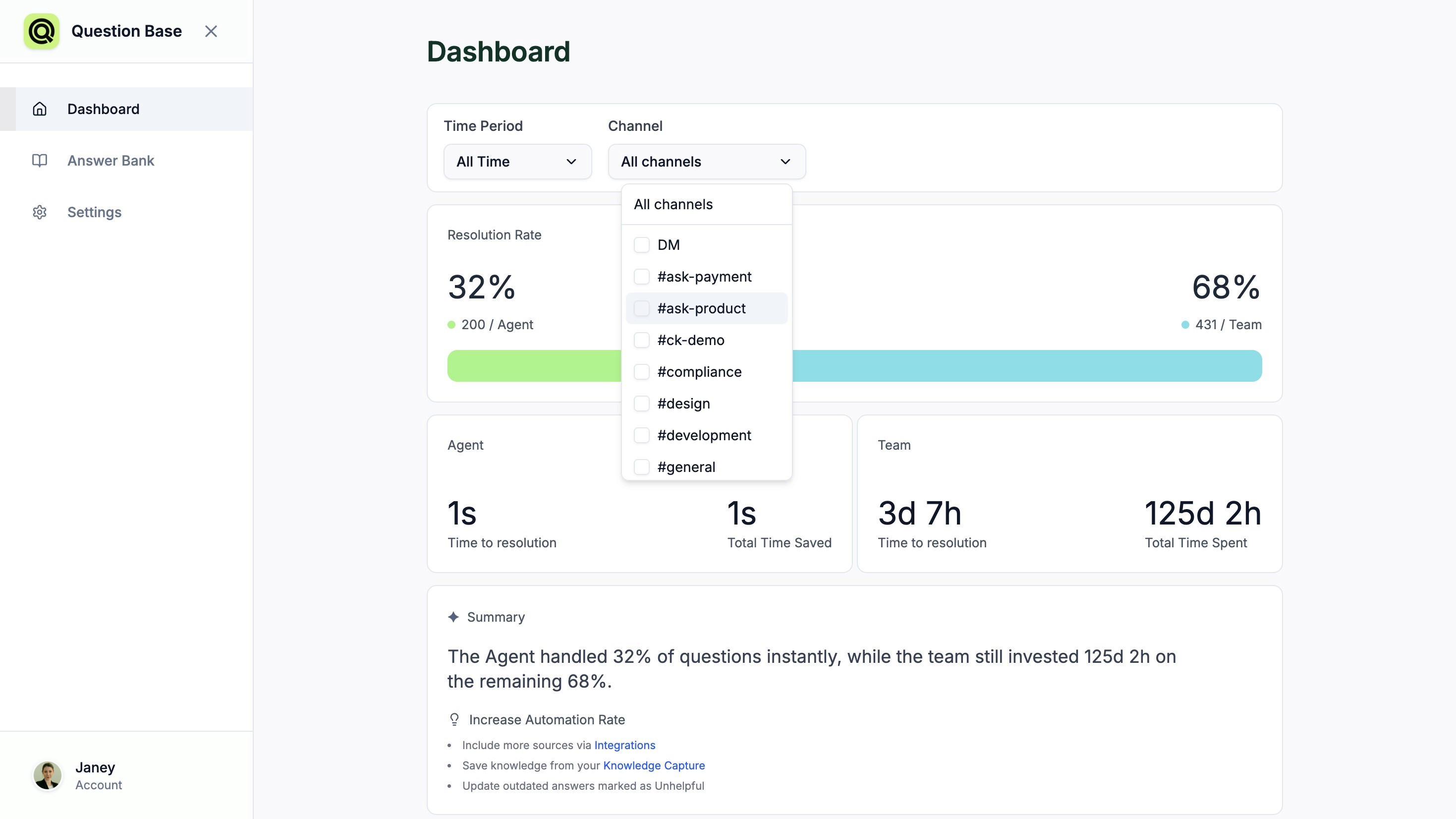
Our multi-channel reporting feature transforms how Knowledge Managers track and analyze agent interactions. Instead of jumping between individual channel reports, you can now view aggregated performance data in one unified dashboard.
Simply head to questionbase.ai/dashboard where all your reporting tools are centralized.
From there, you'll find a multi-select option in the Channel selector up on top. Select the channels you want, and confirm your selection.
The Dashboard will update with the metrics across these channels.
The multi-select capability means you're no longer limited to viewing performance data in isolation. When you select channels like #ask-product and #questions together, you get a holistic view of how the Answer Agent performs across different types of inquiries.
This part of the Question Base interface is designed specifically for Knowledge Managers who need quick access to performance metrics without the complexity. We've eliminated the need for manual data compilation and switching between multiple screens when you are responsible for multiple channels.
You can create different report combinations based on your immediate needs:
Generate weekly performance reviews by selecting all active channels
Compare agent performance between high-traffic and specialized channels
Track improvement over time by running the same channel selections regularly
Identify knowledge gaps by analyzing response patterns across different channel types
The reporting interface automatically aggregates data from your selected channels, presenting metrics that matter most for performance evaluation.
Best of all, these reports update in real-time. Once you've made your channel selection and confirmed it, the dashboard continuously refreshes with the latest performance data. This means you're always working with current information when making decisions about training, resource allocation, or process improvements.
By consolidating multi-channel data into a single, actionable report, we're helping Knowledge Managers save hours each week while gaining deeper insights into their team's performance. The result? More informed decisions, better agent coaching, and more clear ROI on the AI efforts.