How does Knowledge Capture work in Question Base?

Yana Tornoe
Updated: Dec 9, 2025
Saving New Answers, FAQs, and Knowledge from Slack
Your agent starts with limited knowledge of your business. You can improve its ability to answer questions in Slack by giving it access to your documentation (see our Integrations) or by importing FAQs from your Slack channels (follow the guide here).
Even with access to existing knowledge, your team will sometimes ask new questions.
When the agent doesn’t yet have an answer, it escalates the question to you and the workspace editors.
Once you respond and mark the question as resolved (used in Support mode), the agent analyzes the conversation thread and captures the knowledge from the discussion.
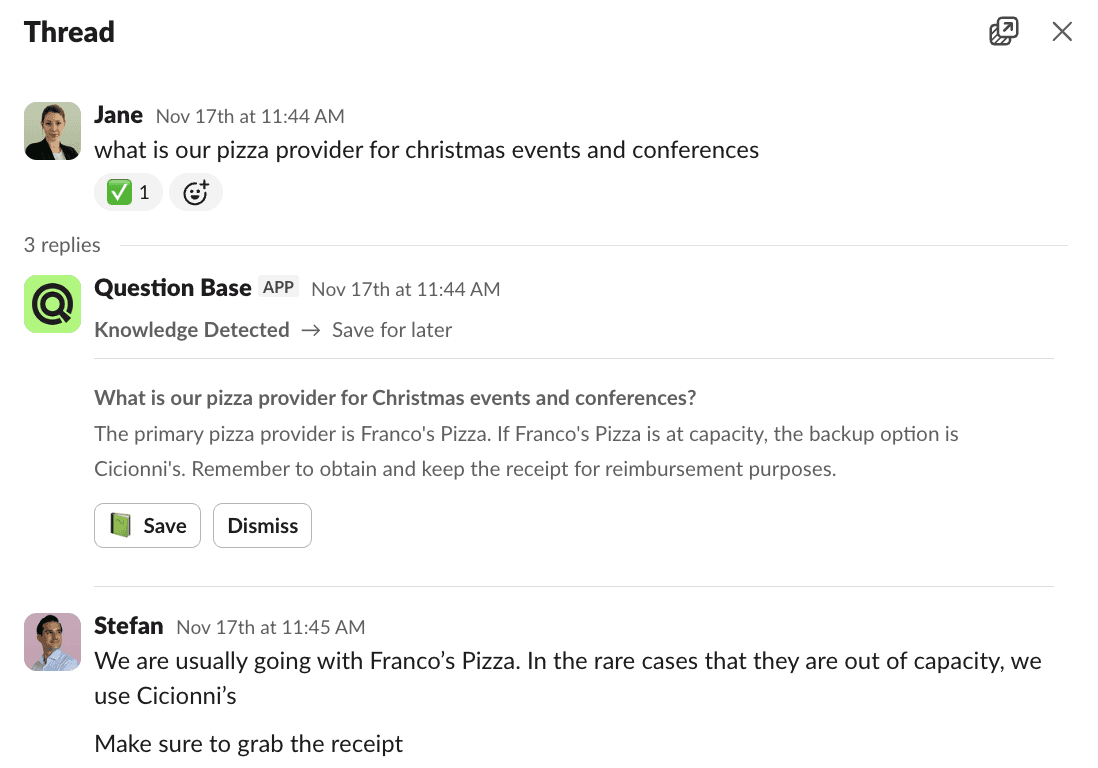
It creates a pair consisting of the original question and a clear, accurate answer derived from the thread. Editors can then click “Save Answer”, turning this information into structured, reusable knowledge. The next time the same question is asked, the agent will already know the answer.
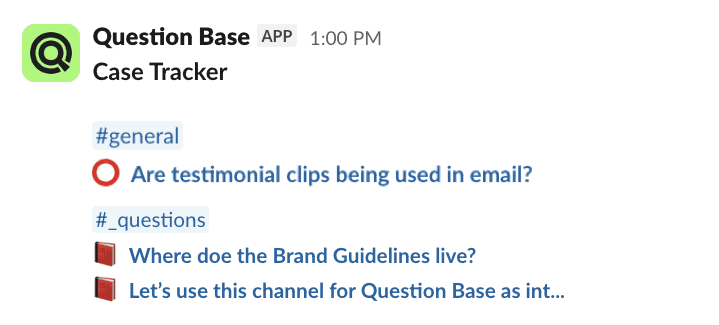
Editors are notified about threads where the agent has identified valuable knowledge through their Case Trackers in the Question Base Slack app.
Questions with missing answers are marked with a red circle emoji ⭕️
Questions with new answers that haven’t been saved yet are marked with a red book emoji 📕