∙
Cooper
∙
Reading time:
15 min

AI knowledge bases solve a common workplace problem: employees waste time searching for answers or repeatedly asking the same questions. By automating access to verified information directly in tools like Slack, these systems reduce inefficiencies, improve response times, and keep teams aligned. Key benefits include:
Faster information retrieval: Employees get instant answers from trusted sources without leaving Slack.
Reduced repetitive questions: AI identifies recurring queries and creates self-help resources.
Improved decision-making: Teams rely on accurate, up-to-date information, minimizing errors.
Enhanced productivity: Experts spend less time answering repeat questions and more time on high-priority tasks.
For example, one company increased customer satisfaction from 58% to over 90% and cut resolution times from five days to 24 hours by integrating an AI knowledge base. These tools also support role-specific answers, ensuring employees get relevant information tailored to their needs.
Build a No-Code AI Knowledge Base in Slack 🚀
How AI Knowledge Bases Improve Team Alignment
Fragmented and manual approaches to knowledge sharing often disrupt team alignment. AI knowledge bases tackle this issue by automating the delivery of consistent, accurate information across organizations. By streamlining how teams access and share knowledge, these systems remove bottlenecks and reduce the miscommunication that traditional methods frequently create.
Problems with Manual Knowledge Sharing
Manual knowledge sharing has a tendency to create silos, isolating information within departments and making it harder for cross-functional teams to stay aligned. When different teams rely on inconsistent data, the result is duplicated work and decisions that don’t align [2][4].
At the enterprise level, employees often hit roadblocks when trying to find critical information - whether it’s HR policies, benefits, or standard operating procedures. This slows down onboarding and decision-making, leaving teams less productive [2].
Another major issue is the time wasted on repetitive questions. Employees unable to quickly locate verified answers often turn to experts for help, pulling them away from more pressing tasks. This not only frustrates employees but also hampers productivity. Additionally, manual processes rarely offer the visibility needed to identify and address knowledge gaps before they cause bigger problems [5][6].
How AI Automates Knowledge Access
AI-powered knowledge bases change the game by automating access to verified information. These systems identify and document recurring issues, creating self-help resources that employees can rely on [5]. When a team member asks a question in Slack, the AI instantly pulls up relevant, verified answers from existing documentation, updates content based on trends, and delivers information tailored to the employee’s role.
For example, a marketing professional asking about campaign guidelines will receive targeted responses, while an HR team member will get answers specific to their department’s needs [6].
The benefits of this automation are backed by research. A Harvard Business School study involving 791 professionals at Procter & Gamble found that teams using AI were three times more likely to generate top-tier ideas compared to those working without it. Even employees with less experience in product development achieved performance levels similar to seasoned colleagues, proving how AI can level the playing field by making expertise accessible across the board [3].
By enabling role-specific, automated delivery of information, AI knowledge bases not only speed up access to critical data but also foster consistent communication across the organization.
Reducing Miscommunication with Verified Information
Beyond improving access, AI knowledge bases address miscommunication by ensuring consistent and accurate answers across the board. Unlike manual responses, which can vary, AI systems deliver uniform, verified information [2][5].
Human oversight plays a key role in maintaining accuracy. Knowledge experts have full control over AI-generated responses, allowing them to fine-tune tone, style, and sources for different channels while ensuring consistency [1].
"We now have a reliable and useful knowledge base, making it easy to share knowledge across the team. We no longer have staff waiting on busy managers for an answer, Question Base is there in seconds, plus it's easy to verify answers as new questions come along."
AI knowledge bases also integrate with tools like Google Drive, Confluence, Zendesk, Notion, and Salesforce, creating a unified source of truth. This integration eliminates the need for employees to check multiple platforms or deal with outdated information [1].
Features like source annotations and precise quotations further reduce misinterpretation. When AI provides an answer, it includes the source, giving teams the context they need to verify details and act confidently. This transparency fosters trust and ensures that decisions are based on reliable information.
The results speak for themselves. One ecommerce company saw its customer satisfaction score jump from 58% to over 90%, while resolution times dropped from five days to just 24 hours after adopting AI-powered knowledge sharing in Slack [2]. These improvements highlight how delivering verified information can cut down on unnecessary back-and-forth and boost team performance.
Key Features of AI Knowledge Bases in Slack
Embedding AI knowledge bases directly into Slack transforms how teams access and share information. These tools go beyond simple chatbots, offering seamless integrations, access to trusted documentation, and analytics that enhance collaboration and minimize information silos.
Direct Slack Integration
Question Base connects directly to Slack without requiring any engineering setup. You can install it from the Slack App Marketplace and activate it with a simple /invite @questionbase command to start delivering instant, tailored responses - all without leaving Slack. The system personalizes answers based on roles, teams, or regions. For instance, a marketing team member might receive campaign-specific insights, while someone in HR gets department-relevant details. This quick and intuitive setup ensures teams can rely on accurate, role-specific information right from the start [6][7].
Access to Trusted Documentation Sources
In addition to its Slack integration, enterprise-grade AI knowledge bases link with tools like Notion, Confluence, Google Drive, Zendesk, Intercom, Salesforce, and Dropbox. This creates a unified hub for accessing verified and up-to-date documentation across the organization.
By consolidating these resources, employees no longer need to search multiple platforms for answers. Instead, the AI retrieves the most current information available, saving time and reducing frustration. These systems also provide direct links to original documents, enabling users to verify details and build confidence in the responses they receive.
Real-Time Knowledge Updates and Analytics
Advanced AI knowledge bases capture valuable insights shared in Slack conversations, turning fleeting chats into structured, searchable documentation with minimal effort. They can identify recurring questions and automatically create self-help articles, which reduces support ticket volumes and ensures faster resolution times [5].
These platforms also offer analytics tools that highlight gaps in knowledge, track automation performance, and measure resolution rates. Dashboards provide actionable insights, helping leaders pinpoint areas for improvement and boost team efficiency.
For example, research from Harvard Business School revealed that teams using AI were three times more likely to generate ideas that ranked in the top 10% of all submissions, showcasing how AI can enhance problem-solving across diverse groups [3].
Comparing AI Knowledge Base Solutions: Question Base vs. Slack AI
When evaluating tools like Question Base and Slack AI for enterprise knowledge management, it’s clear that both aim to streamline access to information and improve team workflows. However, their methods and capabilities differ significantly.
Feature and Capability Comparison
The key differences between Question Base and Slack AI emerge when looking at how they handle knowledge management and enterprise-level requirements.
Feature | Question Base | Slack AI |
|---|---|---|
Accuracy | Relies on human-verified answers from trusted documentation | Uses AI-generated responses based on Slack messages |
Data Sources | Integrates with Notion, Confluence, Google Drive, Zendesk, Intercom, Salesforce, Dropbox, SharePoint, and more | Primarily uses Slack chat history with limited integrations (available on Business+ plans) |
Knowledge Management | Offers features like case tracking, per-channel settings, duplicate detection, and living FAQ creation | Provides basic AI summaries and a Channel Expert agent |
Analytics | Tracks resolution rates, automation performance, content gaps, and unhelpful answers | Includes standard usage statistics |
Enterprise Security | SOC 2 Type II compliance, encryption at rest and in transit, and optional on-premise deployment | Standard Slack security features |
Customization | Allows control over AI tone, behavior, content access, and escalation flows | Offers limited customization options |
Pricing | $8 per user per month | $18 per user per month |
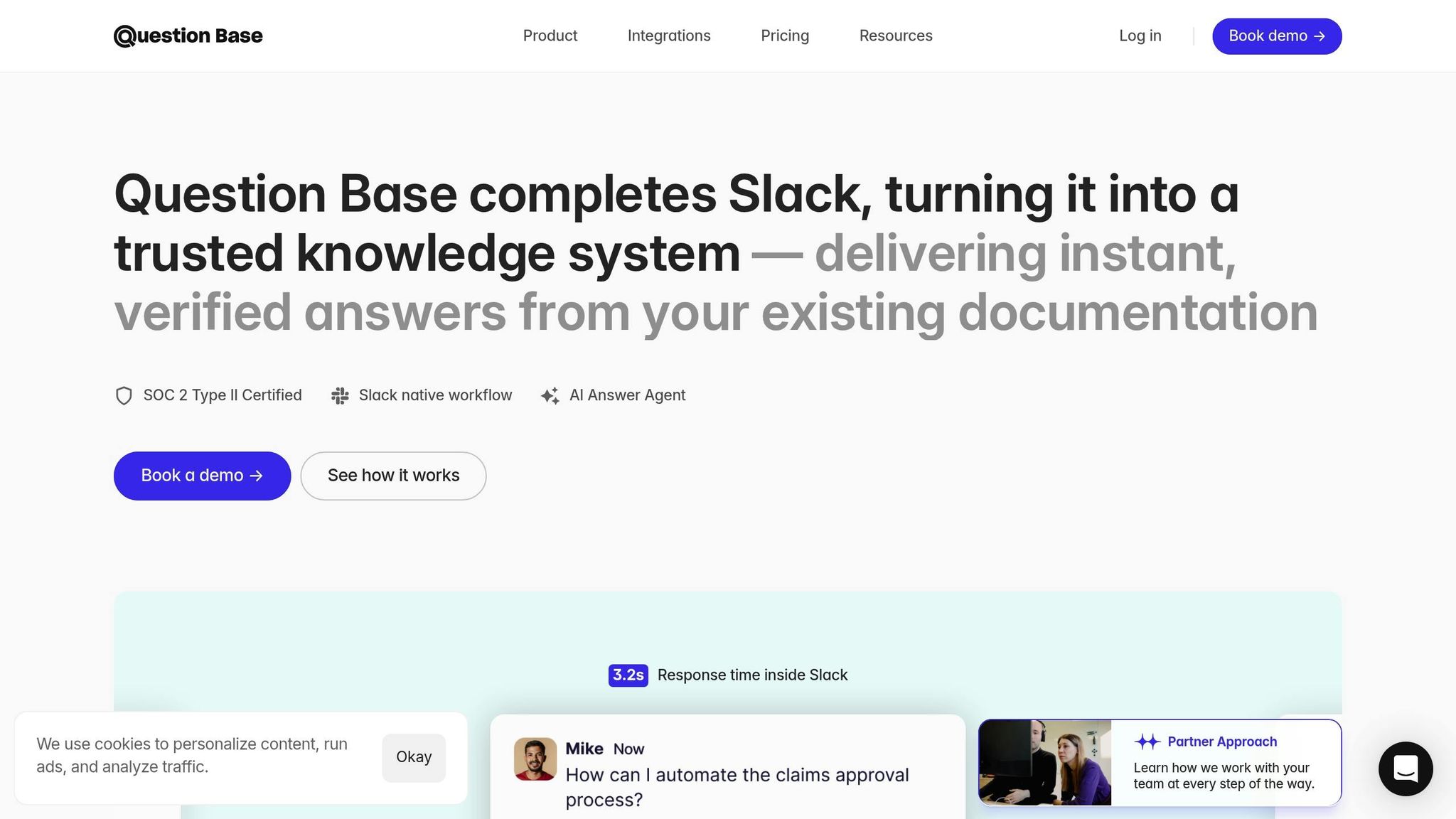
Question Base stands out with an answer accuracy score of 4.8 and an average response time of 3.2 seconds within Slack [1]. While Slack AI is effective for summarizing conversations and aiding general productivity, it primarily depends on Slack chat history rather than pulling from verified documentation. This distinction underlines the key factors that often influence enterprise decision-making.
Why Enterprises Choose Question Base
For organizations prioritizing precision and accountability, Question Base offers more than just fast answers - it ensures those answers are reliable and aligned with trusted sources. While Slack AI may help individuals quickly summarize conversations or search for information, Question Base is designed to keep entire teams on the same page with accurate, up-to-date knowledge.
This is especially critical for businesses in regulated industries or those managing sensitive data. With enterprise-grade security features like SOC 2 Type II compliance and optional on-premise deployment, Question Base meets stringent security standards while granting organizations full control over how information is accessed, presented, and escalated.
Unlike Slack AI, which learns largely from chat history, Question Base connects directly to trusted platforms like Notion, Confluence, Salesforce, and Zendesk. Updates made to source documentation are reflected in real-time, ensuring responses remain accurate - a crucial feature for industries where outdated information can lead to significant issues in customer service or operations.
Additionally, Question Base provides advanced analytics that go beyond basic usage stats. These include tools for tracking content gaps, monitoring resolution rates, and analyzing automation performance. By offering insights into what employees are searching for and identifying areas where documentation is lacking, Question Base helps organizations maintain a dynamic and effective knowledge base that evolves with business needs.
How to Implement AI Knowledge Bases
Getting an AI knowledge base up and running in Slack doesn’t have to be complicated. With the right solution, you can integrate it seamlessly into your existing documentation setup - no extra engineering required.
Setting Up the Knowledge Base
Start by installing the app directly from the Slack App Marketplace. Once installed, invite the bot by typing /invite @questionbase in Slack. From there, you can tailor the configuration to suit your team’s needs.
Security is a top priority, especially for industries with strict compliance requirements. Ensure the system is configured with enterprise-grade protections, such as SOC 2 Type II compliance, encryption (both in transit and at rest), and robust access controls. If your organization operates in a regulated sector, consider an on-premise deployment for added control.
Next, personalize the AI’s tone to align with your company’s culture. Whether your communication style is polished and professional or relaxed and approachable, the AI should reflect that. Additionally, set up escalation workflows so that complex questions automatically route to human experts. This ensures employees always get accurate support, even if the AI doesn’t have the answer.
Once the basics are in place, the next step is to link the AI knowledge base to your existing documentation tools.
Connecting to Existing Documentation Tools
An AI knowledge base thrives on integration. It connects with popular tools like Notion, Confluence, Google Drive, Zendesk, Intercom, Salesforce, and Dropbox, allowing it to pull trusted information directly into Slack.
Using OAuth, you can securely sync specific repositories, folders, or spaces. This enables the AI to access and deliver answers from these sources without requiring employees to leave Slack. It’s a simple yet powerful way to bridge the gap between where your team asks questions and where your documentation lives.
"You have the documentation, yet people keep asking in Slack. The answer agent bridges the gap." - Question Base [1]
For added flexibility, you can configure the system on a per-channel basis. For instance, your customer support team might need access to Zendesk and product documentation, while your sales team might rely on Salesforce data and pricing sheets. This targeted setup ensures every team gets the information they need without being overwhelmed by irrelevant content.
Real-time synchronization is another game-changer. When your product team updates a feature spec in Notion or your support team revises a Zendesk article, those changes are automatically reflected in the AI’s responses. No manual updates required - your knowledge base stays current and accurate.
Best Practices for Team Adoption
Once your AI knowledge base is fully integrated, the next challenge is getting your team to embrace it. Start with clear onboarding sessions to show employees how to interact with the AI and what types of questions it can handle effectively.
Highlight the time-saving benefits to encourage participation. When employees see how quickly they can get answers - without digging through documentation or waiting on email replies - they’re more likely to use the system. Recognizing early adopters and power users can also help build momentum across the organization.
"Since we started using QB we haven't used our Google support docs." - Linn Stokke, Online Events & Marketing Specialist, Ticketbutler [1]
To fine-tune the system, monitor usage analytics. Pay attention to metrics like response times, resolution rates, and the frequency of escalated questions. These insights can reveal gaps in your content or areas where the AI’s setup could be improved.
Finally, consider rolling out the system gradually rather than launching it company-wide all at once. Start with a single department or specific use case, gather feedback, and make adjustments before expanding. This phased approach allows you to address any challenges early and build a group of internal advocates who can help drive adoption across the organization.
Conclusion: Improving Team Performance with AI Knowledge Bases
AI knowledge bases are reshaping how enterprises handle and share information by streamlining access and minimizing miscommunication. This shift highlights the growing role of AI in driving better team performance.
Enterprise-grade solutions take this further by enhancing internal collaboration. Platforms like Question Base transform Slack into a central hub for verified knowledge, offering robust security features and optional on-premise deployment. These tools integrate effortlessly with existing documentation systems, delivering immediate benefits while meeting strict organizational standards.
The key to success lies in automating the delivery of trusted information. Unlike general-purpose AI tools that depend heavily on chat history, purpose-built knowledge bases connect directly to reliable sources such as Notion, Confluence, Salesforce, and Google Drive. This ensures teams receive accurate and timely information, reducing errors and delays.
Organizations adopting these systems report noticeable operational improvements[6]. Over time, the benefits grow as the system evolves into a dynamic FAQ, adapting to new questions and workflows. Features like content gap analysis and audit capabilities align seamlessly with sprint cycles and quarterly planning, supporting agile operations.
Beyond boosting productivity, AI knowledge bases transform team dynamics. They encourage teams to view AI as a collaborative partner rather than just a tool, leading to more effective interactions and better outcomes[3]. By shifting knowledge management from a gatekeeping role to an enabler, these systems scale institutional knowledge across the organization, bridging the divide between information and action.
For enterprises looking to enhance alignment and efficiency, adopting an AI knowledge base that integrates with existing tools and adheres to top security standards is a logical next step. The result? A more aligned and efficient workforce that delivers higher-quality results, while drastically cutting down the time spent searching for answers. By centralizing knowledge and automating its delivery, AI knowledge bases reinforce the strategies outlined above, empowering teams to work smarter and achieve more.
FAQs
How can AI knowledge bases help teams stay aligned and avoid miscommunication?
AI-powered knowledge bases like Question Base streamline team communication by providing instant and precise answers directly within Slack. Instead of wasting time sifting through various platforms, employees can access trusted information from integrated tools such as Notion, Confluence, and Salesforce. This ensures that the most current and reliable documentation is always at their fingertips.
What sets Question Base apart is its reliance on expert-verified responses rather than just chat history. It transforms company knowledge into a dynamic, searchable resource that evolves over time. This approach reduces repeated questions, limits miscommunication, and ensures that teams stay aligned. The result? Time saved and smoother collaboration across the board.
How does Question Base compare to Slack AI for managing enterprise knowledge?
Slack AI is great for boosting overall productivity, especially when it comes to tasks like summarizing conversations. However, Question Base is specifically designed to handle the complexities of enterprise knowledge management. While Slack AI primarily draws insights from chat history, Question Base connects directly to trusted platforms like Notion, Confluence, and Salesforce, ensuring it delivers expert-verified answers every time.
What sets Question Base apart is its range of advanced features tailored for enterprise needs. These include case tracking to monitor support issues, per-channel settings for customized workflows, and AI that identifies and learns from knowledge gaps. Together, these tools improve accuracy, simplify processes, and keep teams on the same page - all while offering enterprise-grade security and flexible customization.
How can companies ensure their AI knowledge base provides accurate and reliable information?
To maintain precision and dependability, Question Base links directly to established documentation tools such as Notion, Confluence, and Salesforce. This approach guarantees that answers are pulled from verified, current content instead of depending on chat history or AI-driven guesses.
By syncing with your organization’s knowledge bases, Question Base provides accurate, expert-approved responses, ensuring teams remain consistent and confident in the information they rely on.