∙
Cooper
∙
Reading time:
28 min

Remote teams waste up to 30% of their week searching for information buried across tools like Slack, Google Drive, and Confluence. This inefficiency costs companies millions annually. AI-powered tools are solving this by consolidating scattered knowledge and delivering instant answers where teams work - primarily in Slack or Microsoft Teams.
Here’s a breakdown of the top AI tools for remote knowledge sharing in 2025:
Question Base: Delivers verified answers directly in Slack by connecting to trusted sources like Notion, Confluence, and Salesforce. It automates responses to 35% of repetitive questions, saving experts six hours weekly.
Slite: A centralized hub for documentation with AI-powered search that retrieves answers even without exact keywords.
Starmind: Focuses on connecting employees to in-house experts for complex queries, simulating in-person knowledge exchanges.
GoLinks: Simplifies access to resources with short, memorable links and AI-assisted search.
Guru: Provides context-aware, verified knowledge cards embedded in tools like Slack and Microsoft Teams.
Leexi: Simplifies knowledge capture and access, though details on integrations and enterprise features are limited.
Asana: Embeds knowledge into task management workflows, tying information to actionable tasks.
Notion AI: Enhances Notion workspaces with AI tools for summarization, translation, and drafting.
These tools cater to different needs, from automating repetitive questions to connecting employees with experts or embedding knowledge into workflows. Question Base stands out for its Slack-first approach, verified accuracy, and enterprise-grade security.
Quick Comparison
Tool | Key Feature | Primary Integration | Enterprise Readiness |
|---|---|---|---|
Question Base | Verified answers in Slack, 3.2-second response time | Slack | SOC 2 Type II, on-premise option |
Slite | AI-powered search for centralized docs | Slack, Zapier | SOC 2 compliance pending |
Starmind | Connects employees to in-house experts | Slack, MS Teams | GDPR, HIPAA, SOC 2 |
GoLinks | Short, memorable links with AI search | Slack | Customizable for enterprises |
Guru | Context-aware knowledge cards | Slack, MS Teams | SOC 2 compliance |
Leexi | Knowledge access (limited details) | Likely Slack, others | Verify with vendor |
Asana | Knowledge embedded in task workflows | Slack, Google Drive | Enterprise-grade security |
Notion AI | AI tools in Notion workspaces | Notion, Slack | Affordable, verify compliance |
For teams using Slack, Question Base offers unmatched efficiency, automating repetitive questions while ensuring accuracy and security. Evaluate your team’s needs - whether it’s instant answers, expert connections, or workflow integration - to choose the right tool.
AI Readiness Starts with Documentation: Lessons from Remote Work
1. Question Base

Question Base is an AI-powered answer agent designed specifically for Slack, catering to organizations that require reliable, verified knowledge at scale. Unlike tools such as Slack AI that focus on summarizing conversations or general productivity, Question Base connects directly to trusted documentation sources to deliver precise, expert-approved answers - all within Slack, where your team already operates.
This platform is incredibly easy to set up. With no engineering expertise needed, you can get started in just a few steps: install the app from the Slack App Marketplace, invite the bot to your active channels using /invite @questionbase, link your documentation sources, and watch the system begin providing answers within hours. This straightforward process ensures a seamless deployment, enabling teams to start resolving questions quickly.
Primary Integration Method
Question Base integrates directly into Slack as a native bot, placing verified knowledge at employees' fingertips. This integration eliminates the need for context-switching - no more jumping between knowledge management platforms, opening endless browser tabs, or interrupting colleagues for answers. Everything happens right where teams are already communicating.
What sets it apart is the ability to transform Slack conversations into a searchable knowledge base. When valuable insights are shared in Slack threads, users can capture and store them with just one click. Over time, this builds a dynamic FAQ that evolves alongside the organization’s workflows and information needs.
Supported Data Sources
Question Base connects to a wide range of enterprise documentation and knowledge platforms frequently used by remote teams. These include Notion, Google Drive, Confluence, Zendesk, Intercom, Salesforce, Dropbox, Freshdesk, HubSpot, OneDrive, Jira, and SharePoint. This flexibility means there’s no need to consolidate all your documentation into one system - Question Base can pull data from multiple sources simultaneously. For businesses with more specific needs, custom integrations are also available, making it adaptable to even the most complex tech stacks.
Key Advantages
Once integrated, Question Base shines with its speed and accuracy. On average, it delivers answers in just 3.2 seconds and automates responses to 35% of repetitive questions - saving internal experts over six hours per week. Impressively, its answer accuracy receives a score of 4.8[1]. The platform’s standout feature is its AI-driven yet human-verified approach. Instead of relying solely on AI interpretations, it provides precise, source-annotated responses. If the system is unsure about a query, it escalates the question to human experts through a customizable workflow, ensuring no question is left unanswered. These human-verified responses are then fed back into the system, continuously improving its knowledge base.
This verification process is particularly important for remote teams handling critical tasks, such as HR addressing benefits inquiries, IT solving technical issues, or sales providing pricing details. Additionally, the platform includes content gap reporting, which highlights areas where documentation needs improvement, helping teams prioritize updates based on real data.
Enterprise-Grade Features
Question Base meets the highest security standards, holding SOC 2 Type II certification with encryption for data both at rest and in transit. For organizations with strict data residency requirements, it offers optional on-premise deployment - an essential feature for industries with stringent regulations or sensitive data management needs. These security measures ensure that vital knowledge remains both secure and accessible.
The Enterprise plan offers advanced features like white-labeling, multi-workspace support for managing knowledge across multiple Slack environments, and tailored adjustments to meet specific organizational needs. Teams can control which content is accessible, customize the AI’s tone and behavior to align with their communication style, and set up escalation workflows that match their support protocols. This flexibility makes the platform ideal for large organizations, allowing them to deploy Question Base in line with their security and operational requirements while maintaining centralized oversight. Designed to scale for thousands of users, it’s particularly well-suited for knowledge managers and internal support leaders seeking robust tools.
At $8 per user per month, with an annual plan offering around 37% savings, Question Base delivers enterprise-level functionality without the hefty price tag often associated with similar platforms.
2. Slite
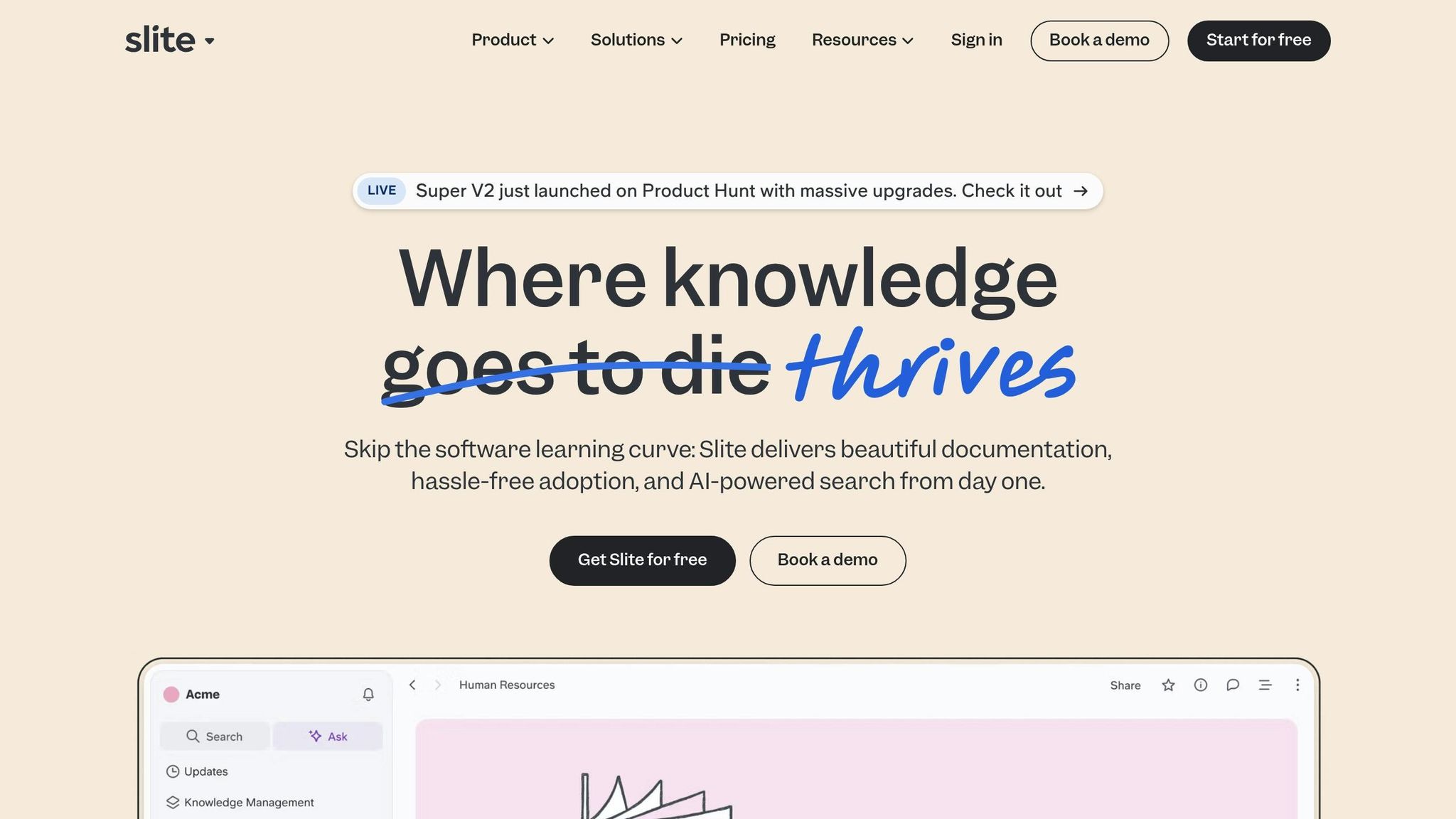
Slite simplifies documentation for remote teams by offering a centralized hub where wikis, process guides, and searchable knowledge bases come together. Designed with distributed teams in mind, it ensures everyone - regardless of location or time zone - can access essential information. Its focus on simplicity and speed means teams can start building their knowledge base within hours, without disrupting their existing workflows. Like other tools on this list, Slite integrates smoothly with everyday communication platforms, making it a practical choice for team collaboration.
Primary Integration Method
Slite connects directly with Slack, embedding its content seamlessly into conversations. This integration allows employees to search and reference information without leaving Slack, cutting down on time spent toggling between apps. Additionally, Slite works with Zapier, enabling automation between Slite and hundreds of third-party tools. These integrations make knowledge sharing a natural part of daily workflows.
Data Sources Supported
Slite supports a wide range of content types, including text documents, images, videos, code snippets, tables, and embedded content from external platforms. Teams can easily import materials from tools like Notion, Confluence, and Google Drive, consolidating scattered resources into one accessible location. With markdown formatting, it’s well-suited for technical documentation, onboarding guides, FAQs, and project plans.
The platform offers flexible organization options, such as customizable collections, tags, and hierarchical folder structures. This flexibility allows teams to arrange information in ways that align with their specific workflows. Combined with its strong search capabilities, Slite ensures that teams can quickly find and manage their knowledge.
Key Strength
One of Slite’s most valuable features is its AI-powered search, which understands the context behind queries. Using natural language processing, it retrieves relevant documents even when exact keywords aren’t used. This addresses a major challenge for remote teams, where workers often spend up to 30% of their day searching for information. By reducing this time, Slite helps teams work more efficiently.
The AI also learns from user interactions, continuously improving search accuracy and relevance. It can identify knowledge gaps by analyzing frequently asked questions and search trends, notifying administrators when new documentation is needed. This proactive approach ensures teams stay ahead of their information needs.
Another standout feature is Slite’s user-friendly interface, which requires little to no training. Most users can become productive within their first session, making it easy for remote teams to adopt the platform. By focusing on simplicity and avoiding unnecessary features, Slite offers a smoother experience compared to legacy systems like SharePoint or Confluence, while still providing powerful knowledge management tools.
Enterprise Readiness
Slite is built with enterprise-grade security in mind, offering SOC 2 Type II compliance to meet stringent security and availability standards. Features like encryption, role-based access controls, and granular permissions ensure sensitive data is protected.
For large organizations, Slite supports single sign-on (SSO) integration with identity providers like Okta and Azure AD, simplifying authentication and access management. The platform scales effortlessly, accommodating thousands of users and large knowledge bases without performance issues.
Enterprise clients benefit from dedicated support, custom onboarding, and advanced analytics. These analytics provide insights into content creation, search activity, page views, and user engagement. Knowledge managers can use this data to measure the impact of knowledge sharing by linking it to fewer support tickets and faster onboarding processes. With these features, Slite equips remote teams to manage and secure their knowledge effectively.
3. Starmind
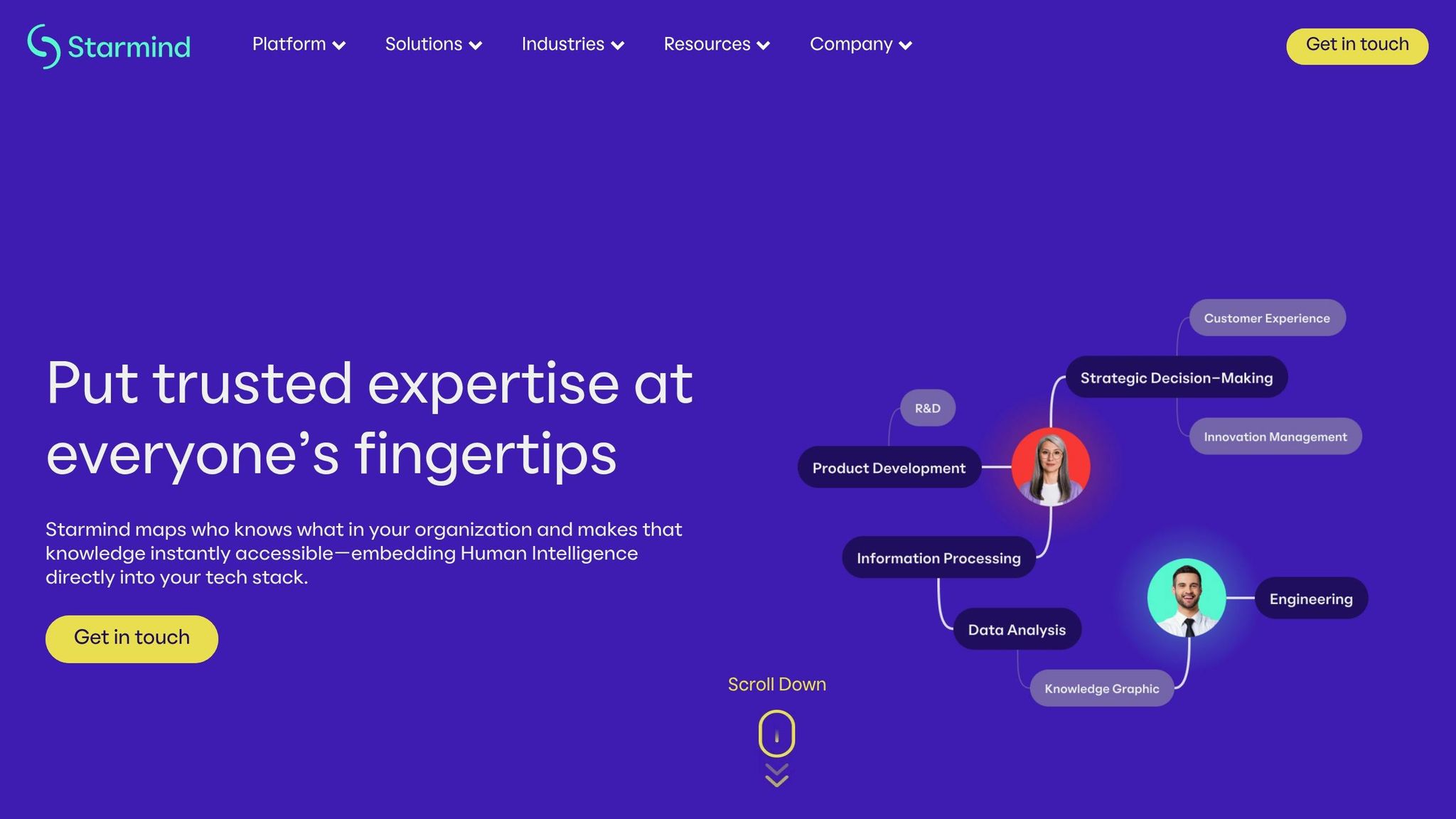
Starmind takes a people-first approach to knowledge sharing by focusing on human expertise rather than static documentation. Using AI, it identifies the right experts within an organization and connects employees to precise answers. This is especially helpful for remote teams, where casual, in-person exchanges - like asking a colleague a quick question - aren’t an option.
The platform functions as a dynamic collective intelligence system, gathering expertise from across the organization and making it easily accessible. Instead of just searching through files or documents, Starmind’s AI pinpoints the most qualified individuals to address a question and facilitates direct connections. This approach ensures that complex inquiries, which often require context or specialized knowledge, receive the attention they need.
Primary Integration Method
Starmind integrates seamlessly into everyday tools like Slack and Microsoft Teams, allowing employees to tap into expert knowledge without leaving their workspace. For example, when a question is posed in Slack, Starmind can quickly identify relevant expertise or connect the user with the right person to provide an answer.
Additionally, the platform syncs with enterprise systems and documentation platforms, consolidating existing organizational knowledge into a unified view. By embedding itself into tools employees already use, Starmind eliminates the friction that often hampers the adoption of knowledge-sharing solutions. This is particularly valuable for remote teams, as it simplifies workflows and reduces the mental strain of juggling multiple tools.
Data Sources Supported
Starmind pulls data from various sources, including internal documentation, communication logs, and expertise databases, to create a centralized, searchable knowledge network. By consolidating information from disparate systems, it helps organizations avoid the silos that often hinder distributed teams. The platform leverages past conversations, documented workflows, and expert profiles to build a robust understanding of the organization’s collective knowledge. This ensures that critical insights don’t get buried in the flood of daily messages and files generated by remote teams.
Key Strength
What sets Starmind apart is its AI-driven expert matching, which connects employees directly to in-house experts rather than relying solely on written resources. This feature replicates the kind of informal, spontaneous knowledge-sharing that naturally occurs in physical offices. For remote teams spread across different time zones, this is a game-changer. Instead of waiting for an email reply or trying to coordinate schedules for a meeting, employees can quickly connect with experts who can provide asynchronous answers.
The system also evolves with use. Every interaction - questions asked and answers given - helps the AI refine its understanding of the organization’s knowledge landscape. Over time, it can identify emerging experts, highlight knowledge gaps, and even suggest areas where new documentation might be helpful. This continuous learning makes the platform increasingly effective, offering remote teams a smarter, more responsive knowledge-sharing system.
Enterprise Readiness
Starmind is built with enterprise-grade security in mind, featuring role-based access controls, data encryption, audit trails, and compliance with standards like GDPR, HIPAA, and SOC 2. For remote teams working across multiple locations and legal jurisdictions, these measures ensure that sensitive organizational knowledge remains secure while still being accessible to authorized users. The platform is also designed to scale, supporting large organizations with thousands of employees while maintaining performance as the knowledge base and user count grow.
4. GoLinks
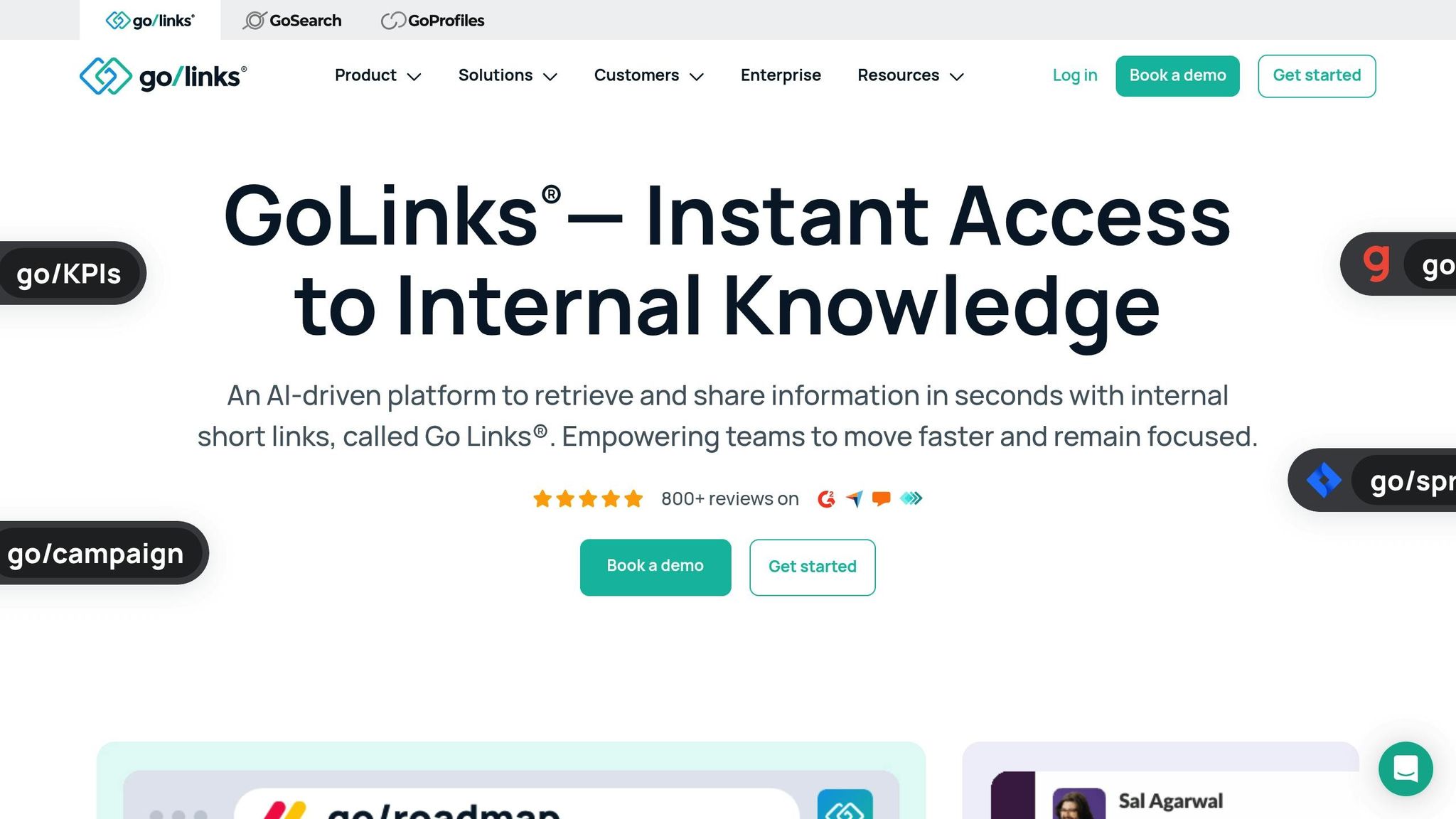
GoLinks transforms lengthy URLs into short, easy-to-remember links that remote teams can quickly use and share. Instead of digging through bookmarks or asking teammates for document links, employees can simply type something like go/roadmap or go/onboarding to instantly access important resources. This standardized system streamlines the way teams reference key documents in conversations, emails, and Slack messages, creating a seamless experience for centralized, AI-driven knowledge sharing [2].
Primary Integration Method
GoLinks integrates directly with Slack, making it simple for users to retrieve resources with commands like go/roadmap [2]. The integration also includes GoAI, an AI assistant that interprets natural language queries. For instance, if someone asks in Slack, “Where can I find the latest Q3 roadmap?” GoAI will deliver the most relevant GoLink based on the request.
Data Sources Supported
GoLinks acts as an intelligent directory, connecting to the documentation and resource platforms your organization already relies on [2]. Instead of storing files themselves, it creates short links that point to dashboards, wikis, documents, and other tools. By centralizing access through a consistent naming system, GoLinks eliminates information silos and simplifies cross-team collaboration. Since it integrates with existing repositories, it not only organizes your resources but also accelerates access with AI assistance.
Key Strength
The combination of memorable short links and AI-powered search significantly cuts down the time employees spend looking for critical information [2]. Whether they type a known GoLink or rely on GoAI to answer plain-language queries, users can quickly find what they need. For teams spread across time zones, this system ensures independent access to resources, reducing the need for real-time responses from colleagues.
Enterprise Readiness
GoLinks is designed to scale with large, distributed teams [2]. Organizations can customize link naming conventions to match their internal structures and terminology, ensuring consistency as they grow. Additionally, the GoAI assistant can handle complex queries and direct users to the right resources or experts, making it an essential tool for enterprises managing vast knowledge repositories.
5. Guru

Guru is a knowledge management platform powered by AI, designed to deliver verified answers directly within the tools remote teams already rely on. The platform organizes information into Cards - bite-sized, verified snippets that include how-tos, FAQs, and best practices. These Cards are surfaced contextually, ensuring team members get the information they need right when they need it. Guru integrates seamlessly into workflows through browser extensions and tools like Slack, Microsoft Teams, email, and various CRMs.
Primary Integration Method
Guru’s approach to integration focuses on embedding knowledge into the tools employees already use. Its browser extension allows team members to access the knowledge base while working in any web application. Additionally, Guru’s Slack integration enables users to search for information without leaving their messaging platform. Whether someone is drafting an email or responding to a support ticket in Slack, they can instantly retrieve the most up-to-date information. The platform also integrates with Microsoft Teams, ensuring accessibility across the most widely used communication tools for remote teams.
Data Sources Supported
To ensure information remains current and relevant, Guru integrates with key enterprise tools like Salesforce, Zendesk, and Google Drive. By pulling real-time data from these systems, the platform ensures that the Cards reflect the latest updates rather than outdated details. This capability is particularly beneficial for remote teams managing knowledge across multiple platforms, as it consolidates access and reduces time spent searching through various tools. Guru’s AI-powered search further enhances this experience by understanding context and delivering the most relevant Cards, eliminating the need for complicated queries.
Key Strength
One of Guru’s standout features is its ability to deliver context-aware, verified answers without requiring users to switch between applications. Its AI assistant leverages verified Cards to provide suggestions directly in Slack, allowing teams to search, capture, and auto-suggest answers effortlessly. This setup is particularly helpful during customer interactions or project work, where quick, reliable answers are critical. By reducing friction and streamlining operations, Guru has earned a strong reputation among its users, reflected in its 4.6/5 rating on Gartner [5].
Enterprise Readiness
Guru offers a robust solution for knowledge management, but its suitability depends on the organization’s size and complexity. The platform is intuitive and easy to implement, with pricing starting at $15 per user per month [4]. However, it may face limitations in scaling for very large enterprises or in addressing highly complex organizational structures. Guru requires manual content verification and may occasionally deliver inconsistent AI search results.
For mid-sized teams, Guru provides a comprehensive solution that integrates seamlessly into existing workflows. Larger organizations, however, should evaluate whether its architecture can handle their scale and meet their security requirements, such as SOC 2 compliance, single sign-on, and role-based access controls. For remote teams seeking instant, verified answers embedded within their daily tools, Guru delivers a focused, efficient approach to knowledge management.
6. Leexi
Leexi is an AI-driven platform designed to simplify knowledge capture and distribution, making it easier for remote teams to stay organized and access critical information across different locations.
Primary Integration Method
Leexi does not provide detailed information about its integration methods. To ensure it works with your current tools and systems, it's best to confirm compatibility directly with the vendor.
Data Sources Supported
While Leexi doesn’t publicly specify which data sources it supports, it is likely to connect with widely used platforms like Slack, Notion, Confluence, Google Drive, Zendesk, or Salesforce. Be sure to verify its integrations to confirm it can access the repositories your team relies on.
Key Strength
When evaluating Leexi, it's important to compare its features to competitors.
Its unique strengths are not clearly outlined, so consider whether it offers capabilities like real-time transcription, AI-powered search, or automated knowledge extraction that match your team’s specific needs.
Enterprise Readiness
Leexi does not share comprehensive details about its enterprise features, including security, compliance, scalability, pricing, or deployment timelines. For organizations with stringent requirements, it’s essential to confirm aspects like SOC 2 Type II compliance, encryption protocols, on-premise deployment options, and role-based access controls.
If you’re searching for a proven, enterprise-ready solution with transparent security measures and seamless Slack integration, Question Base stands out. It provides documented SOC 2 compliance, customizable AI functionality, and direct connections to trusted knowledge sources - all without requiring extra engineering effort for setup.
7. Asana
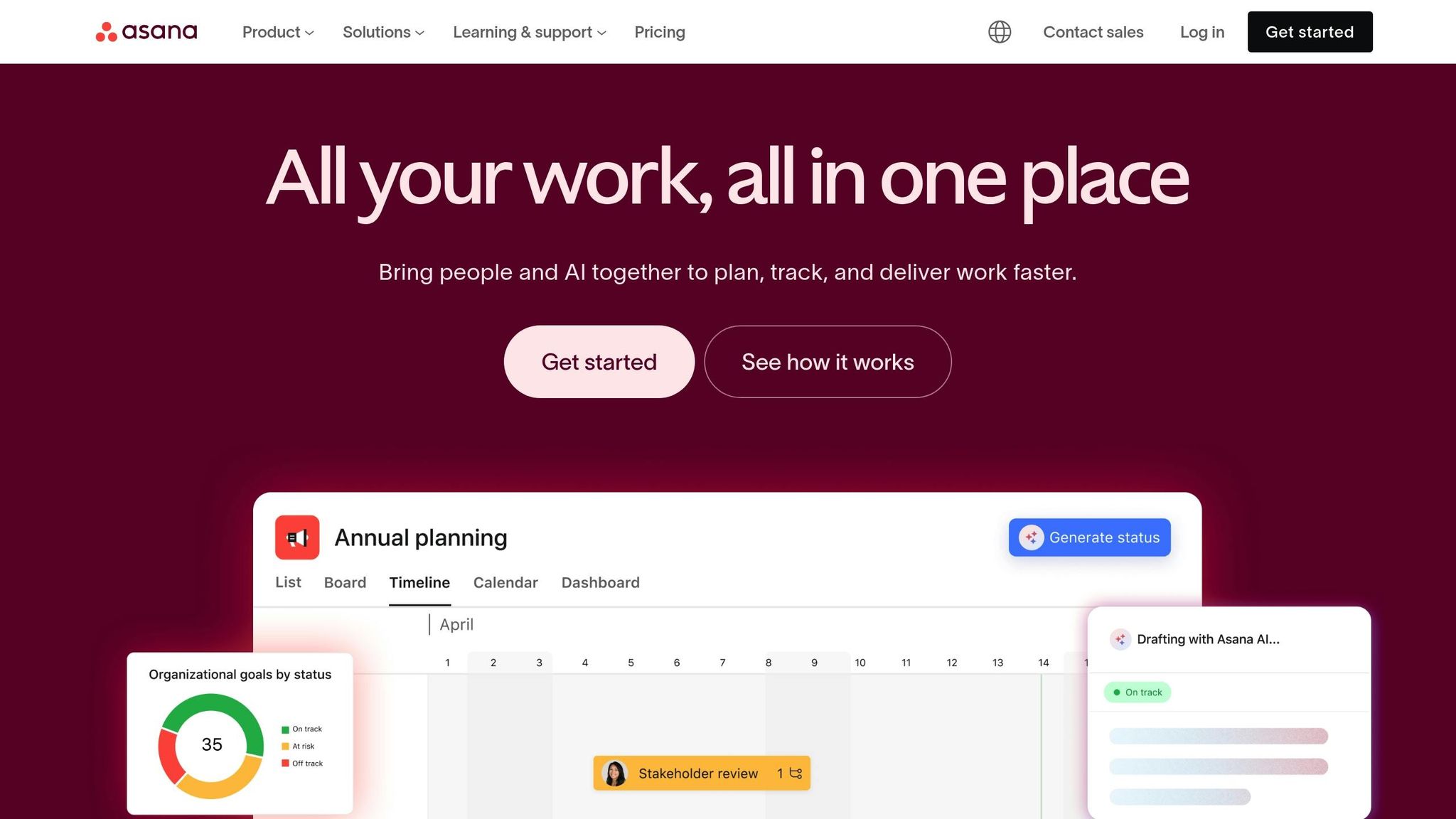
Asana takes a unique approach to knowledge sharing by embedding information directly into your team's workflows. Instead of acting as a standalone knowledge base, it integrates knowledge into task management and project tracking. This allows remote teams to access relevant information where they need it - in the context of their work - rather than relying on a separate repository they might forget to consult.
Primary Integration Method
Asana connects seamlessly with your existing tech stack through its API and native integrations. It works with tools like Slack, Google Drive, Microsoft Teams, Jira, and Dropbox, pulling in information from these sources and embedding it into project workflows. For example, you can attach Google Drive documents directly to tasks, create custom fields referencing external knowledge, and get real-time Slack notifications when project updates occur.
This setup eliminates the need for constant context switching. Instead of toggling between a knowledge base and a project management tool, Asana consolidates everything in one place - right where the work happens.
Data Sources Supported
Asana integrates with a range of tools, including Google Drive, Dropbox, Slack, and Microsoft Teams, allowing teams to link existing documentation without requiring data migration. You can embed links, attach files, and reference external sources while keeping your current documentation systems intact.
This flexibility ensures that Asana serves as a central hub where knowledge becomes actionable, rather than just a static storage system.
Key Strength
Asana's standout feature is its ability to connect knowledge to execution and accountability. While platforms like Notion are great for organizing information, Asana takes it a step further by tying that knowledge to specific tasks, deadlines, and team members. Its AI capabilities enhance this by generating tasks from comments, summarizing updates, and identifying risks based on project data.
For remote teams, this means knowledge isn’t just stored - it drives action. Asana’s visual project tracking provides transparency across departments, while dependency mapping shows how information flows through projects. Assigning owners and due dates ensures accountability, making it easier to turn knowledge into measurable results.
That said, Asana's AI features are heavily project-focused, requiring knowledge to already exist within its task and project framework. Capturing context from external conversations or meetings often depends on manual input or third-party integrations.
Enterprise Readiness
Asana is built to handle the demands of large organizations managing complex, multi-departmental projects. Its enterprise features include advanced permission controls, customizable workflows, and portfolio management for overseeing cross-project decisions. Additional capabilities like audit logs, compliance tools for regulated industries, and single sign-on (SSO) integration ensure secure and efficient project management.
For teams looking to combine knowledge retrieval with task execution, pairing Asana with an AI answer agent like Question Base is a powerful solution. While Asana focuses on turning knowledge into coordinated workflows, Question Base specializes in delivering instant, verified answers from trusted documentation - right inside Slack. By connecting to tools like Notion, Confluence, Salesforce, and Google Drive, Question Base complements Asana’s project-centric approach, ensuring that teams have quick access to the information they need to drive their projects forward.
8. Notion AI
As remote teams increasingly look for AI tools that seamlessly integrate into their workflows, Notion AI steps up by enhancing existing workspaces with context-aware features.
Notion AI weaves AI-driven tools like summarization, translation, and drafting directly into your Notion documents. Rather than existing as a standalone tool, it expands Notion's core functionality, enabling teams to summarize notes, translate content, and draft updates without ever leaving the platform they already use.
For teams that rely on Notion as their primary workspace, this built-in AI eliminates the need for constant app switching, which often disrupts productivity. With Notion AI, you can quickly summarize meeting notes, highlight key details, or update project plans - all without leaving the page you're working on.
Primary Integration Method
Notion AI operates entirely within Notion's familiar interface, ensuring a seamless experience. AI features are embedded directly into collaborative documents, databases, and project boards, making them easily accessible wherever your team manages knowledge.
Additionally, Notion AI Q&A extends its reach by connecting to external tools like Slack and Google Drive. This allows users to pull information from Slack threads, Google Drive files, and Notion documents through a single, unified search. However, for meeting capture, manual input or third-party tools are still required, as Notion AI focuses primarily on document-based content.
Data Sources Supported
Notion AI primarily draws from content stored within your Notion workspace, including pages, databases, and team documentation. Through the Notion AI Q&A feature, it can also access data from integrated platforms like Slack and Google Drive, enabling cross-platform searches.
This integration keeps knowledge centralized within Notion's ecosystem, which is ideal for teams that use it as their main documentation hub. However, for organizations that depend heavily on tools like Confluence, Salesforce, or Zendesk, Notion AI's data source compatibility may feel limited compared to platforms designed specifically for broader knowledge management.
Key Strength
Notion AI shines in helping teams create and maintain internal wikis tailored to their needs. Its clean, user-friendly design encourages team members to actively contribute to and update documentation, making it a strong alternative to more rigid knowledge management tools.
The AI adapts to your team's writing style, ensuring consistency across documents. It can summarize lengthy project updates, extract actionable tasks from discussions, and even draft emails with just a prompt. By flagging outdated information and suggesting improvements, Notion AI helps keep documentation relevant and up-to-date.
For globally distributed teams, the platform's multilingual support ensures that everyone can collaborate and document in their preferred language. However, Notion AI is primarily project-focused, leaving gaps in areas like meeting capture and multi-system automation. Teams needing end-to-end workflow automation may need to pair it with other tools to cover these needs.
Enterprise Readiness
Notion AI is well-suited for growing organizations, offering the ability to scale operations efficiently without requiring additional headcount. Its multilingual capabilities support global collaboration, and its AI tools enable faster decision-making across teams. At $10 per user per month, it provides an affordable, self-serve option that doesn't demand IT or engineering resources for setup.
For enterprise users, particularly those in regulated industries, it's essential to confirm details like security certifications, encryption standards, and compliance with regulations such as SOC 2, HIPAA, or GDPR directly with Notion's enterprise support.
For teams looking to combine Notion AI with Slack-based workflows, integrating it with Question Base offers a powerful solution. This pairing allows teams to combine Notion's robust documentation capabilities with instant, verified answers in Slack, ensuring critical knowledge is always accessible when it’s needed most.
Comparison Table
The table below compares four top AI tools based on their integration methods, data connectivity, core strengths, and suitability for enterprise use. Use this as a quick guide to match your team's requirements with the capabilities of each platform.
Tool | Primary Integration Method | Supported Data Sources | Main Strength | Enterprise Readiness |
|---|---|---|---|---|
Question Base | Slack (plug-and-play via Slack App Marketplace) | Notion, Confluence, Google Drive, Zendesk, Intercom, Salesforce, Dropbox, Freshdesk, HubSpot, OneDrive, Jira, SharePoint; plus custom integrations | Delivers verified answers instantly within Slack, with tools like content gap reporting, duplicate detection, and automation analytics - all without engineering effort | SOC 2 Type II compliance, encryption at rest and in transit, optional on-premise deployment, white-labeling, and multi-workspace support |
Slite | Standalone knowledge base with a minimalist design | Slite docs | Promotes team participation with an AI "Ask" feature that highlights sources for transparency | Simple self-serve setup; suitable for growing teams, though compliance certifications need to be confirmed for regulated industries |
Guru | Slack, Microsoft Teams, and browser extensions | Salesforce, Zendesk, Google Drive, Slack, and other platforms via integrations | Surfaces verified "Cards" directly in context, eliminating the need for tab-switching; backed by a 4.6/5 Gartner rating | Best for small to medium-sized enterprises; may require manual content updates to ensure accuracy |
Notion AI | Notion workspace with built-in Q&A capabilities | Notion pages, databases, Slack channels, and Google Drive files | Supports teams in building and maintaining internal wikis using AI-powered summarization, translation, and drafting in a familiar interface | Priced at $10 per user per month; ideal for documentation-focused teams - regulated industries should confirm security certifications |
Both Question Base and Guru integrate seamlessly with Slack, enabling instant responses without requiring users to leave the platform. For example, Question Base achieves an average response time of just 3.2 seconds within Slack for a 50-person remote team, saving internal experts over six hours per week by automatically addressing 35% of repetitive questions[1].
When it comes to data connectivity, Question Base offers broad integration with enterprise systems, including tools like Salesforce, Zendesk, and Confluence. In contrast, Slite functions as a standalone platform, and Notion AI focuses on searching within its ecosystem, covering Notion pages, Slack channels, and Google Drive but with limited reach into specialized tools.
Enterprise security is another critical factor. Question Base stands out with SOC 2 Type II compliance, encryption at rest and in transit, and optional on-premise deployment for organizations with strict data residency requirements. Guru, while highly rated on Gartner, may require additional measures for scalability in larger enterprises. Teams should verify certifications like SOC 2, HIPAA, or GDPR directly with vendors to ensure compliance.
Pricing varies among tools. Notion AI costs $10 per user per month, totaling about $500 monthly for a 50-person team. Guru charges $15 per user per month, or roughly $750 monthly for 50 employees. Question Base offers custom enterprise pricing, including advanced features such as white-labeling and multi-workspace support, making it a solid choice for organizations prioritizing verified accuracy and efficient internal support.
For teams working in Slack and requiring verified answers, Question Base offers a clear advantage. While tools like Slack AI can summarize past conversations, Question Base connects directly to trusted documentation, creating a living FAQ that evolves with your team’s needs. Its enterprise-level security and ability to deliver rapid, verified responses make it a standout option for businesses looking to streamline support and improve workflows.
Conclusion
Choose an AI tool that directly tackles your team's biggest challenge. If your employees are losing hours searching for scattered information across platforms, consider a real-time answer tool like Question Base or Guru, which delivers verified responses right inside Slack. On the other hand, if creating and maintaining documentation is a sticking point, a knowledge capture platform like Slite or Notion AI might be a better fit. For teams juggling meeting insights and task automation, tools like Leexi or Asana help bridge conversations with execution.
Team size and budget play a big role in determining the right fit. Smaller teams (fewer than 50 people) might lean toward Question Base's Starter plan, which is free per user monthly, or Notion AI, priced at $10 per user per month. For mid-sized teams (50 to 500 employees), Guru offers plans starting at $15 per user per month. Large enterprises with over 500 employees often require advanced features like SOC 2 Type II compliance, on-premise deployment, and white-labeling. Question Base's Enterprise tier delivers these capabilities, along with multi-workspace support, making it a strong contender for larger organizations.
Your existing tech stack is another key factor. Seamless integration ensures your chosen tool fits smoothly into your workflows. For instance, Question Base connects effortlessly with platforms like Notion, Confluence, Google Drive, Zendesk, Intercom, Salesforce, and Dropbox - no engineering help required. With an impressive 3.2-second response time and the ability to auto-answer 35% of queries, Question Base saves internal experts over six hours every week[1]. This efficiency not only reduces tool sprawl but also boosts overall productivity.
Security and compliance are critical considerations, especially for regulated industries. Tools with enterprise-grade encryption and on-premise deployment should be prioritized. Question Base meets these standards while also offering customization options for AI tone, behavior, and escalation workflows to human support, ensuring both compliance and flexibility.
Rather than opting for a one-size-fits-all platform, many remote teams in 2025 are layering specialized tools. For example, Question Base can handle internal support and knowledge access within Slack, while Asana manages project workflows, and Leexi handles meeting intelligence. This approach minimizes tool sprawl while ensuring each tool excels at its specific function.
Before rolling out a solution across your organization, start with a pilot program. Test how well the tool improves knowledge sharing by integrating it with your current documentation, setting clear governance for updates, and tracking metrics like reduced repeat questions, time saved, and user satisfaction. Question Base, for instance, offers detailed reports on content gaps and supports audits aligned with sprint cycles or quarterly planning, providing actionable insights into your knowledge management efforts[3].
The right AI tool doesn’t just organize information - it transforms how your team accesses and shares knowledge. It turns scattered data into a structured, searchable resource that grows alongside your organization’s needs.
FAQs
How does Question Base deliver accurate and reliable answers in Slack?
Question Base maintains precision by integrating directly with trusted documentation platforms such as Notion, Confluence, and Salesforce. Rather than relying only on Slack messages, it pulls expert-approved answers straight from these dependable sources.
By doing so, it reduces the risk of inaccuracies and ensures teams have access to the most current and reliable information they need.
How does Question Base compare to Slack AI in terms of data integration and knowledge management?
Question Base integrates seamlessly with trusted documentation platforms like Notion, Confluence, and Salesforce, ensuring that responses are backed by expert-approved sources. In contrast, Slack AI primarily draws from chat history to generate its answers, which may not always guarantee the same level of reliability.
Beyond integration, Question Base provides robust knowledge management tools, including case tracking, per-channel customization, and the ability to identify and learn from content gaps. These features offer teams structured, actionable insights. While Slack AI excels at summarizing conversations, it doesn’t include these specialized tools, making Question Base a better choice for teams focused on precision and streamlined operations.
How does Question Base ensure compliance and meet strict data security requirements for organizations?
Question Base prioritizes enterprise-level security to safeguard your data. It adheres to SOC 2 Type II standards and employs encryption for data both at rest and during transit. For businesses with more stringent security needs, it provides an optional on-premise deployment feature, giving you complete control over your sensitive information.