∙
Cooper
∙
Reading time:
18 min

Repetitive questions in Slack waste time and money. If your team spends hours searching for answers or responding to the same queries, AI-powered tools can help. These solutions connect Slack to your existing documentation, delivering instant, accurate answers without leaving the platform. For a 1,000-person company, this could save over $2 million annually in lost productivity.
Here’s a quick overview of five AI tools that transform Slack into a smarter knowledge hub:
Question Base: Slack-native, connects to trusted documentation (Notion, Confluence, Salesforce), offers human-verified answers, and advanced analytics. ($8/user/month)
Slack AI: Built into Slack, focuses on summarizing conversations and searching Slack history. Limited to Slack's ecosystem. ($18/user/month)
Guru: Expert-approved knowledge cards for verified answers. Ideal for teams needing strict content governance. (~$15/user/month)
ClearFeed: Automates responses in support channels, integrates with tools like Confluence and GitHub, and learns from Slack interactions.
Slite: Centralized documentation tool with AI-powered answers sourced exclusively from trusted documents. ($8/user/month)
Each tool addresses specific needs, from reducing repetitive questions to building a structured knowledge base. Whether you prioritize integration, accuracy, or governance, there’s a solution to fit your team’s Slack workflows.
Build a Slack AI Agent That Answers Questions (Step-by-Step Tutorial)
1. Question Base
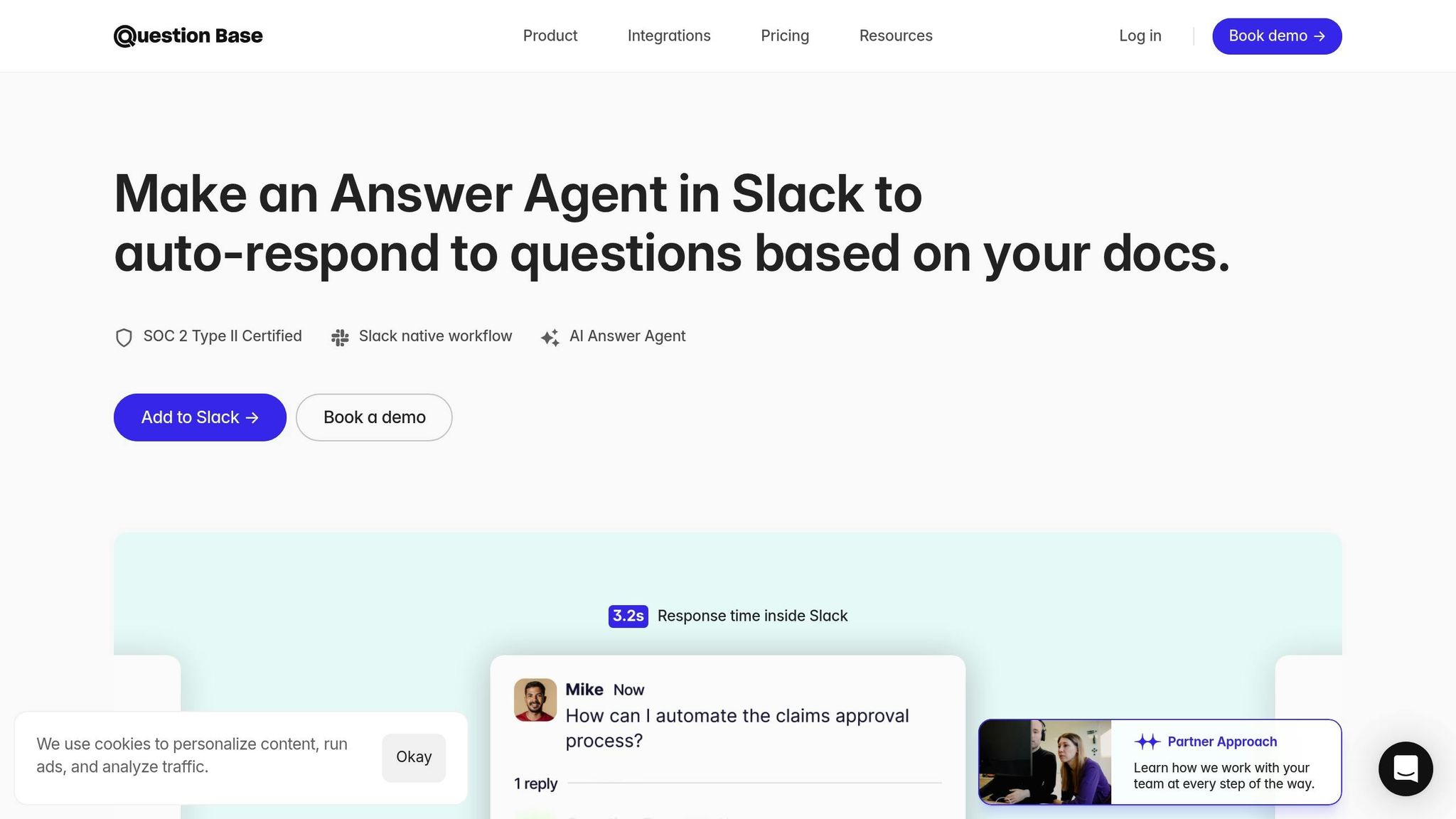
Question Base is a Slack-native AI answer agent built to provide enterprise teams with verified answers directly within Slack. Unlike general-purpose AI tools that simply summarize past conversations, Question Base connects to your trusted documentation sources - including Notion, Confluence, Salesforce, Google Drive, Zendesk, Intercom, and more. This ensures that answers are accurate and sourced in real time. Setting it up is straightforward: install the app from the Slack App Marketplace, invite the bot to your channels using /invite @questionbase, and link your knowledge sources. No engineering expertise is required.
Integration Capabilities
Question Base seamlessly integrates with a variety of enterprise platforms, pulling information from the tools your team already relies on. For example:
Notion: Syncs pages and databases.
Confluence: Accesses spaces, pages, and blog posts.
Salesforce: Retrieves accounts, cases, contacts, and opportunities.
This deep integration ensures that employees receive answers directly from official, trusted documentation, rather than AI-generated summaries of Slack conversations. Whether used in public channels, private channels, or direct messages, Question Base offers the flexibility to support different teams, such as HR, IT, and operations. These integrations enable precise, context-aware responses tailored to your organization’s needs.
Accuracy & Contextual Responses
To maintain accuracy, Question Base incorporates human oversight. While the AI drafts initial responses, teams can review, edit, and approve them before they’re shared. Each response includes exact quotes and source annotations from your connected documents, so employees can see where the information originated. If a question can’t be answered, it’s escalated to an expert for resolution.
During a typical 30-day pilot, Question Base managed to auto-answer 35% of repetitive questions, saving internal experts over 6 hours per week on average[1]. The platform boasts a 4.8/5 answer accuracy score and an average response time of just 3.2 seconds[1].
"Since we started using QB we haven't used our Google support docs. And if I go on vacation or sick leave, I feel comfortable that QB will just take over." - Linn Stokke, Online Events & Marketing Specialist, Ticketbutler[1]
With its focus on both accuracy and efficiency, Question Base goes beyond simple automation to deliver real value for enterprise teams.
Enterprise Features
Security and customization are at the core of Question Base. The platform is SOC 2 Type II Certified and provides encryption both at rest and in transit. For organizations with stringent data residency requirements, it also offers on-premise deployment. Teams have full control over what content the AI can access and can tailor the AI’s tone, behavior, and escalation workflows to suit specific channels. For instance, your IT team can set up a different response style and knowledge base than your HR team, all within the same Slack workspace.
For larger organizations, Question Base offers additional features such as white-labeling and support for multiple Slack workspaces through its Enterprise tier, ensuring it scales with your needs.
Knowledge Management
Question Base doesn’t just answer questions - it also helps structure and maintain your team’s knowledge base. When experts reply to questions in Slack threads, the tool identifies recurring patterns and suggests adding those answers to the knowledge base with a single click. It also tracks unanswered questions and provides analytics on resolution rates, automation success, and areas where the AI struggles to respond. This helps knowledge managers pinpoint content gaps and improve the system over time.
The result is a living FAQ that grows and adapts with your team’s needs, eliminating the need for periodic manual updates. By reducing the time spent searching for information, Question Base delivers measurable productivity gains. At $8 per user per month, it’s also a cost-effective alternative to Slack AI’s $18 per user per month, offering deeper integrations and advanced knowledge management features[1].
2. Slack AI
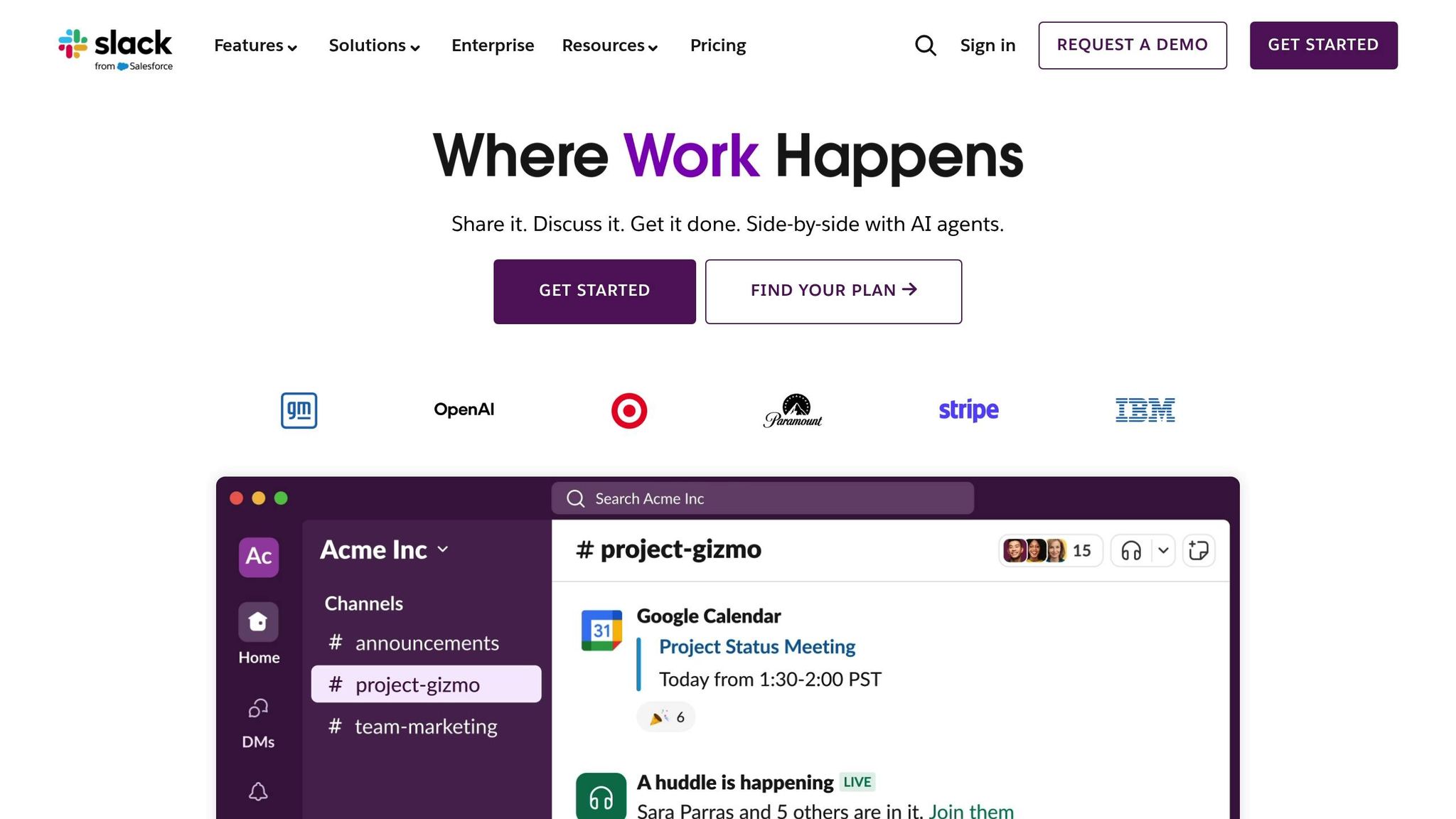
Slack AI is seamlessly embedded into Slack, offering features like integrated search, conversation summaries, and daily recaps. It delivers answers while keeping all data securely within the Slack environment. Let's dive into its integration, accuracy, enterprise-level features, and approach to knowledge management to better understand its strengths and limitations.
Integration Capabilities
Slack AI builds on Slack's existing framework, drawing exclusively from its own ecosystem and select external tools. It uses data from messages, threads, channels, and files within Slack. For teams on Business+ and Enterprise plans, it can extend its search to external tools integrated through Enterprise Grid, such as Google Drive or GitHub. However, it stops short of connecting to platforms like Notion, Confluence, or Salesforce, where verified documentation often resides. This means Slack AI only retrieves content already shared within Slack, leaving external verified sources out of its scope.
Accuracy & Contextual Responses
The AI generates responses using historical Slack conversations and shared files. While this works well for summarizing discussions or providing recaps, it lacks human oversight. Without a verification layer, responses may include outdated or unverified information. Unlike specialized tools that pull answers from trusted, up-to-date sources, Slack AI is limited to the data already within its Slack environment. This can be a hurdle for teams that require precise, compliant, and verified information.
Enterprise Features
Slack AI is offered as an add-on for paid Slack plans, priced at $18 per user per month [1] [2]. Features such as the "Channel Expert" agent and organization-wide search are accessible only on higher-tier plans. While Slack AI prioritizes data privacy by keeping information within Slack, it lacks the customization options found in more specialized tools. For example, you can’t adjust the AI’s tone or behavior for specific channels, nor can you implement escalation workflows for unresolved queries.
Knowledge Management
Slack AI shines when it comes to summarizing existing conversations, but it falls short in organizing or updating new information. If an expert answers a question in a thread, that answer remains buried in the chat history unless someone manually documents it. Slack AI doesn’t capture or structure new knowledge - it simply retrieves what’s already been said. For teams aiming to build a self-improving knowledge base from daily interactions, this limitation can be a roadblock. While Slack AI helps locate past information, it doesn’t actively evolve or systematize that knowledge over time.
3. Guru

Guru takes a distinct approach to knowledge management by focusing on curated, expert-approved answers. Unlike tools such as Question Base that leverage generative AI, Guru relies on "Guru Cards" - short, verified snippets of information that are delivered directly in Slack. These cards are reviewed and approved by subject-matter experts, ensuring reliable and accurate knowledge sharing. This makes Guru particularly well-suited for mid-to-large teams that prioritize governed, dependable information in their workflows.
Integration Capabilities
Guru seamlessly integrates with popular enterprise tools like Salesforce, Zendesk, Google Workspace, and Microsoft 365, enabling unified search across connected platforms. When a question is asked in Slack, Guru's Enterprise AI Search scans these integrations and suggests relevant Guru Cards or synthesized answers that pull from multiple sources. Teams can even create or update cards directly from Slack, eliminating the need to switch between tools to maintain the knowledge base. This streamlined integration ensures that knowledge is always accessible without disrupting the natural flow of work. Unlike tools that depend solely on historical chat data, Guru’s method centers on delivering vetted, curated content.
Accuracy & Contextual Responses
Guru stands out by prioritizing verified answers over generative content. Each Guru Card is assigned to an expert for review, and the platform automatically prompts re-verification to keep the information accurate and current. When Guru's AI suggests an answer, it includes citations linking back to the original verified source. This transparency addresses common issues with chat-based AI, like outdated or unreliable information buried in threads. For industries where compliance and accuracy are critical, such as healthcare or finance, this governance model is a key advantage. By focusing on rigorously verified content, Guru ensures that its Slack-surfaced answers remain trustworthy and up to date.
Enterprise Features
Guru is packed with enterprise-level capabilities, making it a strong choice for large organizations. Features include SSO/SAML for secure access, SCIM provisioning for user management, granular permissions, and content lifecycle controls. These tools are tailored for Slack-centric workflows. Pricing starts at roughly $15 per user per month, with higher-tier plans adding advanced analytics and governance options. Guru also provides insights on card usage and identifies content gaps, helping teams refine their knowledge base over time. While its pricing may be higher than some lightweight alternatives, the cost reflects its robust security and customization features designed for enterprise needs.
Knowledge Management
At its heart, Guru organizes information into Cards, which are grouped into Collections. This structured approach offers a clear alternative to the often chaotic nature of Slack threads. When a new question is asked, Slack discussions can be transformed into reusable Guru Cards, which the system will suggest for similar queries in the future. This process turns informal Slack conversations into a continuously improving knowledge base without requiring experts to document answers manually. However, Guru’s emphasis on concise, card-based knowledge may not appeal to teams that prefer lengthy, document-style resources. By converting casual exchanges into structured knowledge, Guru supports scalable documentation that grows alongside your team’s needs.
4. ClearFeed
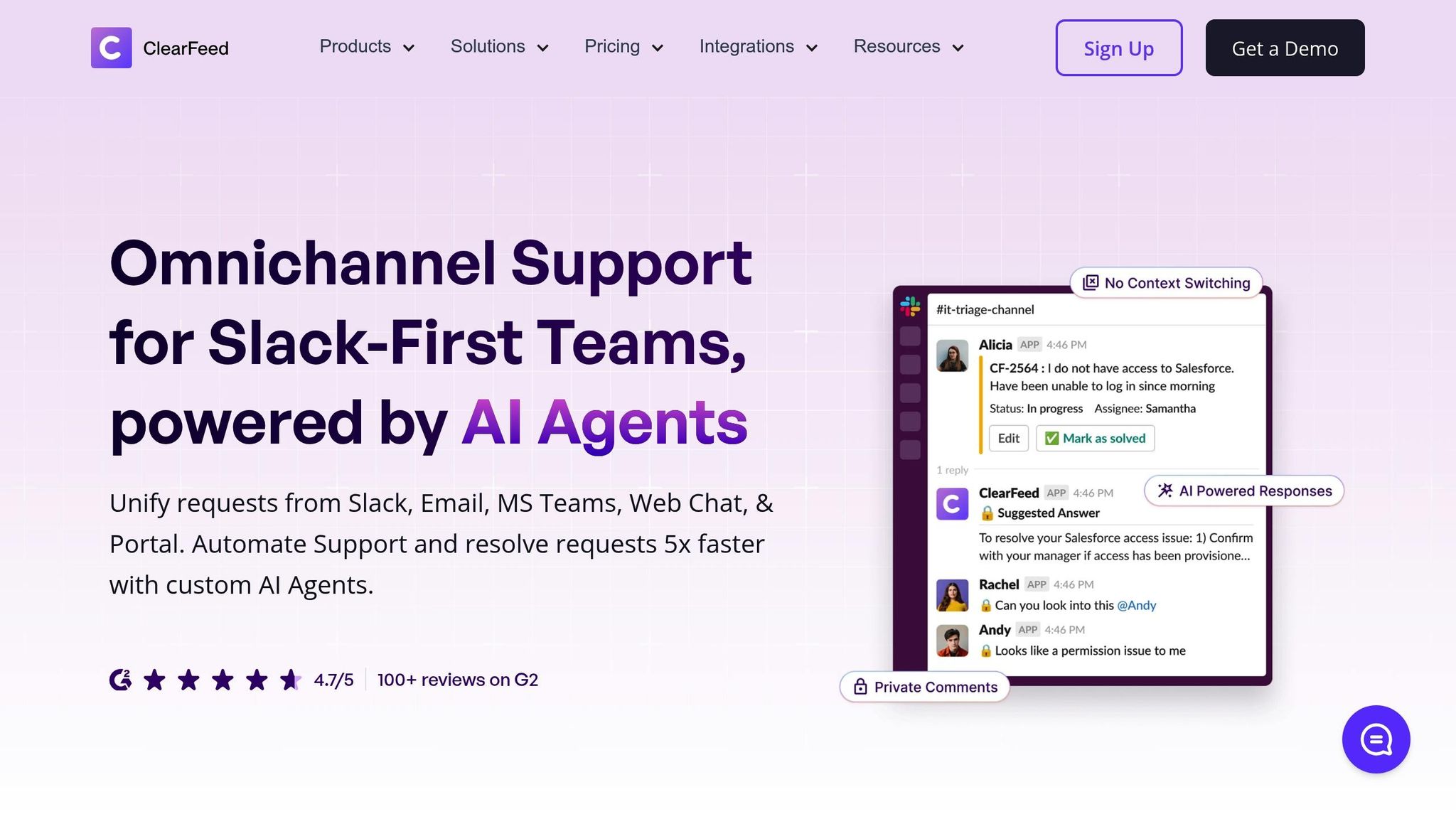
ClearFeed stands out by blending response automation with seamless integration into existing workflows, making it a go-to tool for streamlining support in Slack. Designed specifically as a Slack-native assistant, it automates replies to repetitive questions by tapping into historical conversations and linked documentation. This makes it particularly useful for HR, IT, and operations teams looking to save time and reduce repetitive tasks.
Integration Capabilities
ClearFeed connects effortlessly with popular tools like Google Docs, Notion, Confluence, SharePoint, and GitHub, enabling teams to search enterprise knowledge across various platforms without leaving Slack. For those using Enterprise Grid, it integrates smoothly with tools like Google Drive, ensuring that files and documentation remain accessible in one place. All AI processing happens directly within Slack, keeping sensitive data secure and avoiding reliance on external servers or third-party platforms. This in-Slack processing model sets ClearFeed apart from tools that rely heavily on external infrastructure.
Accuracy & Contextual Responses
ClearFeed’s AI-powered responses are tailored to user roles, team activity, and the context of specific Slack channels. The platform offers two modes to suit different needs:
Agent Review Mode: AI-generated suggestions are reviewed by support agents before being sent, ensuring accuracy for more sensitive or complex inquiries.
Automated Replies: Fully automated responses handle straightforward, repetitive questions in designated support channels, reducing response times without cluttering discussions.
Additionally, ClearFeed monitors public Slack conversations and suggests answers privately, ensuring channels stay organized while still delivering timely help.
Knowledge Management
ClearFeed transforms Slack interactions into a searchable knowledge base by automatically summarizing threads and huddles. It also includes tools to identify outdated content and highlight gaps in documentation based on Slack activity and ticket trends. When users ask questions that aren’t addressed by existing resources, ClearFeed suggests creating new content to close those gaps. With support for multilingual responses and automatic translation, it’s an excellent fit for global teams. By analyzing patterns in conversations, ClearFeed helps teams proactively improve their knowledge base, turning everyday support interactions into opportunities for growth and refinement.
5. Slite
Slite brings AI-powered knowledge management into Slack, connecting your primary documentation hub with real-time queries. Designed for teams relying on Slite as their main documentation tool, the integration is centered around an "Ask" assistant. This assistant answers questions using @Slite mentions or automatically detects queries, providing clear and relevant responses. Slite is a great option for organizations aiming to centralize their content in a way that's both visually accessible and contextually relevant.
Integration Features
Slite's integration ensures easy access to your documents directly within Slack. It offers document previews, PDF support, and channel updates, keeping essential information at your fingertips. With the /slite command, teams can search their knowledge base, share documents complete with visual previews, and even save Slack threads into Slite pages to capture important discussions. This search-and-share functionality is especially useful for teams already using Slite as their documentation platform, with pricing starting at $8 per member/month.
Ensuring Accuracy with Contextual Responses
Slite's AI assistant leverages Retrieval-Augmented Generation (RAG) to provide answers exclusively from verified sources, ensuring reliability. Each response includes direct citations, allowing users to verify the information independently. The assistant also works discreetly, monitoring public conversations and offering relevant suggestions without disrupting the discussion. This helps keep Slack channels tidy while delivering timely support.
Streamlined Knowledge Management
A standout feature of Slite is its knowledge gap detection, which alerts teams when questions arise that aren't addressed by current documentation. This proactive approach helps teams identify and fill those gaps, turning reactive support into a chance for continuous improvement. Additionally, Slite transforms Slack threads into structured, searchable documentation, making it easier to maintain and update your knowledge base.
What sets Slite apart is its combination of visual previews and citation-based accuracy, enriching Slack interactions in a way that many other tools don’t. For teams using Slite as their single source of truth, the integration turns everyday Slack conversations into a dynamic, ever-evolving knowledge base. This approach moves beyond simply relying on old chat data, offering a more organized and visually engaging documentation experience.
Comparison: Strengths and Limitations
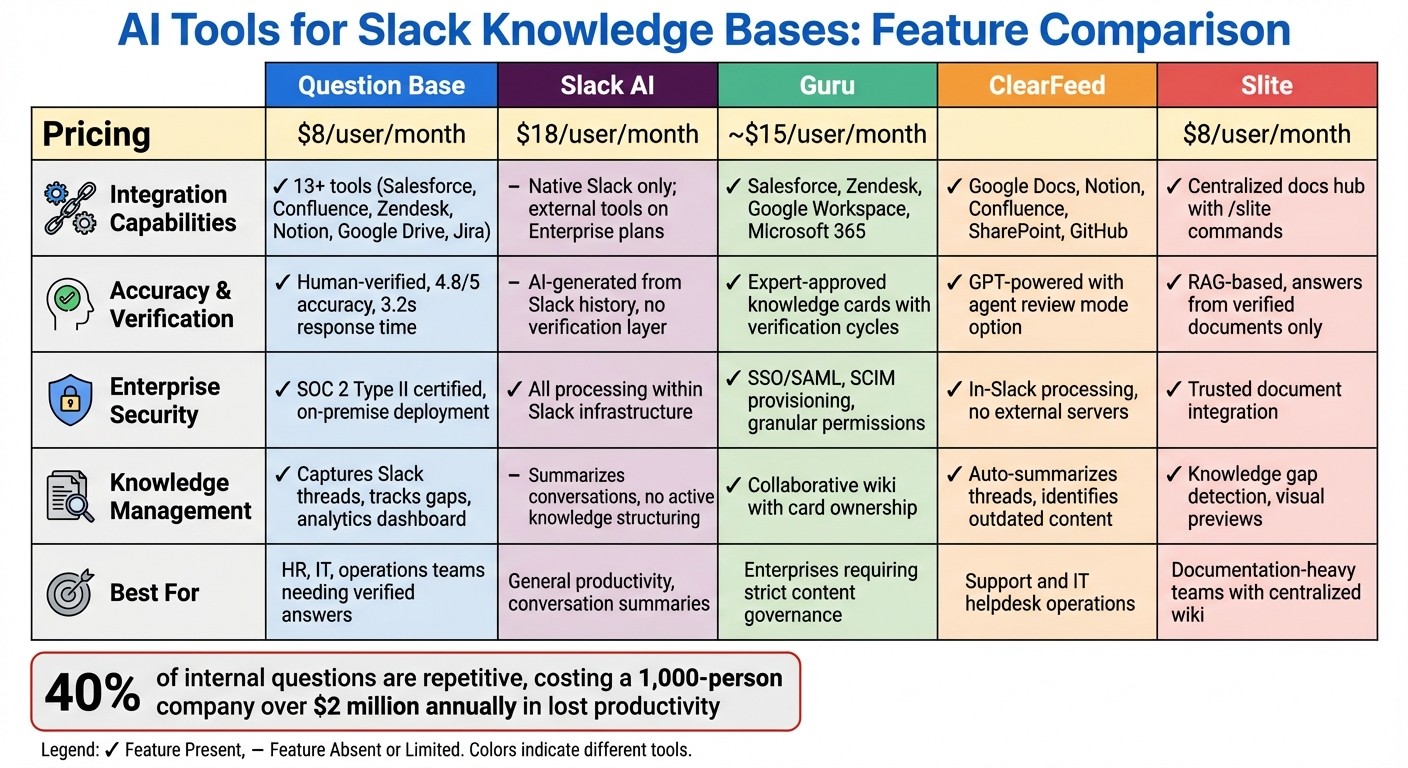
Comparison of 5 AI-Powered Slack Knowledge Base Tools: Features and Pricing
Drawing from the detailed tool profiles, here’s a closer look at the strengths and trade-offs of each solution, tailored to help you decide which one fits your team’s priorities.
Each tool offers unique advantages, depending on what your team values most. Question Base stands out for its seamless integration with enterprise documentation systems - connecting with over 13 tools like Salesforce, Jira, and Confluence. It also ensures SOC 2 Type II compliance and provides human-verified answers with an impressive 4.8/5 accuracy score. With advanced analytics, such as resolution rates and knowledge-gap tracking, it’s a top choice for HR, IT, and operations teams managing frequent inquiries.
Slack AI, on the other hand, shines with its deep native integration, processing all AI operations within Slack’s infrastructure for enhanced data privacy. It excels at summarizing conversations and searching Slack message history, but its enterprise knowledge search across external apps is only available with Business+ or Enterprise plans. However, it lacks the verification workflows and robust knowledge management features that teams often need for reliable, authoritative answers.
Guru is designed for enterprises that prioritize strict answer approval processes. It features verified knowledge cards and content governance, ensuring that information is expert-reviewed. Starting at approximately $15 per user per month, Guru also supports collaborative, wiki-style documentation, making it a strong contender for teams needing tightly controlled knowledge sharing.
ClearFeed focuses on support and IT channels, offering automated answer suggestions for quick, in-context assistance directly within Slack.
Slite takes a different approach, delivering responses exclusively from trusted documents while offering a visually engaging documentation experience.
Here’s a breakdown of how these tools compare across key enterprise features:
Feature | Question Base | Slack AI | Guru | ClearFeed | Slite |
|---|---|---|---|---|---|
Integration Capabilities | Works with 13+ tools (Salesforce, Confluence, Zendesk, etc.) | Native Slack history; external tools on Enterprise plans | Enterprise-grade integrations (Salesforce, Zendesk, Google Drive) | Links Slack threads with docs (Notion, Confluence, GitHub) | Centralized docs hub with Slack previews and |
Accuracy | AI-generated with human verification (4.8/5); ~3.2s response time | AI-generated from Slack context; strong in-Slack recall | Verified knowledge cards via expert workflows | GPT-powered responses with proactive suggestions | Answers sourced exclusively from trusted documents |
Enterprise Features | SOC 2 Type II compliance; per-channel settings; case tracking; analytics | All AI processing within Slack; Agentforce on higher tiers | Strong content governance and verification workflows | Optimized for support channels with agent assist or direct replies | Trusted document integration with visual previews and gap detection |
Knowledge Management | Captures Slack threads as documentation; tracks unanswered questions; identifies gaps | In-Slack summaries via Channel Expert AI | Collaborative wiki with card ownership and verification cycles | Learns from Slack threads with proactive deflection | Centralized management of verified documents with visual interfaces |
This table provides a clear view of how these tools cater to different enterprise priorities.
The stakes are high when it comes to internal queries, which can drain productivity. Research shows that 40% of internal questions are repetitive, costing a 1,000-person company over $2 million annually in lost productivity. Choosing the right tool depends on whether your team values native integration, verified governance, or advanced knowledge management. In this landscape, Question Base and Guru lead in enterprise features and accuracy, while Slack AI and ClearFeed prioritize speed and in-context assistance.
Conclusion
Selecting the right AI tool for your Slack knowledge base hinges on your team’s priorities. Slack AI shines for general productivity tasks like summarizing threads, catching up on conversations, and searching through Slack history. It’s an easy choice for companies already using Business+ or Enterprise plans who want seamless AI functionality integrated into their existing workflows.
For teams that require verified, document-based answers with enterprise-level security, Question Base and Guru stand out. Question Base, at $8 per user per month, focuses on human-verified accuracy and actionable analytics. Designed for HR, IT, and operations teams, it offers features like knowledge-gap tracking and per-channel customization, transforming Slack into a powerful knowledge assistant. On the other hand, Guru prioritizes strict content governance and expert-approved knowledge cards, though it comes at a higher starting price of $15 per user per month.
Other tools like ClearFeed and Slite address specific needs. ClearFeed is ideal for support and IT teams managing helpdesk operations in Slack, offering proactive solutions and ticket automation. Slite, however, is tailored for documentation-heavy teams, delivering AI-powered answers drawn exclusively from trusted documents, along with visual previews and centralized wiki management.
FAQs
How can AI tools help streamline and reduce costs in managing Slack knowledge bases?
AI tools like Question Base simplify managing Slack knowledge bases by automating the process of capturing, organizing, and retrieving internal information. What sets Question Base apart from basic search functions is its ability to connect directly with trusted platforms like Notion, Confluence, and Salesforce. This ensures employees receive accurate, expert-approved answers instantly within Slack, cutting down the time spent searching for information - a task that can consume 20–30% of their workweek.
Repetitive questions, which often take up 6–8 hours of an expert’s week, are another major drain on productivity. By addressing these questions automatically, AI tools not only save time but also lower operational costs. On top of that, they turn Slack conversations into structured, searchable knowledge, reducing duplicated efforts and safeguarding critical information. For large organizations, these improvements in efficiency and accessibility can translate into millions of dollars in annual savings.
How does Question Base compare to Slack AI?
Question Base is built for enterprise teams that rely on precise, verified answers sourced from trusted platforms. It seamlessly connects with tools like Notion, Confluence, and Salesforce, ensuring expert-approved responses and offering advanced knowledge management functionality. With enterprise-grade security and extensive customization options, it’s a perfect fit for HR, IT, and operations teams handling complex workflows.
Slack AI, by contrast, centers on general productivity by summarizing conversations and leveraging Slack chat history. While it’s helpful for extracting insights from chats, its limited integration with external documentation tools and absence of sophisticated knowledge management features make it less suited for large-scale operational needs.
In essence, Question Base shines in delivering reliable, scalable operational knowledge, whereas Slack AI is more geared toward summarizing chats and enhancing individual productivity.
Which AI tool provides the most accurate and reliable answers in Slack?
For teams needing precise and trustworthy answers within Slack, Question Base offers a standout solution. By integrating with trusted documentation tools like Notion, Confluence, and Salesforce, it ensures every response is grounded in verified, expert-approved sources. Unlike Slack AI, which primarily pulls from chat history and uses AI to generate answers, Question Base prioritizes accuracy and reliability.
For enterprises that emphasize precision, traceability, and smooth knowledge management, Question Base is designed to address these priorities effectively, making it a smart choice for high-performing teams.