∙
Cooper
∙
Reading time:
12 min

Slack is evolving from a simple messaging tool into a powerful workspace that connects conversations with CRM systems like Salesforce, making workflows faster and more efficient.
By integrating AI-driven features, Slack allows teams to manage customer data, update pipelines, and automate tasks directly within chats. This eliminates the need to switch between multiple apps, saving time and improving productivity across organizations. For example, companies using Slack AI report a 47% efficiency boost and up to 338% ROI.
Key features include:
AI-powered search: Retrieve CRM records and summaries instantly with natural language commands.
Automated workflows: Handle approvals, task assignments, and CRM updates without coding.
Real-time insights: Access live customer data and AI-generated updates directly in Slack.
Secure integrations: Ensure data privacy with granular permission controls and Slack-hosted AI models.
For enterprises, Slack AI transforms how teams collaborate and manage customer relationships, turning Slack into a central hub for smarter, faster decision-making.
Exploring AI in Slack and How it Connects to Your CRM
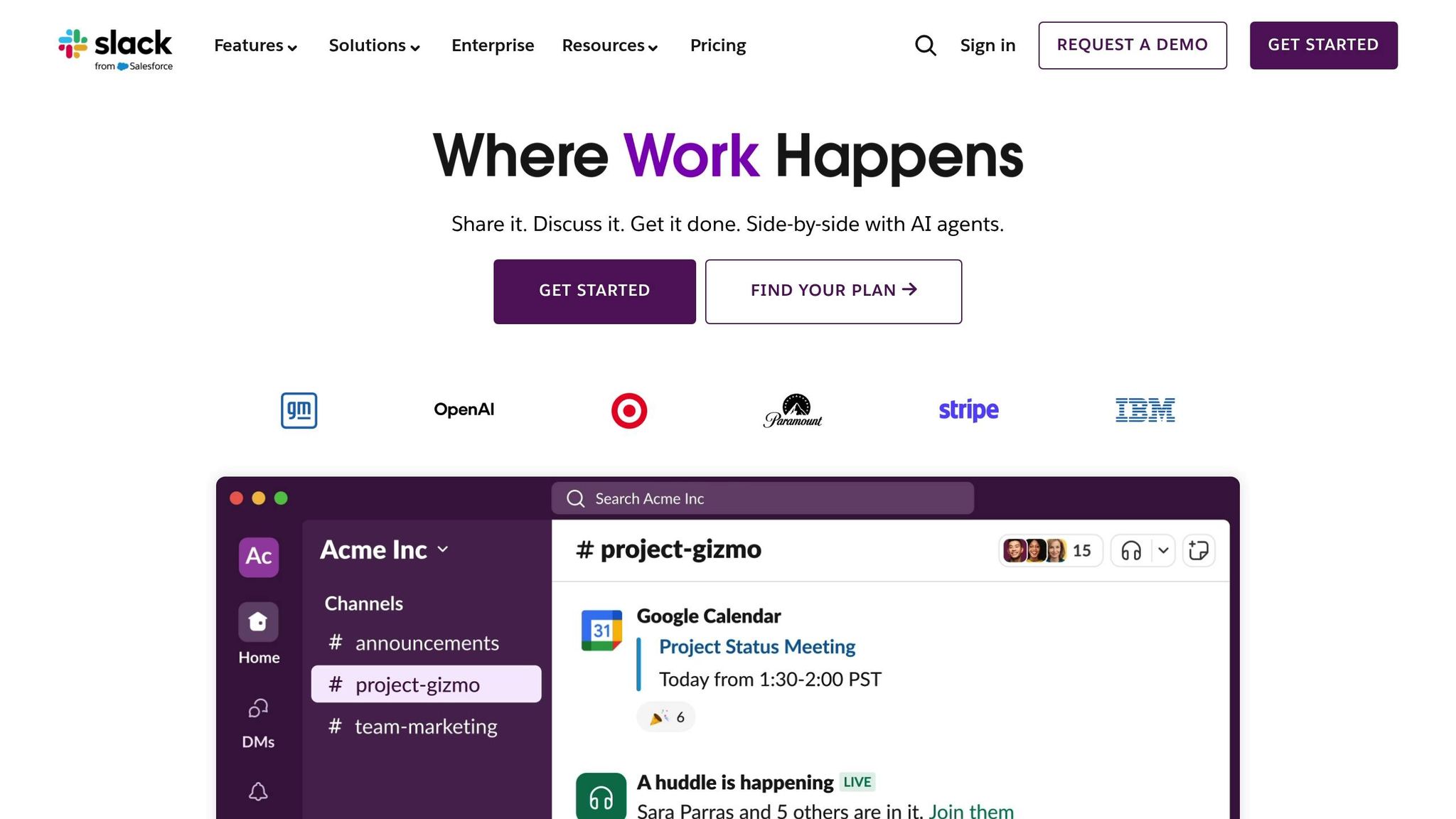
Slack AI Features That Enable CRM Integration
Slack AI bridges the gap between messaging and CRM systems like Salesforce, transforming conversations into actionable tools for managing customer data. It achieves this through three key functionalities: intelligent search, workflow automation, and robust security measures.
AI Search and Conversation Summaries
Slack's Enterprise Search offers a centralized way to access CRM records, documents, and chats. Instead of switching between platforms like Salesforce, Google Drive, or Confluence, users can simply ask a natural language question. Slack AI retrieves answers while ensuring access is limited to authorized data only [5][6].
The Agentforce Channel Expert acts as a virtual teammate within designated Slack channels. It drafts messages, logs sales activities, and provides real-time insights from CRM data [5][6]. For instance, a sales rep can ask, "What's the status of the Acme Corp deal?" and instantly receive a summary derived from Salesforce opportunity channels. This summary includes recent updates, conversation highlights, and suggested next steps [2][3]. This feature demonstrates how Slack AI turns chat into a tool for actionable intelligence, streamlining enterprise workflows.
"Finding answers at work shouldn't be a scavenger hunt, and Agentforce Channel Expert ensures it never is." - Slack [2]
These capabilities save users an average of 97 minutes per week [6]. Since its launch, Slack AI has summarized over 600 million messages, collectively saving 1.1 million work hours [12].
Beyond search, Slack AI simplifies task management with automated workflows.
Automated Workflows and Task Assignment
Slack AI doesn't just help you find information - it helps you act on it. The AI-Powered Workflow Builder allows users to create automations using natural language prompts, eliminating the need for coding. It integrates seamlessly with Salesforce and over 70 other apps, automating processes such as lead routing, approvals, and scheduling [7][10]. In fact, 80% of users take advantage of these no-code tools [7].
Agentforce agents further enhance automation by updating CRM records, summarizing deal statuses, and suggesting next steps - all within Slack channels. As Salesforce puts it: "We have a goal that 100% of sellers never have to directly enter data in our CRM but only interface via an agent deployed in Slack" [2][10]. This conversational approach to CRM management has led to a 28% increase in time saved for organizations using automation [7].
Additionally, Slack AI extracts action items from conversation threads and organizes them into Slack Lists. These lists include assigned owners and due dates, removing the need for manual tracking and ensuring tasks are completed on time [8][11].
Permission Controls and Security
Slack AI ensures that users can only access data they are authorized to view. Its permission controls limit access to channels, files, and CRM records based on existing permissions [12]. For example, if a Salesforce user can't view a specific customer record, it won't appear in Slack AI results.
All data remains securely within Slack's infrastructure. Large language models (LLMs) operate in Slack-controlled Virtual Private Clouds (VPCs), and customer data is not used to train these models [12]. Workspace admins have granular control over AI features, including the ability to disable specific functionalities or restrict third-party agent access.
"Slack AI keeps all your data within Slack's trusted boundary - with large language models (LLMs) hosted directly in Slack-controlled virtual private clouds (VPCs) - and Slack does not train LLMs on customer data." - Slack [12]
In CRM-integrated environments, Salesforce Channels combine live CRM data with team discussions while maintaining strict security. For example, sales reps without ownership of a specific account won't see its associated channel or AI-generated summaries - even if they belong to the broader sales team [9][2]. By maintaining record-level security and operating within Slack's trusted infrastructure, these features reinforce Slack AI's role as a secure and efficient tool for CRM integration.
How Enterprises Use Slack AI with CRM Systems
Enterprises are increasingly turning to Slack AI to enhance how they interact with CRM systems, enabling teams to manage customer data, track deals, and update records - all without leaving Slack. This integration is reshaping how sales, service, and operations teams work.
Searching CRM Records Inside Slack
Integrating CRM search into Slack allows teams to maintain focus and streamline their workflows. Slack's Enterprise Search combines CRM data from platforms like Salesforce and HubSpot into one easy-to-access hub. Sales teams can quickly query records directly from Slack, gaining instant insights without jumping between tools.
For instance, Salesforce's native Slack app simplifies searching for records, receiving alerts, and staying updated in real time, saving valuable time otherwise spent switching tabs [2][3]. A notable example is Intuit QuickBooks, which cut the time needed to resolve support cases by 36% by embedding a custom knowledge base directly into Slack [4].
Auto-Generated Summaries for CRM Updates
Slack AI also enhances team collaboration by summarizing discussions in Salesforce Channels. These channels are dedicated spaces where customer records and team conversations meet. When a sales manager asks for an account update, the AI-powered Agentforce Channel Expert reviews recent messages, highlights important developments, and identifies at-risk deals - removing the need for manual reporting [2][3].
Sales reps can also update pipelines by simply informing the AI agent about meeting outcomes, reducing the burden of manual data entry. Managers, in turn, use these AI-generated summaries to provide real-time coaching, ensuring feedback is timely and based on the latest data rather than waiting for periodic reviews [2].
These summaries are just one way Slack AI is helping teams work smarter.
Automated Workflows for Enterprise Teams
Slack's AI-Powered Workflow Builder takes things further by enabling teams to automate CRM-related tasks through no-code workflows. Triggered by natural language commands, these workflows handle tasks like routing discount requests to finance, sharing contract templates, and logging approvals in Salesforce - all seamlessly [2][3].
For example, Engine has implemented these workflows to streamline operations and reduce manual tasks, allowing the company to stay nimble as it grows [1].
The benefits extend beyond sales teams. Support teams use workflows to turn Slack conversations into IT tickets and document resolutions back into the CRM. Meanwhile, marketing teams leveraging Slack AI have reported saving an average of 100 minutes per week and cutting onboarding time in half [4].
Slack AI vs. Question Base: A Fact-Based Comparison

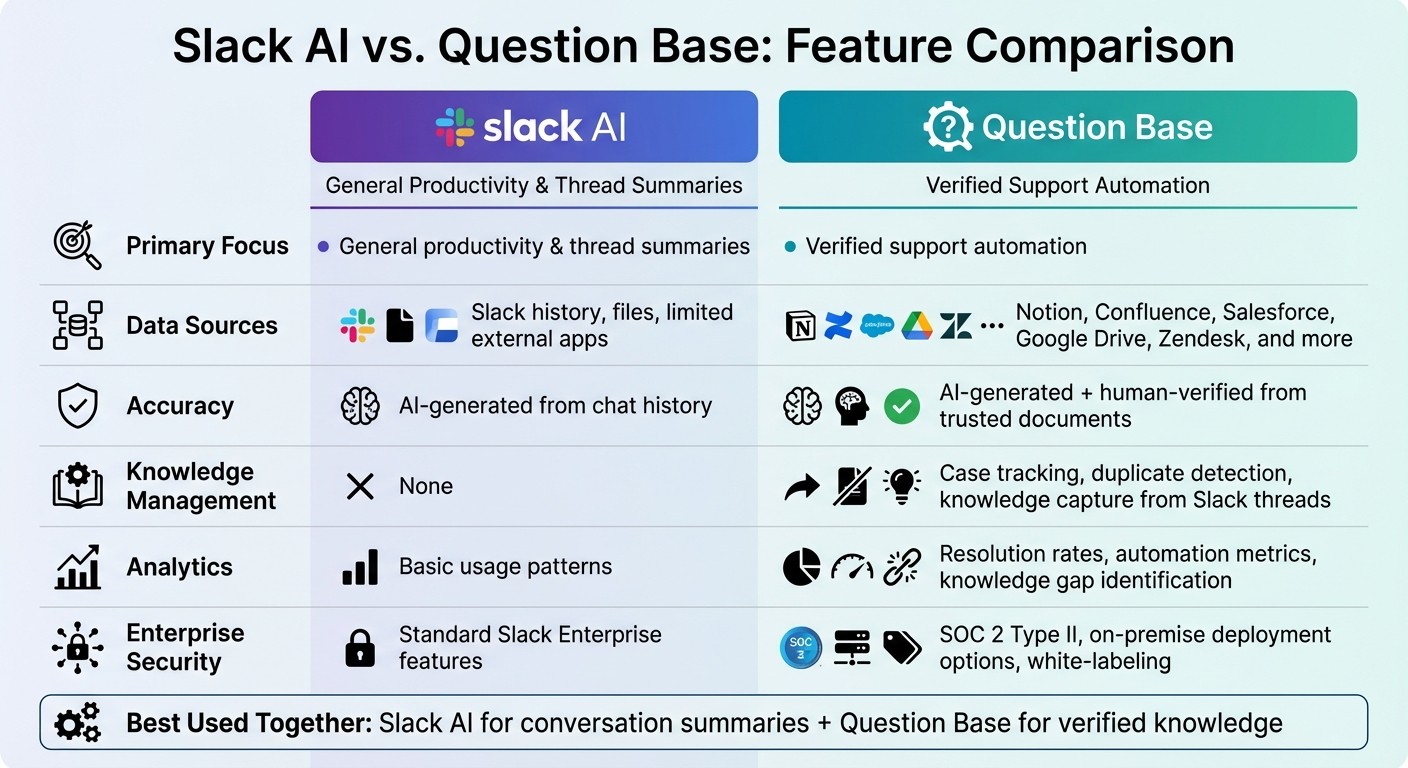
Slack AI vs Question Base Feature Comparison for Enterprise Teams
Slack AI is designed to improve productivity by summarizing conversations, searching chat history, and simplifying tasks. On the other hand, Question Base is built specifically for scalable, verified knowledge management, catering to the needs of support teams in HR, IT, and operations.
Feature Comparison Table
Feature | Slack AI | Question Base |
|---|---|---|
Primary Focus | General productivity & thread summaries | Verified support automation |
Data Sources | Slack history, files, limited external apps | Notion, Confluence, Salesforce, Google Drive, Zendesk, and more |
Accuracy | AI-generated from chat history | AI-generated + human-verified from trusted documents |
Knowledge Management | None | Case tracking, duplicate detection, knowledge capture from Slack threads |
Analytics | Basic usage patterns | Resolution rates, automation metrics, knowledge gap identification |
Enterprise Security | Standard Slack Enterprise features | SOC 2 Type II, on-premise deployment options, white-labeling |
How Question Base Works Alongside Slack AI
Slack AI excels at summarizing threads and retrieving past conversations. Question Base complements this by connecting directly to trusted knowledge sources like Notion, Confluence, and Salesforce to provide verified answers.
While Slack AI relies on chat history, Question Base ensures accuracy by pulling from pre-approved, documented knowledge. This distinction is especially important when consistency and auditability are critical - such as HR addressing benefits inquiries or IT resolving recurring technical issues without constant escalation.
Another standout feature of Question Base is its ability to capture team knowledge directly from Slack conversations. When an expert provides an answer in a thread, that information can be saved with a single click and added to the knowledge base for future reference. Over time, this builds a living FAQ that evolves with your organization, ensuring your knowledge stays relevant and accessible.
Choosing the Right Tool for Your Organization
recognizing the differences between Slack-based knowledge bases and traditional management helps teams make informed decisions. Slack AI works well for summarizing conversations and retrieving past messages, with some teams reporting it saves them up to 100 minutes per week.
However, if your organization handles a high volume of support queries - such as onboarding, IT troubleshooting, or policy clarifications - Question Base is tailored for that purpose. It’s designed for teams that require verified answers, not just AI-generated interpretations of past chats. For enterprise teams, where accuracy, ownership of knowledge, and measurable support metrics are priorities, Question Base becomes the go-to solution.
Many organizations find value in using both tools: Slack AI for general productivity and Question Base as a specialized answer layer for support and operations. As one Salesforce representative described their vision for AI-powered workflows:
"We have a goal that 100% of sellers never have to directly enter data in our CRM but only interface via an agent deployed in Slack" [2].
Question Base applies this same principle to internal knowledge management, making expert answers readily available without requiring employees to sift through documentation or wait for assistance. This synergy ensures both tools fulfill their unique roles in enhancing organizational efficiency.
Conclusion: Making Slack AI and CRM Integration Work for You
Main Benefits of AI-Powered Messaging Platforms
AI-powered messaging platforms tackle one of the biggest productivity drains: constant app switching. By integrating CRM data directly into Slack, teams gain real-time access to customer insights, deal updates, and project progress - all without leaving their messaging hub. This turns CRM from a rigid system of forms into a conversational tool where employees can easily search, update, and manage records in natural language.
For instance, in 2025, Intuit QuickBooks introduced a custom AI knowledge base within Slack, speeding up support case resolution by 36% and enhancing both representative confidence and Net Promoter Scores [4]. Marketing teams leveraging Slack's AI tools saved 100 minutes per week and cut onboarding time by 50% [4]. These numbers highlight how integrating AI into Slack workflows delivers measurable time savings and operational improvements.
Pairing Slack AI's conversation summarization with Question Base's verified knowledge creates a strong CRM-connected support system. Slack AI shines at summarizing discussions and retrieving past conversations, while Question Base ensures accuracy by linking to trusted sources like Notion, Confluence, and Salesforce. This combination empowers employees to complete tasks faster while ensuring support teams maintain precision and compliance. Together, they create an efficient, reliable foundation for knowledge management in enterprise settings.
Next Steps for Your Organization
To build on these advantages, start by auditing your knowledge sources to identify gaps, redundancies, and outdated materials [4]. Introduce feedback mechanisms, like simple "thumbs up/down" tools, to refine AI responses over time and track which solutions resonate most with your team [4].
For organizations handling a high volume of internal support questions, consider integrating Question Base alongside Slack AI. Use Slack AI for summarizing conversations and Question Base for delivering precise, document-backed answers. This approach ensures your team benefits from AI's speed while maintaining the accuracy and reliability your business demands, making Slack a central, high-performing workspace.
FAQs
How does Slack AI enhance CRM integration and team efficiency?
Slack AI helps teams work smarter by automating repetitive tasks and summarizing discussions, while its CRM integration features bring customer data right into Slack. By linking with platforms like Salesforce, sales teams can update and access customer details without leaving Slack, cutting down on app switching and keeping workflows smooth.
For those who need more than basic conversational tools, Question Base steps in as a specialized solution. It integrates seamlessly with trusted platforms like Notion, Confluence, and Salesforce to provide verified, accurate answers and advanced knowledge management. This makes it a go-to option for support, HR, and IT teams managing intricate workflows and seeking reliable, scalable solutions for CRM-connected tasks.
How does Slack AI ensure data privacy and security?
Slack AI incorporates robust security measures to safeguard user data and uphold privacy. Its AI tools only process information that users already have access to within their Slack workspace, ensuring no unauthorized access to external or additional data. To further reinforce protection, Slack employs multi-layered security protocols, referred to as Slack AI Guardrails, which are designed to prevent misuse and align with enterprise-level compliance standards.
In addition, Slack AI operates under the umbrella of Slack's established security measures and compliance certifications. This ensures sensitive data remains secure while enabling teams to benefit from AI-driven productivity enhancements. These measures reflect Slack's dedication to protecting user trust and prioritizing data privacy.
How can Slack AI's automated workflows improve productivity for enterprise teams?
Slack AI’s automated workflows aim to take the hassle out of repetitive tasks, streamline communication, and make finding information within Slack faster and easier. Whether it’s summarizing conversations or generating responses tailored to specific tasks, these tools help enterprise teams save time, minimize mistakes, and keep workflows consistent.
For teams that need reliable and traceable knowledge on a large scale, Question Base stands out. While Slack AI leans heavily on chat history, Question Base integrates directly with trusted enterprise platforms like Salesforce, Confluence, and Notion. This connection ensures workflows are built on verified answers from dependable sources, making it a perfect fit for HR, IT, and support teams that prioritize compliance and accuracy in their operations.