∙
Cooper
∙
Reading time:
19 min

Repetitive updates and app-switching slow teams down. Slack integrations solve this by syncing tools like Asana, Jira, and Notion directly into Slack, ensuring teams stay informed and aligned without leaving their workspace.
Here’s what they deliver:
Real-time notifications: Get instant updates on tasks, status changes, and comments from external tools.
Centralized workflows: Reduce app-switching, saving up to 5–10 hours per employee weekly.
Improved visibility: Teams access the latest project data in Slack, cutting miscommunication by 35–45%.
Faster decisions: Handle approvals and respond to incidents directly in Slack, reducing delays by up to 60%.
For example, a software team using Slack and Jira cut status meetings by 30% and improved task response times by 35%. These integrations streamline operations, but they don’t address knowledge gaps - where tools like Question Base come in. By connecting to your documentation, Question Base ensures team members get quick, verified answers right in Slack, eliminating repetitive questions and saving even more time.
Getting real-time product usage data into Salesforce and Slack with Syncari
Benefits of Real-Time Sync in Slack
Real-time synchronization brings project data directly into Slack, eliminating the need to juggle multiple apps. By integrating tools like project management platforms, documentation systems, and customer data into Slack channels, teams can work faster and with greater clarity. This streamlined approach improves visibility and speeds up decision-making across the organization.
Less App Switching
Switching between apps is a productivity killer. Studies reveal that interruptions can slash productivity by up to 40%, and constantly jumping between tools like Asana, email, and Slack only adds to the chaos[1]. When these tools are integrated into Slack, teams can stay focused, saving time and reducing errors.
Instead of toggling between multiple platforms, employees can handle everything in Slack. Companies report that this centralization can save 5–10 hours per employee each week, depending on the number of tools they previously used[7]. These saved hours lead to faster project completion and fewer workflow disruptions.
The benefits go beyond individual tasks. Workers spend up to 30% of their week searching for information across various tools[3]. In many organizations, 40% of internal questions are repeats[3], meaning teams waste time finding the same answers over and over. For a company with 1,000 employees, this lost productivity can cost more than $2 million annually[3].
Integrations like Harvest demonstrate how real-time sync simplifies processes. Employees can log hours directly in Slack using commands like /harvest log [hours] [notes], instantly updating billing and project management systems[4]. Teams using workflow automation report a 20–30% reduction in time spent on admin tasks and nearly error-free data synchronization[7].
Better Project Visibility
Real-time sync creates a single, easily accessible source of truth for all team members, no matter where they are or what time zone they’re in. With project management tools synced to Slack, updates on task assignments, deadlines, and milestones are instantly visible, removing the need to check multiple platforms[1].
This level of transparency is a game-changer for remote teams. For instance, a developer in San Francisco can immediately see what a colleague in London accomplished overnight. When a project manager updates a timeline in Asana, everyone involved is notified in Slack right away, avoiding delays caused by outdated information[7].
By connecting tools like Salesforce, Jira, Asana, and Zendesk to Slack, teams gain a clearer picture of how various departments overlap. For example, sales teams can see when a customer’s support ticket is resolved and follow up with confidence. Similarly, product teams can view real-time customer feedback from support tickets, helping them prioritize feature requests effectively[1][5].
Companies report that Slack integrations cut project delays due to miscommunication by 35–45%[7]. With everyone working from the same up-to-date information, there’s no confusion about priorities or deadlines. If a deadline shifts, all team members are informed simultaneously, ensuring alignment without the need for endless email threads.
"We no longer have staff waiting on busy managers for an answer. Question Base is there in seconds, plus it's easy to verify answers as new questions come along." - Monica Limanto, CEO, Petsy[3]
The result? A more streamlined workflow where decisions are made faster and with greater confidence.
Faster Decisions
Real-time integrations speed up decision-making by delivering crucial information and enabling approvals directly within Slack conversations. Teams can handle approvals without leaving Slack, cutting down on delays[1].
The difference is striking. Tasks that used to take 2–4 hours of back-and-forth communication can now be resolved in just 10–15 minutes with real-time integrations[7]. This is especially critical for customer-facing teams and incident management.
For customer support, tools like Intercom allow teams to turn Slack messages into tickets instantly, keeping interactions seamless and response times low[5]. When CRM platforms like Salesforce and Zendesk integrate with Slack, support agents can view customer histories, previous interactions, and account details directly in Slack conversations[1][5]. This immediate access to context enables faster, more personalized responses.
"QB finds the relevant answers in a few seconds, and if not, we can easily add a new answer that will be used the next time." - Maria Jensen, UX Lead & Scrum Master, Ticketbutler[3]
For incident management, integrations like PagerDuty allow teams to respond to critical issues directly from Slack without switching platforms[6]. When time-sensitive problems arise, every second counts. Real-time integrations ensure that alerts reach the right people instantly, enabling quick coordination without delays caused by platform changes or waiting for updates.
The outcomes are clear: reduced approval times, faster incident resolution, and quicker customer support responses. Organizations report that real-time integrations cut customer support response times by 40–50% and boost customer satisfaction scores by 15–25%[5].
These integrations also reduce the need for status meetings and email updates. Instead of weekly check-ins to share progress, managers can monitor live updates from tools like project management systems, time trackers, and CRMs directly in Slack[1][7]. With Harvest integration, managers can use commands like /harvest status [@username] to check on team activities without interrupting workflows[4]. Teams report that Slack integrations reduce status meeting frequency by 50–70% and cut status-related email traffic by 30–40%[7].
Common Slack Integrations for Real-Time Sync
Modern project management tools have found a natural partner in Slack, creating a seamless environment for task management and collaboration. Popular integrations like Asana, Jira, and Notion bring distinct features to the table, ensuring that teams stay connected and productive without missing a beat.
Asana Integration
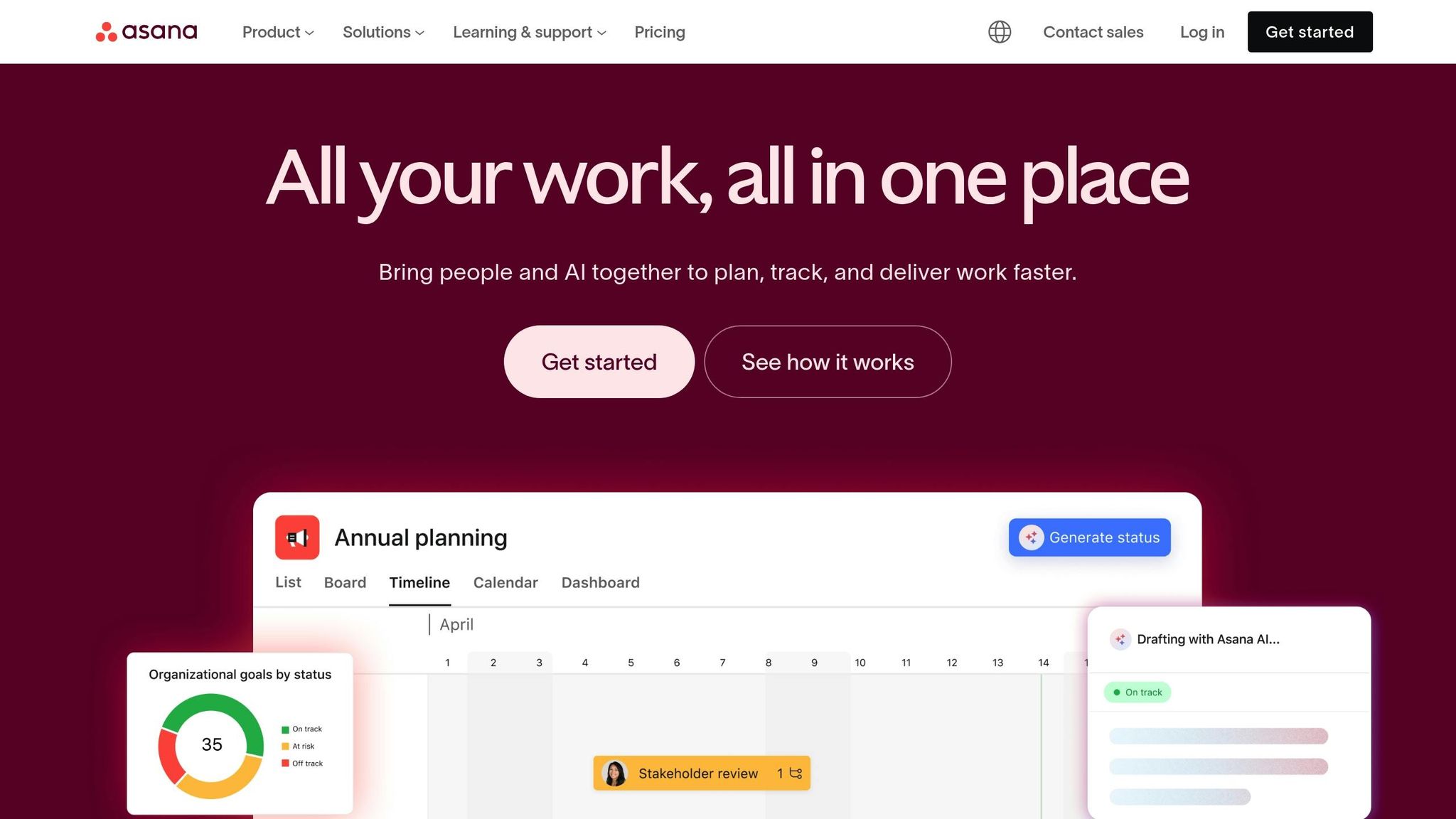
With Asana's Slack integration, managing tasks and tracking projects becomes a breeze. It allows users to convert Slack messages into Asana tasks with a single click, linking the original conversation to the task for easy reference. This keeps the context intact, so decisions are always traceable.
Asana also keeps everyone updated automatically. When tasks progress, notifications pop up in Slack channels, eliminating the need for manual updates. Rich previews show task details, assignees, and deadlines directly within Slack, offering a quick snapshot of what’s happening.
Take the marketing team at TechCorp, for example. In January 2024, they used this integration to cut project update meetings by 40% and halved the time spent assigning tasks. Over three months, their project completion rate climbed by 25%[7]. By reducing time spent on repetitive updates, the team freed up hours for meaningful work.
What’s more, updates sync instantly between Asana and Slack. Comments added to a task in Asana appear in the corresponding Slack thread, and changes to deadlines in Asana are immediately reflected in Slack channels. This two-way sync ensures that no one is left out of the loop.
Jira Integration
For software and technical teams, Jira's Slack integration is a game-changer. It provides real-time updates on issue tracking and project progress, ensuring that everyone - developers, product managers, and stakeholders - stays in sync.
Slack notifications alert teams when issues are created, updated, or resolved. Interactive previews display Jira ticket details, such as status, priority, assignee, and recent activity, right in Slack. Even better, team members can take action - assigning issues, updating statuses, or adding comments - without leaving Slack.
In Q2 2023, InnovateLabs’ engineering team used this integration to cut incident response times by 35% and reduce unresolved issues by 20%[8]. When critical bugs emerged, they could create Jira tickets straight from Slack messages and assign them immediately, reducing response times from hours to minutes.
The integration also allows teams to set custom notification rules. For instance, high-priority bugs can be flagged to specific channels, while routine updates flow to general ones. This ensures urgent matters get the attention they need without overwhelming team members with unnecessary notifications.
Notion Integration
Notion's Slack integration bridges the gap between documentation and real-time collaboration. By linking Notion pages or databases to Slack channels, any updates in Notion - such as new tasks, status changes, or documentation edits - trigger notifications in Slack. This keeps everyone informed without the need to constantly check Notion.
The integration works in both directions. You can create Notion pages or tasks directly from Slack, and updates made in Slack threads sync back to Notion. This ensures that information stays consistent, no matter where team members prefer to work.
In November 2023, GrowthWorks’ product team adopted this integration to streamline documentation and project updates. The result? A 30% improvement in onboarding speed and a 15% boost in project visibility[9]. New hires could quickly find answers to common questions, thanks to automated documentation updates shared in Slack channels.
Notion particularly shines when teams use it as their central hub for documentation, project plans, and knowledge bases. As updates are made, Slack channels receive previews linking directly to the relevant Notion pages. This dynamic connection ensures that documentation remains current and easily accessible.
Real Impact of Slack Integrations
According to Slack's research, teams leveraging these integrations report a 32% drop in time spent switching between apps and a 25% improvement in project visibility and team alignment[1]. By combining instant notifications, detailed previews, and two-way syncing, Slack evolves from a simple messaging tool into a robust project management hub, driving efficiency and collaboration across teams.
Setting Up and Managing Slack Integrations
Setting up Slack integrations doesn’t require deep technical skills, but it does benefit from a clear and organized approach. Whether you’re connecting tools like Asana, Jira, or Notion, the process is relatively straightforward. However, managing these integrations effectively over time is key to ensuring they add value without introducing clutter or security concerns.
Installing and Configuring Apps
Start by heading to the Slack App Marketplace, which offers over 2,400 apps ready to integrate with your workspace[1]. Once there, search for the app you need - like Asana or Jira - and click Add to begin the installation process. Slack will ask for specific permissions, such as access to channels, messages, or user profiles. In enterprise settings, workspace admins typically need to approve these apps before they’re available to the team.
Once installed, you’ll need to authenticate the integration. For example, linking your Plane account can enable features like Thread Sync, which mirrors Slack conversations into your project management tool. To keep things organized, assign dedicated channels for each tool - like #project-marketing for Asana updates - so team members only see relevant notifications.
Take time to fine-tune notification settings. Decide which events should trigger alerts, such as new tasks, status changes, or comments, and adjust how often these notifications appear. Many apps let you control this in detail, allowing you to send high-priority alerts to specific channels while routing less critical updates to general ones. For instance, in 2023, RB2B used Slack notifications to gain real-time insights into website visitors. They set up dedicated channels and notification rules to improve lead response times, automated CRM updates based on Slack activity, and used threads for follow-up discussions - all of which streamlined their sales process[2].
In more sensitive environments, limit integrations to specific channels and regularly review permission settings. Make sure the apps comply with your organization’s security requirements, such as encryption standards for data in transit and at rest. Enterprise-grade integrations should meet standards like SOC 2 Type II compliance and, if necessary, provide options for on-premise deployment.
After configuring the app, test it by creating a sample task or triggering an update. Check that notifications are appearing in the correct channels and that any actions taken in Slack are syncing correctly with the external tool. This quick test can save your team from running into problems later when the integration becomes essential to daily workflows.
Once your apps are installed and configured, the next step is to monitor their performance regularly to ensure they’re running smoothly.
Monitoring Integration Performance
Keeping an eye on integration performance is crucial for maintaining an efficient workflow. Regularly check integration logs and sync statuses, either within Slack or through the connected tool’s admin dashboard. Look out for issues like failed syncs, delayed updates, or error messages that could signal connectivity problems.
Set up monthly audits using available dashboards to assess the health of your integrations. During these reviews, verify that notifications are timely, users are engaging with the tool, and no recurring errors are present. According to a 2023 Slack survey, 77% of users reported improved productivity after incorporating integrations into their workflows[10]. However, this productivity boost only lasts if the integrations are well-maintained. Over time, teams may add new apps without removing outdated ones, leading to notification overload and permission sprawl. To combat this, consolidate notifications and limit integrations to essential channels.
Use Slack analytics or third-party tools to measure engagement and response times. Properly configured integrations often lead to noticeable productivity gains. If your metrics don’t reflect this, it may be worth revisiting the integration’s setup or offering additional training to your team.
Regularly review the list of installed Slack apps through your workspace’s admin settings. Identify any apps that are no longer being used or that serve redundant purposes. For example, if your team has transitioned from Trello to Asana, remove the Trello integration to reduce clutter and minimize security risks. Before removing an app, notify the affected teams, suggest alternatives if needed, and document the changes for compliance and future reference.
Schedule monthly or quarterly audits to monitor sync health and identify error patterns. Ensure all integrations use encryption, meet relevant compliance standards, and offer detailed permission controls. Pay special attention to apps that access sensitive data, restricting permissions to trusted tools only. Keep detailed logs to support compliance, especially in regulated industries.
If an integration isn’t meeting expectations, revisit its configuration. Issues like overly frequent notifications or updates being sent to the wrong channels can often be resolved with minor adjustments. Even small tweaks - such as reassigning notifications to a different channel or refining their frequency - can significantly improve how useful the integration is for your team.
How Question Base Improves Real-Time Knowledge Access in Slack

While tools like Asana, Jira, and Notion keep project updates flowing into Slack, they don’t address a key challenge: helping employees find the answers they need to complete their tasks. Whether it’s understanding approval processes, billing codes, or documentation standards, team members often waste time searching across multiple platforms. This is where Question Base steps in, bridging the gap by providing instant, trusted answers directly in Slack.
Question Base complements project management tools by not only syncing tasks but also ensuring your team knows how to tackle them. It delivers verified answers right where your team is working, eliminating the back-and-forth of hunting for information.
Connecting to Knowledge Sources
Question Base integrates seamlessly with Slack and connects to tools like Notion, Google Drive, Confluence, Zendesk, Intercom, Salesforce, and Dropbox. Setup is straightforward - install the app, invite the bot using /invite @questionbase, and authenticate your documentation tools. Once linked, Question Base indexes your content and starts answering questions immediately.
Unlike general-purpose AI, which often pulls incomplete or outdated information from Slack messages, Question Base sources answers directly from verified documents. For example, when someone asks about PTO policies, reimbursement procedures, or configuring a tool, Question Base retrieves the answer from trusted resources like Notion or Google Drive. This ensures employees get accurate, up-to-date information they can rely on.
Every response from Question Base includes clear citations and source references, so users can verify the information themselves. And as your documentation evolves, the bot reflects changes instantly, keeping answers current.
Question Base also learns from Slack conversations. When subject matter experts answer questions in channels, the bot captures those responses and adds them to the knowledge base. Over time, this turns fleeting chat discussions into a structured, searchable repository that grows as your team’s needs evolve.
Benefits for Enterprise Teams
For HR, IT, and support teams, repetitive questions are a constant drain on productivity. Password resets, benefits enrollment deadlines, software access procedures - these queries pop up repeatedly, interrupting workflows and wasting time.
Question Base eliminates this cycle. When an employee asks a question in Slack, the bot responds in an average of 3.2 seconds with a verified answer sourced from your documentation. During a 30-day pilot, Question Base auto-answered 35% of repetitive questions, saving over six hours per week per internal expert. For a company of 1,000 employees, this could prevent over $2 million in lost productivity annually [3].
"We implemented Question Base to eliminate repetitive questions and to collate answers and information in one place for a growing team. Question Base has exceeded our expectations - it's easy to use, intuitive and a massive time saver. We now have a reliable and useful knowledge base, making it easy to share knowledge across the team. We no longer have staff waiting on busy managers for an answer, Question Base is there in seconds, plus it's easy to verify answers as new questions come along."
Monica Limanto, CEO, Petsy
Beyond saving time, Question Base provides valuable insights. It tracks frequently asked questions and highlights gaps in your documentation. For example, if employees repeatedly ask about a process and the bot can’t find an answer, it flags the issue. Teams can then prioritize updating or creating content to address these gaps, aligning documentation improvements with sprint cycles or quarterly plans.
For industries with strict security requirements, Question Base is SOC 2 Type II compliant, encrypts data both in transit and at rest, and offers on-premise deployment options. Organizations retain full control over what content the bot accesses, how it responds, and when to escalate complex questions to human support teams, making it an excellent fit for regulated environments.
Question Base also complements real-time sync integrations. For instance, when someone receives a task notification from Jira or Asana in Slack and needs clarification, they can ask Question Base without leaving the channel. This minimizes context-switching and keeps employees focused on their work.
"Since we started using QB we haven't used our Google support docs. And if I go on vacation or sick leave, I feel comfortable that QB will just take over."
Linn Stokke, Online Events & Marketing Specialist, Ticketbutler
The bot’s dynamic FAQ evolves with your organization. New employees can quickly get answers during onboarding by simply asking in Slack, while seasoned team members benefit from instant access to updated policies and procedures. Over time, Question Base transforms Slack into more than just a communication tool - it becomes a powerful knowledge assistant that scales with your team, whether you’re a small startup or a large enterprise.
For teams that need reliable, accurate information at scale, Question Base is the solution. While Slack AI helps individuals summarize conversations, Question Base ensures entire teams stay aligned and unblocked by delivering the right answers at the right time, directly within their workflow.
Conclusion
Real-time sync integrations streamline updates and alerts, cutting response times by 40–60% and increasing customer satisfaction by 40% [5][11]. For remote and hybrid teams, these tools ensure consistent productivity and connectivity, keeping everyone aligned on priorities and progress no matter where they work [11].
By centralizing task updates and progress tracking, these integrations simplify operations and speed up decision-making. However, while they excel at keeping workflows moving, they fall short when it comes to providing instant access to reliable information - a crucial need for many teams.
This is where Question Base steps in. By connecting Slack directly to trusted sources like Notion, Confluence, Google Drive, and Salesforce, Question Base delivers accurate answers in seconds, complete with clear citations. It eliminates the frustration of searching for information, ensuring teams always have the knowledge they need at their fingertips.
For HR, IT, and support teams, Question Base goes further by identifying content gaps and syncing documentation updates with planning cycles. With enterprise-grade security, including SOC 2 Type II compliance, encryption at rest and in transit, and optional on-premise deployment, it meets strict security requirements without adding extra work for engineering teams. Together, real-time sync integrations and Question Base transform Slack into a powerful hub for operations and knowledge, tailored to meet the demands of modern organizations.
FAQs
How can Slack integrations streamline communication and reduce the need for meetings or email updates?
Slack integrations make team communication smoother by delivering real-time access to essential information directly within the platform. Tools such as Question Base allow teams to instantly locate accurate answers by linking Slack with reliable sources like Notion, Confluence, and Salesforce.
This approach cuts down on the need for constant status meetings or long email chains, enabling team members to stay updated and aligned without leaving Slack. By minimizing repetitive questions and consolidating knowledge in one place, these integrations help teams save valuable time and concentrate on what truly matters.
What security measures should I consider when setting up Slack integrations for real-time data sync?
When integrating with Slack, security takes center stage. Question Base provides enterprise-level protection through SOC 2 Type II compliance, ensuring data is encrypted both at rest and during transit. For organizations with stricter data security needs, it also offers the option for on-premise deployment, giving teams greater control over their sensitive information.
How does Question Base improve Slack integrations for managing knowledge and supporting teams?
Question Base takes Slack to the next level by integrating directly with trusted tools like Notion, Confluence, and Salesforce. This allows it to deliver expert-approved answers right within Slack, ensuring responses are accurate and grounded in your organization's official documentation - not just chat history.
The platform also comes packed with advanced features such as case tracking, AI that identifies and learns from knowledge gaps, and customizable settings that give teams more control. These capabilities make it a perfect fit for HR, IT, and operations teams looking for a precise, scalable, and secure way to manage knowledge effectively.