∙
Cooper
∙
Reading time:
21 min

Repetitive questions and hidden information slow teams down, especially in Slack. When knowledge isn't shared effectively, workflows stall, experts burn out, and trust erodes. The solution? A structured approach to knowledge sharing that makes information accessible, reduces bottlenecks, and strengthens collaboration.
Here’s how to fix it:
Work in public Slack channels: Keep conversations open to create searchable records and reduce repeated questions.
Integrate tools into Slack: Connect platforms like Notion, Confluence, and Google Drive so answers surface instantly without switching apps.
Use AI to automate answers: Tools like Question Base deliver verified responses directly in Slack, saving time and easing the burden on experts.
Set clear access controls: Balance openness with security to protect sensitive data while promoting collaboration.
Build a sharing mindset: Encourage contributions by recognizing and rewarding employees who share knowledge.
The Biggest Business Secret - Slack | Salesforce Explained
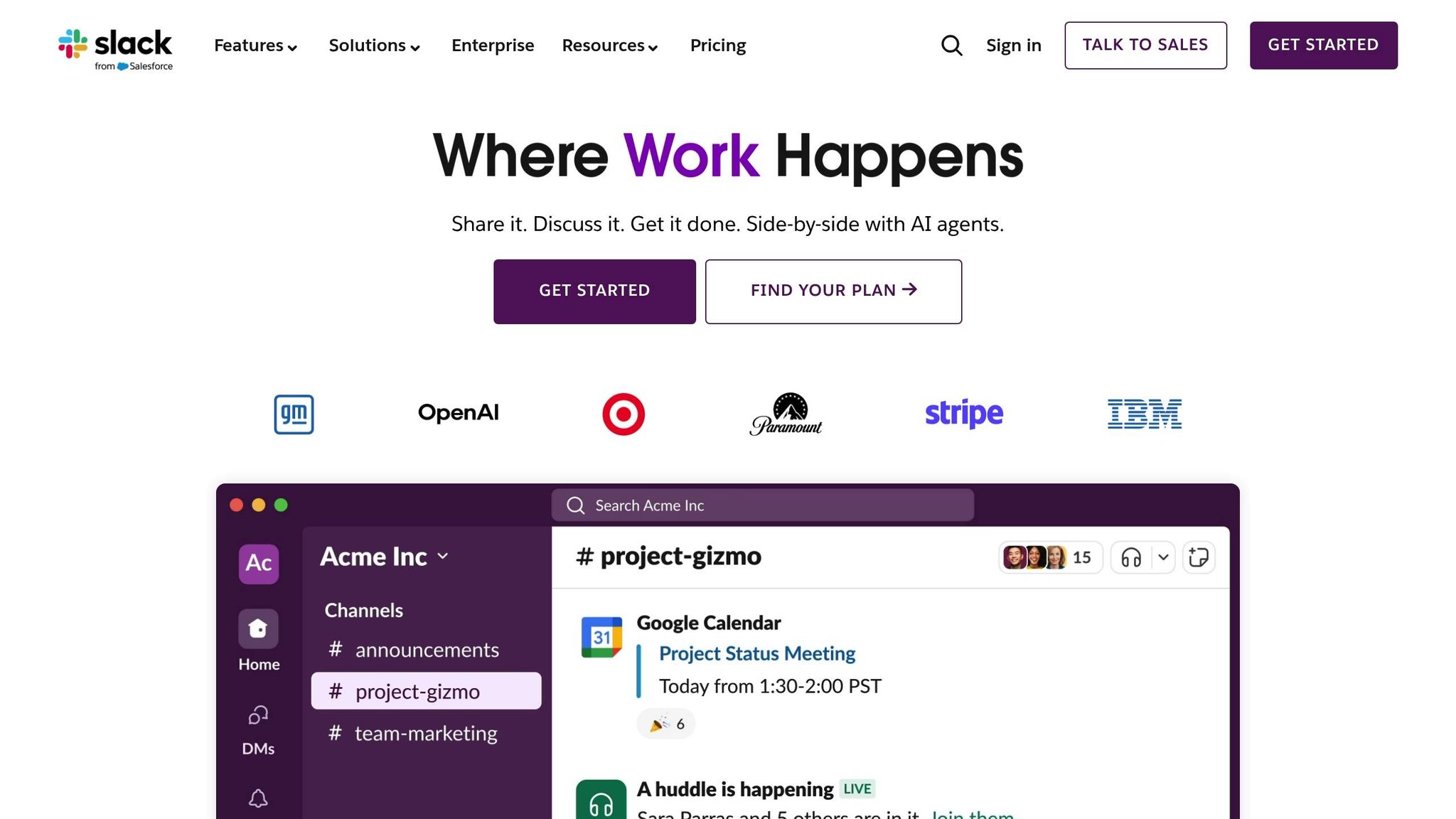
Creating a Scalable Knowledge-Sharing Framework
What works for a small team of 50 can quickly unravel when your organization grows to 5,000. As companies scale, informal practices - like relying on personal connections or ad-hoc conversations - simply can’t keep up. Teams spread across different time zones, departments, and business units need a more structured approach to sharing knowledge.
Building a scalable framework means creating processes that make it easy to capture, organize, and find information. It’s not about adding more tools or endless documentation; it’s about designing a system where knowledge moves seamlessly from those who have it to those who need it. This kind of system not only eliminates bottlenecks but also fosters trust across large, complex teams.
Connecting Your Knowledge Tools in Slack
One of the biggest challenges for enterprises is managing knowledge scattered across platforms like Notion, Confluence, Google Drive, and Salesforce. The issue isn’t a lack of content - it’s making sure that content is accessible where employees actually work.
For many organizations, that central hub is Slack. By integrating your existing knowledge tools into Slack, you create a single access point for your team. When someone asks a question in a Slack channel, the answer can instantly surface from trusted documentation, keeping the conversation flowing. This eliminates the need for employees to stop what they’re doing to dig through Confluence or Google Drive, saving time and reducing frustration. Beyond improving access, this approach also promotes transparency and strengthens collaboration.
To make this work, standardized naming conventions are essential. Companies like Rocket Companies have streamlined access by using clear channel names, such as #team-resources or #project-guidelines[2][8]. Similarly, consistent folder structures and tagging systems across platforms like Notion and Confluence make it easier to locate and maintain documentation[9].
Public Slack channels should be prioritized over private messages whenever possible[3]. Public channels create a searchable record that benefits everyone, from new hires trying to understand past decisions to team members in different time zones catching up on conversations. For common questions, encourage replies in threads instead of starting new message chains - this keeps related information grouped together. Pinning key messages or using Slack canvases to organize resources can further improve discoverability[6].
Tools like Question Base simplify this process by connecting platforms like Notion, Confluence, Google Drive, Salesforce, Zendesk, and Intercom directly to Slack. With minimal setup, these integrations can surface answers in Slack almost immediately, helping teams get up to speed without months of engineering work.
To maintain the system’s effectiveness, it’s crucial to involve your team in its design. Identify subject matter experts and capture their knowledge through interviews or workshops. When employees understand the purpose of the system and contribute to its creation, they’re more likely to embrace it[9].
Once your content is centralized in Slack, managing access controls becomes the next critical step.
Managing Access Controls and Security
Balancing openness with security is essential for effective knowledge sharing at scale. The goal is to protect sensitive information while ensuring collaboration isn’t stifled by unnecessary restrictions.
Start by defining a clear permissions framework that aligns access with roles, departments, or projects[9]. Not every employee needs access to every document, but overly tight controls can recreate the silos you’re trying to eliminate. Decide which information should be widely accessible and which should remain restricted.
For organizations handling sensitive data - like customer information or proprietary research - compliance is non-negotiable. Security measures such as SOC 2 Type II compliance, encryption, and regular audits are crucial to safeguarding data without slowing down collaboration.
Question Base addresses these needs with enterprise-grade security features. You maintain full control over what the AI can access, how it operates, and when it escalates issues to human support. For organizations with strict data residency requirements, on-premise deployment ensures sensitive information stays within your infrastructure.
It’s also important to align external tool permissions with your Slack setup to prevent accidental access. Keep access controls straightforward to encourage knowledge sharing. For example, requiring multiple approval steps to add documentation to a shared channel can discourage collaboration. A tiered access system works well: public channels for company-wide knowledge, team-specific channels for department-focused content, and project channels for active contributors. This structure eliminates confusion about what can be shared and where.
Regular audits are essential to maintain this balance. Periodically review who has access to what, update permissions for employees who’ve changed roles, and remove access for those who’ve left the organization. These audits can also uncover opportunities to make valuable resources more accessible across the company.
Finally, security measures should be clear and straightforward for employees. They don’t need to know the technical details of encryption or compliance - they just need to trust that their contributions and sensitive data are protected. This transparency builds confidence in the system, encouraging open knowledge sharing and efficient collaboration while meeting enterprise-level security requirements.
A well-structured approach to access controls lays the groundwork for measuring and improving your knowledge-sharing system over time.
Building a Culture That Supports Knowledge Sharing
No matter how advanced your tools are, they won’t succeed without the right culture. Employees need to feel secure when sharing their expertise, and organizations must actively appreciate their contributions. Without addressing cultural challenges, valuable insights often remain locked in individual minds or buried in private messages, rendering even the most sophisticated systems ineffective.
Creating this culture demands intentional leadership and a shift in how organizations value knowledge. It’s not just about encouraging documentation - it’s about weaving knowledge sharing into the fabric of daily work. This cultural foundation is what enables practical strategies to thrive, ensuring both consistent contributions and long-term engagement.
Creating Safety for Knowledge Contributors
Psychological safety is the cornerstone of effective knowledge sharing. Employees need to feel confident that sharing their insights won’t lead to judgment, job insecurity, or diminished value in their roles. In many workplaces, however, barriers like fear of competition or exposing gaps in knowledge deter employees from contributing[7]. The most impactful insights - those rooted in deep, personal experience - often require a level of vulnerability that many find difficult to navigate[7].
Leadership plays a pivotal role in fostering this safety. When leaders are approachable, openly share updates, explain decisions, and even admit mistakes, they set a tone that vulnerability is not just acceptable but encouraged[7]. This openness signals to employees that questions and contributions are welcome, not interruptions or signs of weakness. For instance, when someone asks a question in a public Slack channel, they may be voicing a concern others are hesitant to raise. Treating such moments as opportunities for collective learning strengthens the culture.
For large organizations, clear guidelines on knowledge sharing provide structure and clarity, helping employees feel more confident in their contributions[2]. Once a safe environment is established, the focus shifts to recognizing and rewarding those contributions.
Recognizing and Rewarding Contributors
Acknowledging individual efforts is essential to reinforcing a knowledge-sharing culture. Recognition programs can be powerful tools to encourage ongoing participation. Highlighting team members who share valuable insights not only motivates them but also demonstrates the tangible benefits of knowledge sharing for the organization[2][4].
Effective recognition celebrates contributions of all types. Whether it’s documenting a complex workflow, mentoring a colleague, or answering a question thoughtfully, every effort matters. Public acknowledgment - through team meetings, internal newsletters, or dedicated Slack channels - ensures these contributions are visible and appreciated across the organization. Some companies even go a step further, creating expert profiles to showcase individuals’ areas of expertise, making it easier for others to connect with them for guidance.
Incorporating recognition into performance reviews sends a clear message: knowledge sharing is a core part of success. Managers can evaluate employees on their efforts to document processes, mentor peers, or contribute to shared knowledge bases. For new hires, onboarding programs should emphasize the importance of knowledge sharing, offering tours of key Slack channels, explaining documentation standards, and pairing them with a mentor focused on knowledge exchange[4]. Some organizations amplify this by introducing roles or badges for “knowledge contributors,” encouraging participation from the very first day.
Peer learning and mentoring programs also play an essential role in scaling knowledge sharing. Whether through formal mentorships or informal learning sessions, these initiatives build community and foster continuous growth[7][6]. At Slack, for example, teams often use Huddles for informal sessions where members share how they’ve solved specific challenges and engage in collaborative discussions[6]. Dedicated Slack channels like #mentoring-circle or #learning-sessions, combined with regular peer learning events, help normalize knowledge exchange. Organizations should also ensure their subject matter experts share their insights - whether through interviews, workshops, or direct contributions to the knowledge base - and recognize them for their mentoring efforts. This reinforces the idea that helping others grow is as valuable as individual accomplishments.
Consistency is vital for recognition programs to succeed. Regular acknowledgment - whether through weekly shout-outs, monthly spotlights, or quarterly awards - ensures employees feel their efforts are consistently valued. When recognition becomes a natural part of daily operations rather than an occasional initiative, knowledge sharing evolves from being an optional activity to a fundamental organizational practice, fostering collaboration and trust on a larger scale.
Using Automation for Efficient Knowledge Sharing
Building on the framework for scalable and secure knowledge sharing, automation tackles the repetitive tasks that often bog down productivity. Even in well-organized teams, experts can find themselves answering the same questions repeatedly, while employees waste time searching through scattered tools or Slack threads for critical information. These inefficiencies only grow as organizations expand, creating bottlenecks that slow progress and strain trust within teams.
Automation steps in to manage repetitive queries, highlight reliable information, and safeguard valuable knowledge. Its purpose isn’t to replace human expertise but to free up experts for more strategic work while ensuring employees receive instant, accurate answers. In this way, automation becomes a cornerstone for scaling knowledge-sharing efforts.
Question Base: AI-Powered Answers in Slack

Question Base turns Slack into a smart knowledge assistant by seamlessly connecting to your existing documentation tools and delivering verified answers directly where your team works. Unlike general-purpose AI tools that rely heavily on chat history, Question Base pulls information from trusted sources - such as Notion, Confluence, Google Drive, Zendesk, Intercom, Salesforce, and Dropbox. This ensures answers are grounded in reliable, pre-vetted content rather than interpretations of past conversations.
Getting started is simple: install Question Base from the Slack App Marketplace, link your documentation tools, and invite the bot using /invite @questionbase - no technical expertise required. Once set up, employees can ask questions directly in Slack and receive immediate, context-aware responses pulled from the organization’s knowledge base. This eliminates the need to switch between apps or interrupt colleagues for information that’s already documented.
What sets Question Base apart is its emphasis on knowledge ownership and accuracy. Teams can review, edit, and refine AI-generated answers to align with organizational standards, turning fleeting Slack conversations into structured, searchable documentation that becomes increasingly valuable over time.
The platform also addresses a common challenge for enterprises: identifying knowledge gaps. By tracking unresolved questions and gaps in documentation, Question Base equips teams to conduct timely audits and make updates that align with sprint cycles or quarterly plans. This ensures the knowledge base evolves alongside the business, keeping it relevant and useful.
Question Base meets enterprise security standards with SOC 2 Type II compliance and offers additional on-premise options. Its customization capabilities allow organizations to control content access, tailor AI tone and behavior, and define escalation paths to human support. This flexibility ensures the tool integrates smoothly into existing workflows without requiring teams to adapt their processes.
An analytics dashboard provides clear insights into automation performance, resolution rates, and knowledge gaps. Leaders can track how many queries are resolved automatically, identify recurring topics, and pinpoint areas where human input is still required. This data-driven approach ensures continuous improvement and demonstrates the value of investing in a robust knowledge infrastructure.
This seamless integration lays the groundwork for a direct comparison between Question Base and Slack AI.
Question Base vs. Slack AI: A Comparison
Slack AI is a helpful tool for general productivity, offering features like summarizing conversations and surfacing past discussions to help individuals work more efficiently. However, for teams that require reliable, accurate knowledge at scale, Question Base provides specialized capabilities tailored for enterprise support, HR, IT, and operational knowledge management.
The key difference lies in how each tool handles knowledge. Slack AI primarily learns from chat history, making it great for retrieving past conversations but less dependable for delivering authoritative answers. In contrast, Question Base connects directly to trusted documentation sources, ensuring responses are backed by expert-verified content rather than speculative interpretations.
Feature | Question Base | Slack AI |
|---|---|---|
Accuracy | Expert-verified answers from trusted sources | AI-generated based on Slack messages |
Data Sources | Notion, Confluence, Salesforce, OneDrive, Google Drive, Zendesk, Intercom, Dropbox, and more | Primarily Slack chat; other sources limited to enterprise plans |
Knowledge Management | Case tracking, per-channel settings, duplicate detection, AI learning from gaps | None |
Analytics | Resolution rate, unhelpful answers tracking, automation rate, knowledge gap identification | Basic usage stats |
Enterprise Focus | Built for HR, IT, Ops - SOC 2 compliant, customizable, on-premise options | General-purpose AI tool |
Knowledge Capture | One-click capture from Slack threads to knowledge base | Not available |
Escalation Flows | Customizable routing to human experts when needed | Not available |
For organizations where accuracy, transparency, and control over knowledge are priorities, Question Base provides the infrastructure needed to scale knowledge-sharing efforts effectively. While Slack AI excels at summarizing past conversations, Question Base focuses on building a future-proof knowledge base - capturing insights before they’re lost, keeping experts involved, and ensuring employees have quick access to the information they need to stay productive. This structured approach fosters trust by making knowledge accessible, reliable, and continuously updated.
Both tools have their strengths in today’s workplace. Slack AI helps individuals streamline their tasks and find past discussions. Meanwhile, Question Base empowers entire teams by reducing the burden on subject matter experts and transforming Slack into a dynamic, ever-growing knowledge system that becomes more valuable with every interaction.
Measuring Success: Analytics and Continuous Improvement
For a knowledge-sharing framework to thrive, it needs more than just good intentions. Clear metrics and a commitment to ongoing refinement are essential to keep the system relevant and aligned with your business's changing needs. Without this structure, even the best systems risk becoming outdated and ineffective.
Analytics play a critical role in transforming knowledge sharing from a "nice-to-have" initiative into a measurable driver of efficiency and trust. When teams see tangible results - like fewer repetitive questions, faster onboarding, or clear improvements in documentation - they're more likely to actively contribute to and maintain the system. Regular measurement not only drives ongoing improvements but also builds confidence in the system's value.
Key Metrics for Knowledge Sharing
The right metrics tell you if your knowledge-sharing system is genuinely helping employees or just creating more work. These insights lay the groundwork for meaningful improvements.
Start with resolution rates, which measure the percentage of queries resolved without human intervention. High rates suggest your documentation is both thorough and easy to use. On the other hand, low rates indicate gaps or usability issues that need to be addressed.
Another important metric is automation rates, which track how many questions are answered automatically versus those requiring human input. For instance, Question Base can automatically handle 35% of repetitive questions, with an average response time of just 3.2 seconds inside Slack [1]. These numbers showcase how AI tools can boost efficiency and justify their implementation.
Monitoring unanswered questions is equally important. These represent gaps in your documentation. Tools like Question Base can track these unanswered queries, helping teams identify and fill content holes during planning cycles or sprints.
You should also investigate unhelpful answers - cases where content exists but fails to meet user needs. This could be due to outdated information, unclear language, or inaccuracies. Feedback on unhelpful answers allows you to prioritize updates that directly improve productivity.
Beyond operational metrics, consider tracking productivity gains. Research from the IBM Institute shows that companies focused on collaboration and knowledge sharing outperform others by 3.5 times [4]. Translate this into practical terms: cutting search time from two hours to 30 minutes per employee can result in significant savings. For a 1,000-person company, the cost of lost productivity from searching and repeating answers in Slack can exceed $2 million annually [1].
Other valuable metrics include content utilization rates, which show how often specific articles and resources are accessed, and cross-team knowledge access, which measures how frequently employees from different departments use shared knowledge. For example, when marketing teams consult technical documentation or sales teams rely on product support resources, it signals that information silos are breaking down - a strong indicator of organizational trust and collaboration.
Question Base simplifies this process with an analytics dashboard that consolidates these metrics, providing leaders with a clear view of how well the system is performing. This shifts the conversation from vague impressions to concrete data about the system's effectiveness.
Using Feedback to Improve Knowledge Systems
While metrics provide the "what", feedback explains the "why." Automated data reveals patterns, but employee input uncovers the reasons behind them. Establishing regular feedback loops between employees, managers, and departments ensures your system evolves in line with user needs [7].
One effective method is in-channel feedback requests. Allow employees to rate the usefulness of knowledge articles or suggest changes directly within Slack. Capturing this feedback in real time ensures it's both accurate and actionable. Question Base supports this by enabling immediate feedback on answer quality, feeding into continuous improvement efforts.
Another best practice is conducting quarterly knowledge audits. These structured reviews help teams assess the accuracy and relevance of documentation. Automated reminders can prompt subject matter experts to update critical documents, preventing the "drift" that occurs when content becomes outdated or irrelevant.
In addition to audits, employee surveys and support ticket analysis can uncover recurring issues that analytics might miss. Surveys often reveal frustrations or gaps that aren't immediately obvious but can significantly impact user trust and adoption.
Question Base also leverages AI to learn from daily Slack interactions, automatically enriching your knowledge base. This ensures valuable insights don't stay locked in the minds of individual experts but are instead shared across the organization.
Closing the feedback loop is crucial. When a user's suggestion leads to a documentation update, acknowledge their contribution publicly. This not only reinforces the value of employee input but also strengthens trust in the system. As Monica Limanto, CEO of Petsy, put it:
"Question Base has exceeded our expectations - it's easy to use, intuitive and a massive time saver. We now have a reliable and useful knowledge base, making it easy to share knowledge across the team."
Finally, balance analytics with employee privacy. Use anonymized data to track trends without identifying individuals, and avoid metrics that might create a sense of surveillance. Emphasize that analytics are meant to improve the system, not evaluate individual performance [7].
When presenting analytics to leadership, focus on return on investment and risk reduction. Highlight productivity improvements, better resolution rates, and faster onboarding times in financial terms. Show how a well-maintained knowledge-sharing system not only boosts efficiency but also safeguards institutional knowledge - critical in a competitive talent market.
Conclusion: Building Trust Through Scalable Knowledge Sharing
Establishing trust through knowledge sharing isn’t about relying on a single tool or crafting flawless documentation. It’s about combining structured frameworks, a supportive culture, and purpose-driven tools to ensure employees can reliably access accurate information when they need it most.
A well-organized structure improves discoverability, but structure alone won’t succeed without fostering a culture that encourages participation. Creating psychological safety - where employees feel comfortable sharing expertise and admitting gaps in their knowledge - is essential for enabling the free flow of information[7]. Leadership plays a key role here. When leaders model transparency by working openly in Slack channels and explaining decisions clearly, it demonstrates that knowledge sharing is a priority at every level of the organization[3].
Once structure and culture are in place, technology acts as the final layer to scale knowledge sharing. While Slack provides a strong foundation for communication, scaling requires more than just conversations. Tools like Question Base take those fleeting discussions and transform them into organized, searchable knowledge - without requiring employees to adapt to unfamiliar systems or workflows. By automating the capture of insights and delivering instant answers from trusted sources, Question Base solves a critical challenge: how to preserve and distribute knowledge without overburdening subject matter experts.
The benefits extend far beyond immediate productivity boosts. Organizations that make knowledge sharing a priority enjoy stronger employee retention, the preservation of institutional knowledge even during staff transitions, better decision-making through access to historical context, and improved collaboration as information silos dissolve[2][3][5].
Trust, once established, becomes self-reinforcing. When employees consistently find accurate, up-to-date information and see their contributions valued, they’re more likely to share their own knowledge. This creates a positive feedback loop where the system becomes more effective over time, avoiding the pitfall of outdated, unused documentation. These long-term benefits also set the foundation for robust, secure systems.
For enterprises aiming to move beyond sporadic knowledge sharing, the focus must shift to balancing open collaboration with strong security measures[9]. Protecting data while enabling seamless sharing ensures that the system remains both reliable and secure. This comprehensive approach supports the ongoing cycle of accessible, trustworthy knowledge.
Organizations that excel in this area aren’t necessarily those with the most advanced technology[4]. Instead, they’re the ones that recognize knowledge sharing as a core driver of trust and commit to the frameworks, culture, and tools needed to scale it effectively. Whether you’re a startup with 100 employees or a global enterprise with 15,000, the principles remain the same: make knowledge easily accessible, celebrate contributors, track meaningful metrics, and adapt based on real-world usage rather than assumptions.
To make scalable knowledge sharing a reality, your organization must invest in the structural, cultural, and technological foundations that drive trust and long-term success.
FAQs
How does integrating tools like Notion and Confluence into Slack enhance knowledge sharing and reduce repeated questions?
Integrating tools such as Notion and Confluence with Slack allows teams to pull up verified information right where they’re already working. This eliminates the hassle of jumping between apps, helping to simplify workflows, cut down on repeated questions, and ensure employees can quickly locate the answers they need.
By linking Slack to reliable documentation platforms, static resources transform into dynamic, easily searchable knowledge hubs. This makes collaboration smoother and helps teams save valuable time across the board.
How does psychological safety contribute to effective knowledge sharing in large organizations?
Psychological safety plays a crucial role in encouraging open and productive knowledge sharing within large organizations. When employees feel comfortable expressing their ideas, asking questions, or acknowledging mistakes without fear of criticism or negative consequences, they’re far more likely to share insights and collaborate openly. This sense of trust fosters an environment where information flows freely, enabling teams to address challenges more efficiently and find creative solutions.
In large organizations, psychological safety helps dismantle silos and promotes collaboration across different departments. By cultivating a workplace culture rooted in respect and inclusivity, leaders can empower employees at every level to contribute. This not only enhances knowledge sharing but also builds stronger team connections and trust across the organization.
How does Question Base provide accurate and secure answers in Slack?
Question Base ensures precise answers by directly linking to reliable documentation platforms such as Notion, Confluence, and Salesforce. This approach guarantees that responses are rooted in verified, current information rather than depending on chat history alone.
Security is a top priority. Question Base is SOC 2 Type II compliant and employs encryption to protect data both at rest and during transit. Additionally, enterprises have the flexibility to tailor access controls, AI behavior, and escalation workflows, ensuring sensitive data is managed securely and in line with company policies.