∙
Cooper
∙
Reading time:
17 min

Employees spend 20% of their workweek searching for information scattered across systems, and 74% of tech leaders say this constant switching impacts productivity. If your team relies on Slack but your knowledge is spread across platforms like Notion, Salesforce, or Google Drive, centralized search tools can save time by delivering answers directly within Slack. These tools use AI to provide instant, context-aware responses, eliminating the need to leave Slack for answers.
Here are 7 enterprise search tools that integrate with Slack, each offering unique capabilities:
Question Base: AI-powered Slack-native tool with integrations for over 12 platforms like Notion, Salesforce, and Zendesk. Starts at $8/user/month.
Elastic Enterprise Search: Customizable search for large data volumes; requires technical expertise.
Guru: Combines verified knowledge cards with Slack for reliable, up-to-date information.
Microsoft Search: Ideal for Microsoft 365 users, offering secure cross-platform search.
SearchUnify: Federated search for support teams using tools like Salesforce and ServiceNow.
Slab: Focused on internal documentation, integrating with Slack for quick access.
Lucidworks Fusion: AI-driven search for large enterprises needing advanced customization.
Quick Comparison:
Tool | Best For | Pricing | Key Strength |
|---|---|---|---|
Question Base | Teams needing verified Slack-native answers | Starts at $8/user/month | AI-powered answers with source citations |
Elastic Search | Large enterprises with technical teams | Custom pricing | Advanced customization for big data |
Guru | Teams needing verified, up-to-date knowledge | Starts at $10/user/month | Verified knowledge cards in Slack |
Microsoft Search | Microsoft 365 users | Included in M365 plans | Seamless integration with Microsoft tools |
SearchUnify | Support teams managing multiple tools | Custom pricing | Federated search across support platforms |
Slab | Internal documentation-focused teams | Starts at $6.67/user/month | Centralized knowledge base for Slack |
Lucidworks Fusion | Enterprises needing advanced search setups | Custom pricing | AI-driven, scalable search infrastructure |
These tools streamline workflows by reducing context switching and improving access to knowledge. Whether you need a simple Slack-native solution like Question Base or a fully customizable platform like Elastic Enterprise Search, there’s an option tailored to your team’s needs.
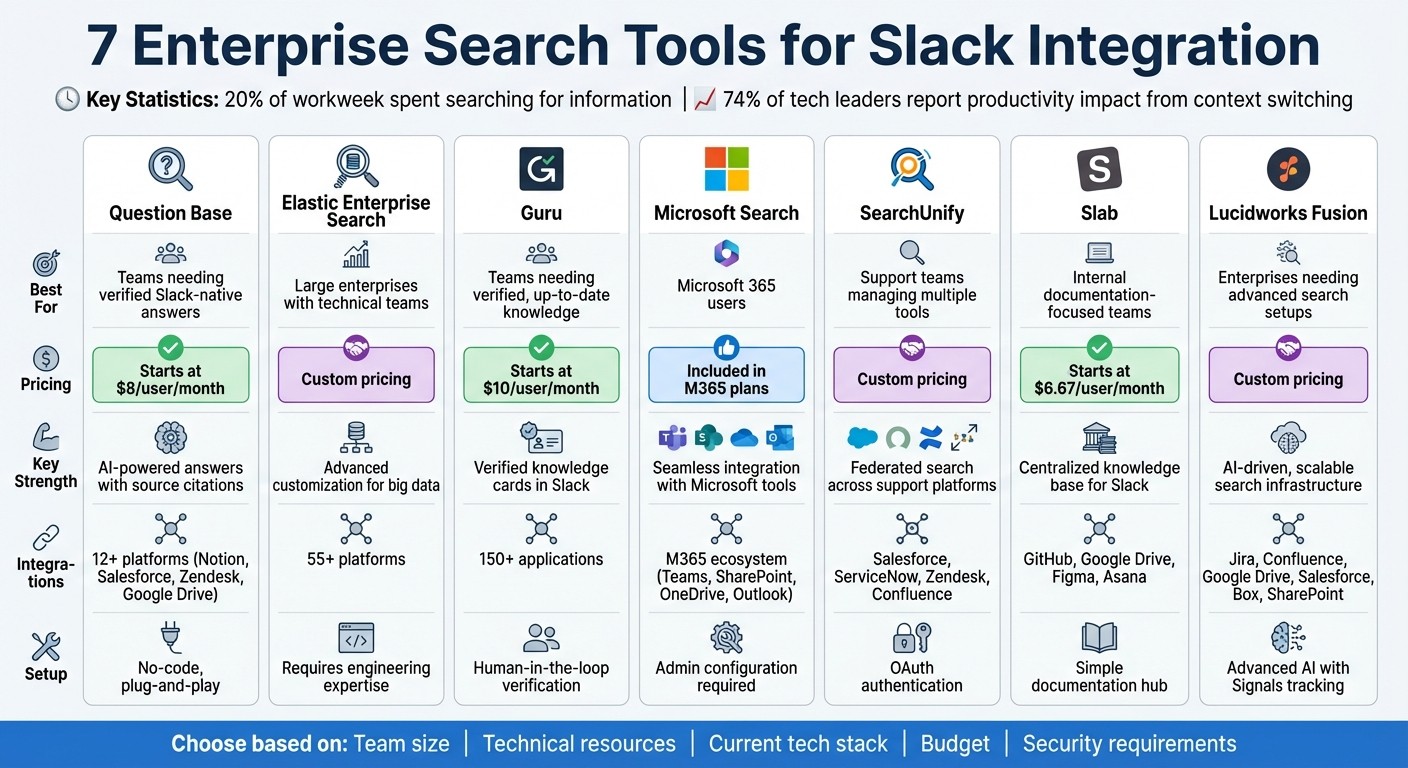
Enterprise Search Tools for Slack: Feature and Pricing Comparison
1. Question Base

Question Base is an AI-powered answer agent built to work seamlessly within Slack, delivering accurate and verified responses directly from your trusted documentation.
Slack Integration: Simple and Straightforward
Setting up Question Base is designed to be quick and hassle-free. You can install it directly from the Slack App Marketplace without needing any coding skills. Once installed, activating it in specific Slack channels is as easy as typing /invite @questionbase. There’s no need for complex configurations or IT support, making it accessible for teams of all sizes.
Bringing Your Data Together: Connected Sources and Integrations
Question Base connects with over 12 enterprise platforms, making it easy to centralize all your documentation in one place. Supported integrations include:
Notion, Confluence, and Google Drive (Docs, Sheets, Slides) for team knowledge bases
SharePoint for document management
Salesforce and HubSpot for CRM data (Accounts, Cases, Deals, Tickets, etc.)
Zendesk, Intercom, and Freshdesk for customer support insights
Jira for project and issue tracking
Additionally, Question Base automatically builds an evolving FAQ by analyzing previously answered questions in Slack, ensuring your team’s knowledge base stays up-to-date.
Smarter Search with Advanced AI Technology
Powered by RAG (Retrieval-Augmented Generation) technology using AWS Bedrock's Claude Sonnet 3.5, Question Base delivers precise, context-aware answers. It pulls verified information from your connected sources and includes source citations to ensure transparency. You can tailor its performance with per-channel settings, like linking HR-specific Notion folders to a #hr-benefits channel, ensuring the AI pulls only from relevant data. To maintain accuracy, human experts review AI-generated drafts before they’re finalized.
Built for Enterprises: Security, Scalability, and Insights
Question Base is SOC 2 Type II compliant, with encryption both at rest and in transit to protect your data. For organizations with stricter requirements, on-premise deployment is available to meet data residency needs.
The platform also provides robust analytics, tracking metrics like resolution rates and automation performance. It highlights content gaps, revealing areas where documentation needs improvement based on frequently asked employee questions. Pricing starts at $8 per user per month for the Pro tier, with the Enterprise plan offering custom support and white-labeling options for larger organizations.
2. Elastic Enterprise Search
Elastic Enterprise Search is a robust search platform designed for developers, built on the open-source Elasticsearch engine. It’s tailored for organizations dealing with large volumes of data and seeking enterprise search API features.
Slack Integration: A Setup for the Technically Savvy
Elastic Enterprise Search isn’t a plug-and-play tool. It demands engineering expertise for both initial setup and ongoing maintenance. Its distributed architecture offers plenty of customization and control, making it an excellent choice for technical teams that want to fine-tune their search infrastructure. However, for organizations without a dedicated engineering team, the complexity of configuration and upkeep may pose a challenge. This is a clear departure from the simplicity of other plug-and-play platforms.
Connected Data Sources: Extensive Integration Options
With support for over 55 integrations, Elastic Enterprise Search can index a wide array of enterprise platforms. It’s particularly strong in handling full-text searches on unstructured data, efficiently matching word variations and ranking results by relevance. This capability is a boon for businesses juggling diverse data sources and needing a comprehensive search solution.
Search Approach: Advanced Customization with AI and Vector Search
The platform’s strength lies in its LLM support, Semantic AI, and Vector search capabilities, which empower technical teams to design advanced search experiences. Unlike conversational AI tools that generate answers, Elastic focuses on retrieving precise, relevant results. Teams can fine-tune ranking algorithms, relevance scoring, and other advanced search features to meet their unique needs.
Enterprise Features: Built for Security and Scalability
Elastic Enterprise Search is equipped with enterprise-grade features like SOC 2 compliance, role-based access control (RBAC), and on-premises deployment options, catering to organizations with strict security and compliance demands. Its distributed architecture scales horizontally, making it capable of handling increasing data volumes and user activity. However, this scalability and security come with the need for ongoing technical oversight, making it a better fit for organizations with dedicated DevOps or engineering teams to manage the infrastructure.
3. Guru

Guru brings together intranet, knowledge base, and AI search into a single platform. It’s tailored for organizations seeking a centralized source of truth, ensuring that scattered documentation and tools are unified, with a focus on providing verified, expert-approved content.
Slack Integration: Verified Knowledge at Your Fingertips
Guru’s Slack integration makes accessing reliable information simple and efficient. Through shareable knowledge cards, employees can retrieve expert-reviewed content directly within Slack. These cards can be shared and commented on in Slack channels, fostering collaboration while keeping the team aligned. This setup ensures employees stay informed without leaving Slack, creating a seamless workflow across the organization.
Connected Data Sources: Integrating Over 150 Tools
Beyond Slack, Guru connects with a wide range of tools - over 150 applications, including Notion, Intercom, Zendesk, and Google Drive [2]. By consolidating data from these platforms, Guru creates a unified knowledge layer that overlays existing systems. This is particularly beneficial for enterprises managing multiple tools, as it simplifies search across platforms. Additionally, Guru enforces permissions-aware security, ensuring employees only access content they’re authorized to see, no matter the original source [1].
Search Approach: AI Meets Human Expertise
Guru combines AI-driven search with a human verification process to keep information accurate and up-to-date. Outdated content is flagged for expert review, so employees can trust the answers they find. This "human-in-the-loop" system ensures that Slack users receive validated, reliable information, blending AI efficiency with expert oversight. Guru’s AI integrates apps, documents, and conversations into a single searchable layer, while its verification workflows ensure knowledge remains accurate as it evolves [1].
Enterprise Features: Scaling Knowledge for Large Teams
Guru is designed to handle the needs of large organizations, offering tools to scale structured documentation. Automated verification workflows help maintain compliance and accuracy, contributing to the platform’s steady G2 rating of 4 out of 5 stars [1]. However, the system’s effectiveness hinges on active participation - without dedicated knowledge managers or experts regularly reviewing content, Guru’s standout feature of verified answers diminishes in value.
4. Microsoft Search
Microsoft Search brings the power of Microsoft 365 directly into Slack, allowing users to access data like files, emails, and conversations without leaving the platform. For organizations already using Microsoft's ecosystem, this integration offers a seamless way to perform searches across Microsoft systems in real time. Importantly, data remains securely within Microsoft's environment, and search results are retrieved without transferring information outside its protected infrastructure.
Slack Integration: Admin Setup with User-Specific Access
To activate Microsoft Search in Slack, administrators need to configure the integration first. Once that’s done, individual users must link their Microsoft accounts to personalize their experience. This setup ensures that search results respect permissions - users only see files, emails, or messages they’re authorized to access. In some cases, organizations using Microsoft OneDrive or SharePoint in Slack may find that Enterprise Search features are automatically enabled.
Supported Data Sources: M365 and Beyond
Microsoft Search connects with key Microsoft 365 tools like Outlook, OneDrive, SharePoint, and Teams. It also supports custom connectors, allowing businesses to integrate additional data sources. Within Slack, the integration emphasizes OneDrive, SharePoint, and Teams, creating a unified search experience that bridges internal and external data repositories.
Smarter Search with AI-Powered Features
The platform uses advanced AI techniques, such as retrieval-augmented generation (RAG) and semantic search, to provide context-aware results. Users can type natural language queries like, "Where can I find the marketing ROI spreadsheet by region?" and receive tailored, concise responses. For those who opt for the paid Microsoft 365 Copilot Search upgrade, the system offers enhanced semantic understanding, while the free version relies on traditional keyword-based searches.
Enterprise-Grade Tools: Security, Scalability, and Insights
Microsoft Search adheres to the stringent security protocols of Microsoft 365, ensuring data safety while indexing millions of documents in real time. This capability is powered by the same technology behind Bing. Administrators can monitor search activity through detailed dashboards that track metrics like search volume and success rates. Additionally, they can curate essential resources and define acronyms to maintain consistent terminology across teams.
5. SearchUnify
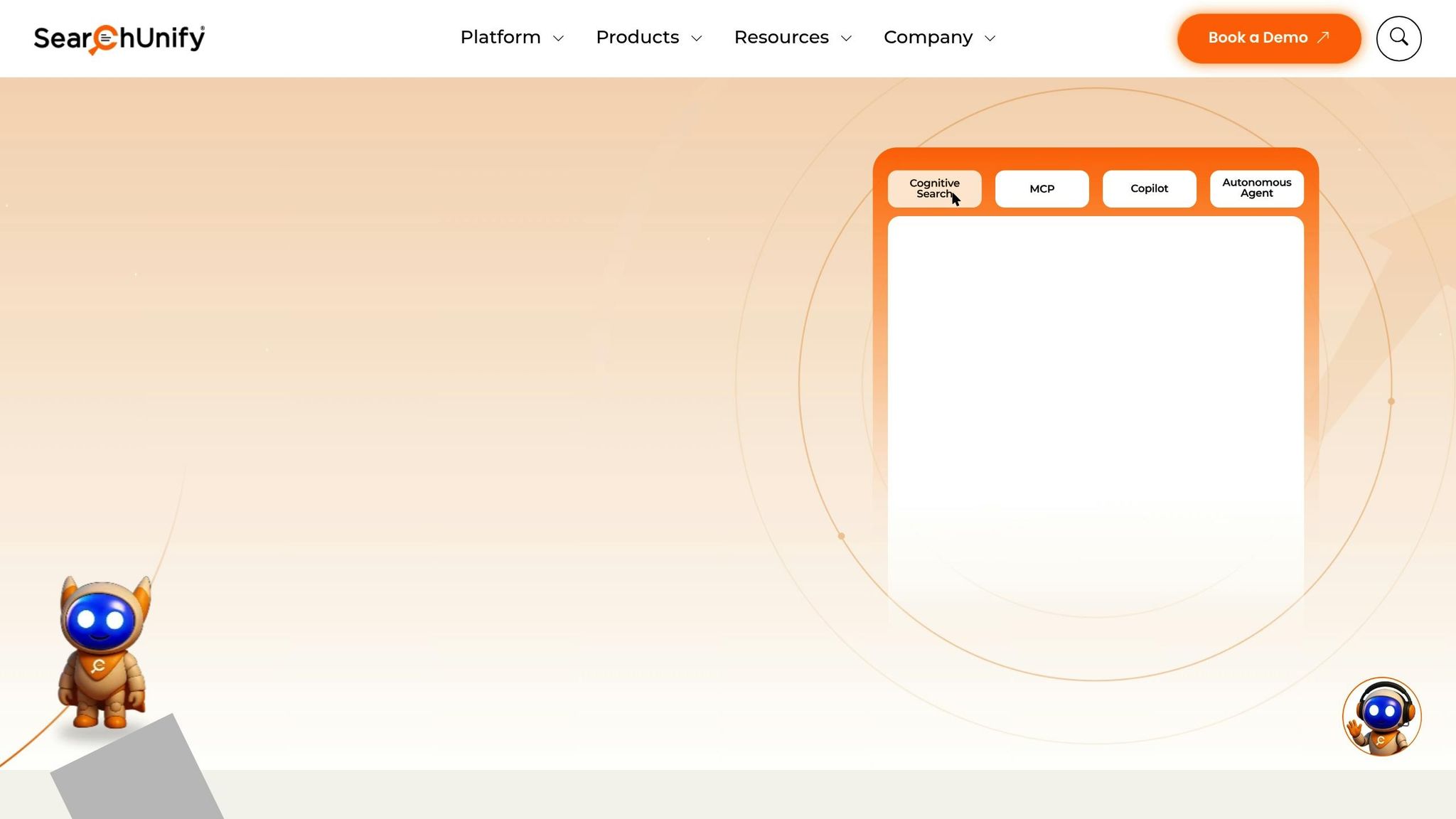
SearchUnify is a powerful cognitive platform designed to deliver federated search capabilities directly within Slack. It allows customer support and IT teams to search across multiple enterprise systems from a single interface. For organizations managing complex tech stacks - spanning tools like Salesforce, ServiceNow, Zendesk, and Confluence - SearchUnify simplifies the process of finding critical information, all without leaving Slack.
Slack Integration: Easy Setup with OAuth and Admin Controls
To get started, install the SearchUnify app from the Slack App Directory. Admins can authenticate using OAuth and configure content sources - such as Jira, Confluence, and Salesforce - through the SearchUnify console. Once set up, users can run queries across these systems using Slack commands, making it easier to retrieve the information they need.
Connected Data Sources: Pre-Built Connectors for Enterprise Tools
SearchUnify supports native connectors for a wide range of enterprise platforms, including Salesforce (Experience Cloud, Service Cloud, and Platform), Microsoft Dynamics 365, Khoros, ServiceNow, Zendesk, MadCap Software, Higher Logic, Joomla, and Appinium. These connectors come with platform-specific parsers, enabling seamless "click and deploy" integrations - no custom coding required. This makes it simple to unify data from diverse systems into one cohesive search experience.
6. Slab
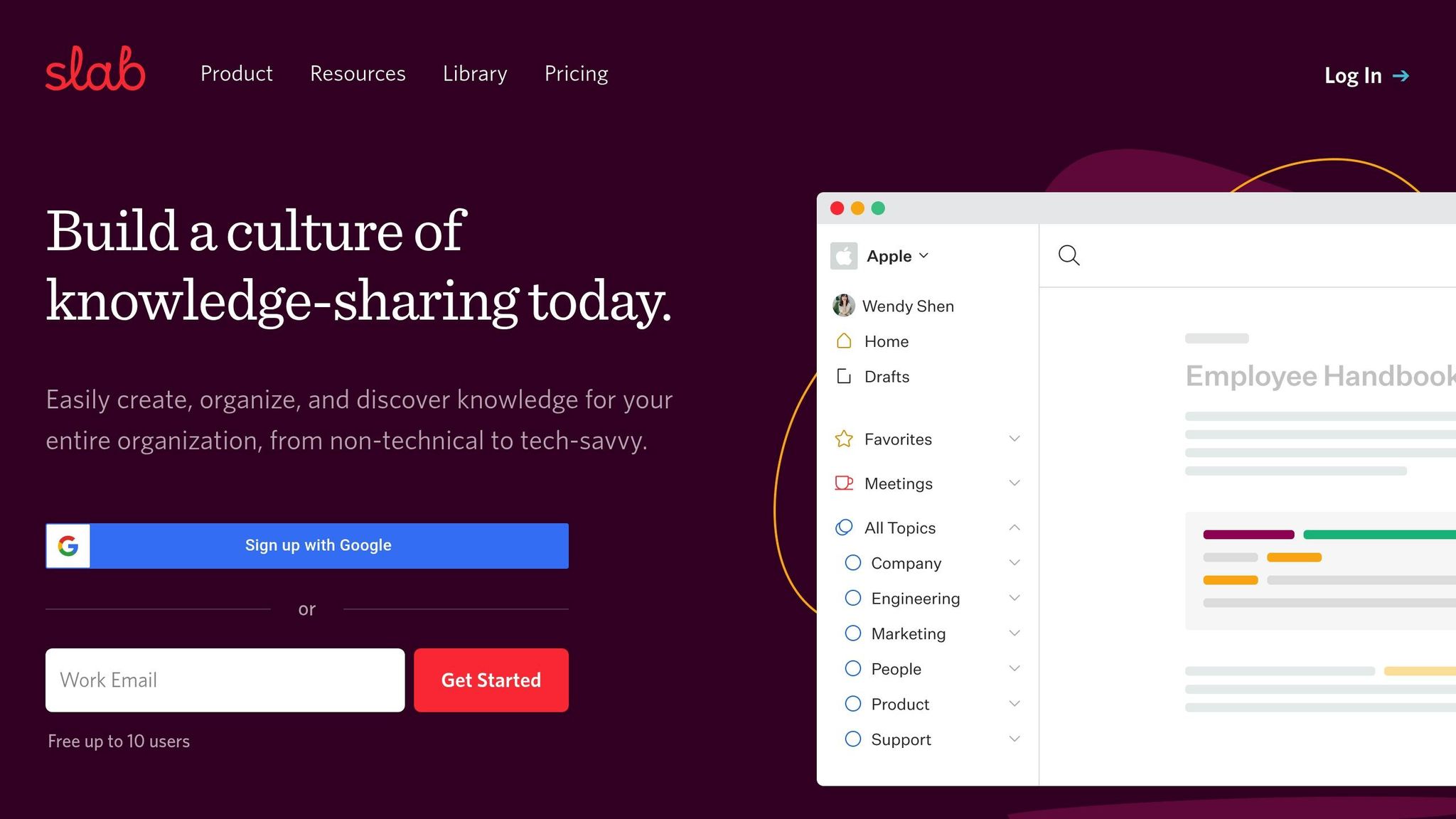
Slab is a purpose-built knowledge base designed to centralize internal documentation while seamlessly integrating with Slack for quick access and sharing.
Slack Integration
With its Slack integration, Slab brings your knowledge base right into the flow of team conversations. Team members can quickly pull up and share internal documents without leaving Slack, making collaboration smoother and more efficient. This feature ensures that your documentation is not only easy to find but also well-organized for day-to-day use.
Centralized Documentation
Slab acts as a centralized hub for all your internal content, offering a single source of truth for your team. Unlike federated search tools that pull data from various external sources in real time, Slab is designed specifically to manage and refine your own documentation, keeping everything neatly curated and accessible.
Enterprise Usage
For companies looking for a dedicated knowledge base integrated with Slack, Slab provides a streamlined solution focused on internal documentation. However, if your organization requires real-time, cross-platform search capabilities, other tools may be a better fit. Slab shines when the goal is to maintain a well-organized, Slack-connected repository of internal knowledge.
7. Lucidworks Fusion
Lucidworks Fusion is an AI-driven search platform tailored for large enterprises that require seamless search capabilities across multiple data sources.
Connected Data Sources and Integrations
Fusion integrates with a wide array of enterprise tools, including Slack, Jira, Confluence, Google Drive, Salesforce, Box, and Microsoft SharePoint, as well as relational databases and web content. This extensive connectivity makes it ideal for organizations managing complex, multi-platform knowledge systems, ensuring unified search across all their tools.
Search Approach
Fusion leverages its integrations to improve search performance through advanced AI techniques. It combines keyword indexing, machine learning, and natural language processing to understand user intent and deliver accurate results. A standout feature is its "Signals" mechanism, which tracks user interactions to fine-tune search relevance and provide personalized responses. This allows the platform to adapt and prioritize results that are most useful for specific teams or roles.
Enterprise Features
Built for large-scale deployments, Fusion is designed to handle high search volumes, intricate data environments, and extensive customization needs. It offers enterprise-level security and scalability, making it a strong choice for organizations that demand precise control over their search infrastructure and possess the technical expertise to manage a sophisticated solution.
Comparison Table
Here’s a breakdown of seven Slack-integrated enterprise search tools, comparing their integrations, search methods, pricing, and ideal use cases:
Tool | Key Integrations | Search Method | Pricing | Best For |
|---|---|---|---|---|
Question Base | Notion, Confluence, Google Drive, Zendesk, Intercom, Salesforce, Dropbox | AI-powered answers with verification, gap tracking, and case management | Free Starter plan; Pro at $8/user/month; Custom Enterprise pricing | Teams like HR, IT, and internal support that need reliable, verified answers paired with knowledge management |
Elastic Enterprise Search | Slack, Google Drive, SharePoint, Salesforce, Jira, Confluence, databases | Machine learning relevance tuning with keyword and semantic search | Custom pricing based on deployment size | Large enterprises with technical teams managing complex, multi-source data setups |
Guru | Slack, Teams, browser extensions, CRM tools, help desks | AI verification with content flagging for outdated information | Starts at $10/user/month; Enterprise pricing available | Teams focused on keeping content updated and ensuring knowledge accuracy across platforms |
Microsoft Search | Microsoft 365 ecosystem (Teams, SharePoint, OneDrive, Outlook) | AI-powered personalized results across Microsoft tools | Included with Microsoft 365 subscriptions | Companies deeply integrated into the Microsoft 365 environment |
SearchUnify | Slack, Salesforce, ServiceNow, Zendesk, SharePoint, community platforms | Federated search with machine learning for intent recognition | Custom pricing based on data volume and users | Customer support teams needing unified search across multiple support tools |
Slab | Topic-based organization with real-time collaboration | Starts at $6.67/user/month; Enterprise tier available | Teams creating internal wikis with a focus on collaborative documentation | |
Lucidworks Fusion | Slack, Jira, Confluence, Google Drive, Salesforce, Box, SharePoint, databases | AI-driven search with "Signals" tracking for personalized, adaptive results | Custom enterprise pricing | Large-scale deployments requiring advanced customization and high search volumes |
Choosing the right tool comes down to your team’s size, current tech stack, and whether you need general search capabilities or a dedicated answer system. For teams aiming to cut down on repetitive questions and maintain verified knowledge, Question Base stands out with its AI-driven answers and built-in knowledge management - no engineering required. This makes it easy to capture team knowledge without complex setups.
Use this comparison to align your team’s needs with the best tool for your workflow.
Conclusion
Enterprise search tools integrated with Slack save time by bringing scattered information into one accessible hub. With the right solution, Slack becomes more than a messaging platform - it transforms into a space where answers naturally blend with conversations.
The best choice for your team depends on your organization’s priorities. Question Base stands out for its no-code setup and verified AI answers, making it ideal for teams focused on Slack-native support and knowledge management. Elastic Enterprise Search and Guru cater to large-scale, multi-source deployments with their scalability, while Microsoft Search is a natural fit for organizations deeply embedded in the Microsoft 365 ecosystem, offering built-in HIPAA and GDPR compliance. Consider your technical resources and integration needs - plug-and-play solutions like Question Base (starting at $8/user/month) are perfect for teams without dedicated engineering support, whereas Elastic provides extensive customization options for those with developer expertise.
Features like search analytics dashboards help identify knowledge gaps and track unresolved queries, turning search into a tool for strategic improvement. Meanwhile, conversational AI interfaces enable employees to ask questions as if they were chatting with a colleague, revolutionizing how teams access and share knowledge.
Each tool discussed in this guide addresses specific enterprise challenges. The key is choosing one that aligns with your team’s workflows and technical capabilities. For Slack-centric teams managing HR, IT, or internal support, solutions with enterprise-grade security and customizable verification offer a clear advantage. Select a tool that integrates effortlessly into your Slack environment while meeting your organization’s unique support and security requirements.
FAQs
How does Question Base compare to other enterprise search tools for Slack?
Question Base is specifically designed as an AI answer agent for enterprises, prioritizing accurate, expert-verified responses by integrating directly with trusted documentation platforms like Notion, Confluence, Salesforce, and Google Drive. Unlike general Slack-based search tools that depend heavily on Slack message history, Question Base ensures its answers are citation-ready, pulling information from reliable and authoritative sources.
It also stands out in knowledge management and analytics, offering advanced features such as case tracking, duplicate detection, and in-depth metrics on resolution rates and workflow efficiency. These tools provide far more insight than the basic usage statistics available through Slack’s native analytics.
For enterprises, security and customization are key, and Question Base delivers with SOC 2 Type II compliance, encryption, and the option for on-premise deployment. It also allows for extensive customization of AI behavior, content access, and escalation workflows. This makes it a perfect fit for HR, IT, and operations teams that require tailored solutions. In contrast, other Slack tools tend to be more general-purpose, lacking the same depth of customization and robust security features.
How does Question Base provide accurate and reliable answers?
Question Base prioritizes precision by pulling answers straight from your verified knowledge repositories, including platforms like Notion, Confluence, Salesforce, and Google Drive. Rather than sifting through Slack chat history, it uses Retrieval-Augmented Generation (RAG) to extract exact passages from these trusted sources. This ensures that responses are always based on carefully curated, expert-approved content.
Since you control the source materials, you have the ability to review, audit, and update them whenever necessary. Additionally, Question Base monitors key metrics like resolution rates and flags any responses that fall short, enabling your team to continuously refine and enhance the quality of answers over time.
What is the best enterprise search tool for companies using Microsoft 365?
If your company depends on Microsoft 365, Slack’s Enterprise Search can be a game-changer. It works effortlessly with Microsoft 365 apps like Outlook and OneDrive, enabling your team to quickly find and access essential information without leaving Slack.
For organizations looking for more advanced options, especially when integrating with external documentation tools or requiring custom solutions, platforms like Question Base provide added benefits. These include expert-reviewed answers and detailed analytics designed specifically for enterprise requirements.