∙
Cooper
∙
Reading time:
9 min

Repetitive searches waste time. If your team struggles to find information scattered across Slack, Google Drive, Salesforce, and other tools, you're not alone - 47% of digital workers face the same challenge. Enterprise search in Slack solves this by combining data from multiple platforms into one place, improving productivity and reducing context switching.
Here’s what you need to know:
Cross-application search: Access files, conversations, and data across tools like Confluence, Jira, and GitHub - directly in Slack.
Natural language queries: Search smarter with intent-based results, even if phrasing isn’t exact.
Permission-based security: See only what you’re authorized to access, with encryption and compliance for regulated industries.
Search analytics: Identify content gaps and optimize your knowledge base based on user behavior.
Advanced tools like Question Base: Go beyond Slack’s built-in search with verified answers from trusted sources like Notion and Salesforce.
Quick tip: Start by auditing your existing knowledge tools and testing solutions like Question Base for high-impact departments like HR or IT.
Want a smarter way to manage knowledge in Slack? Keep reading to explore the features and tools that make it possible.
Core Features of Enterprise Search in Slack
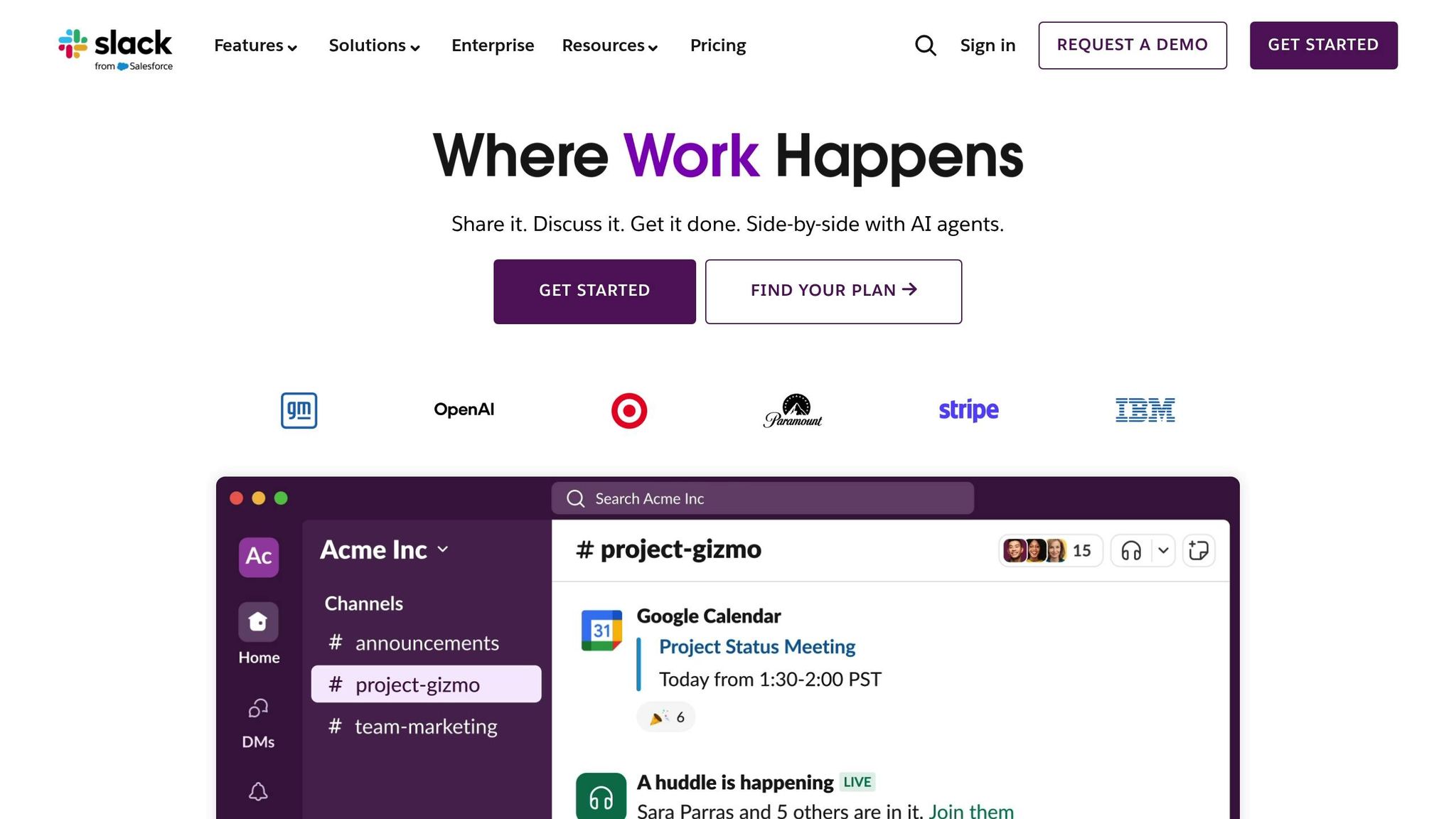
Cross-Application Search
With cross-application search, teams can access conversations, files, and data from various business tools directly within Slack, eliminating the need to switch between platforms like Google Drive, Salesforce, Jira, or GitHub [2]. This is achieved through a real-time federated search system that ensures all results reflect up-to-date data and permissions.
By leveraging custom API connectors, this system breaks down information silos, allowing proprietary knowledge bases and internal wikis to be searchable alongside standard tools [2]. This seamless integration lays the groundwork for smarter query handling and streamlined workflows.
Natural Language Queries
Modern enterprise search systems in Slack now interpret the intent behind your queries, delivering results tailored to your role, recent work, and search history [2]. Gone are the days of struggling with exact terminology - ask something like, "What’s the status of the quarterly budget?", and semantic search will understand your intent, even if your phrasing isn't precise [2].
Permission-Based Security
Data security is a top priority in enterprise search. Slack ensures information visibility is controlled at query time, not just during indexing, so you only see what you’re authorized to access [3].
For industries with strict regulatory requirements, Slack supports both FedRAMP Moderate and FedRAMP High environments. It also offers Enterprise Key Management (EKM), which enables organizations to manage their own encryption keys, granting full control over data access [3]. Additionally, admins can enforce governance by restricting specific data sources to designated departments or identity provider (IDP) groups, adding an extra layer of security beyond individual file permissions [1].
Analytics and Insights for Search Optimization
Search Behavior Analytics
Enterprise search tools offer valuable metrics that shed light on how employees find information and where they encounter roadblocks. For instance, resolution rates measure the percentage of queries resolved without requiring human help, giving a clear picture of how well your knowledge base supports everyday needs. Similarly, automation rates track the volume of repetitive questions handled by the system, allowing subject-matter experts to focus on more complex tasks.
Another key metric is the logging of unanswered queries. This feature captures specific questions the system couldn't resolve, providing a direct guide for improving your documentation. Tools like Question Base take this a step further by tracking content performance across platforms like Notion, Confluence, and Google Drive. This helps identify which sources deliver accurate answers and which need attention.
While Slack FAQ bots vs. knowledge base tools differ in how they tally questions, enterprise-grade solutions dive deeper. They measure resolution rates, self-service success, and the overall productivity boost from automation. These advanced metrics are crucial when justifying investments or scaling up your knowledge operations. They also highlight content gaps that need to be filled for better performance.
Finding Content Gaps
Search performance metrics can also pinpoint areas where documentation falls short. When employees repeatedly ask questions the system can't answer, those patterns reveal exactly where your knowledge base is lacking. For example, Question Base automatically logs and categorizes these unanswered queries, generating reports that align with sprint cycles or quarterly planning. This makes it easier for teams to prioritize what needs to be documented next.
AI-powered tools also help by detecting and consolidating duplicate queries from multiple channels into a single source. Additionally, tracking trends by department can guide more targeted content creation. Whether it's IT troubleshooting guides, HR policy clarifications, or sales-related data access instructions, these insights ensure your documentation efforts are focused on actual needs rather than assumptions.
Build a No-Code AI Knowledge Base in Slack 🚀
Tools for Enhanced Slack Search
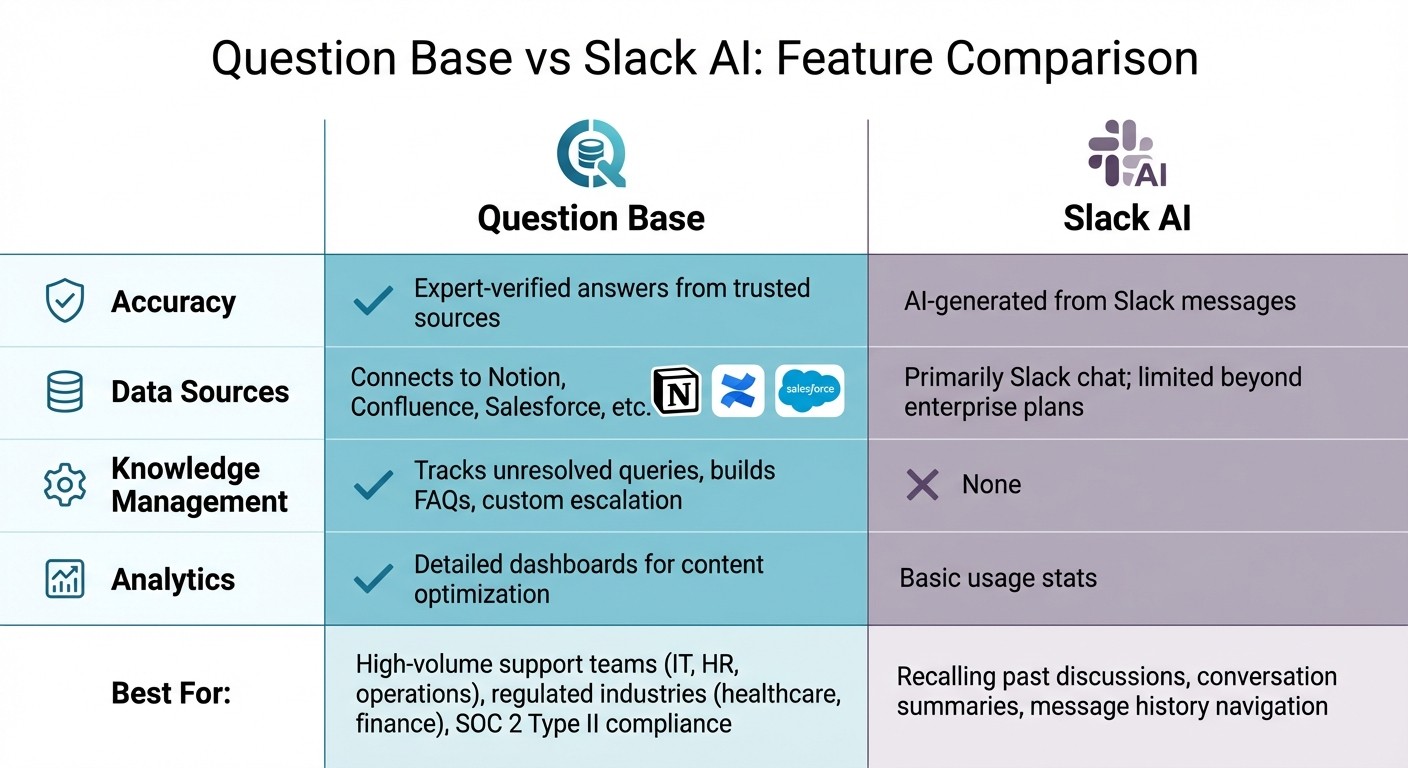
Question Base vs Slack AI Feature Comparison for Enterprise Search
Building on the advanced search and analytics features discussed earlier, specialized tools can take Slack's knowledge retrieval to the next level.
Question Base Overview

Slack’s built-in search works well for retrieving basic information, but Question Base goes several steps further. It acts as an AI-powered answer agent, designed to streamline how enterprises organize Slack knowledge and manage access. Instead of simply searching through messages, Question Base delivers expert-verified answers by pulling directly from trusted sources like Notion, Confluence, Salesforce, and other official repositories.
Setting up Question Base is straightforward - install it from the Slack App Marketplace, and with a simple /invite @questionbase command, you can connect it to your organization’s documentation. By leveraging search analytics, Question Base transforms static data into actionable knowledge. Employees can submit natural language questions and receive precise answers sourced from verified documentation. It also builds a dynamic, searchable FAQ by capturing Slack insights, turning everyday interactions into a continually improving knowledge base.
Question Base vs. Slack AI
While Slack AI focuses on summarizing conversations and helping users navigate their message history, Question Base is tailored for teams that need accurate, verified answers at scale. It’s particularly effective for HR, IT, and operational support teams that rely on trusted documentation to address inquiries.
Feature | Question Base | Slack AI |
|---|---|---|
Accuracy | Expert-verified answers from trusted sources | AI-generated from Slack messages |
Data Sources | Connects to Notion, Confluence, Salesforce, etc. | Primarily Slack chat; limited beyond enterprise plans |
Knowledge Management | Tracks unresolved queries, builds FAQs, custom escalation | None |
Analytics | Detailed dashboards for content optimization | Basic usage stats |
The key difference lies in their data sources and accountability. Slack AI works well for recalling past discussions by generating summaries from chat history, but it doesn’t provide the precision needed for compliance questions, policy details, or technical troubleshooting. Question Base, on the other hand, pulls answers from official documentation, ensuring every response is backed by a trusted source that can be reviewed and updated by knowledge managers.
When to Use Question Base
Enterprises turn to Question Base when precision and accountability are more important than speed. High-volume support teams in IT, HR, and operations rely on it to handle routine inquiries - like questions about benefits, software access, or onboarding - so subject-matter experts can focus on more complex tasks. This approach aligns with the secure, enterprise-grade search functionality discussed throughout this guide.
Industries with strict regulations, such as healthcare and finance, particularly benefit from Question Base’s SOC 2 Type II compliance, encryption (both at rest and in transit), and optional on-premise deployment. These organizations can’t depend on AI-generated summaries of chat threads when regulatory standards require traceable, verified information. Question Base also offers granular controls, allowing teams to specify which content sources are accessible in each Slack channel. This level of customization is something general-purpose tools simply don’t provide.
Conclusion and Recommendations
Key Takeaways
Searching for information within Slack requires tools that seamlessly connect with other apps, enforce strict security protocols, and leverage analytics for better performance. Features like cross-application search and natural language queries, combined with permission-based security, are the backbone of efficient knowledge retrieval. For teams relying on trusted sources like Confluence, Notion, or Salesforce, having a solution that can verify and retrieve accurate information is essential. Question Base fills this need by offering expert-verified answers while adhering to SOC 2 Type II standards and providing full auditability. Its human-in-the-loop system ensures that all answers are approved and traceable - an absolute necessity in regulated industries where employees spend too much time sifting through disconnected platforms to find reliable information.
With these insights in mind, you're ready to take informed steps toward improving your Slack knowledge ecosystem.
Next Steps
To put these strategies into action, start by auditing your existing knowledge repositories and categorizing queries into two groups: simple FAQs and more complex, nuanced questions. For departments like HR, IT, or finance - where compliance and accuracy are non-negotiable - focus on solutions that offer permission inheritance and escalation based on confidence levels. For example, Question Base automatically routes queries with less than 90% confidence to human experts, ensuring precision even at scale.
Begin with a pilot program in a department where automation can have the highest impact. Track metrics like time saved and automation rates to evaluate success before rolling out the solution across the organization. Additionally, use search logs to identify any gaps in your documentation and update resources as needed to keep your knowledge base relevant and effective.
FAQs
How does enterprise search in Slack help teams work more efficiently?
Enterprise search in Slack streamlines team workflows by offering quick, centralized access to information stored across messages, files, and connected tools. Instead of sifting through multiple platforms or endless threads, employees can locate what they need in seconds, cutting down on wasted time and bridging information gaps.
Integrating Slack with tools like Notion, Google Drive, or Salesforce ensures that essential knowledge is always within reach. This approach keeps teams aligned and focused, enabling them to work more effectively without interruptions.
What security measures are included in Slack's enterprise search?
Slack's enterprise search prioritizes security at the highest level, meeting SOC 2 Type II compliance standards to uphold stringent data protection. It ensures all data is encrypted both at rest and during transit, adding layers of protection. For organizations needing extra control over their sensitive information, there’s also an option for on-premise deployment.
How does Question Base improve Slack’s search functionality?
Question Base takes Slack's standard search capabilities and upgrades them into a smarter, more effective knowledge solution. While Slack's built-in search primarily pulls keywords from chat history, Question Base goes further by directly integrating with trusted platforms like Notion, Confluence, and Salesforce. This means it delivers precise, expert-approved answers, not just a list of past conversations.
It also streamlines Slack discussions by identifying repeated questions, organizing information, and building a continually updated knowledge base. This ensures employees can access the answers they need quickly, helping teams save time, make better decisions, and work more cohesively - especially in HR, IT, and operations support roles.