∙
Cooper
∙
Reading time:
17 min

Repetitive questions slow teams down, and switching between apps like Salesforce, Confluence, and Zendesk wastes hours. Integrating Slack with these tools transforms it into a central hub where your team can retrieve data, manage workflows, and get instant answers - without leaving Slack. Add AI-powered tools like Question Base, and you can automate responses, reduce context switching, and keep your team focused.
Key benefits of Slack integrations:
Access data from tools like Notion, Salesforce, and Jira directly in Slack.
automate repetitive tasks like ticket updates or CRM notifications.
Use AI to deliver verified answers from trusted sources, cutting down on manual searches.
Ensure compliance with enterprise-grade security features like SSO and data encryption.
This guide explains how to connect Slack to tools like Notion, Salesforce, and Zendesk, secure your integrations, and troubleshoot common issues. You’ll also learn how Question Base simplifies knowledge management and boosts productivity by turning Slack into a powerful internal support system.
I Made AI Agent for Slack in 5 minutes - Step-by-Step Tutorial
Prerequisites for Slack Integrations
Before linking Slack to your databases, CRMs, wikis, or ticketing systems, it’s essential to evaluate your Slack plan and ensure your security settings are prepared for enterprise-level integrations.
Slack Plans and Required Permissions
Every Slack plan allows third-party integrations, including the Free tier. However, the Free plan limits you to 10 app integrations per workspace, which can quickly become restrictive if you're connecting tools like Salesforce, Confluence, Notion, Google Drive, Jira, and Zendesk. For organizations needing more flexibility, higher-tier plans are necessary.
Pro, Business+, and Enterprise+ plans support unlimited app integrations, with each tier offering additional features. For instance, Enterprise Search, which enables users to search across all connected systems directly from Slack, is exclusive to the Enterprise+ plan. Both Business+ and Enterprise+ plans also include SAML-based single sign-on (SSO) and SCIM user provisioning, giving IT teams centralized control over access to integrated tools. Additionally, if your organization works with protected health information, HIPAA compliance is available only on Enterprise+[4][5].
Regarding permissions, app installations must be approved by admins. Question Base simplifies this process by using OAuth for secure and straightforward account linking[7][2].
Once you’ve identified the right plan, ensure your security protocols align with enterprise integration needs.
Security and Compliance Requirements
Enterprise integrations require rigorous security measures. Begin by confirming that any tool you connect adheres to SOC 2 Type II or ISO 27001 standards, ensuring strong security, availability, and confidentiality.
Check that data is encrypted both in transit (TLS v1.2+) and at rest (using FIPS 140-2)[6]. For tools like Salesforce or Confluence, verify that integrations respect the permissions of the source system - users without access to a document in Confluence, for example, shouldn’t be able to retrieve it through Slack.
If you operate in a regulated industry, ensure the tool offers U.S.-based data residency or on-premise deployment options. Question Base, for example, meets SOC 2 Type II compliance standards and provides on-premise deployment for organizations needing complete control over their data[3]. Additionally, Enterprise+ plans include native Data Loss Prevention (DLP), which scans messages and files for sensitive content before they’re shared externally[4].
To ensure a smooth rollout, start with a pilot phase involving 1 to 3 teams - such as IT, HR, or Customer Success - over a 4 to 8-week period. This allows you to fine-tune security settings and monitor access patterns before expanding company-wide. Schedule quarterly reviews to ensure sensitive data isn’t unintentionally indexed.
Once your security and compliance requirements are in place, gather the necessary credentials to proceed with integrations.
Getting API Keys and Authentication Credentials
Modern integrations typically rely on OAuth authorization, eliminating the need for manual API key management. When you install an app like Question Base, you’ll be prompted to connect accounts for tools such as Notion, Google Drive, Confluence, Salesforce, HubSpot, Zendesk, and Jira[7][2]. Simply follow the prompts, and the app securely handles credential storage.
Administrators can oversee tool connections and manage continuous data syncing from the Integrations tab within the app’s workspace settings[7][1]. Advanced integrations ensure that updates happen in real-time; for example, when a policy is updated in Notion or a ticket is resolved in Zendesk, the information in Slack reflects these changes immediately[3]. This secure and automated setup ensures your tools stay synchronized, enabling seamless collaboration across your enterprise systems.
How to Connect Slack with Enterprise Tools
Once you've sorted out security and permissions, it's time to link Slack with the tools your team uses daily. This integration brings your systems together in one place, cutting down on constant app-switching and making workflows smoother. Most tools connect using OAuth authentication, which ensures a secure login process.
Connecting Wikis: Notion and Confluence
For Notion, start by installing the Notion app from the Slack App Directory and granting it access to your workspace. You can create new pages directly from Slack using /notion create, or save messages to Notion with the three-dot menu. To stay updated, set up automatic notifications to post in specific channels whenever Notion pages are updated.
For Confluence, install the app and use /confluence notify to create personalized alerts for mentions or changes to watched content. You can also link a Confluence page to a Slack channel with /confluence connect <page-url>, so updates appear in real-time when the page is edited. Both tools respect your existing access permissions, so only authorized users see the updates.
While these integrations are great for notifications and page management, Question Base takes it a step further. It indexes your entire Notion and Confluence repositories, allowing employees to get direct answers in Slack. For instance, someone could ask, "What’s our parental leave policy?" and instantly receive the answer along with a link to the source document.
Next, let’s look at connecting your CRM to manage customer data more effectively.
Connecting CRMs: Salesforce Integration
Integrating Salesforce with Slack requires collaboration between your Slack and Salesforce administrators. Before you begin, make sure your Salesforce instance has a custom domain (My Domain) - this acts as the connection bridge between the two platforms.
"To eliminate the unnecessary swivel chair... you'll want to connect the two systems. This way, you're meeting your users where they are in Slack, automating data back in Salesforce, and notifying teams of changes."
Jennifer W. Lee, Lead Admin Evangelist, Salesforce
Start in Salesforce by navigating to Setup > My Domain, and copy your domain URL. In Slack, go to Tools & settings > Manage Salesforce Organizations and click Connect Salesforce Org. Paste the domain URL, select the authentication method (Email or SAML), and click Request Connection. The Salesforce admin approves the request in the Manage Slack Connection section, and the Slack admin finalizes the setup by clicking Activate.
Once connected, head to Slack Apps Setup in Salesforce to enable specific applications like Sales Cloud, Service Cloud, or CRM Analytics for Slack. Use Salesforce Flow Builder to automate notifications in Slack - for example, sending a message when a deal closes or when a new lead is added.
Connecting Databases: Google Sheets and Airtable
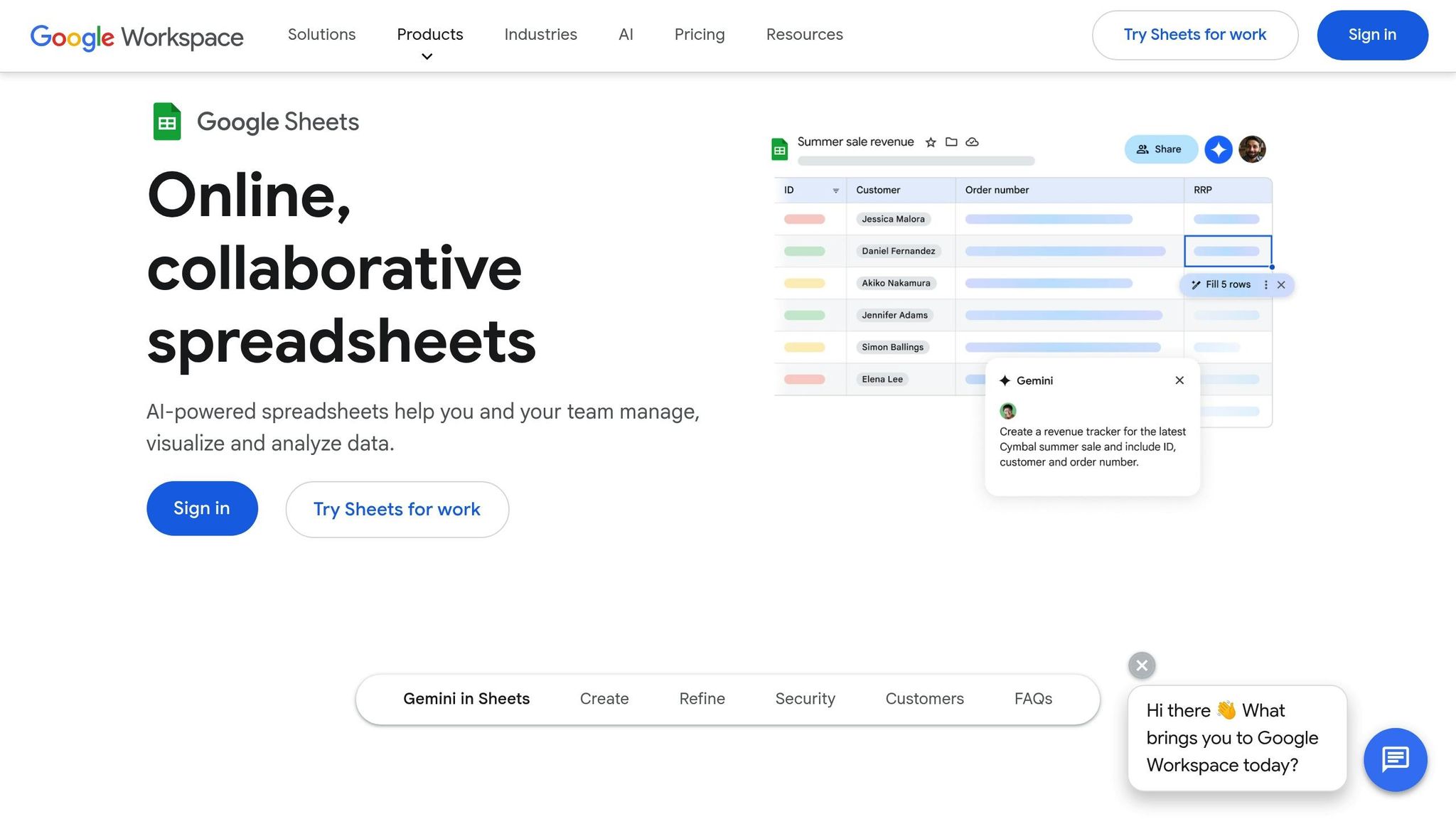
Google Sheets and Airtable don’t have strong native integrations with Slack, but tools like Zapier or custom workflows can bridge the gap. With Zapier, you can trigger Slack messages when a row is added or updated in Google Sheets. You can also set up custom slash commands to query specific sheets and return results in Slack.
For Airtable, use Zapier or Airtable’s built-in automations to post notifications when records are updated. For example, if your HR team tracks new hires in Airtable, you can configure an automation to post a welcome message in Slack whenever a new employee is added. These connections ensure real-time updates without manual effort.
Question Base adds another layer by pulling live data from sources like Google Sheets. This means you can ask something like, "What’s the current headcount in the engineering department?" and get an instant response with accurate, up-to-date information.
Lastly, let’s explore how to connect ticketing systems for seamless support.
Connecting Ticketing Systems: Zendesk and Jira
Zendesk integrates with Slack to make support workflows more efficient. After installing the Zendesk app, you can sync tickets to specific Slack channels for real-time updates. Tickets can be created directly from Slack by selecting "Create Zendesk ticket" from the three-dot menu, which automatically includes the message content. Status updates are also posted to the channel, keeping everyone informed.
Jira works in a similar way. Install the Jira Cloud app, connect your Atlassian account, and configure which projects or issue types should send notifications to Slack. You can create issues from Slack messages, link them to channels, and receive automatic updates as issues progress. For example, when a bug is marked as "Done", Jira will notify your engineering channel.
Enterprises using Question Base report automation rates exceeding 90% for frequently asked questions[3]. Instead of digging through Zendesk articles or Jira documentation, employees can ask their questions in Slack and get immediate answers. If further help is needed, the query can be escalated to a human agent seamlessly.
Using Question Base to Connect Multiple Tools at Once

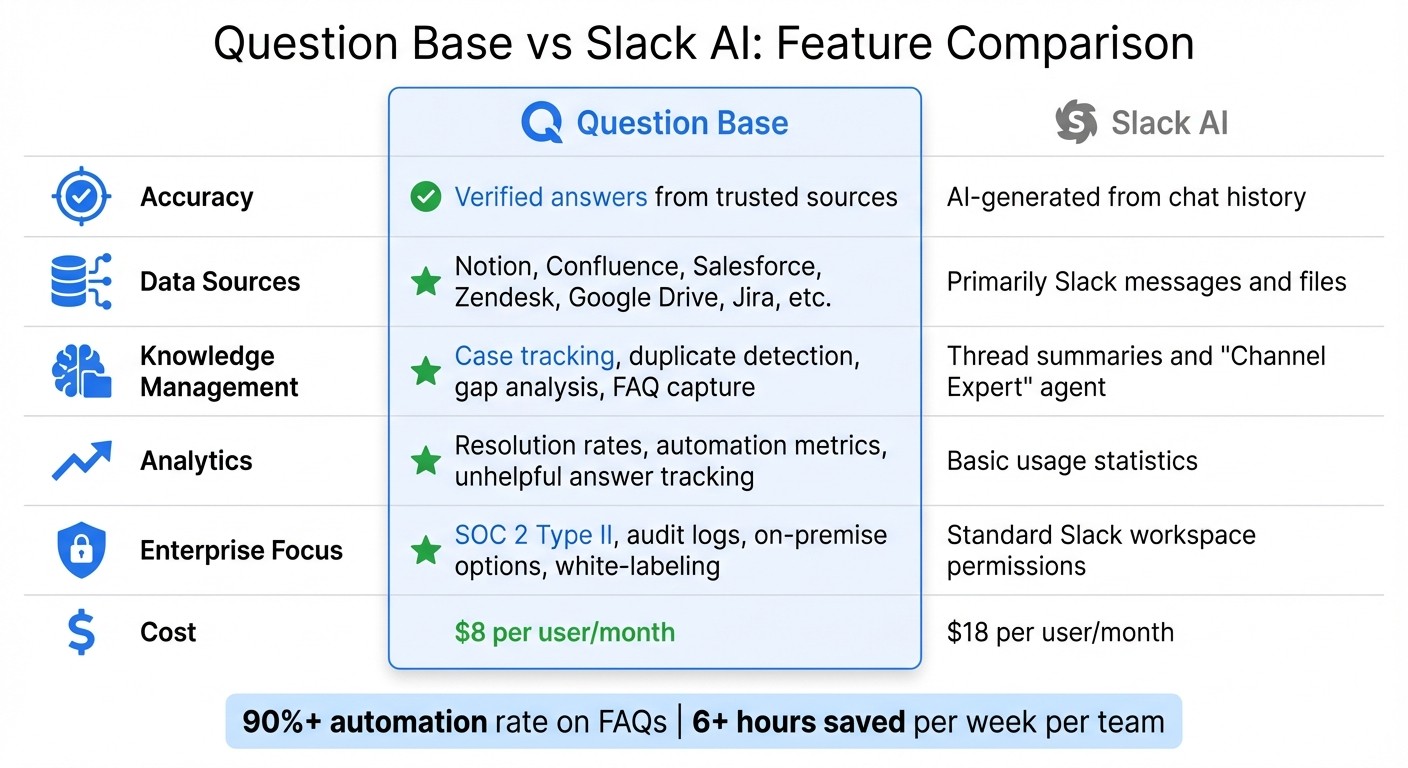
Question Base vs Slack AI Feature Comparison for Enterprise Teams
Managing multiple integrations can still feel clunky, even when individual tools help cut down on app switching. Question Base simplifies this by acting as a centralized AI answer agent that links all your enterprise tools at once. Whether it’s Notion, Confluence, Salesforce, Zendesk, Google Drive, Jira, or others, Question Base turns Slack into a one-stop knowledge hub. With a single installation, you can connect your documentation via OAuth, allowing the platform to instantly index all sources and provide verified answers directly in Slack.
After setup, you choose the data sources to index. From there, employees can ask questions like, "What’s the process for expense reimbursement?" or "How do I reset a customer’s password?" and receive instant, accurate answers - pulled straight from your trusted documentation. Since the responses come from expert-verified sources, you can trust their accuracy. This unified system enhances support and makes accessing knowledge seamless across your organization.
Why Question Base Works Better for Enterprise Support
While Slack AI focuses on summarizing conversations, Question Base takes it a step further by delivering verified answers directly from your trusted documents. This is particularly important for teams that need precise and scalable knowledge solutions. Unlike Slack AI, which relies heavily on chat history, Question Base integrates with multiple platforms to provide answers rooted in reliable sources.
Question Base also offers advanced analytics tailored for enterprise needs. Beyond basic usage stats, you can track metrics like resolution rates, identify unanswered questions, and measure automation effectiveness. Teams using Question Base report automation rates exceeding 90% and save, on average, over six hours per week[3]. With SOC 2 Type II compliance, data encryption (both at rest and in transit), and on-premise deployment options, Question Base meets the strict data security requirements of enterprises[3].
Question Base vs Slack AI: Feature Comparison
Here’s a side-by-side look at how Question Base outshines Slack AI:
Feature | Question Base | Slack AI |
|---|---|---|
Accuracy | Verified answers from trusted sources | AI-generated from chat history |
Data Sources | Notion, Confluence, Salesforce, Zendesk, Google Drive, Jira, etc. | Primarily Slack messages and files |
Knowledge Management | Case tracking, duplicate detection, knowledge gap analysis, FAQ capture | Thread summaries and "Channel Expert" agent |
Analytics | Resolution rates, automation metrics, unhelpful answer tracking | Basic usage statistics |
Enterprise Focus | SOC 2 Type II, audit logs, on-premise options, white-labeling | Standard Slack workspace permissions |
Cost | $8 per user/month | $18 per user/month |
Question Base Use Cases by Industry
With its streamlined integrations, Question Base empowers organizations across industries to deliver accurate, compliant answers at scale. Here are a few examples:
Healthcare: Teams can quickly access protocols and compliance guidelines. Built-in escalation workflows ensure that urgent queries are routed to the right experts when needed.
Financial Services: Firms rely on Question Base to deliver verified answers while maintaining strict control over sensitive data integration.
Insurance: Support teams can easily access claims guidelines and policy details, eliminating the need to manually search through multiple systems.
In all cases, the ability to trace every answer back to its original source ensures compliance, builds trust, and enhances operational efficiency across the board.
Testing and Fixing Integration Issues
Once your Slack integrations are up and running, the next crucial step is ensuring they operate without a hitch. Even the best integrations can encounter hiccups like permission mismatches, expired tokens, or hitting API rate limits. To keep workflows seamless, it’s essential to test and monitor these integrations regularly. Start by verifying that data syncs correctly and that integrations respond as expected.
Testing Data Sync and Functionality
Begin by asking natural-language questions in Slack to confirm that tools like Notion, Salesforce, and Zendesk are delivering accurate responses[7][2]. For example, you might ask, "What's our Q1 sales target?" or "How do I submit a PTO request?" and then cross-check the answers against your source documentation. Testing with users who have varying access levels is equally important. This ensures that Slack only delivers content each user is authorized to see, safeguarding sensitive information.
To further refine accuracy, enable reaction-based feedback in Slack. By allowing employees to rate responses, you can quickly identify incorrect data syncs and pinpoint areas where documentation may need improvement. For larger organizations with over 1,000 employees, it’s wise to simulate high-traffic scenarios during peak hours. This stress test confirms that your automation workflows remain reliable even under heavy loads. Such thorough testing ensures your centralized knowledge hub stays dependable, which is vital for keeping enterprise operations efficient.
Fixing Common Integration Problems
One common issue is OAuth token expiration, which disrupts data sync until re-authentication occurs. To minimize downtime, set up automatic token rotation to keep services running smoothly[9]. If users report accessing content they shouldn’t, revisit your permission mapping. Your integration settings must align with the access controls in your source systems, such as Confluence or Salesforce.
Low-confidence responses often arise when key documentation is missing. Address this by setting up escalation rules that tag human experts whenever confidence drops below 70%. Keep an eye on analytics for unanswered queries, as these often highlight gaps in your knowledge base or areas where information is difficult to find. Regularly audit your content - quarterly reviews of access logs and documentation lifecycles can help you archive outdated information and ensure sensitive data remains secure. Taking quick action on these issues helps maintain high performance and user trust.
Monitoring Integration Performance
Tracking performance metrics like resolution rate and automation rate is essential for spotting issues early. Pay special attention to flagged responses - those marked by users as incorrect or incomplete - as they often reveal areas where documentation needs refinement. Monitoring message throughput and API call volumes can also help you avoid exceeding Slack's rate limits. To prevent bottlenecks, schedule heavy tasks during off-peak hours[8].
"Security shouldn't be an afterthought. A secure Slack ecosystem requires a proactive approach that integrates security principles directly into your development and management workflows." - Slack Developer Docs[9]
Building on this principle, continuous monitoring not only safeguards performance but also ensures compliance. For industries with strict regulations, confirm that your integration supports U.S.-based data residency and meets SOC 2 Type II standards. Use Slack’s CLI to run bulk audits of app collaborators and permission scopes, flagging any apps with excessive access requests[9]. When introducing new integrations, pilot them with a small group - such as IT or HR teams - for four to eight weeks. This controlled rollout helps identify potential issues early while building organizational confidence in the new tools.
Conclusion
To wrap up our integration strategy, it's clear how this approach reshapes team productivity. By connecting Slack with top enterprise tools, workflows become centralized, context switching is minimized, and real-time updates are delivered - all within the platform your team already uses to communicate.
While Slack AI excels at summarizing past conversations and improving general productivity, Question Base stands out for delivering precise, scalable internal support. It taps into trusted documentation sources - like Notion, Confluence, Salesforce, and Google Drive - providing verified answers in just 3.2 seconds. Unlike AI tools that rely solely on chat history, Question Base ensures responses are accurate, auditable, and aligned with your organization’s single source of truth. For enterprise teams managing thousands of employees, this distinction matters: achieving over 90% automation on FAQs allows HR, IT, and operations teams to shift their focus to more strategic initiatives[3].
The platform’s analytics and knowledge management tools add even more value. Teams can monitor resolution rates, pinpoint documentation gaps through logs of unanswered questions, and maintain robust audit trails. Enterprise users consistently highlight increased trust and compliance thanks to expert-verified responses.
For companies aiming to scale their knowledge management effectively, Question Base delivers the security, customization, and precision that generic tools can’t match. It builds a scalable knowledge system that empowers teams to stay focused on high-value work, while ensuring experts remain in control of the process. This integrated solution is how modern organizations eliminate distractions and unlock their team’s full potential.
FAQs
How can integrating Slack with tools like Salesforce and Zendesk boost team productivity?
Integrating Slack with platforms like Salesforce and Zendesk turns it into a powerful hub where teams can quickly access essential information. Instead of juggling multiple apps, team members can pull up customer records, check ticket statuses, or view CRM details - all without leaving Slack. This eliminates constant app-switching, speeds up decision-making, and lets teams dedicate more time to meaningful work.
By incorporating Question Base, these integrations are fine-tuned to meet the demands of enterprise environments. Teams experience lighter workloads for experts and faster ticket resolution times by pulling accurate answers straight from trusted tools like Salesforce and Zendesk. This efficient setup simplifies workflows, reduces repetitive questions, and boosts overall team productivity.
What are the key security practices for integrating Slack with enterprise tools?
When linking Slack with enterprise tools like CRMs, databases, wikis, or ticketing systems, prioritizing strong security measures is essential to safeguard sensitive data and ensure compliance.
Start by implementing identity controls. Use SAML-based single sign-on (SSO) and multi-factor authentication (MFA) to verify user identities. Automate user provisioning to streamline access management and regularly review permissions for third-party apps. Additionally, manage guest and external partner access carefully, and fine-tune Slack Connect settings to oversee communication across organizations.
At the data level, enable enterprise-grade encryption to secure data both at rest and in transit. For those needing extra control, Enterprise Key Management (EKM) lets you manage your encryption keys directly. To further protect sensitive information, deploy Data Loss Prevention (DLP) tools to block unauthorized file sharing and set file-download restrictions for unmanaged devices.
Lastly, activate audit logging and integrate these logs with a security platform. This approach helps monitor activity, detect unusual behavior, and maintain a comprehensive audit trail for compliance purposes. These steps create a secure Slack environment while maintaining seamless integration with your enterprise systems.
How does Question Base improve Slack for enterprise knowledge management?
Question Base turns Slack into a dynamic knowledge hub by delivering verified, source-backed answers right where your team communicates. While Slack AI relies on chat history, Question Base goes further by pulling information from trusted platforms like Notion, Confluence, Salesforce, and Google Drive. This means responses are not only accurate but also up-to-date and rooted in your official documentation.
Beyond just answering questions, Question Base offers robust knowledge management tools. Features like case tracking, duplicate detection, and analytics help teams monitor resolution rates and identify trends. With permission-aware syncing, users only see information they’re authorized to access, and enterprise-grade security, including SOC 2 Type II compliance, ensures your data stays protected. Built with HR, IT, and Ops teams in mind, Question Base simplifies workflows, minimizes repetitive questions, and boosts team efficiency - all seamlessly integrated within Slack.