∙
Cooper
∙
Reading time:
12 min

Slack overload slows teams down. Workers often struggle to find what they need amidst endless threads. AI is changing this by turning Slack into an assistant that highlights urgent tasks, summarizes conversations, and integrates with tools like Salesforce and Google Drive. The result? Teams save time and focus on decisions instead of digging through messages.
Key insights:
Time savings: Salesforce reported saving 500,000 hours annually using AI in Slack.
AI features: Tools like semantic weighting prioritize action items from conversations, saving users 97 minutes weekly.
Frameworks: Methods like the Eisenhower Matrix and RICE scoring integrate with Slack to align tasks with team goals.
Specialized tools: Solutions like Question Base and Reclaim.ai provide verified knowledge and smarter scheduling.
Sort Slack Mentions with AI Wizard | Send to Tasks, Gmail & Sheets ⚡
Slack AI for Task Prioritization
Slack's AI features simplify how enterprises identify action items, eliminating the need for tedious manual searches. By using semantic weighting, the platform focuses on the most important parts of conversations - like decision points, action items, and messages with high engagement - while filtering out irrelevant chatter [7]. This approach helps teams move from scrolling through threads to actually getting things done.
"The team refined the output by weighting important message types (e.g., decision points, action items, and high-reaction messages) more heavily and deprioritizing off-topic or redundant responses." – Curtis Allen, Backend Senior Staff Engineer, Slack AI [7]
On average, users save 97 minutes per week with features such as channel recaps, thread summaries, and AI-powered search answers [10]. Each task suggestion comes with source citations, allowing users to hover over a citation to verify the original message or file before taking action [6][9].
Task Suggestions from Slack AI
Slack AI doesn’t just analyze text; it pulls actionable tasks from a variety of conversation types. During Huddles, for example, it captures speaker details, summarizes key takeaways, and identifies assignable tasks [9][10]. The system is multimodal, meaning it can process both spoken words and visuals from shared files like PDFs and images [6][9].
Slackbot, introduced in January 2026, acts as a context-aware assistant. It scans transcripts, documents, and messages to consolidate actionable steps [8][11]. However, teams are encouraged to validate these extracted tasks using the built-in citations for accuracy [9]. Working in public channels rather than private DMs also gives the AI more context, improving the quality of summaries and task suggestions [4].
These task suggestions integrate seamlessly with Slack's Workflow Builder, creating a smoother path from identification to execution.
Integration with Slack Workflow Builder
Slack AI pairs with Workflow Builder to automate task assignments and reminders. Users can create workflows using simple natural language commands, such as: "Every Thursday, summarize the last 7 days of a channel and send it to a summary channel" [13]. These workflows are designed to work with external tools like Jira, Salesforce, Asana, and Google Sheets, ensuring tasks flow smoothly across platforms [12][14].
For instance, Intuit QuickBooks connected conversational AI bots to Slack, which reduced case resolution times by 36% and saved 9,000 hours annually [15]. Automation through Slack workflows also led to a 28% boost in time saved specifically from workflow usage [12].
What’s more, 80% of workflow builders are non-technical users, thanks to Slack's no-code AI builder [12]. Teams can even set up emoji triggers - like a checkmark or eyes emoji - to automatically assign follow-up tasks or send reminders [13]. This approach not only cuts down on manual triaging but also ensures urgent requests don’t get lost in the shuffle.
Framework-Based Task Prioritization in Slack
AI-powered tools can automatically highlight urgent tasks, but many organizations still depend on well-established frameworks to align their work with strategic priorities. Two popular methods - the Eisenhower Matrix and RICE scoring - have seamlessly integrated into Slack, allowing teams to combine human decision-making with AI-driven insights. Among these, the Eisenhower Matrix stands out for its straightforward approach to sorting tasks by urgency and importance.
Eisenhower Matrix Channels
The Eisenhower Matrix divides tasks into four categories: urgent/important, important/not urgent, urgent/not important, and neither urgent nor important. Enterprises often implement this framework by setting up dedicated Slack channels for each category, helping teams separate immediate priorities from long-term goals.
To keep "important but not urgent" tasks organized, teams use pinned canvases for project briefings and updates. This ensures essential documentation stays accessible without cluttering active channels. Slackbot enhances this process by responding to queries like "What are my priorities today?" and quickly surfacing urgent messages, tasks, and meetings.
"Slackbot helps us focus on what matters most. For example, you can ask, 'What are my priorities today?' and it will surface the day's meetings, urgent messages, and open tasks in seconds." – Slack Blog [5]
While the Eisenhower Matrix emphasizes categorization, RICE scoring provides a more data-driven way to evaluate and prioritize tasks.
RICE Scoring with Slack Integrations
RICE scoring evaluates tasks based on four factors: Reach, Impact, Confidence, and Effort. Slack's integrations with tools like Asana, Jira, and Trello make it easier for teams to consolidate data in one place. By pulling information from these platforms, teams can refine their prioritization process using historical performance and cross-departmental insights.
Slack's Workflow Builder streamlines the collection of RICE variables, ensuring that task submissions are thorough and standardized for project management. Additionally, AI-powered enterprise search tools pull historical data from apps like Google Drive and Confluence, helping teams better estimate "Impact" and "Reach" by analyzing past outcomes [3][5]. This combination of integration and automation makes RICE scoring a practical and efficient method for prioritizing work within Slack.
Question Base: AI-Powered Knowledge-Based Task Prioritization
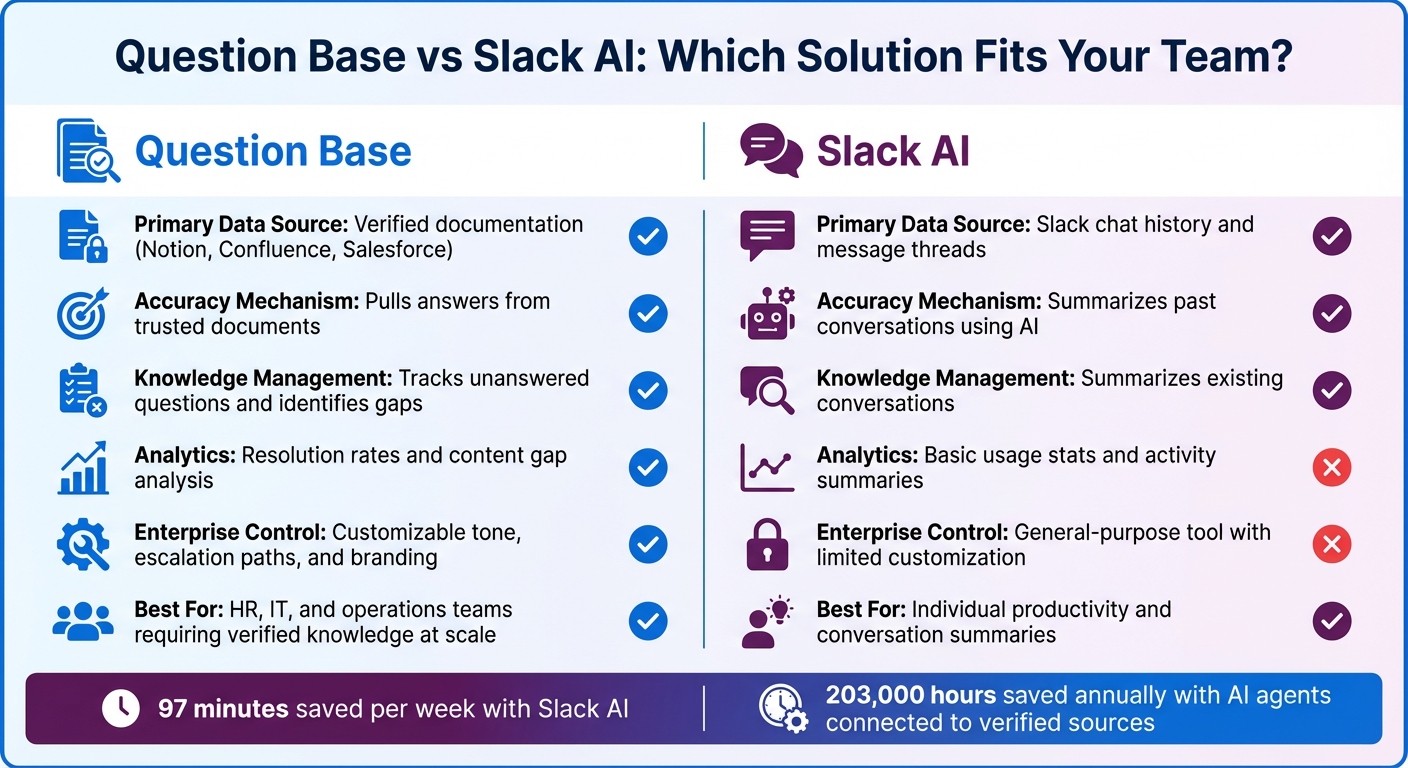
Question Base vs Slack AI: Feature Comparison for Enterprise Task Prioritization
Traditional task management often relies on manual sorting, which can be time-consuming and prone to errors. Question Base takes this a step further by integrating with your organization's trusted documentation systems to streamline task prioritization. By pulling directly from established resources, it ensures that priorities are based on what your team has already documented.
Instead of sifting through fragmented chat histories, Question Base extracts priorities from reliable sources, identifying dependencies and exposing gaps in the process. As Question Base puts it: "Question Base is your team's Slack-first Answer Agent. Instead of losing critical information in endless chat history, Question Base captures and delivers knowledge right where your team works." [1]
Refining Task Prioritization with AI
By querying connected documentation, Question Base uncovers confirmed priorities, flags missing content, and allows teams to update resources seamlessly. It also turns valuable Slack conversations into structured, searchable records. When team members need clarity on dependencies or blockers, the AI agent retrieves answers from systems like Confluence project briefs, Salesforce deal notes, or Notion sprint plans. This ensures responses are both accurate and traceable.
In 2024, Salesforce revealed that 86% of its employees rely on AI agents in Slack for answers and actions. One specific Sales Agent has helped over 25,000 salespeople save an estimated 203,000 hours annually by offering instant access to deal insights and pricing details - all within Slack. [2] This underscores the value of connecting AI to verified enterprise sources, rather than relying solely on chat-based summaries, to boost efficiency and improve decision-making on a large scale.
This approach highlights a distinct advantage over Slack AI's broader productivity focus.
Comparing Question Base and Slack AI
While Slack AI excels at summarizing conversations and helping individuals catch up on threads, it is primarily geared toward general productivity. Question Base, on the other hand, is purpose-built for teams that require precise, verified knowledge at scale - making it especially useful for HR, IT, and operations teams.
Feature | Question Base | Slack AI |
|---|---|---|
Primary Data Source | Verified documentation (e.g., Notion, Confluence, Salesforce) | Slack chat history and message threads |
Accuracy Mechanism | Pulls answers from trusted documents | Summarizes past conversations using AI |
Knowledge Management | Tracks unanswered questions and identifies gaps | Summarizes existing conversations |
Analytics | Offers metrics like resolution rates and content gap analysis | Provides basic usage stats and activity summaries |
Enterprise Control | Customizable tone, escalation paths, and branding options | General-purpose tool with limited customization |
While Slack AI helps individuals work more efficiently by summarizing past exchanges, Question Base empowers entire teams by operationalizing knowledge for future use. For organizations that prioritize accuracy, traceability, and ownership of their knowledge, Question Base transforms Slack into a robust internal knowledge assistant - all without adding extra engineering complexity.
Other AI Tools for Task Prioritization in Slack
In addition to Slack's native features and specialized solutions like Question Base, several AI tools enhance task management by automating schedules and refining workflows. Tools like Reclaim.ai and Saner.AI bring unique capabilities to the table, making task prioritization in Slack more efficient.
Reclaim.ai: Smarter Scheduling with AI
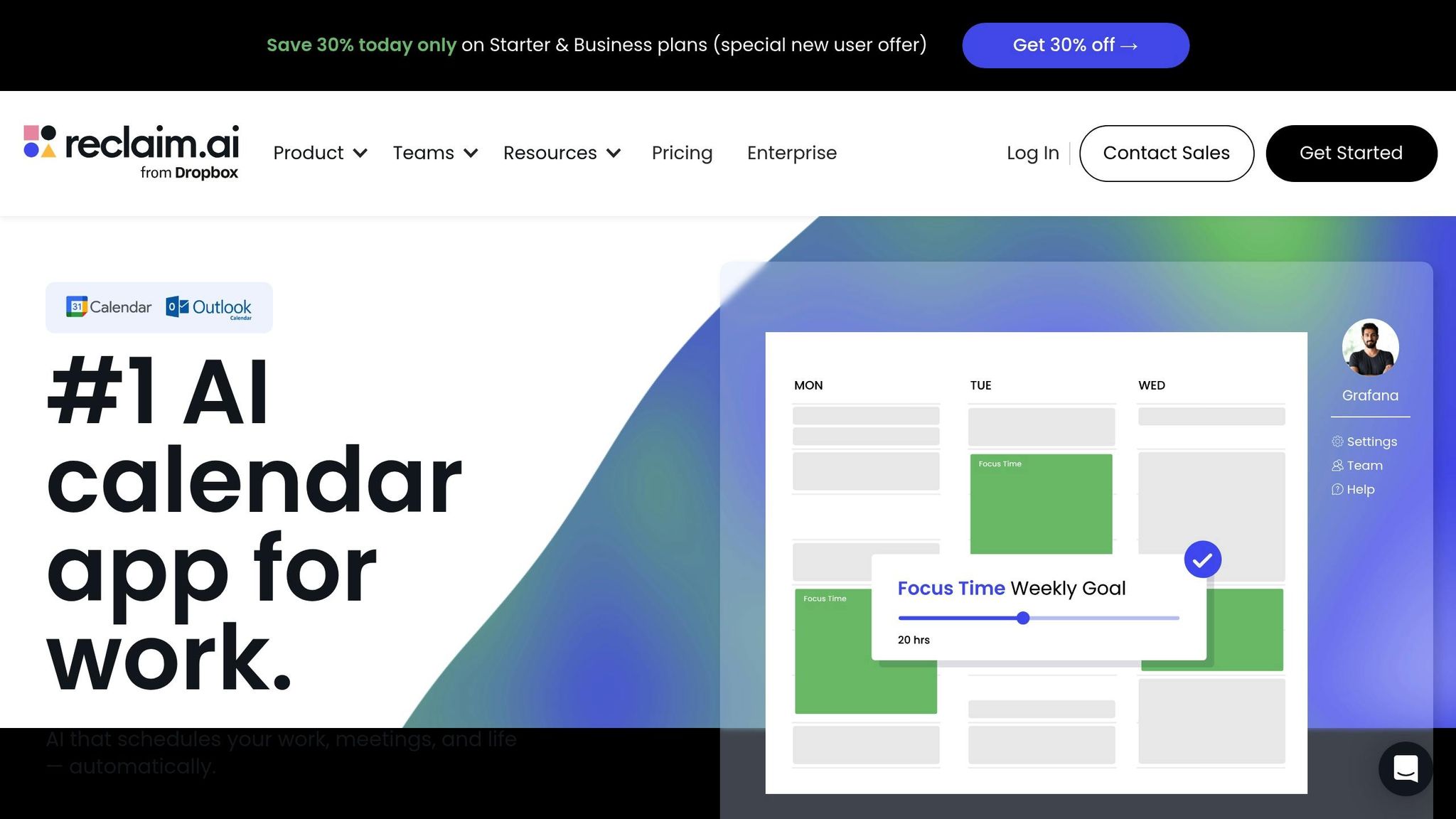
Reclaim.ai simplifies calendar management and task scheduling directly within Slack. Trusted by over 600,000 users across 65,000 companies, it automatically organizes tasks based on priority and adjusts schedules as deadlines shift [17]. With just a few clicks in the "More actions" menu, teams can turn any Slack message into a scheduled task, ensuring follow-ups are never missed [18][19]. Tasks are categorized by priority levels - Critical, High, Medium, or Low - so essential work gets done well before deadlines [21].
The Slack integration goes a step further by syncing user status with calendar events. For example, it can display statuses like "In a meeting" or "Deep work" and activate Do Not Disturb during focus blocks [18][19]. Users can also use commands like /reclaim to check their agenda, add tasks with specific priorities and durations, or share scheduling links directly in Slack channels [18][19].
"Reclaim is an essential tool for our employees to stay focused on their most important work. Our managers are able to keep up with direct reports through regular flexible meetings, and automatically plan and prioritize projects across our teams." - Raj Dutt, CEO & Co-Founder, Grafana [20]
On average, Reclaim saves users 7.6 hours each week by automating scheduling. This efficiency has been linked to a 46.7% reduction in burnout and a 41.9% improvement in work-life balance [20]. Designed with enterprise needs in mind, the platform is SOC 2 Type II certified, GDPR compliant, and supports SSO and SCIM for secure deployments [19][20].
While Reclaim.ai excels at calendar-based task management, Saner.AI focuses on extracting actionable tasks from conversations.
Saner.AI: Turning Conversations into Actions
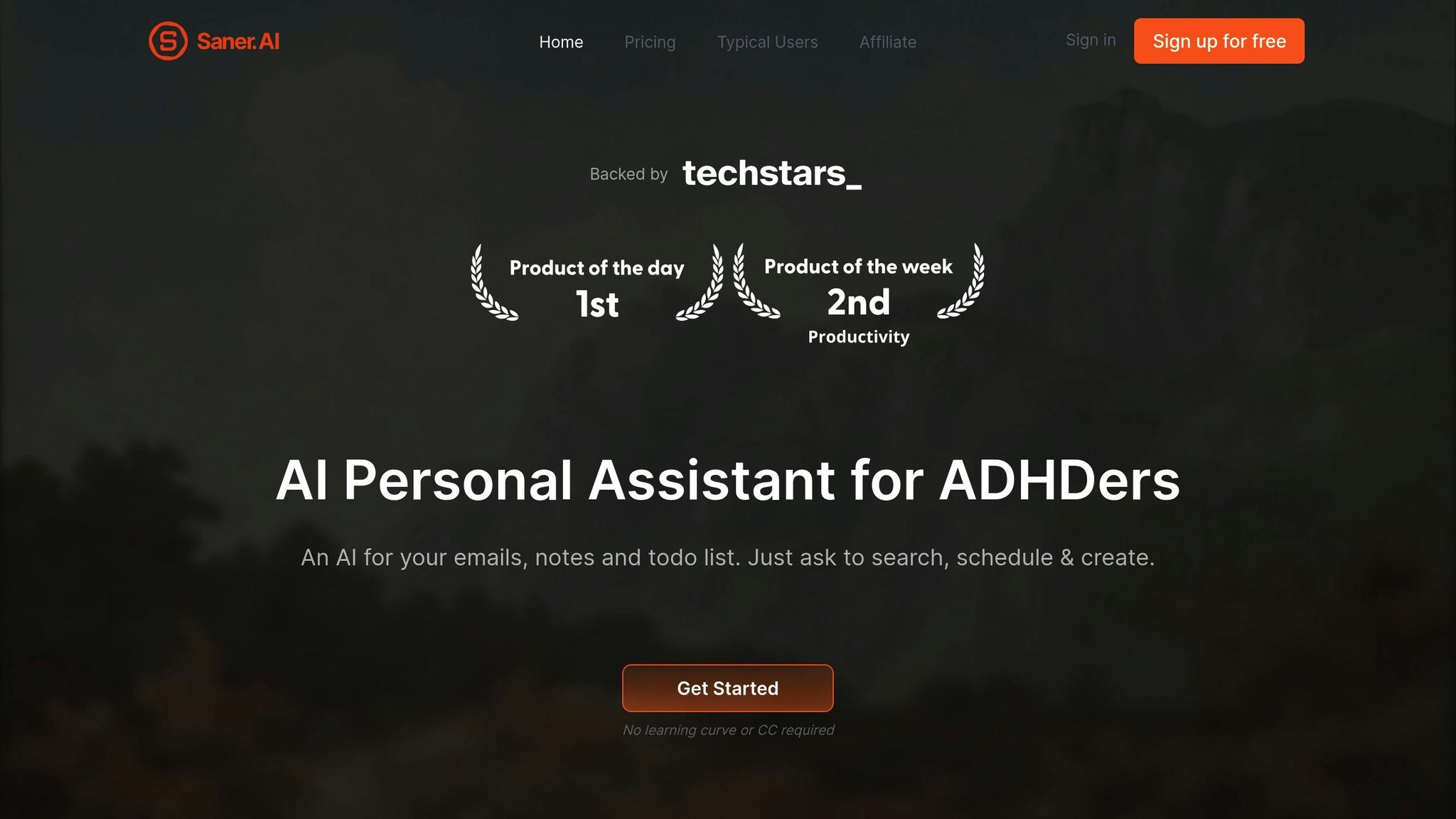
Saner.AI takes a different approach by zeroing in on workflow optimization. It identifies actionable tasks hidden within Slack conversations and integrates them into connected project management systems. Although specific performance metrics and implementation details for Saner.AI are less widely reported, its ability to capture key points from discussions and convert them into tasks makes it a valuable addition to Slack-based workflows.
Conclusion
AI-powered task prioritization in Slack thrives when enterprises blend general-purpose tools with specialized solutions tailored to specific workflows. Slack AI shines at summarizing conversations and creating quick action items, saving teams an average of 97 minutes per week [16]. However, for teams that require precision, auditability, and long-term knowledge retention, tools like Question Base fill the gaps that general AI often overlooks.
Enterprises effectively layer these tools to maximize their benefits. Slack AI provides immediate context by analyzing chat history, while Question Base ensures long-term reliability by pulling verified answers directly from trusted sources like Notion, Confluence, and Salesforce. This balance between real-time insights and authoritative documentation is essential for enterprise success, especially as it scales to larger teams. The difference lies in how these tools access information: general AI relies on past interactions, whereas purpose-built solutions connect to well-maintained, trusted documentation.
For teams managing priorities across HR, IT, and operations, a combination of structured frameworks (like Eisenhower Matrix channels or RICE scoring), Slack AI’s productivity boosts, and specialized knowledge agents creates a robust system. Question Base’s escalation workflows ensure that unanswered queries are addressed by experts, with their responses seamlessly updating the knowledge base [1]. This process transforms every unanswered question into an opportunity to expand and refine the organization’s knowledge.
Integrating tools that deliver instant context with those that provide verified, prioritized knowledge is the cornerstone of enterprise productivity. With 80% of workers reporting increased efficiency with AI [4], scalability depends on leveraging enterprise-grade solutions. While tools like Reclaim.ai and Saner.AI enhance scheduling and insights, Question Base ensures that critical knowledge remains accurate, traceable, and easily accessible.
FAQs
How does Slack AI prioritize tasks using semantic analysis?
Slack AI is designed to boost productivity by leveraging advanced semantic search to locate relevant information within conversations. However, there’s no specific mention of a built-in method for task prioritization using semantic weighting. While its capabilities streamline finding and organizing data, the details of task prioritization remain unspecified.
How can using frameworks like the Eisenhower Matrix in Slack improve task management?
Integrating the Eisenhower Matrix into Slack can transform how teams handle tasks by categorizing them into four clear quadrants: do, schedule, delegate, or eliminate. This approach helps teams concentrate on impactful work, plan tasks that aren’t urgent, assign lower-priority items efficiently, and cut out unnecessary busywork. Since Slack is already the hub for most team conversations and requests, embedding this framework directly into Slack ensures prioritization happens seamlessly within your existing workflow.
Taking it a step further, incorporating an AI-powered tool like Question Base amplifies this process by automating task sorting. It taps into trusted platforms like Notion or Salesforce, recommends the appropriate quadrant for each task, and escalates ambiguous items to human experts for review. This automation minimizes the time spent hunting for information, accelerates decision-making, and keeps the team focused on what truly matters.
How is Question Base different from Slack AI for task prioritization?
Question Base and Slack AI both assist with task prioritization, but they take distinct routes to achieve it. Slack AI leverages the platform’s chat history to highlight recent or frequently discussed topics. This makes it well-suited for informal, on-the-fly prioritization that aligns with ongoing conversation trends.
On the other hand, Question Base connects directly with reliable knowledge platforms like Notion, Confluence, and Salesforce to deliver verified, structured answers. By analyzing metrics such as resolution rates and tracking unhelpful responses, it pinpoints high-priority tasks and unresolved challenges. This approach ensures data-driven prioritization that’s precise, traceable, and scalable - perfect for enterprises requiring more than just insights drawn from chat activity.