∙
Cooper
∙
Reading time:
27 min

Repetitive questions and scattered knowledge waste time and slow teams down - especially in fast-growing companies. The solution? AI-powered Slack integrations that automate internal questions, connect to trusted documentation, and streamline workflows. These tools not only save hours but also ensure accuracy and compliance, crucial for industries like healthcare, finance, and education.
Here’s a quick overview of the top Slack AI integrations for 2026:
Question Base: Delivers verified answers from tools like Notion, Salesforce, and Zendesk in seconds. Ideal for HR, IT, and Ops teams. ($8/user/month)
Perfect Wiki: A Slack-native wiki combining structured documentation with AI-powered responses.
GuruEnterprise AI Search: Uses pre-approved "Guru Cards" to ensure accurate answers.
Slite: Converts Slack threads into searchable documents, simplifying knowledge sharing.
Slack AI: Summarizes conversations and searches Slack history.
Notion AI via Slack: Links Slack discussions to Notion pages for better documentation.
ConfluenceCloud with Slack AI: Integrates Atlassian’s documentation platform with Slack.
Salesforce Slack Integration: Brings CRM data directly into Slack for sales and support teams.
Zendesk Slack App: Embeds ticket management and SLA tracking into Slack.
IntercomSlack Bot: Handles customer support tickets and updates within Slack.
These tools improve productivity and eliminate the need for constant context-switching. Whether you’re managing internal support, customer interactions, or compliance workflows, there’s an integration tailored to your needs.
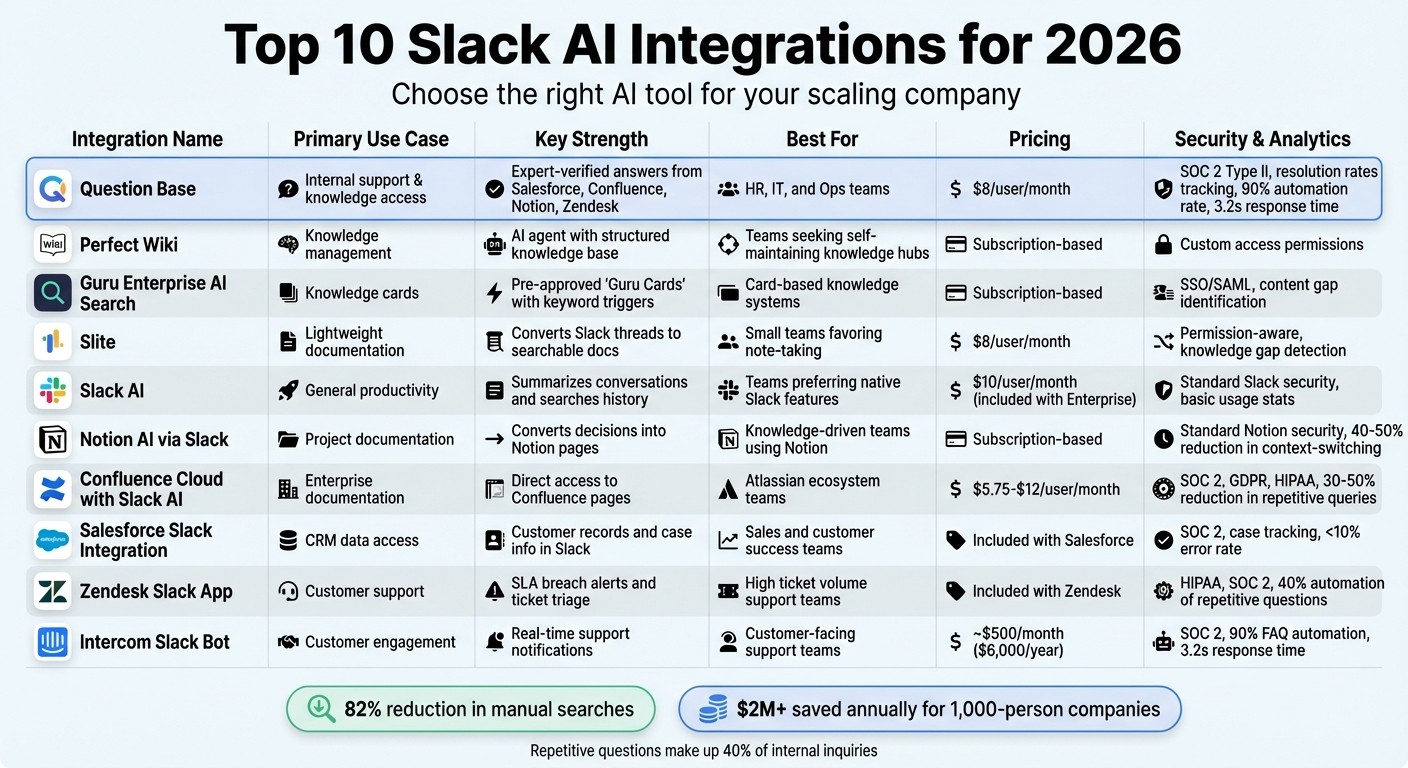
Comparison of Top 10 Slack AI Integrations for Scaling Companies in 2026
I Made AI Agent for Slack in 5 minutes - Step-by-Step Tutorial
1. Question Base

Question Base is a Slack-native AI answer agent designed for enterprise internal support teams like HR, IT, and operations. Unlike Slack AI, which excels at summarizing conversations and improving individual productivity, Question Base connects directly to trusted documentation platforms such as Notion, Confluence, Salesforce, Google Drive, and Zendesk. This allows it to deliver verified answers in just 3.2 seconds[1]. Its ability to seamlessly integrate with existing tools makes it a powerful solution for managing knowledge at scale.
Integration with Existing Knowledge Bases and Tools
With integrations spanning over 13 enterprise tools, Question Base doesn't require engineering expertise to set up. Simply install the app, link your documentation sources - whether it's Confluence SOPs, Notion wikis, or Salesforce articles - and the AI starts delivering context-aware answers. For instance, if a healthcare team asks, "@QuestionBase What's the protocol for emergency triage?" in Slack, they'll receive verified answers with source links pulled directly from approved documentation. This reduces response times from minutes to seconds[3][4].
The platform is permission-aware, respecting your existing access controls across all connected tools. This plug-and-play functionality eliminates the need for manual configurations, making it a hassle-free addition to your workflow.
Accuracy and Verification of AI-Generated Answers
Unlike Slack AI, which relies on unverified Slack messages, Question Base pulls answers exclusively from human-verified documentation. Teams can approve or reject AI responses directly in Slack, ensuring the system continually improves its accuracy. This is particularly critical in regulated industries. For example, a finance team asking, "What's our refund policy?" will get answers sourced from official compliance documents rather than informal Slack discussions.
Question Base auto-resolves 90% of repetitive questions[1]. For queries it can't handle, it logs the gap and escalates the issue to designated experts. This focus on verified documentation ensures compliance and reliability, making it an essential tool for teams in industries like healthcare and finance.
"Since we started using QB we haven't used our Google support docs. And if I go on vacation or sick leave, I feel comfortable that QB will just take over." - Linn Stokke, Online Events & Marketing Specialist, Ticketbutler[1]
Enterprise-Grade Security and Compliance
Question Base is built to meet SOC 2 Type II standards and offers on-premise deployment options for organizations with strict data residency needs[1][2]. You control which knowledge sources the AI can access, with custom permissions and version history for audit trails. This is especially valuable for scaling companies in industries like healthcare and finance, where protecting sensitive data is non-negotiable. Additional features include white-labeling and multi-workspace deployments, ideal for teams managing multiple subsidiaries.
Analytics and Insights for Operational Improvements
Question Base provides detailed dashboards tracking resolution rates, automation metrics, and knowledge gaps. These insights help leaders identify frequently asked questions and prioritize updates to documentation. For example, if "expense reimbursement policy" comes up often, teams know to refine that content.
Studies show tools like Question Base reduce manual searches by 82% and triple workflow efficiency in high-demand environments. For a 1,000-person company, this can translate to avoiding over $2M in lost productivity annually[1]. For those looking to explore the platform, Question Base offers a free Starter plan, with paid plans starting at $8 per user per month when billed annually.
2. Perfect Wiki
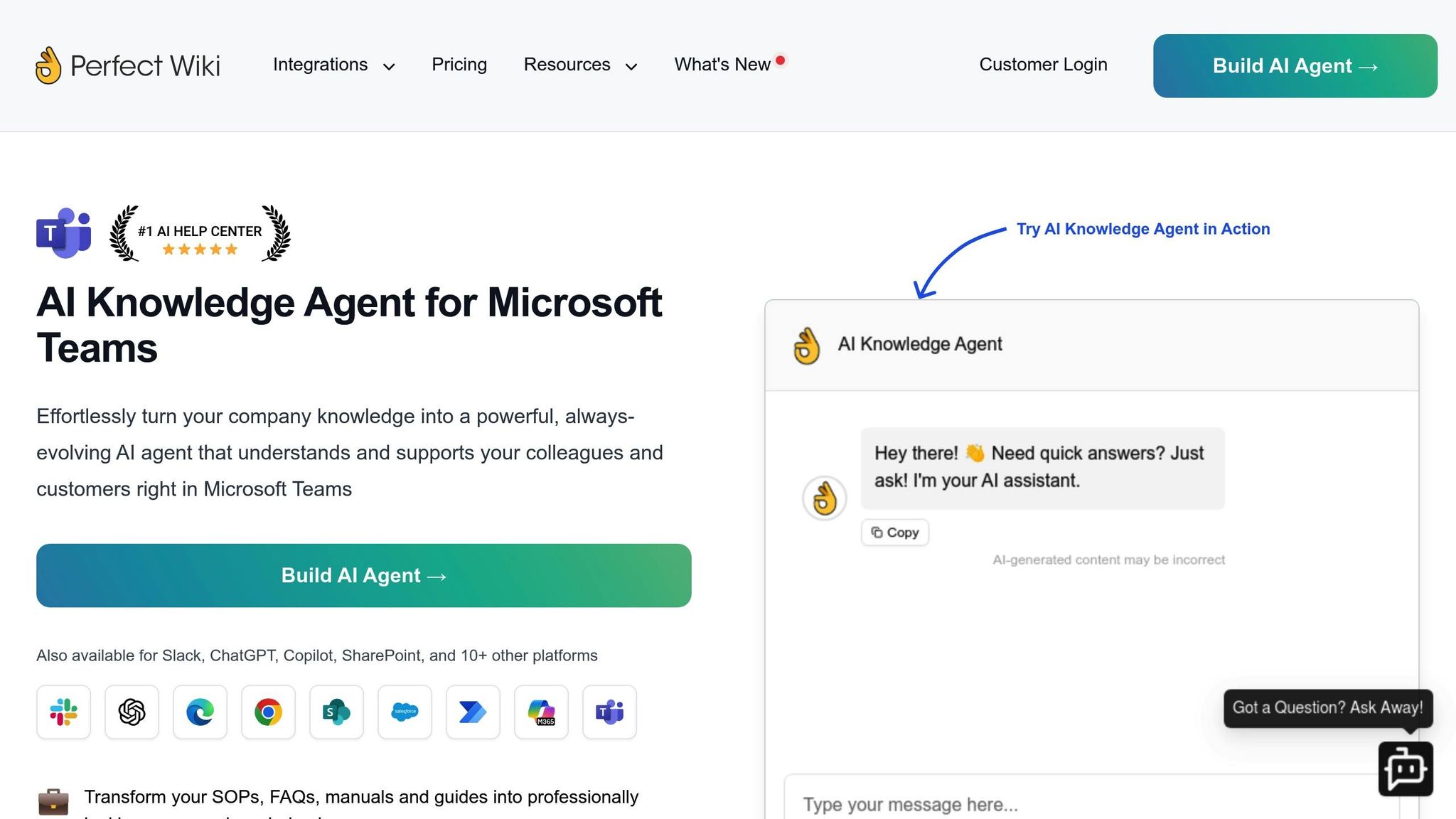
Perfect Wiki brings a wiki-style approach to Slack, combining structured documentation with AI-powered responses. It allows teams to create, edit, and organize content in categories, providing real-time answers to employee questions without requiring them to leave Slack or sift through lengthy documents [4]. While it’s a good option for teams accustomed to traditional wikis, its dependence on manual updates sets it apart from tools that offer more automation.
Integration with Existing Knowledge Bases and Tools
Perfect Wiki makes it easy to connect your existing documentation to Slack conversations. Employees can ask questions in plain language, and the AI Agent pulls answers directly from your structured knowledge base. For example, if someone asks, "What’s our refund policy?" the platform delivers an instant answer sourced from approved documents. It works best with systems like SharePoint but doesn’t offer the broader integration options you’d find with tools like Question Base.
Setting it up involves installing the bot, connecting your workspace, and setting up a Slack knowledge base. However, because the system relies on structured content, teams need to manually update their wiki regularly. This highlights the importance of knowing how to organize knowledge for AI retrieval effectively. This hands-on management can slow things down as organizations grow, especially compared to tools that automate updates. Perfect Wiki is better suited for teams that prefer a more structured, manual approach to managing knowledge.
Analytics and Insights for Operational Improvements
Perfect Wiki transforms Slack into a knowledge-sharing hub by delivering real-time answers from approved content. However, its analytics features are fairly basic, offering only simple usage tracking. It lacks advanced metrics like resolution rates or automation performance, which are available in more sophisticated platforms. For teams looking to measure the impact of automation or track detailed operational insights, this may be a limitation.
3. Guru Enterprise AI Search

Guru Enterprise AI Search streamlines the way teams access information by delivering answers through structured, pre-approved "Guru Cards." These cards ensure responses are consistent, accurate, and vetted before appearing in Slack. Unlike enterprise search vs. Slack AI tools that rely solely on chat history, Guru's card system prioritizes precision and efficiency, making it a practical choice for scaling businesses. Plus, it integrates effortlessly with your existing tools to enhance workflows.
Integration with Existing Knowledge Bases and Tools
Guru connects seamlessly with a variety of enterprise platforms, eliminating the hassle of manual knowledge transfers. For companies that rely on tools like Confluence, Salesforce, or SharePoint, this integration is a game-changer. By leveraging pre-approved content stored in Guru Cards, it brings relevant information directly into Slack conversations. This keeps employees focused on Slack as their primary workspace without needing to switch between platforms [4].
Accuracy and Verification of AI-Generated Answers
Accuracy is a top priority for Guru, especially for industries with strict regulations. By using pre-approved Guru Cards, the platform ensures that all responses are verified and reliable. Teams can also generate suggested answers and summaries for quick human validation, adding an extra layer of confidence. This structured setup minimizes the risk of misinformation while keeping operations running smoothly [4].
Analytics and Insights for Operational Improvements
Guru’s keyword-triggered knowledge surfacing is another standout feature. It automatically identifies relevant Guru Cards when specific topics come up in Slack, cutting down response times and ensuring consistent messaging. This is particularly beneficial for customer-facing teams who need immediate access to approved policies or procedures without sifting through endless documents [4].
4. Slite
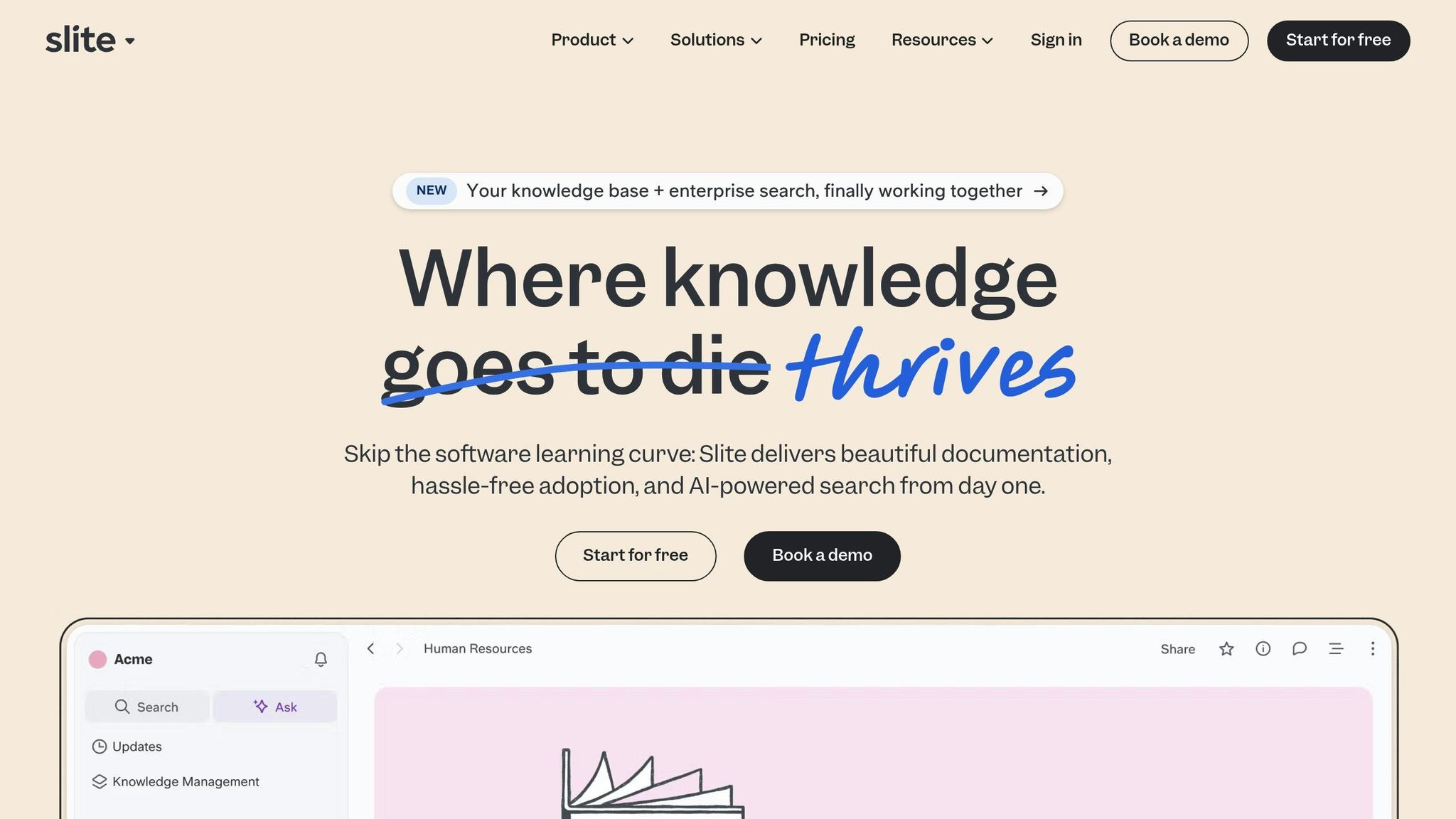
Slite is a streamlined documentation platform that brings AI-powered knowledge management directly into Slack with its "Ask" assistant. By using @Slite or the /slite command, teams can ask questions and receive answers drawn from verified documentation rather than Slack’s chat history. This approach makes Slite an attractive choice for teams seeking a centralized knowledge hub without the complexity of enterprise-level systems. Let’s take a closer look at how Slite integrates with Slack to revolutionize team workflows.
Integration with Existing Knowledge Bases and Tools
Slite’s integration with Slack ensures that essential documentation is always within reach. With the /slite command, users can search their knowledge base and share documents, complete with visual previews, directly within Slack channels. One of its standout features is the ability to convert Slack threads into organized Slite pages, turning important conversations into structured, searchable documentation. This capability bridges the gap between casual Slack discussions and formalized knowledge sharing, making it easier to preserve and access critical information. Installation is quick and straightforward, allowing teams to connect their workspace and link their documentation seamlessly.
Accuracy and Verification of AI-Generated Answers
Reliability is at the core of Slite’s AI functionality. Using Retrieval-Augmented Generation (RAG), Slite ensures that all AI-generated answers are sourced exclusively from verified documents within the knowledge base, avoiding the pitfalls of pulling data from internet sources or informal chats. Each AI response includes citations and links to its source, enabling users to verify the information independently. Additionally, Slite provides a feedback system, allowing teams to approve or reject AI answers, which helps refine the system for greater accuracy over time. At $8 per user per month, Slite offers an affordable solution for teams prioritizing simplicity and verified knowledge over advanced enterprise features.
Analytics and Insights for Operational Improvements
Slite goes beyond basic documentation by offering knowledge gap detection, a feature that identifies missing or outdated information in the knowledge base. This proactive approach helps teams shift from reactive problem-solving to ongoing improvement by pinpointing areas where documentation needs attention. The assistant can also monitor public Slack conversations and suggest relevant documents, ensuring that teams uncover useful resources they might otherwise overlook. These insights make Slite a valuable tool for teams looking to optimize their knowledge-sharing processes.
5. Slack AI
Slack AI is a productivity tool built into Slack, designed to help users sift through conversations, summarize threads, and locate information from past messages. Available on paid Slack plans, it focuses on helping teams make sense of their chat history rather than connecting to external knowledge bases. For teams already using Slack extensively, it’s a handy way to stay updated on missed discussions and quickly find relevant conversations - without needing to switch platforms.
Integration with Existing Knowledge Bases and Tools
Slack AI primarily pulls answers from Slack messages and threads within your workspace. While enterprise-level plans may allow limited connections to other data sources, the tool doesn’t directly integrate with structured wikis, help centers, or other external knowledge repositories. This can be a limitation if your team relies heavily on verified documentation stored outside of Slack. For such cases, specialized integrations designed for knowledge management would be a better fit.
Accuracy and Verification of AI-Generated Answers
Slack AI’s responses are based on historical conversations, making it a useful tool for recalling past discussions. However, it doesn’t include expert verification. Since the AI interprets past messages rather than pulling from curated, verified sources, there’s no guarantee of accuracy. While it’s helpful for surfacing past threads, it doesn’t address the challenge of maintaining reliable, up-to-date knowledge. For teams needing trusted and verified answers, advanced tools like Question Base offer a more robust solution tailored to enterprise needs.
Enterprise-Grade Security and Compliance
Slack AI adheres to key security standards, including SOC 2 compliance, and ensures strong data protection measures. It does not use customer data to train its global generative AI models, maintaining what Slack calls a "trust boundary." This means large language model (LLM) providers cannot access customer data. While this ensures a high level of security for individual users, Slack AI lacks advanced knowledge management features - such as case tracking, duplicate detection, or analytics for resolution efficiency - that are essential for scaling team operations with confidence.
6. Notion AI via Slack
Notion AI via Slack bridges the gap between Slack conversations and Notion's structured documentation, making it easier for teams to capture, organize, and access knowledge. This integration automatically generates pages, updates databases as threads are resolved, and even delivers weekly digests directly in Slack. For teams that prioritize knowledge sharing, this tool ensures discussions are preserved in a centralized, searchable format, streamlining workflows much like other tools on this list.
Integration with Existing Knowledge Bases and Tools
Once you’ve installed the app and linked it to your Notion workspace, you can configure triggers like "new page" creation or "database item updated" to automate updates and documentation. This integration allows teams to access institutional knowledge stored in Notion - whether it’s project handbooks, retrospective notes, or policy documents - right in the middle of Slack conversations.
Accuracy and Verification of AI-Generated Answers
To maintain accuracy, Notion AI via Slack includes a human-review step. When AI suggestions are generated, team members have the option to verify, approve, or reject the content before it’s added to Notion pages or databases. This process ensures that updates align with verified information in Notion, preventing unverified data from being introduced. Additionally, the system suggests related pages for added context and improves its outputs over time based on user feedback.
Analytics and Insights for Operational Improvements
By automating workflows between Slack and Notion, teams gain access to valuable metrics, such as how often pages are updated or how quickly queries are resolved. These insights, shared as Slack digests, can highlight bottlenecks like frequent knowledge gaps or delays in documentation updates. Users of this integration report a 40–50% reduction in context-switching, quicker knowledge capture, and smoother onboarding processes - all thanks to features like automated thread-to-page conversion and digest updates[6].
7. Confluence Cloud with Slack AI
Integrating Confluence Cloud with Slack AI takes the power of Atlassian's documentation platform and embeds it directly into your Slack workspace. This connection allows teams to search, reference, and interact with wikis and structured knowledge bases without ever leaving their Slack conversations. For growing companies that depend on Confluence for documenting product specifications, compliance guidelines, or operational workflows, this integration ensures quick and efficient access to vital information as part of daily operations. By blending these tools, teams can collaborate in real time while keeping their workflows seamless.
Integration with Existing Knowledge Bases and Tools
The Confluence Slack app enables your workspace to connect with specific Confluence spaces, providing features like page previews, notifications, and AI-powered search - all accessible directly within Slack channels. Tools such as eesel AI further enhance this experience by pulling data from Confluence, past tickets, and Google Docs to deliver contextually relevant answers to recurring questions. This integration supports two-way workflows: updates made in Confluence can trigger Slack notifications, while Slack conversations can generate or update Confluence pages. When combined with tools like Salesforce Slack or Zendesk, this setup creates a unified flow of knowledge across platforms[3][6]. The setup process is straightforward - install the app, connect your workspace, and configure specific channels. Once real-time syncing is in place, the focus shifts to ensuring the AI delivers accurate and trustworthy responses.
Accuracy and Verification of AI-Generated Answers
The reliability of AI responses hinges on their connection to verified Confluence content, not casual chat history. Teams have the ability to approve or reject AI-generated suggestions within Slack, feeding that feedback back into the system to refine future responses. This approach ensures that answers remain tied to their source pages, reducing errors and maintaining compliance. Unlike Slack AI, which builds on past conversations, this integration anchors its responses in pre-approved Confluence data, offering a more structured and dependable solution.
Enterprise-Grade Security and Compliance
Confluence Cloud brings Atlassian's enterprise-grade security to this integration, adhering to standards like SOC 2, GDPR, and HIPAA. With controlled data access, AI only trains on approved knowledge sources, ensuring sensitive information remains protected. Role-based access controls (RBAC) and audit logs track every AI interaction in Slack, supporting compliance with frameworks like FedRAMP. Tools such as eesel AI further enhance security by restricting AI training to designated Confluence spaces, preventing unauthorized access[3]. This level of control is especially critical for industries like healthcare and finance, where error-free protocols and secure responses are essential. Full audit trails also make regulatory reviews straightforward and transparent.
Analytics and Insights for Operational Improvements
The value of this integration extends beyond setup and accuracy. Analytics dashboards provide insights into resolution times, common search topics, and AI usage patterns, helping teams refine their documentation and reduce repetitive questions. For example, healthcare teams analyzing frequent protocol-related queries from Confluence can update wikis, cutting response times by 40%[4]. Similarly, other industries can see repetitive queries drop by 30–50% through better documentation updates[4]. Pricing for Confluence Cloud starts at $5.75 per user per month, with enterprise plans priced at $12 per user per month. Slack AI costs $10 per user per month, offering a clear return on investment through time savings and improved efficiency.
8. Salesforce Slack Integration
The Salesforce Slack Integration brings CRM data directly into Slack conversations, cutting out the need to constantly switch between tabs. For teams in sales, support, or customer success, this means they can access customer records, update deal statuses, create cases, and manage pipelines - all without leaving Slack. For growing companies juggling complex sales cycles or handling high volumes of customer interactions, this integration reshapes how teams work together around customer data. Considering that employees spend an average of 12 hours a week searching for information[1], having CRM data readily available in Slack saves time and boosts productivity. Beyond efficiency, this integration also strengthens data accuracy and security.
Integration with Existing Knowledge Bases and Tools
The Salesforce Slack app connects Service Cloud and Sales Cloud data to Slack, enabling real-time notifications and updates via slash commands. Automated workflows streamline approvals and routing, while third-party tools like Zapier can bring in data from external systems, creating a unified view across HR, finance, and healthcare functions. This setup ensures secure, compliant data handling, benefiting industries with strict data regulations[3][6][7]. To get started, users install the app from Slack’s App Directory, authenticate with Salesforce admin credentials, map channels, and test commands to confirm smooth data syncing[6][7].
Accuracy and Verification of AI-Generated Answers
Salesforce Einstein AI enhances this integration by delivering context-aware answers verified against trusted CRM data and knowledge bases before surfacing them in Slack. This process cross-references pre-approved sources, keeping error rates below 10%[4][7]. Users can approve or edit AI-generated suggestions directly in Slack, with those updates feeding back into the model to refine its accuracy over time. Unlike Slack AI, which relies on chat history, this integration grounds its responses in structured CRM data, ensuring that answers are tied to verified customer information rather than informal conversations. Additionally, robust security measures safeguard sensitive CRM data alongside this verification process.
Enterprise-Grade Security and Compliance
This integration adheres to SOC 2 compliance standards, with encryption for data both in transit and at rest, and role-based access controls aligned with Slack Enterprise Grid requirements. Comprehensive audit logs track all activities, providing transparency for regulatory reviews. Teams can control exactly which Salesforce data sources the AI accesses, ensuring readiness for HIPAA and GDPR compliance in industries like healthcare and finance[3]. Permission settings ensure that only authorized team members can view specific customer data, mirroring the security protocols already in place within Salesforce. This approach protects sensitive information while maintaining a consistent security posture across both platforms.
Analytics and Insights for Operational Improvements
Built-in dashboards offer insights into metrics like response times, resolution rates, and AI usage trends, seamlessly integrating with Salesforce reports to identify workflow inefficiencies. Teams can pinpoint which customer issues generate the most activity in Slack, uncovering areas where knowledge bases need updates or processes can be streamlined. For example, educational institutions have cut admin query times by 40% by syncing student data into Slack, while healthcare teams have seen feedback loops accelerate by 3x with 95% accuracy[5]. In another case, automated Slack notifications led to 30% faster case resolutions, showcasing clear ROI through shorter response times and improved team performance[6]. These analytics help organizations refine their documentation, optimize workflows, and minimize repetitive questions by identifying recurring patterns in customer interactions.
9. Zendesk Slack App
The Zendesk Slack App transforms how support teams manage their workflows by embedding ticket management directly into Slack. Instead of constantly refreshing dashboards, your team gets real-time alerts in the #support-triage channel whenever a new ticket comes in or an SLA deadline looms. From there, team members can convert Slack threads into Zendesk comments, assign tags, and share triage cards - all without leaving Slack. This setup is a game-changer for growing companies that need seamless coordination between support, product, and engineering teams, enabling quicker escalations and smoother handoffs.
Integration with Existing Knowledge Bases and Tools
This integration bridges Zendesk’s Help Center articles, support tickets, and contact records with Slack channels. Customizing Slack data flow allows automated workflows to kick in when specific triggers occur - like a newly created ticket, an SLA breach, or a priority shift - posting triage cards directly into the relevant channels. This setup ensures accurate tracking of ticket metrics, which is covered in more detail in the next section.
Analytics and Insights for Operational Improvements
The Zendesk Slack App offers a clear view of ticket volume trends, priority levels, and response times using alerts and triage cards. By keeping tabs on issues that frequently escalate or breach SLAs, support leaders can pinpoint inefficiencies and adjust staffing based on data. For scaling organizations, the app can automate over 40% of repetitive questions by syncing Slack conversations with Zendesk’s documentation. With just one click, resolved threads can be turned into Help Center articles, reducing the workload on support teams and preserving valuable knowledge for future use[1].
Enterprise-Grade Security and Compliance
Beyond its operational benefits, the Zendesk Slack App prioritizes security. It adheres to strict compliance standards, including HIPAA and SOC 2, ensuring customer data shared in Slack threads is encrypted and access-controlled. Support teams can further protect sensitive information by setting governance policies and applying role-based permissions to limit access to only those who need it.
10. Intercom Slack Bot
The Intercom Slack Bot brings AI-powered internal support directly into Slack, allowing agents to handle tickets, update records, and respond to customer inquiries without switching platforms. When a new conversation begins or an urgent issue arises, the bot sends real-time notifications to designated Slack channels (such as #customer-support or #sales-handoffs). This setup lets teams assign tickets, add internal notes, or access customer histories - all from within Slack threads.
Integration with Knowledge Bases and Tools
This bot seamlessly connects Intercom's help articles and customer data to Slack, giving agents quick access to troubleshooting guides and operational runbooks. It also syncs with popular CRMs like Salesforce and HubSpot, enabling notifications for new tickets, SLA violations, and customer health updates. Finance teams can even create high-priority tasks directly from Slack, ensuring workflows remain efficient while maintaining a centralized source of information across platforms.
Real-Time Analytics for Better Operations
Beyond its integration capabilities, the Intercom Slack Bot provides real-time metrics to optimize team performance. It tracks key data points like time-to-resolution, ticket volumes, and SLA compliance, all accessible within Slack. These insights help support leaders pinpoint inefficiencies and adjust staffing based on actual needs. With AI-powered features, the bot automates over 90% of repetitive questions and delivers an impressive average response time of just 3.2 seconds[1]. Additionally, teams in industries like finance and education can monitor customer health alerts and prioritize escalations with ease.
Security Designed for Enterprises
Security is a top priority for the Intercom Slack Bot. It complies with SOC 2 standards, offering data encryption and role-based access controls to safeguard customer information. For industries like healthcare and finance, where sensitive data is frequently handled, the bot allows teams to configure permissions to ensure secure, audit-ready access. Pricing for enterprise implementations starts at $6,000 per year (approximately $500 per month when billed annually)[1].
Quick Comparison Table
When choosing a Slack AI integration, consider your priorities: accuracy, compliance, and workflow automation. Below is a comparison of the top 10 options tailored for scaling companies.
Integration | Primary Use Case | Key Strength | Best For | Pricing Model | Security Features | Analytics |
|---|---|---|---|---|---|---|
Question Base | Internal support & knowledge access | Delivers expert-verified answers from trusted documentation (e.g., Salesforce, Confluence, Notion, Zendesk) | HR, IT, and Ops teams needing reliable answers at scale | $8/user/month (Pro); Enterprise custom | SOC 2 Type II, on-premise option, encryption | Resolution rates, automation rates, knowledge gap tracking |
Perfect Wiki | Knowledge management | AI agent draws from organizational docs; structured knowledge base with custom permissions | Teams seeking self-maintaining knowledge hubs | Subscription-based | Custom access permissions | Not specified |
Guru Enterprise AI Search | Knowledge cards | Features pre-approved "Guru Cards" with keyword-triggered results | Teams using card-based knowledge systems | Subscription-based | SSO/SAML, SCIM, granular permissions | Card usage, content gap identification |
Slite | Lightweight documentation | AI-generated responses from notes with team approval/rejection options | Small teams favoring straightforward note-taking | Subscription-based | Permission-aware access | Knowledge gap detection |
Slack AI | General productivity | Summarizes conversations and searches Slack history | Teams preferring native Slack features | Included with Slack Enterprise | Standard Slack security | Basic usage statistics |
Notion AI via Slack | Project documentation | Converts decisions into pages and updates project databases | Knowledge-driven teams using Notion | Subscription-based | Standard Notion security | Not specified |
Confluence Cloud with Slack AI | Enterprise documentation | Provides direct access to Confluence pages and spaces | Teams utilizing the Atlassian ecosystem | Subscription-based | Enterprise-grade Atlassian security | Not specified |
Salesforce Slack Integration | CRM data access | Retrieves customer records and case information directly | Sales and customer success teams | Included with Salesforce | Enterprise-grade CRM security | Case tracking, account activity |
Zendesk Slack App | Customer support | Sends SLA breach alerts and coordinates ticket triage | Support teams handling high ticket volumes | Included with Zendesk | Standard Zendesk/Slack security | Ticket deflection rates, time-to-resolution |
Intercom Slack Bot | Customer engagement | Provides real-time notifications for support interactions | Customer-facing support teams | Included with Intercom | SOC 2, encryption, role-based access | Time-to-resolution, ticket volumes, SLA compliance |
Setup time is another factor to weigh. Simpler tools like Slite Ask can be up and running in minutes, while enterprise-grade solutions like Question Base or Salesforce may require several hours to fully integrate multiple data sources. For companies with limited IT resources, Question Base strikes a balance by offering enterprise-level security without overly complex configuration.
When employees depend on accurate answers for compliance, customer interactions, or operational decisions, accuracy becomes critical. Slack AI excels at summarizing past conversations, but tools like Question Base, Guru, and Perfect Wiki stand out by providing expert-verified answers sourced from trusted documentation. Given that repetitive questions make up 40% of internal inquiries[1], automation-driven tools significantly reduce support workloads while speeding up access to essential information.
Pricing models also vary widely. Some tools, like Question Base, charge per user (e.g., $8/user/month), while others, such as Slack AI, come bundled with enterprise packages.
Conclusion
Scaling companies face a staggering loss of over $2 million annually due to time wasted on inefficient information searches[1]. The ten Slack AI integrations highlighted in this article aim to tackle this issue by automating repetitive questions, comparing AI vs. manual knowledge gap analysis to make institutional knowledge accessible instantly, and reducing the workload for support teams.
While Slack AI provides tools to summarize past conversations, Question Base stands out by delivering expert-verified answers directly from trusted sources like Notion, Confluence, Salesforce, and Zendesk. With a 90% automation rate and responses in just 3.2 seconds, it ensures speed and accuracy. On top of that, it offers enterprise-grade security with SOC 2 Type II compliance - all for $8 per user per month[1][2].
When deciding on the right integration, consider your team’s specific needs. For HR, IT, or Ops teams that deal with high volumes of repetitive questions, Question Base offers a tailored solution with features such as gap detection, duplicate checking, and case tracking - tools that go beyond what general-purpose AI platforms can provide. On the other hand, teams deeply integrated into the Atlassian ecosystem might find a Confluence Cloud integration more fitting, while customer support teams can benefit from ticket management solutions like Zendesk or Intercom.
To get started with these tools, focus on high-impact Slack channels like HR or IT for a pilot program. Test for a 40%+ automation rate to validate the solution’s effectiveness before rolling it out more broadly. This approach allows teams to see immediate improvements, such as saving over six hours per week for each expert by automating repetitive queries[1]. Review how well the tools handle real employee questions, ensure they meet your security standards, and measure the time saved to fully understand the efficiency gains these integrations deliver.
FAQs
How can Slack AI integrations boost productivity for growing companies?
Slack AI integrations are a game-changer for growing companies, making it easier to access information and automate routine tasks. While Slack AI is great for summarizing conversations and pulling context from chat history, Question Base takes it a step further by focusing on enterprise-level knowledge management. It seamlessly connects Slack to trusted platforms like Notion, Confluence, and Salesforce, ensuring that teams receive reliable, accurate answers rather than depending solely on AI’s interpretation of past chats.
Built with HR, IT, and operational support teams in mind, Question Base can automate up to 35% of repetitive questions, easing the workload on subject-matter experts while preserving institutional knowledge. It also comes packed with advanced tools like case tracking, duplicate question detection, and resolution analytics - features that are essential for scaling businesses. While Slack AI works well for smaller teams or quick searches, Question Base is specifically designed to help larger organizations stay aligned, compliant, and efficient as they grow.
What makes Question Base a better choice than other Slack AI tools for scaling teams?
While Slack AI is excellent for summarizing conversations and digging into chat history, Question Base takes things a step further by focusing on delivering verified, reliable knowledge at scale. By connecting directly to trusted platforms like Notion, Confluence, Salesforce, and Google Drive, it ensures your team gets expert-approved answers instead of relying on AI's interpretation of chat data.
For enterprise teams in HR, IT, and operations, Question Base brings powerful tools to the table, including case tracking, duplicate question detection, and knowledge gap identification. These features help keep information well-organized and actionable. On top of that, it offers advanced analytics and compliance measures, such as SOC 2 certification, making it a strong fit for regulated industries and larger organizations. If your team prioritizes accuracy, security, and structured knowledge management, Question Base is designed to boost internal support and streamline operations.
How can Slack AI integrations help regulated industries stay compliant?
While Slack AI excels at summarizing conversations and pulling context-specific details, industries with strict regulations often require more dependable tools to meet compliance standards. Question Base is specially designed for enterprises, delivering expert-verified answers sourced from reliable platforms like Notion, Confluence, and Salesforce. This approach ensures responses are not only accurate but also traceable and aligned with regulatory requirements.
On top of that, Question Base provides enterprise-grade security, including SOC 2 Type II compliance, making it a strong choice for sectors such as healthcare, finance, and education. Unlike Slack AI, which relies heavily on chat history, Question Base integrates with a range of secure data systems, giving teams the ability to manage knowledge securely and stay compliant with confidence.